Cacti: [1.2.0] Poller Errors after upgrading
After upgrading to 1.2.0 (running on CentOs) we are having issues with a lot of graphs not being updated and these messages in our logs.

Anyone a pointer what to check ?
 Mvanmierlo
All 8 comments
For now, update lib/snmp.php from the develop branch. Moving forward, use spine, but more threads and less processes.
 cigamit
on 15 Jan 2019
cigamit
on 15 Jan 2019
Hi I replaced the snmp.php with this version " https://github.com/Cacti/cacti/raw/develop/lib/snmp.php "
And that results in another bigger issue .. now none of the graphs are updated .. so not a sollution if you ask me.
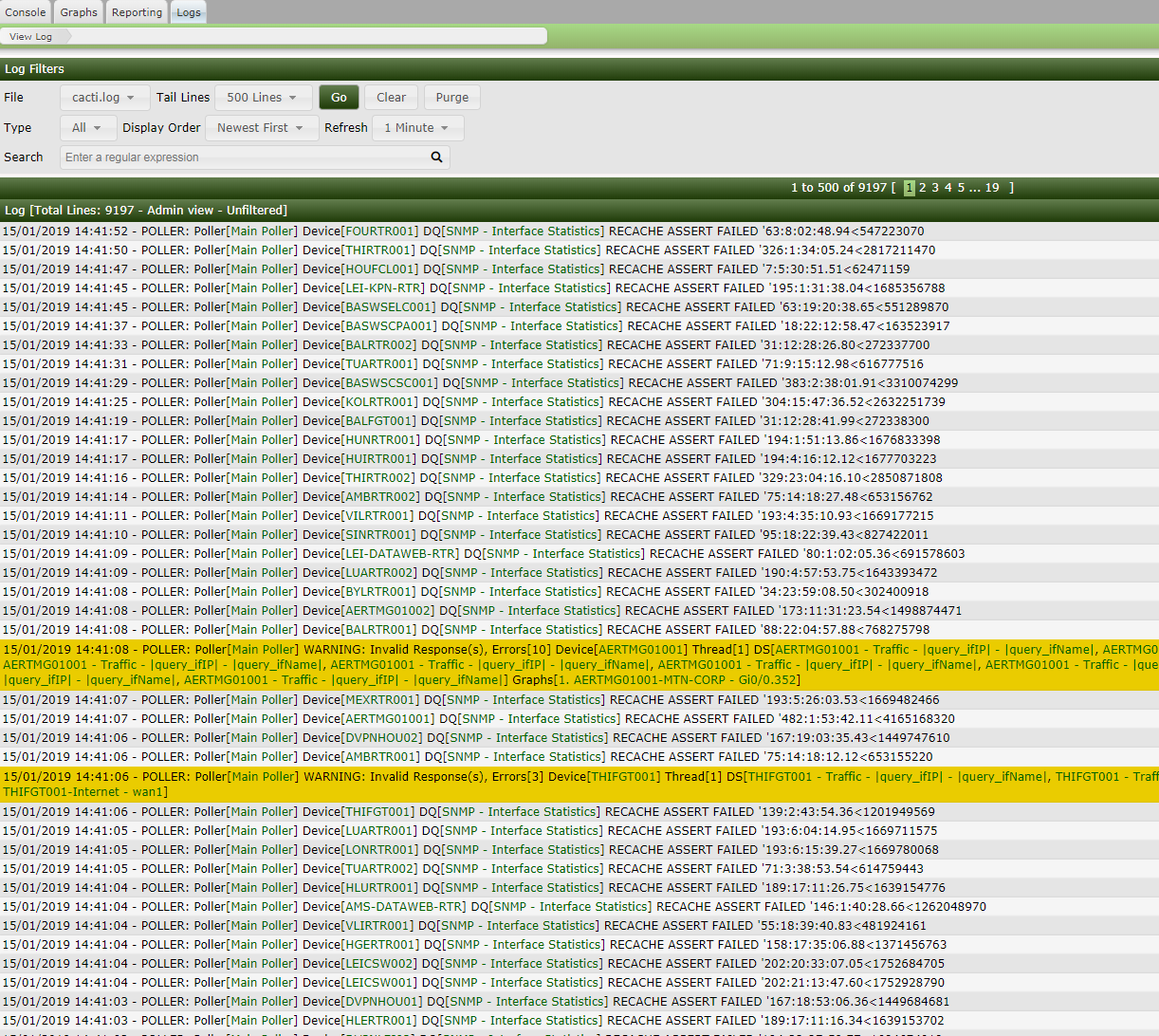
Besides that I still get the same initial log entry which is pointing to one of the issued devices / graphs (which ran perfectly for years before the upgrade)

So I went now to Spine (not an easy one to install under CentOS but I got there) Now I still get errors (less though ) So what again please help here's the output from my last cmd and first few Spine logs
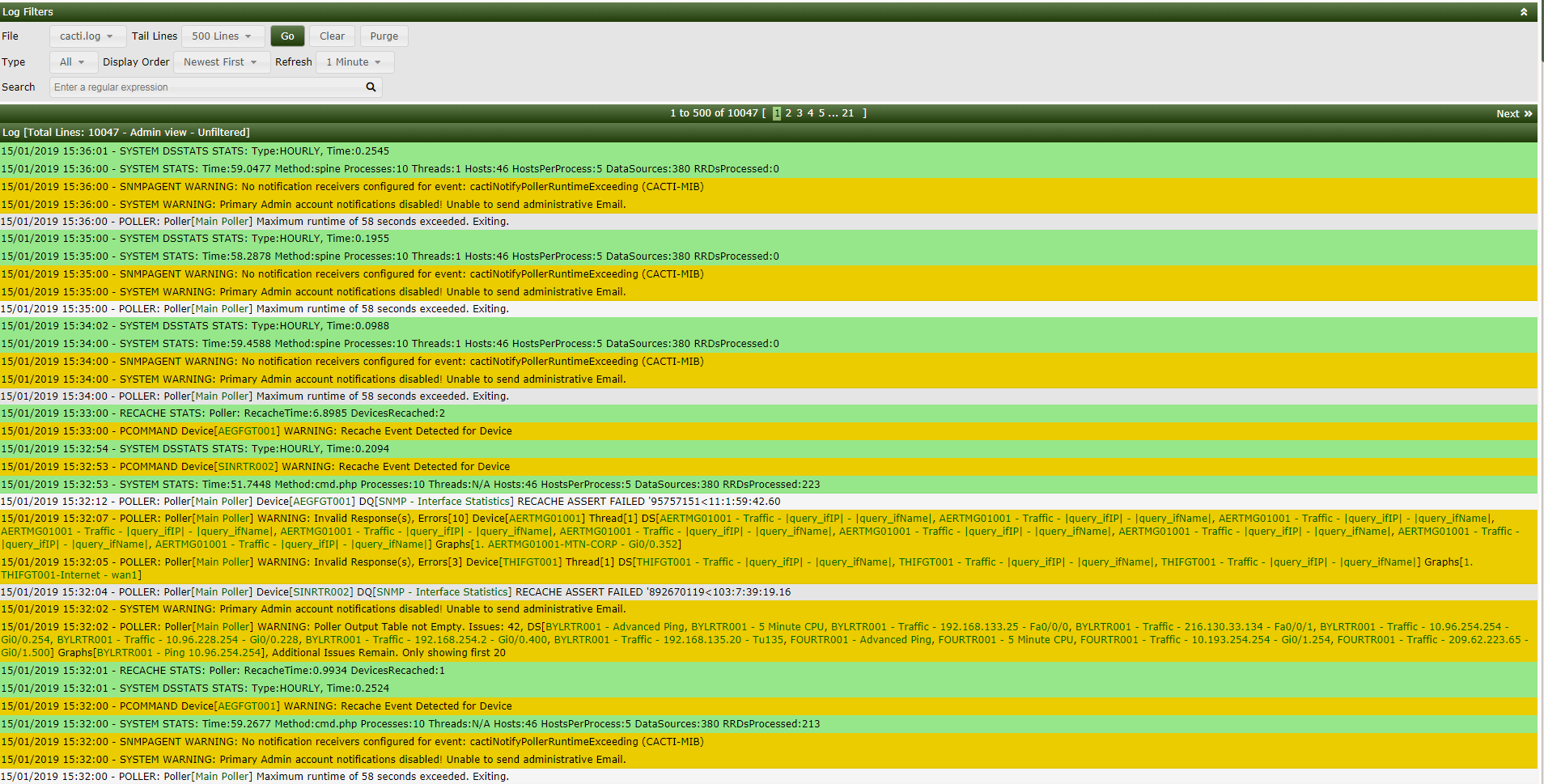
Mvanmierlo
on 15 Jan 2019
So long story short, the update introduced several issues as shown in the logs.
Installing and using Spine did not fix these issues .. but gave a better logging which did not enable me to fix the issues
ERROR: Problems parsing Multi SNMP OID! (oid: ), Set MAX_OIDS to 1 for this host to isolate bad OID
This was introduced by the update, and only way I could fix it is to remove all the graphs of this device and recreate them.
Using Spine or the update also introduced another issue (got visible after using Spine as a poller)
SPINE: Poller[Main Poller] Device[XXX] DEBUG Falling back to UDP Ping Due to SetUID Issues
After disabling the setting Downed Device Detection this also disappeared from my logging and I was still able to create a PING (latency) graph of these devices (I got this error like all errors on multiple devices but not all).
So all in all this upgrade gave me a lot of issues, and to be honest I feel myself not really heard by getting an answer as posted as second message declaring my issue as duplicate and solved.
Still a big thank you for you guys making Cacti
Mvanmierlo
on 15 Jan 2019
There are a number of issues that have been addressed and are part of an upcoming patch so there have been a large amount of duplicate especially with a big release like 1.2. So, whilst @cigamit's answer was short and direct, we are listening 👍
Your spine issue is because when you configured and installed spine, you need to ensure that the spine executable is owned by root and then has been chmod +s spine afterwards to apply the SetUID bit. If you move the file, it will often lose the SetUID bit.
Without the SetUID bit set, you see the UDP Ping message appear in the error logs because you had the device set to ICMP ping and it is unavailable because the program is not running as root. When running as root, it does downgrade itself so that it is not always root (except for ICMP pings). Now, if your router/firewalls do not allow UDP ping, then that will fail for a different reason.
Because you've changed your hosts to none, it doesn't bother to check whether a host is available before attempting to get all your data sources for that host. In the short term, that probably helps, but if you get a device going offline, you may find it causes the poller to overrun.
 netniV
on 16 Jan 2019
netniV
on 16 Jan 2019
@netniV Thank you for your detailed explanation and aditional info in regard to having the correct ownership of Spine. Stupid mistake that I made (i just realize) that I completely missed the Spine Github page where this is explained.
As mentioned yesterday I have no no errors in my log so happy again.
Thank you !
Mvanmierlo
on 16 Jan 2019
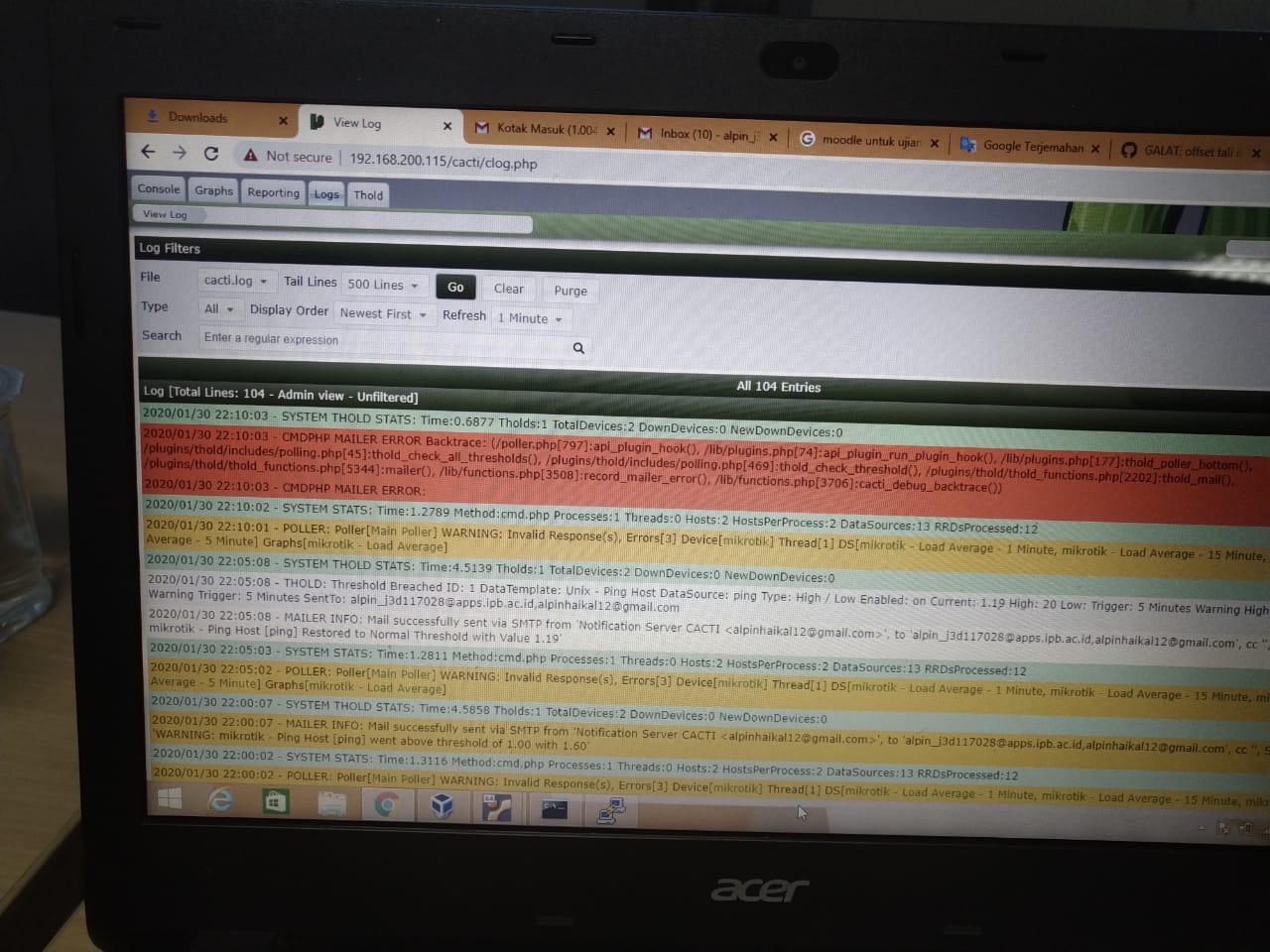
I have almost the same problem, poller has no response.
then I have a problem, ping alerts cannot be sent via email, whereas for a warning and normal ping can be sent to an email as seen in a red error, sorry if anyone can provide a solution
 alpinhaikal
on 4 Feb 2020
alpinhaikal
on 4 Feb 2020
The above is a separate issue, although a similar kind of problem. Log it separately.
netniV
on 4 Feb 2020

What's wrong with this? I am using Ubuntu 18.04 with Cacti version 1.2.8, thanks
alpinhaikal
on 5 Feb 2020
Related issues
 darius1706
·
5Comments
darius1706
·
5Comments
 josun-33
·
4Comments
josun-33
·
4Comments
 dsclassen
·
7Comments
dsclassen
·
7Comments
 imax64
·
8Comments
imax64
·
8Comments
 barreljan
·
3Comments
barreljan
·
3Comments
Most helpful comment
There are a number of issues that have been addressed and are part of an upcoming patch so there have been a large amount of duplicate especially with a big release like 1.2. So, whilst @cigamit's answer was short and direct, we are listening 👍
Your spine issue is because when you configured and installed spine, you need to ensure that the spine executable is owned by root and then has been
chmod +s spineafterwards to apply the SetUID bit. If you move the file, it will often lose the SetUID bit.Without the SetUID bit set, you see the UDP Ping message appear in the error logs because you had the device set to ICMP ping and it is unavailable because the program is not running as root. When running as root, it does downgrade itself so that it is not always root (except for ICMP pings). Now, if your router/firewalls do not allow UDP ping, then that will fail for a different reason.
Because you've changed your hosts to none, it doesn't bother to check whether a host is available before attempting to get all your data sources for that host. In the short term, that probably helps, but if you get a device going offline, you may find it causes the poller to overrun.