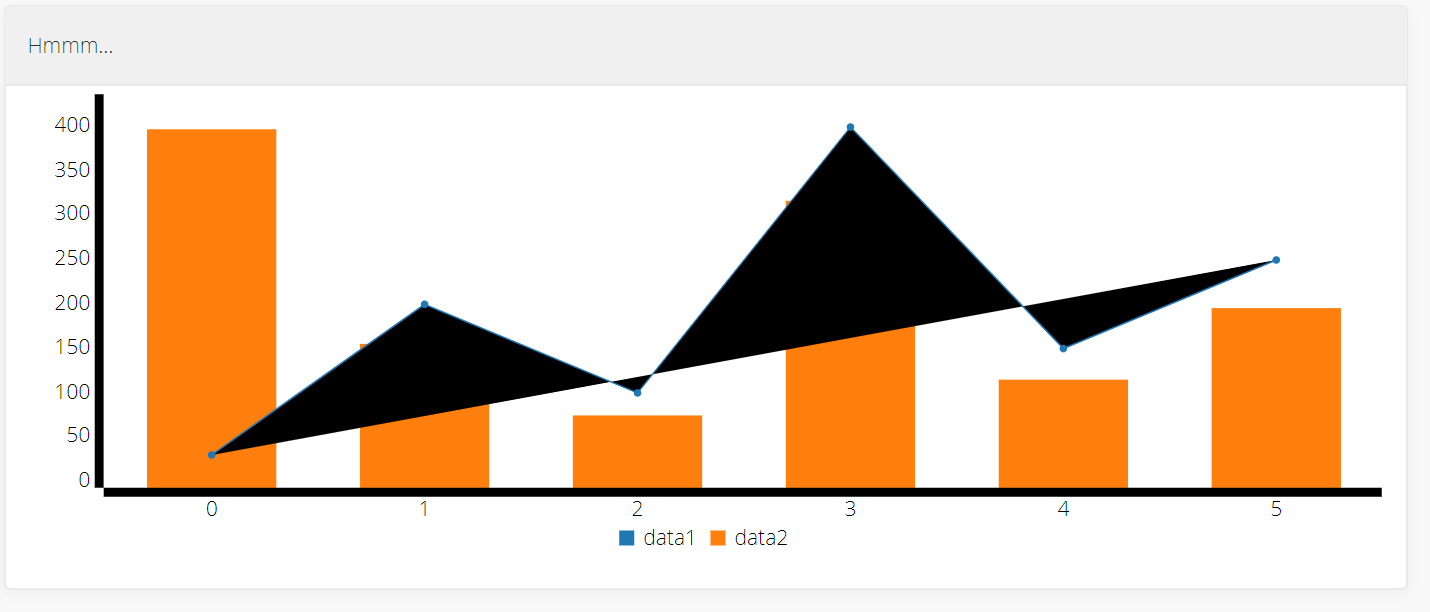
I have simple bar chart with time series, generated as below. But there are some issues with rendering. axis lines are very thick and one of the bars overlaps previous one (see screen below). I removed all styles from solution to make sure that it's not interfering but its not the case.
c3.generate({
      bindto: '#expenses_USD',
      data: {
        x: 'x',
        columns: [
          xs,
          ys
        ],
        type: 'bar'
      },
      bar: {
        width: {
          ratio: 0.5
        }
      },
      axis: {
        x: {
          type: 'timeseries'
        }
      },
    });
xs and ys:
xs = ["x", "2014-09-30", "2015-09-30", "2015-10-31", "2015-11-30", "2015-12-31", "2016-01-31", "2016-02-29", "2016-03-31", "2016-04-30", "2016-05-31", "2016-06-30", "2016-07-31", "2016-08-31", "2016-09-30", "2016-10-31", "2016-11-30", "2016-12-31", "2017-01-31", "2017-02-13"]

ys = ["data", 14000, 7206.97, 15363.95, 19558.57, 20582.17, 16322.1, 20461.01, 80327, 65395.59, 25144.92, 25743.48, 34658.35, 25610.2, 14228.55, 14048.26, 14945.32, 40219.22, 12723.13, 4529.45]

 belczyk
All 2 comments
I solved the mystery. The issue was that I forgot to include c3.css. Once included it axis are working fine.
The last bar still overlaps previous one but I think it's because of data (last bar date is not week away from the previous one).
belczyk
on 13 Feb 2017
👍2
😄1
Thanks @belczyk
I pulled all my hairs out until I found this thread.
I had this, fixed by including c3.css
 digitlimit
on 18 Mar 2020
digitlimit
on 18 Mar 2020
Was this page helpful?
0 / 5 - 0 ratings
Related issues
 mwho
·
3Comments
mwho
·
3Comments
 Saikat-Sinha
·
3Comments
Saikat-Sinha
·
3Comments
 ivarkallejarv
·
3Comments
ivarkallejarv
·
3Comments
 udhaya2kmrv
·
3Comments
udhaya2kmrv
·
3Comments
 seubert
·
3Comments
seubert
·
3Comments
Most helpful comment
I solved the mystery. The issue was that I forgot to include c3.css. Once included it axis are working fine.
The last bar still overlaps previous one but I think it's because of data (last bar date is not week away from the previous one).