Buttercup-desktop: RPM installation on Fedora 27 fails
I tried the command: rpm -i buttercup-desktop-0.25.2.x86_64.rpm
but the message that showed was:
erro: buttercup-desktop-0.25.2.x86_64(1).rpm: signature region 62: tag number mismatch il 7 ril 6 dl 792 rdl 380
erro: buttercup-desktop-0.25.2.x86_64(1).rpm não pode ser instalado //(couldn't be installed)
 hidekiss
All 16 comments
Currently neither of us have access to a Fedora machine, and have not had time to make a virtual machine to test this. We'd appreciate any help the community can provide in debugging this. If this is an issue with the packager we use we can make the necessary changes once we know what's causing the issue.
 perry-mitchell
on 13 Jan 2018
perry-mitchell
on 13 Jan 2018
I am trying to install the RPM package in Fedora 27, however, the following error appears in the file
error: /home/ogonzalez/Descargas/buttercup-desktop-0.25.2.x86_64.rpm: signature region 62: tag number mismatch il 7 ril 6 dl 792 rdl 380

Traceback (most recent call last):
  File "/usr/bin/dnf", line 58, in <module>
    main.user_main(sys.argv[1:], exit_code=True)
  File "/usr/lib/python3.6/site-packages/dnf/cli/main.py", line 179, in user_main
    errcode = main(args)
  File "/usr/lib/python3.6/site-packages/dnf/cli/main.py", line 64, in main
    return _main(base, args, cli_class, option_parser_class)
  File "/usr/lib/python3.6/site-packages/dnf/cli/main.py", line 99, in _main
    return cli_run(cli, base)
  File "/usr/lib/python3.6/site-packages/dnf/cli/main.py", line 123, in cli_run
    ret = resolving(cli, base)
  File "/usr/lib/python3.6/site-packages/dnf/cli/main.py", line 154, in resolving
    base.do_transaction(display=displays)
  File "/usr/lib/python3.6/site-packages/dnf/cli/cli.py", line 238, in do_transaction
    super(BaseCli, self).do_transaction(display)
  File "/usr/lib/python3.6/site-packages/dnf/base.py", line 735, in do_transaction
    self.transaction._populate_rpm_ts(self._ts)
  File "/usr/lib/python3.6/site-packages/dnf/transaction.py", line 196, in _populate_rpm_ts
    hdr = tsi.installed._header
  File "/usr/lib/python3.6/site-packages/dnf/package.py", line 87, in _header
    return dnf.rpm._header(self.localPkg())
  File "/usr/lib/python3.6/site-packages/dnf/rpm/__init__.py", line 70, in _header
    return ts.hdrFromFdno(fdno)
  File "/usr/lib64/python3.6/site-packages/rpm/transaction.py", line 174, in hdrFromFdno
    raise rpm.error("error reading package header")
_rpm.error: error reading package header
I hope it helps with the debugging.
 eldragon87
on 16 Jan 2018
eldragon87
on 16 Jan 2018
Thanks for the dump @eldragon87. Unfortunately python traces don't help much right now, as the whole library is configured with JS, but perhaps it might when we start digging into this. I'll try to get a Fedora machine up today.
perry-mitchell
on 17 Jan 2018
Tested on a new Fedora 27 VM today and was able to reproduce. Tried both dnf and rpm for installs, both failed with the tag number mismatch error (dnf was much more verbose like @eldragon87 pointed out).
It looks like this is a somewhat common error, and I'm wondering if it has to do with how electron-builder creates the rpm (/cc @sallar). I wonder if it might be worthwhile using a separate rpm builder for rpm packages..
EDIT: Perhaps entering all possible properties detailed in the electron-builder docs would be a good starting point.
perry-mitchell
on 17 Jan 2018
@hidekiss @eldragon87 I was able to install the AppImage file easily on Fedora 27, so I would recommend going that route:
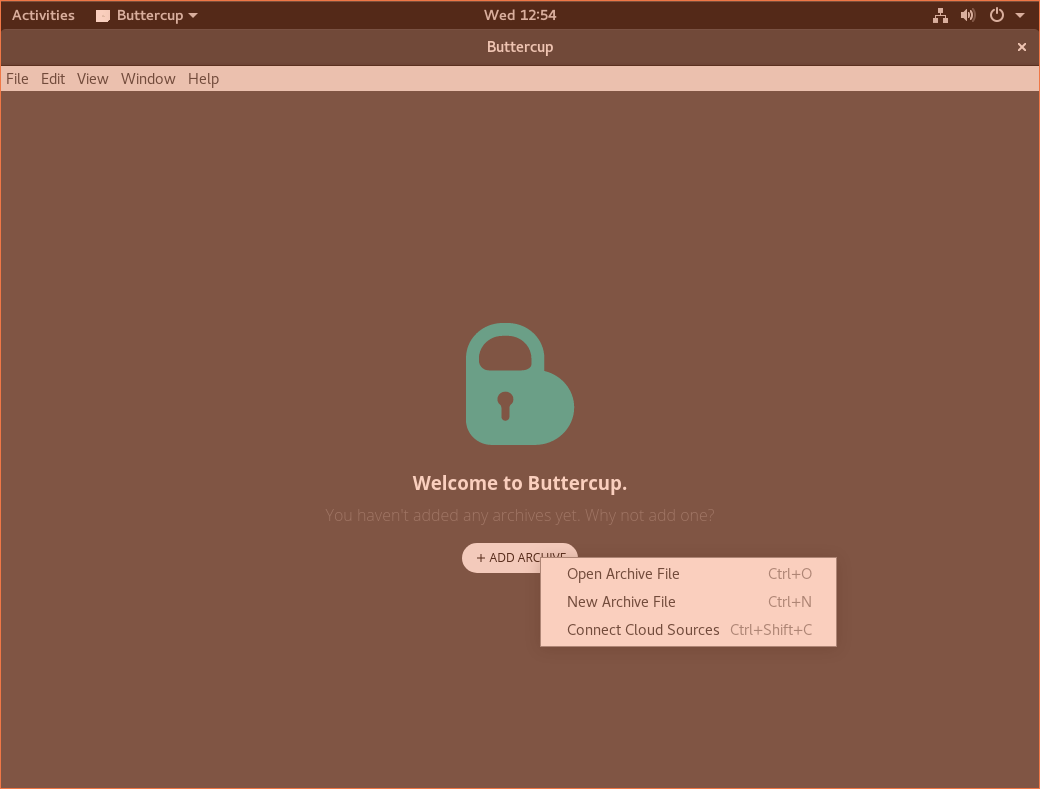
Download the AppImage and run chmod +x buttercup.AppImage (obviously with the correct filename). Then just run it: ./buttercup.AppImage. Say yes to integrating and it'll start up quite quickly.
perry-mitchell
on 17 Jan 2018
I've also encounter this error with the RPM package.
But I cloned the repo, rebuild the RPM package and I was able to install the package.
 RaboliotLeGris
on 20 Jan 2018
RaboliotLeGris
on 20 Jan 2018
But I cloned the repo, rebuild the RPM package and I was able to install the package.
@RaboliotTheGreat what system did you build on? We build on Mac, so I wonder if that has anything to do with it.. I doubt it, but it could be a system dependency different between yours and ours.
perry-mitchell
on 21 Jan 2018
The first time was on a newly installed fedora 27.
On a new fedora VM, I tried to install the .rpm from the website and it fails as expected.
So on the same VM, I decided to build the package :
The version of node and npm installed are :
nodejs - 8.9.3
npm - 5.5.1
After the npm install the 7zip-bin package was missing package.
And also this system dependence : libXScrnSaver
I managed to build the .rpm package (after struggling against snapcraft):
You can find him here : https://cloud.raboland.fr/s/WlJMrFXUvGELm4I
Also when I tried to install it, another dependency was missing : libappindicator (Don't know if it was missing from my system) (Plus some minor bugs with gnome)
EDIT : Like says in the Electron Docs for multi platform Build, you may need to build the package on the targeted platform.
RaboliotLeGris
on 21 Jan 2018
you may need to build the package on the targeted platform
It seems like this didn't help you much though, right? I mean, you still had heaps of dependency issues. We've always built the linux binaries on Mac without issue before.. I guess either we haven't properly tested RPM builds before or there's been some kind of regression.
I'd prefer not to resort to building on the native platforms as that's a lot of work for a single release. If we can build Windows binaries on Mac (which currently work), I would definitely expect Linux ones to work.
I think we should still switch to another package to build RPM files...
Thanks for the tests done on Fedora @RaboliotTheGrey!
perry-mitchell
on 22 Jan 2018
I understand the decision. In that case I suggest you remove the RPM from the website to avoid confusion and suggest personal compilation or AppImage.
eldragon87
on 22 Jan 2018
It's also seems that the electron builder also make a .snap (It certainly could be used to install on almost any linux platform)
EDIT : I figured out that I installed Buttercup with rpm, so I had to install the dependency at the hand, but with dnf it installs all the required dependencies.
RaboliotLeGris
on 22 Jan 2018
@perry-mitchell I just installed the lastest release from your website (v1.0.1), it seems this issue is solved.
There is just two minor bugs, the first one is that the electron logo is display instead of the buttercup logo (Tested on Fedora and Debian (both with Gnome)):

The second is a missing Icon in the gnome bar (I will dig this issue later):

@perry-mitchell should I open a new issue ?
RaboliotLeGris
on 10 Feb 2018
@RaboliotTheGrey Are you saying that you were able to install the rpm build?
500 was the issue regarding the icon. It's been addressed in 9645ba7000a39d0f61fc5e7b377845d591df108a, which will be released soon.
perry-mitchell
on 10 Feb 2018
@perry-mitchell well then ... I'm able to install it without a problem on my laptop (I used to build Buttercup with it), but I just tried on a VM and it returns the usual error. I've absolutely no idea from what is can come ...
Oh sorry my bad about the #500 :/
RaboliotLeGris
on 10 Feb 2018
No problem! The rpm issue is quite strange. Thanks for checking into it.
New release with the icons fix should be out soon. Installing via AppImage or Snap is recommended until rpm builds are fixed.
perry-mitchell
on 11 Feb 2018
Is this still an issue?
 sallar
on 27 Nov 2019
sallar
on 27 Nov 2019
Related issues
perry-mitchell
·
5Comments
perry-mitchell
·
6Comments
 julianpoemp
·
6Comments
julianpoemp
·
6Comments
 KneePham
·
3Comments
KneePham
·
3Comments
 frigaut
·
6Comments
frigaut
·
6Comments