Bulma: Altering $button-padding-vertical breaks button text position
This is about Bulma.
Overview of the problem
This is about the Bulma CSS framework
I'm using Bulma version [master] -->
My browser is: Chrome 68.0.3440.75 and Firefox 61.0.1
I am reasonably sure this issue is not a duplicate
Description
$button-padding-vertical lets you change the default vertical padding for buttons. If you increase the padding (e.g. to 1em) the button text gets wrongly pushed further and further towards the lower edge of the button (same happens in reverse if you reduce the padding from the default i.e. button text starts getting closer and closer to the top edge of the button).
I _think_ this is because a button's height is fixed at 2.25em (in controls.sass) and button elements use a value of 'border-box' for the 'box-sizing' property (set via minireset.sass). This causes the browser to try and incorporate the increased/decreased vertical padding without altering the overall height of the button.
Steps to Reproduce
- Override $button-padding-vertical with a higher or lower value (e.g. 1em)
- Define a button in your html markup
- View in browser
Expected behavior
Since we are allowed to change $button-padding-vertical; one would expect the overall height of the button to increase/decrease to accommodate the new padding (always leaving the position of the text within the button vertically centered). This outcome can be simulated by unchecking the "height" property for the button via the browser's dev tools.
Actual behavior
Because the button is using a value of 'border-box' for the 'box-sizing' property, the overall height of the button remains constant even if padding is increased or decreased. This results in the position of the button text wrongly moving up or down towards the edges of the button, when in fact it should remain vertically centered regardless of $button-padding-vertical's value.
 corford
All 11 comments
Temporary workaround I am using is to set 'height' property to 'auto' for .button
corford
on 25 Jul 2018
True.
The height, the vertical padding, the vertical border width, AND the line-height of buttons are fixed. It seems weird because you only need to set 3 of them to have a certain height.
But having a fixed height as well fixed some issues, I’m gonna set the height as a variable anyway.
 jgthms
on 25 Jul 2018
jgthms
on 25 Jul 2018
Yep a fixed height seems redundant, especially since the paddings are variables.
I would personally never set a fixed height anyway, even if it is set as a variable, as it's dependant on the font-size, line-height, padding and border. Fiddling with the height would change the cemented formula and probably mess up your vertical rhythm.
But that's on a personal note :)
 emkajeej
on 25 Jul 2018
emkajeej
on 25 Jul 2018
It’s needed for the form controls in some browsers.
jgthms
on 25 Jul 2018
Apologies if this is a silly suggestion (I haven't fully explored it) but what would be the ramifications if 'border-box' was not used for form controls? Superficially, this would appear to keep the height value independent from border and padding values.
Alternatively, if you are planning to introduce a $height variable, would you make one available for each type of form control or would you use a single $height var that applies to all form controls? Asking because if you do the latter (but still allow individual control types to have their padding changed) then it seems the problem is not fixed (since in my example - changing button padding height - I would also increase/decrease the $height value to account for the padding change but this would end up adjusting the height of all the other controls (who continue to use default padding values).
corford
on 25 Jul 2018
There could be a $height per control which would then be generated by the other variables. Most form controls share the same variables so it's really all about font size and padding, most likely.
Could look something like this (tested on .button)
$button-height: calc( calc(#{$body-line-height}* #{$body-size}) + calc(#{$button-border-width} * 2) + calc(#{$button-padding-vertical} * 2));
Now the height is still fixed for older broswers, but wholly dependant on font-size, padding and border-width. So upping the padding would actually resize the button.
Change $button-border-width with $control-border-width and it'll probably work for all form controls (untested).
emkajeej
on 30 Jul 2018
I also discovered that .button on small displays doesn't wrap text.
Adding a:
@media screen and (max-width: 576px) {
  .button {
    white-space: normal;
    height: auto;
  }
}
solves the issue on small displays.
Couldn't it be included? as a different class, like is-wrappable maybe?
Anyway, thanks for the framework!
 bebosudo
on 14 Sep 2018
bebosudo
on 14 Sep 2018
Just as a heads-up, default behaviour works correctly on Firefox, but not on Chrome.
 philippeluickx
on 30 Nov 2018
philippeluickx
on 30 Nov 2018
@philippeluickx
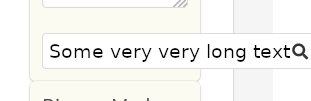
Doesn't work for me on firefox 63.0.3:
bebosudo
on 30 Nov 2018
@bebosudo I was referring to the original issue about vertical padding. Might be a good idea to open a separate ticket for the wrapping to avoid confusion?
philippeluickx
on 30 Nov 2018
This issue has been automatically marked as stale because it has not had recent activity. It will be closed if no further activity occurs. Thank you for your contributions.
![stale[bot] picture](https://avatars3.githubusercontent.com/in/1724?v=4&s=40) stale[bot]
on 29 May 2019
stale[bot]
on 29 May 2019
Related issues
 JenCant
·
3Comments
JenCant
·
3Comments
 swthate
·
3Comments
swthate
·
3Comments
 NurdinDev
·
3Comments
NurdinDev
·
3Comments
 Antrikshy
·
3Comments
Antrikshy
·
3Comments
 Qard
·
3Comments
Qard
·
3Comments
Most helpful comment
There could be a $height per control which would then be generated by the other variables. Most form controls share the same variables so it's really all about font size and padding, most likely.
Could look something like this (tested on .button)
Now the height is still fixed for older broswers, but wholly dependant on font-size, padding and border-width. So upping the padding would actually resize the button.
Change $button-border-width with $control-border-width and it'll probably work for all form controls (untested).