Bulma: SASS FEATURE REQUEST : Possibility to load components variables standalone
Overview of the problem
This is about the Bulma CSS framework
I'm using Bulma 0.7.0
Description
Today bulma gives the possibility to customize it with sass variables in utilities, BUT, it's impossible to use existing variables in components (navbar... with webpack sass-loader & vue-loader) because it means also loading the css classes which may have already been loaded elsewhere.
This is mostly because webpack with sass-loader doesn't share variables accross .vue files BUT, if component variables where loadable independently it would fix this issue as many people using bulma use webpack and Vue too.
Steps to Reproduce
- Create a simple projet with Vue-cli
- Load bulma in main.js or in an index.scss that you load in main.js
- Try to use $navbar-dropdown-z in a component
Expected behavior
I expect the variable to be usable.
Actual behavior
You'll see that this throws an error saying "undefined variable", that's because of how sass-loader and vue-loader handles it and there not going to change that anytime I think.
BUT, if each component had it's own variables file like :
bulma\sass\components\navbar-vars.sass
which would be loaded in :
bulma\sass\components\navbar.sass
It would make those variables easily re-usable (for each component btw).
Today i had to tweek this and copy each variable from bulma to my own scss files which is not really maintainable if i upgrade my bulma version.
What do you think ? Any othr suggestion ?
 darkylmnx
All 18 comments
For maintainability, each vars should be stored in the same file, and be namespaced to avoid collision.
 Come2Daddy
on 26 Apr 2018
Come2Daddy
on 26 Apr 2018
@Come2Daddy I agree but that's not the discussion here. The problem here is that bulma components vars are separate from utility vars which makes it difficult to customize because in those files you also have the css and not only the vars.
darkylmnx
on 26 Apr 2018
@Come2Daddy and what youre saying is not possible in frameworks with webpack loaders like Vue loader which loads each scss files for each .vue file.
Anyway I don't see why component variables and the component css are in the same file. The goal of sass and pre processors is to compose things as much as possible and make a separate file for vars woun't Jill anyone
darkylmnx
on 26 Apr 2018
I'm not into webpack nor vue. Just telling what i'm thinking about the current state of bulma and your request. Meaning I presonnaly am against this structure, as I'm already concerned by seeing vars definition in components/elements sources. For now, I can't figure out your issue, and as far as it is webpack/vue related I won't dive deeper than this.
Come2Daddy
on 26 Apr 2018
@Come2Daddy This is not webpack related, this is related to bundlers in general.
If I need default variables from navbar for example, I have to import the navbar in my scss file.
Example :
In my index.scss let's say I have this
@import 'my-custom-vars-for-bulma'; // this containing customisation like showed in bulma's docs
@import '~bulma';
Now let's say somewhere else in my app scss files, I need to use a default var from bulma
@import '~bulma/sass/components/navbar.scss';
.sep {
height: $navbar-height;
}
Well now here, I have css duplication. Even in a simple project with gulp this is an issue. Because bundlers execute each scss files independently so I lost the scope and in my app's scss file I can't do this.
darkylmnx
on 26 Apr 2018
If you just check bulma's usage stats you'll see that most of bulma users use it in frameworks or with bundlers so I guess I'm not the only one who had the issue. For now I had to make a local copy of all vars in navbar.scss @Come2Daddy
darkylmnx
on 26 Apr 2018
I don't doubt about this...
Come2Daddy
on 26 Apr 2018
@Come2Daddy did you see the issue though ? On one side you put all bulma's utility variables separately and on the other side you don't want component variables to be separate, isn't that confusing ? Especially when what people need to customize to not enter a all-bootstrap-look-alike problem is components ?
Anyway, I woun't push it as maybe I should wait for more people to fill my issue but, just to let you know :
https://github.com/search?utf8=%E2%9C%93&q=bulma+vue&type=
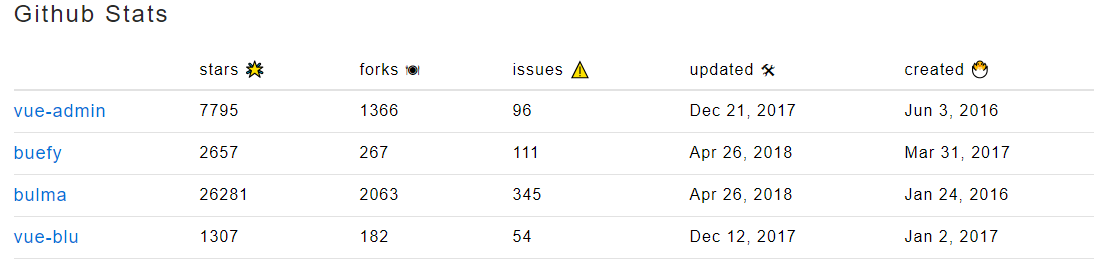
546 repos have vue and bulma usd in it
2000 repos have vue in it
Conclusion : 1/4 of bulma respos use Vue. Just think about that.
darkylmnx
on 26 Apr 2018
I repeat myself, I don't doubt bulma is mostly used along with SPA frameworks.
You whish to have a file containing vars per component/element, I propose something similar, but more general with only one file with all vars. What's wrong with this in your case ?
I would like to have vars in a var file, mixins in a mixin file and functions in a function file... as we have navbar in its own file... maintainability & flexibility.
Come2Daddy
on 28 Apr 2018
I'm not against every vars in one file @Come2Daddy it's fine for me as long as it's not mixed with CSS
darkylmnx
on 28 Apr 2018
Solution is to set your own $my-custom-z and set $navbar-dropdown-z to that variable.
 jgthms
on 1 May 2018
jgthms
on 1 May 2018
@jgthms I think you misundestood, I don't need to customize $navbar-dropdown-z, I need to use it somewhere in my code for a custom css based on it's current value, but when I import navbar.css it also imports the associated css (which is not wanted and causes duplication as I already loaded bulma.sass somewhere else)
darkylmnx
on 1 May 2018
@jgthms what It's an issue caused by the bundler (webpack) but it demonstrate a flaw in bulma's current architecture IMO that is : why do component variables are located elswhere from utility variables ? Why do one file mixe css declarions + sass variables ? That's the main flaw I'd like you to checkout and discuss if you find it work it and interesting.
darkylmnx
on 1 May 2018
It's because Bulma is modular. It wouldn't make sense to define $navbar-dropdown-z if it's not used at all.
Hence my solution to create a new variable in the "upper" scope.
jgthms
on 2 May 2018
@jgthms since it's modular, it would make to sens to have something like
// in navabar.scss file
@import './navbar-vars';
@import './navbar-css';

// in navbar-vars.scss
$navbar-height... // and all other navbar vars

// in navbar-css.scss
.navbar {
  height: $navbar-height
}
IMHO this is way more modular because, if I need, for some reason (which is my case) to use the navbar's variables, the actual navbar (not new values, default values used by the navbar), I can then import only the vars I need and not duplicate the whole css again.
To make this clear this is how my current app looks like :
// in main.js of my vue app (but this could be any webpack based web app)
import './index.scss'
import Vue from 'vue'
... // bunch of stuff for my app to run
```scss
// in index.scss
@import './bulma-custom';
@import '~animate.css';
@import '~bulma';
body { ... } // and all my global CSS overrides
/* HERE WEBPACK WILL INJECT MY SCSS FILES LOADED FROM MY VUE FILES /
/ BUT : webpack will scope each of my scss files, so they woun't be aware of variables declared in the global files above */
// in bulma-custom.scss
// 1. Import the initial variables
@import "~bulma/sass/utilities/initial-variables";
@import "~bulma/sass/utilities/functions";
// 2. Set your own initial variables
// Update blue
$blue: #72d0eb;
...
/*
every customisation done according to your docs :
https://bulma.io/documentation/overview/customize
*/
```vue
// in my header.vue file
<template>
    <nav class="navbar"> ... </nav>
</template>

<script> export default {} </script>

<style lang="scss">
// because webpack handles this
// he scopes this file so I don't have accès to anything here
// I have to import manually
@import './bulma-custom';
// now I have access to my custom vars + utility vars but not to any of bulma's component vars
// here's the problem, if i import it my self
@import '~bulma/sass/components/navbar'
// this navbar.sass indeed has the variables but also the css, so I now have imported the navbar's css 2 times
// one with @import '~bulma' above, and one here
// I need the navbar's default height, not to set a custom one
.custom-sep {
   height: #{($navbar-height - pxToRem($sep-margin * 2))};
}
</style>
I hope this breaks down the use case
darkylmnx
on 2 May 2018
I agree with @darkylmnx. My app is currently divided into a layout.scss and various theme files (light.scss, dark.scss, etc). The layout.scss has general layout defined, and each theme file has a build of Bulma with different variables changed. The color variables are mostly accessible from the initial-variables and derived-variables files, but the layout (like !navbar-height, et al.) are not accessible without importing all the associated CSS.
The solution I had for this was to have my own variables file where I define values for $navbar-height, etc, and then import that file in each theme file before importing Bulma and also at the top of layout.scss.
It would be nice, though, to be able to import a file that just had all the variables Bulma uses for times when I don't feel like defining all of them over again.
 nchutchind
on 18 Dec 2018
nchutchind
on 18 Dec 2018
Related to #1220 as not outputting any CSS would allow the variables to be imported independently.
jgthms
on 18 May 2019
This issue has been automatically marked as stale because it has not had recent activity. It will be closed if no further activity occurs. Thank you for your contributions.
![stale[bot] picture](https://avatars3.githubusercontent.com/in/1724?v=4&s=40) stale[bot]
on 14 Nov 2019
stale[bot]
on 14 Nov 2019
Related issues
 fundon
·
3Comments
fundon
·
3Comments
 Wikiki
·
3Comments
Wikiki
·
3Comments
 Cosbgn
·
3Comments
Cosbgn
·
3Comments
 swamikevala
·
3Comments
swamikevala
·
3Comments
 NurdinDev
·
3Comments
NurdinDev
·
3Comments
Most helpful comment
@jgthms since it's modular, it would make to sens to have something like
IMHO this is way more modular because, if I need, for some reason (which is my case) to use the navbar's variables, the actual navbar (not new values, default values used by the navbar), I can then import only the vars I need and not duplicate the whole css again.
To make this clear this is how my current app looks like :
```scss
// in index.scss
@import './bulma-custom';
@import '~animate.css';
@import '~bulma';
body { ... } // and all my global CSS overrides
/* HERE WEBPACK WILL INJECT MY SCSS FILES LOADED FROM MY VUE FILES /
/ BUT : webpack will scope each of my scss files, so they woun't be aware of variables declared in the global files above */
// in bulma-custom.scss
// 1. Import the initial variables
@import "~bulma/sass/utilities/initial-variables";
@import "~bulma/sass/utilities/functions";
// 2. Set your own initial variables
// Update blue
$blue: #72d0eb;
...
/*
every customisation done according to your docs :
https://bulma.io/documentation/overview/customize
*/
I hope this breaks down the use case