This is about **Bulma.
Who has any thoughts on how to use all the features of Bluma (variables, etc.) With the nextjs framework?
 Tankerxyz
All 8 comments
This should work perfectly without any hustle. You just download bulma.css and put it in your /static folder. You can then add the styles to your app by including them in your head: nextjs docs
You can apply the styles to any item just like in html.
 jnsdrtlf
on 18 Jan 2018
jnsdrtlf
on 18 Jan 2018
Thanks @jnsdrtlf
 jgthms
on 19 Jan 2018
jgthms
on 19 Jan 2018
What about if you want to include editing your SASS variables and tree-shaking?
 InstanceOfMichael
on 2 Feb 2018
InstanceOfMichael
on 2 Feb 2018
@InstanceOfMichael I would copy the bulma source code into a project folder, edit the sass variables and sass code as needed, and use something like gulp or your existing build tool to bundle it to css, then import it in your head.
jnsdrtlf
on 3 Feb 2018
Here's a starter project that I found that uses NextJs with Bulma: https://github.com/techno246/next-starter
With a little webpack magic they're able to import all the Bulma styles into the project.
You might be able to use next-scss as well. This is probably easier: https://github.com/zeit/next.js/tree/master/examples/with-next-sass
 jvarness
on 27 Nov 2018
jvarness
on 27 Nov 2018
Here's an example of how I did it using @zeit/next-sass and bulma npm packages: https://github.com/jvarness/next-with-bulma
jvarness
on 29 Nov 2018
It is not working when using cssModules config enabled for both next-sass or next-css plugin. How to make it work while enabling cssModules? :bowing_man:
 jeffryang24
on 21 Jul 2019
jeffryang24
on 21 Jul 2019
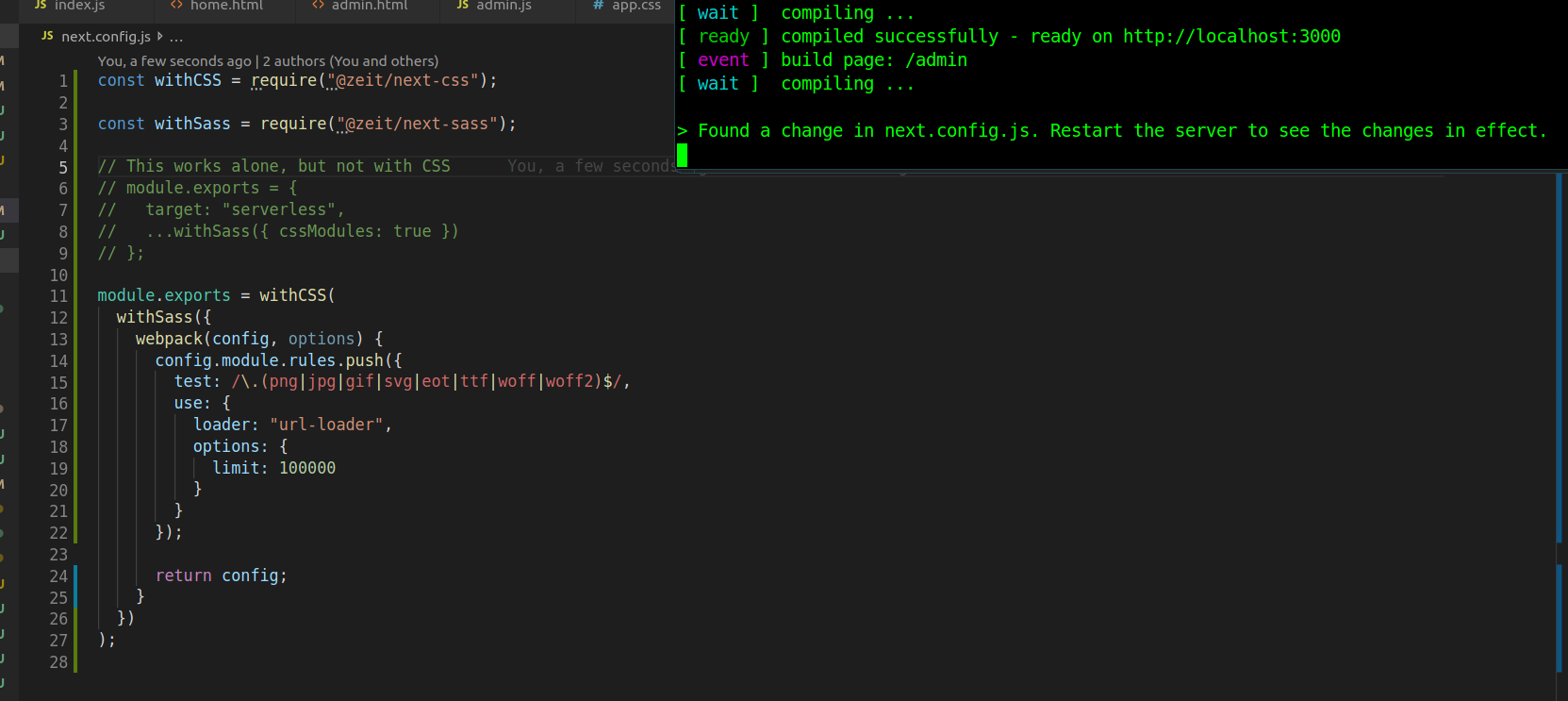
it doesn't work. Works with just SCSS, but as soon as you import any CSS you will get an error or it will go into an infinite loop and never load. There is something buggy going on with NextJS and Bulma - unable to import css
 fullstackwebdev
on 7 Aug 2019
fullstackwebdev
on 7 Aug 2019
Related issues
 bigZ-again
·
3Comments
bigZ-again
·
3Comments
 Antrikshy
·
3Comments
Antrikshy
·
3Comments
 fundon
·
3Comments
fundon
·
3Comments
 Qard
·
3Comments
Qard
·
3Comments
 leofontes
·
3Comments
leofontes
·
3Comments
Most helpful comment
Here's an example of how I did it using
@zeit/next-sassandbulmanpm packages: https://github.com/jvarness/next-with-bulma