Bulma: Dropdown on right-corner of navbar can get chopped if not enough width
Bulma 0.4.3
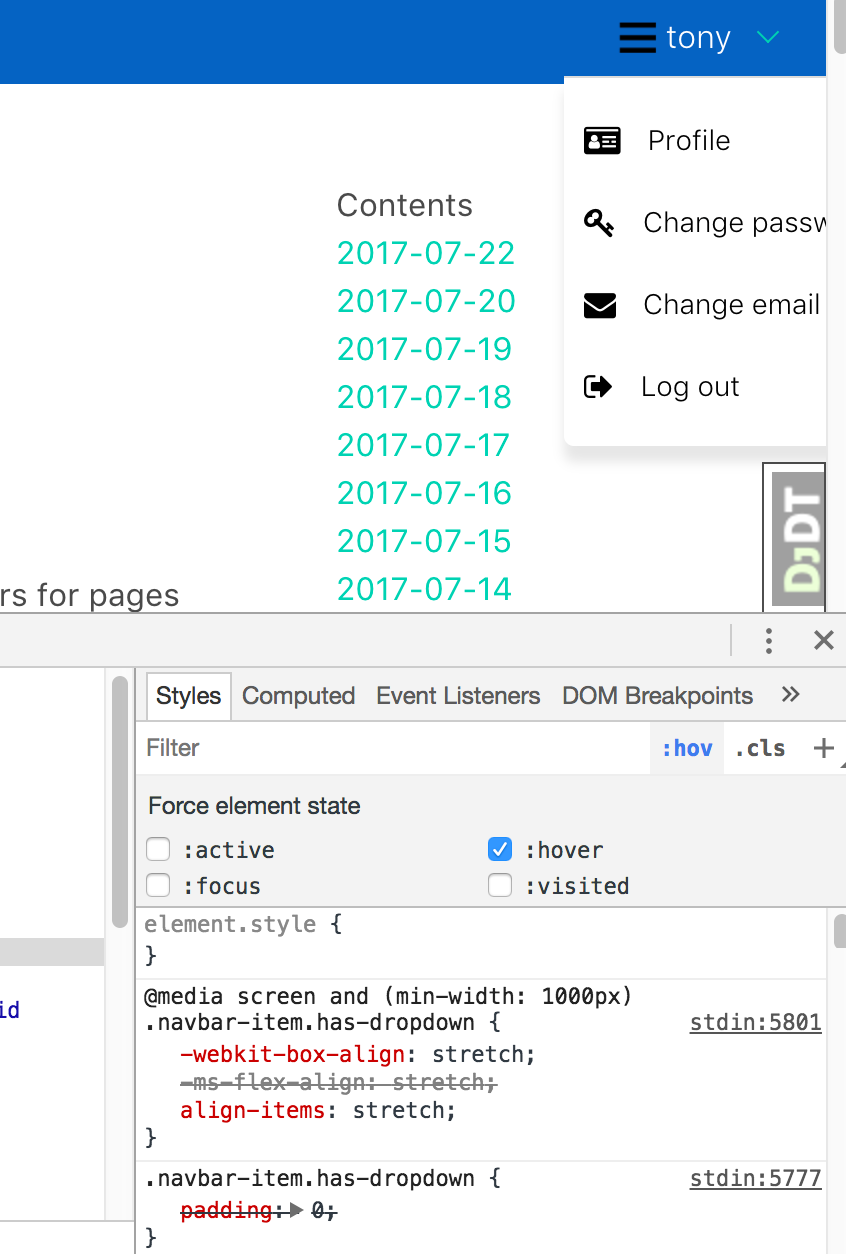
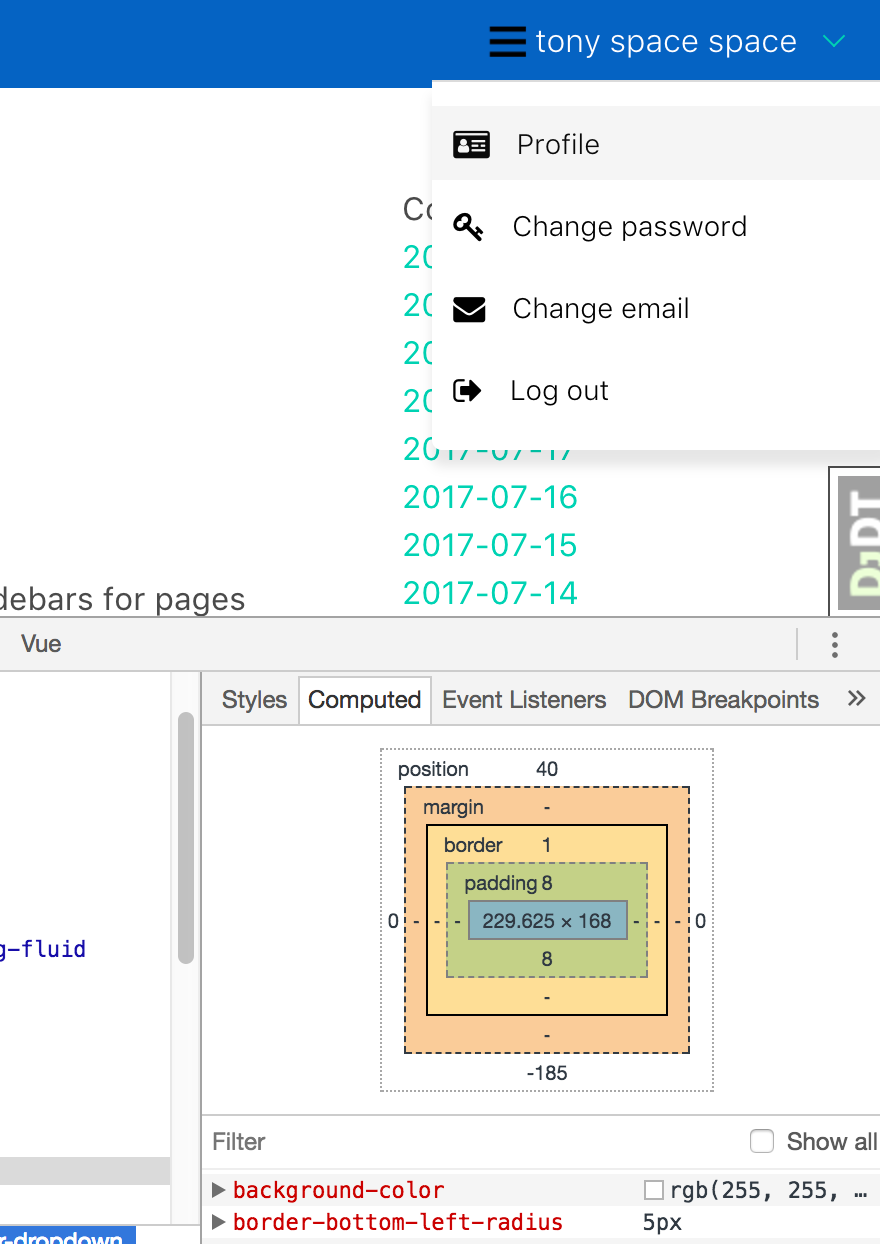
<nav id="topnav" class="navbar">
<div class="navbar-brand">
<a class="navbar-item" href="/">
<span class="text-primary">website</span>
</a>
<div class="navbar-burger burger" data-target="navMenu">
<span></span>
<span></span>
<span></span>
</div>
</div>
<div id="navMenu" class="navbar-menu">
<div class="navbar-start">
<a href="/" class="navbar-item">
<i class="fa fa-home fa-2"></i>
Home
</a>
<a href="/news/" class="navbar-item">
<i class="fa fa-newspaper-o fa-2"></i>
News
</a>
<a href="/ask/" class="navbar-item">
<i class="fa fa-users fa-2"></i>
Ask
</a>
<a href="/tips/" class="navbar-item">
<i class="fa fa-magic fa-2"></i>
Tips
</a>
<a href="/features/" class="navbar-item">
<i class="fa fa-star fa-2"></i>
Features
</a>
<a href="/snippets/" class="navbar-item">
<i class="fa fa-code fa-2"></i>
Snippets
</a>
<a href="/paste/" class="navbar-item">
<i class="fa fa-clipboard fa-2"></i>
Paste
</a>
<a href="/jobs/" class="navbar-item">
<i class="fa fa-suitcase fa-2"></i>
Jobs
</a>
</div>
<div class="navbar-end">
<div class="navbar-item has-dropdown is-hoverable">
<a class="navbar-link waves-effect waves-light" href="/accounts/password/change/">
<img src="https://secure.gravatar.com/avatar/fd9cbc1d41ec496776d10e4c8e3f1837.jpg?s=50&d=mm&r=g" class="img-fluid rounded-circle">
tony
</a>
<div class="navbar-dropdown" data-style="width: 18rem">
<a href="/profile/tony" class="navbar-item waves-effect waves-light">
<i class="fa fa-id-card fa-2"></i>
Profile
</a>
<a href="/accounts/password/change/" class="navbar-item waves-effect waves-light">
<i class="fa fa-key fa-2"></i>
Change password
</a>
<a href="/accounts/email/" class="navbar-item waves-effect waves-light">
<i class="fa fa-envelope fa-2"></i>
Change email
</a>
<a href="/logout/" class="navbar-item waves-effect waves-light">
<i class="fa fa-sign-out fa-2"></i>
Log out
</a>
</div>
</div>
</div>
</div>
</nav>
(Assuming I'm not misreading the docs / made a mistake)
Perm fix could be: adding class for right-most dropdowns to popup with different coords.
Work around could be:
- adding another top-level to the rightmost position
- making the width of the
.navbar-item.has-dropdownwider
customization
 tony
tony
Related issues
 NurdinDev
·
3Comments
NurdinDev
·
3Comments
 scottgrayson
·
3Comments
scottgrayson
·
3Comments
 leofontes
·
3Comments
leofontes
·
3Comments
 Laraveldeep
·
3Comments
Laraveldeep
·
3Comments
 swthate
·
3Comments
swthate
·
3Comments
Most helpful comment
use
is-righton your dropdown.All 4 comments
As a hack I tried two things:
.rightmostand adjustingleft:negatively:last-childon the.navbar-dropdown(don't think it's valid to do it on a class? but it works on chrome. probably not cross-browser)I added an extra class to my .navbar-dropdown to be .navbar-dropdown.dropdown-right and then add this to your stylesheet:
.navbar-dropdown.dropdown-right { left: calc(-100% + 4px); }I ended up doing this:
use
is-righton your dropdown.