Buildah: podman build tags images in the local registry with a leading localhost/ and docker does not
Description
Does podman build have the goal of being a drop-in replacement for docker? If not, feel free to close this issue. If so, the issue is that podman build -t bodhi-ci/f27 tags the resulting image into the local engine with a leading localhost/ in the repository name, and docker does not do this. This results in a difference in how the image must be referenced later when running docker/podman run, because docker run… bodhi-ci/f27 will work, but podman run… bodhi-ci/f27 will not work (and will try to find that image in a variety of external registries).
Steps to reproduce the issue:
- Build a
Dockerfilewithpodmananddocker, and use the-tflag. - For example, I've built my Bodhi CI images with
-t bodhi-ci/f27in the examples shown below.
Describe the results you received:
$ sudo docker images
REPOSITORY                          TAG                 IMAGE ID            CREATED             SIZE
bodhi-ci/f27                        latest              4668aacb1a2a        11 hours ago        1.29 GB
$ sudo podman images
REPOSITORY                          TAG      IMAGE ID       CREATED          SIZE
localhost/bodhi-ci/f27              latest   351ffa92bc74   2 minutes ago    1.34GB
Describe the results you expected:
$ sudo podman images
REPOSITORY                          TAG      IMAGE ID       CREATED          SIZE
bodhi-ci/f27              latest   351ffa92bc74   2 minutes ago    1.34GB
Output of rpm -q buildah or apt list buildah:
Buildah is not installed, but the text at https://github.com/containers/libpod/issues/new said to file issues with podman build here.
Output of buildah version:
See above.
Output of cat /etc/*release:
$ cat /etc/redhat-release
Fedora release 30 (Rawhide)
Output of uname -a:
Linux host.example.com 4.19.0-0.rc3.git3.1.fc30.x86_64 #1 SMP Fri Sep 14 18:31:28 UTC 2018 x86_64 x86_64 x86_64 GNU/Linux
Output of cat /etc/containers/storage.conf:
# This file is is the configuration file for all tools
# that use the containers/storage library.
# See man 5 containers-storage.conf for more information
# The "container storage" table contains all of the server options.
[storage]

# Default Storage Driver
driver = "overlay"

# Temporary storage location
runroot = "/var/run/containers/storage"

# Primary Read/Write location of container storage
graphroot = "/var/lib/containers/storage"

[storage.options]
# Storage options to be passed to underlying storage drivers

# AdditionalImageStores is used to pass paths to additional Read/Only image stores
# Must be comma separated list.
additionalimagestores = [
]

# Size is used to set a maximum size of the container image.  Only supported by
# certain container storage drivers.
size = ""

# Path to an helper program to use for mounting the file system instead of mounting it
# directly.
#mount_program = "/usr/bin/fuse-overlayfs"

# OverrideKernelCheck tells the driver to ignore kernel checks based on kernel version
override_kernel_check = "true"

# mountopt specifies comma separated list of extra mount options
mountopt = "nodev"

# Remap-UIDs/GIDs is the mapping from UIDs/GIDs as they should appear inside of
# a container, to UIDs/GIDs as they should appear outside of the container, and
# the length of the range of UIDs/GIDs.  Additional mapped sets can be listed
# and will be heeded by libraries, but there are limits to the number of
# mappings which the kernel will allow when you later attempt to run a
# container.
#
# remap-uids = 0:1668442479:65536
# remap-gids = 0:1668442479:65536

# Remap-User/Group is a name which can be used to look up one or more UID/GID
# ranges in the /etc/subuid or /etc/subgid file.  Mappings are set up starting
# with an in-container ID of 0 and the a host-level ID taken from the lowest
# range that matches the specified name, and using the length of that range.
# Additional ranges are then assigned, using the ranges which specify the
# lowest host-level IDs first, to the lowest not-yet-mapped container-level ID,
# until all of the entries have been used for maps.
#
# remap-user = "storage"
# remap-group = "storage"

[storage.options.thinpool]
# Storage Options for thinpool

# autoextend_percent determines the amount by which pool needs to be
# grown. This is specified in terms of % of pool size. So a value of 20 means
# that when threshold is hit, pool will be grown by 20% of existing
# pool size.
# autoextend_percent = "20"

# autoextend_threshold determines the pool extension threshold in terms
# of percentage of pool size. For example, if threshold is 60, that means when
# pool is 60% full, threshold has been hit.
# autoextend_threshold = "80"

# basesize specifies the size to use when creating the base device, which
# limits the size of images and containers.
# basesize = "10G"

# blocksize specifies a custom blocksize to use for the thin pool.
# blocksize="64k"

# directlvm_device specifies a custom block storage device to use for the
# thin pool. Required if you setup devicemapper.
# directlvm_device = ""

# directlvm_device_force wipes device even if device already has a filesystem.
# directlvm_device_force = "True"

# fs specifies the filesystem type to use for the base device.
# fs="xfs"

# log_level sets the log level of devicemapper.
# 0: LogLevelSuppress 0 (Default)
# 2: LogLevelFatal
# 3: LogLevelErr
# 4: LogLevelWarn
# 5: LogLevelNotice
# 6: LogLevelInfo
# 7: LogLevelDebug
# log_level = "7"

# min_free_space specifies the min free space percent in a thin pool require for
# new device creation to succeed. Valid values are from 0% - 99%.
# Value 0% disables
# min_free_space = "10%"

# mkfsarg specifies extra mkfs arguments to be used when creating the base.
# device.
# mkfsarg = ""

# use_deferred_removal marks devicemapper block device for deferred removal.
# If the thinpool is in use when the driver attempts to remove it, the driver
# tells the kernel to remove it as soon as possible. Note this does not free
# up the disk space, use deferred deletion to fully remove the thinpool.
# use_deferred_removal = "True"

# use_deferred_deletion marks thinpool device for deferred deletion.
# If the device is busy when the driver attempts to delete it, the driver
# will attempt to delete device every 30 seconds until successful.
# If the program using the driver exits, the driver will continue attempting
# to cleanup the next time the driver is used. Deferred deletion permanently
# deletes the device and all data stored in device will be lost.
# use_deferred_deletion = "True"

# xfs_nospace_max_retries specifies the maximum number of retries XFS should
# attempt to complete IO when ENOSPC (no space) error is returned by
# underlying storage device.
# xfs_nospace_max_retries = "0"

# If specified, use OSTree to deduplicate files with the overlay backend
ostree_repo = ""

# Set to skip a PRIVATE bind mount on the storage home directory.  Only supported by
# certain container storage drivers
skip_mount_home = "false"
 bowlofeggs
All 39 comments
Thanks for the problem report @bowlofeggs . Thanks for the thorough problem report, can I bother you to reply with the output of podman version please?
podman/buildah build/bud should be a drop in replacement for docker and we'll take a look at this. However, I thought this had bubbled up before, @nalind or @rhatdan do you recall? I didn't find it in the issues, but may have missed it.
 TomSweeneyRedHat
on 25 Sep 2018
TomSweeneyRedHat
on 25 Sep 2018
Sure thing!
$ podman --version
podman version 0.9.3-dev
$ rpm -q podman
podman-0.9.3-2.dev.gitc3a0874.fc30.x86_64
Well it is intended to be a drop in replacement for the most part. The localhost versus docker.io was intentional.
The registry component of an image should indicate where it came from. And we don't want to hard code the default location of docker.io.
Now if podman can not instantly run the image created by buildah or podman build, then that is a bug.
 rhatdan
on 25 Sep 2018
rhatdan
on 25 Sep 2018
It seems like podman run is not looking into localhost if the name containers a repo and a name
@baude could you take a look.
podman build -t -t bodhi-ci/f27  ~
podman run -ti bodhi-ci/f27 /bin/sh
Fails.
podman build -t -t bodhi-ci  ~
podman run -ti bodhi-ci /bin/sh
Works.
Our image name processing is failing if the repo is specified.
rhatdan
on 25 Sep 2018
For me using master, neither work ... ill look at it sure.
 baude
on 26 Sep 2018
baude
on 26 Sep 2018
I believe this is fixed in the latest release.
rhatdan
on 27 Nov 2018
I'm hitting this issue with podman-0.11.2-15.dev.git75b19ca.fc30.x86_64 installed on Fedora 28 machine. Is the fix supposed to be in Fedora by now?
 adelton
on 6 Dec 2018
adelton
on 6 Dec 2018
It should be in Master branch, and we are working on a podman-0.12.1 right now.
rhatdan
on 6 Dec 2018
I'm using podman 1.6.2 and still seeing this issue of images being prefixed with "localhost/". Should this still be the case? This makes compatibility with docker scripts difficult as the image names aren't the same.
 jschewebbn
on 17 Feb 2020
jschewebbn
on 17 Feb 2020
I'm still seeing it on v1.8.0 too, but thought it had been fixed. I'm going to reopen this so it can be chased down.
TomSweeneyRedHat
on 17 Feb 2020
@TomSweeneyRedHat do you know of a work around that I can use until this is fixed? Is there a way to tell podman to not prefix the tag with "localhost/"?
jschewebbn
on 17 Feb 2020
I tried playing with it, but I didn't find a quick clean way to do so. However, when referencing the image, you can ignore the 'localhost/' part of it. For instance, in the above example you could do:
podman inspect bodhi-ci/f27
and that works, does that make it better for your use case @jschewebbn ?
TomSweeneyRedHat
on 17 Feb 2020
The problem that I have is that I'm creating images and then saving them to a docker archive file to transfer and the names of the images have "localhost/" prefixed and then when I try and load the images from the file on the other end with a script not expecting the "localhost/" the script fails.
jschewebbn
on 17 Feb 2020
@jschewebbn can you tell me the commands that you're using to save the docker archive file and then the command(s) the script is not happy with when trying to load it?
I tried playing with buildah push/pull to a docker-archive and I wasn't seeing the localhost in that output or the inspects that I did. These are the play commands that I used:
buildah push tom docker-archive:/tmp/tom:latest
buildah pull docker-archive:/tmp/tom
This command creates the archive without error:
podman save -o file.tar container_name
Now in another environment docker is used to load the file. This fails because "container_name" doesn't exist, instead "localhost/container_name" exists.
docker load -i file.tar
docker tag container_name ${hostname}:5000/v2/container_name
I also want to be able to save multiple container images in a single archive file and podman doesn't support that right now per https://github.com/containers/libpod/issues/2669, so this is all really moot until I have another solution for that problem as well.
jschewebbn
on 18 Feb 2020
The workflow that I've been doing with docker is this:
cd image1
docker build -t image1 .
cd ../image2
docker build -t image2 .
... # create all of the images

rm -f archive.tar
docker save -o archive.tar image1 image2 ...
Copy archive.tar to another host.
docker load -i archive.tar
docker pull registry:2
docker run ... registry:2

for image in image1 image2 ...; do
    docker tag ${image} ${host}:5000/v2/${image}
    docker push ${host}:5000/v2/${image}
done
Perhaps I'm doing some things incorrectly as my docker knowledge is pretty basic.
jschewebbn
on 18 Feb 2020
Fedora Rules>>podman images dbmidocker
REPOSITORY                  TAG   IMAGE ID       CREATED         SIZE
localhost/dbmidocker/hfb0   1.0   0378f49b278e   8 minutes ago   638 MB
Fedora Rules>>podman version
Version:            1.8.1
RemoteAPI Version:  1
Go Version:         go1.13.6
OS/Arch:            linux/amd64
Fedora Rules>>cat /etc/redhat-release
Fedora release 31 (Thirty One)
Fedora Rules>>
Same issue here. This seems to create issues with pushing the image to Dockerhub.
 sttyerase
on 3 Apr 2020
sttyerase
on 3 Apr 2020
@vrothberg PTAL, I think this is around the saving with multiple images?
rhatdan
on 5 Aug 2020
@vrothberg PTAL, I think this is around the saving with multiple images?
It's a different issue although it affects save and load as well. Podman and Buildah is prefexing short images (or not fully-qualified images without a domain/registry) with "localhost/". That's inconsistent with Docker's behaviour but consistent among Podman and Buildah.
Personally, I don't like the "localhost/" because the tools don't what I want them to but I also see wisdom explicitly enforcing fully-qualified image names.
I am closing the issue as changing the behaviour will very likely break users who already rely in the "localhost/" prefixes. However, in some cases it might cause issues migrating from Docker to Podman/Buildah.
 vrothberg
on 6 Aug 2020
vrothberg
on 6 Aug 2020
I take this closing of the ticket to mean that podman does not want to be compatible with docker. This will make it very difficult for those of us advocating people move from docker to podman as they now have an incompatibility that there is no work around for. If podman were to have a command line option to suppress this "localhost/" prefix that would be sufficient. Then I could tell people that podman save works just like docker, except you need this extra flag and it works.
jschewebbn
on 6 Aug 2020
@jschewebbn, thanks for continuing the conversation!
Did you encounter a migration issue regarding this behaviour?
Podman will treat "foo" and "localhost/foo" as the same image, so scripts that operated on Docker can safely migrate over to Podman as "foo" will implicitly resolve to "localhost/foo". However, podman images will list "localhost/foo" which is the only incompatibility I know.
vrothberg
on 6 Aug 2020
I don't know what a migration issue is. I've been following this issue as this is the problem that I'm having. In my specific use case I would like to create images with podman and then load them with docker. See https://github.com/containers/buildah/issues/1034#issuecomment-587562980 for the details.
jschewebbn
on 6 Aug 2020
So you want podman save of foo to save it as docker.io/library/foo?
rhatdan
on 6 Aug 2020
I want podman save foo to create a file that has the same manifest.json and repositories files that docker save foo has.
For example when I execute docker save foo I see this in manifest.json:
[
  {
    "Config": "cd998886946a19daf9b43f35476427b9e800999f343ca463eae89f4570c10cc9.json",
    "RepoTags": [
      "foo:latest"
    ],
    "Layers": [
...
    ]
  }
]
When I executed podman save foo I see this in manifest.json:
[
  {
    "Config": "cd998886946a19daf9b43f35476427b9e800999f343ca463eae89f4570c10cc9.json",
    "RepoTags": [
      "localhost/foo:latest"
    ],
    "Layers": [
...
    ]
  }
]
The key here is the prefix on the "RepoTags" property.
The repositories file has a similar issue:
docker shows
{
  "foo": {
    "latest": "cdd290f400b43594611786fe015d8f78205421db0bd8afbbf3a12d55fffdd1ed"
  }
}
podman shows
{
  "localhost/frc":{
      "latest":"92b78c85f2b4b16c8ea4f6235af775f09d227062270fdd84bd7052c19d850528"
    }
}
Any plans to address this? This is a deal breaker for allowing both engines to be used in parallel even for the most basic CI/CD tasks, like:
ENGINE=`shell command -v podman docker|head -n1`
$ENGINE build -t elastic-recheck .
# docker only:
$ENGINE run -it elastic-recheck /bin/bash
# podman only:
$ENGINE run -it localhost/elastic-recheck /bin/bash
 ssbarnea
on 11 Sep 2020
ssbarnea
on 11 Sep 2020
@rhatdan, as you reopened. What's your take on it?
The localhost prefixing is incompatible with Docker. We've been discussing this issue a couple of times already but the conclusion was to keep the behaviour. I am no fan of it because if I tag something as foo I want it to be foo.
However, if we changed the behaviour, it would be a breaking change for both, Podman and Buildah.
vrothberg
on 11 Sep 2020
Any plans to address this? This is a deal breaker for allowing both engines to be used in parallel even for the most basic CI/CD tasks, like:
ENGINE=`shell command -v podman docker|head -n1`
$ENGINE build -t elastic-recheck .
# docker only:
$ENGINE run -it elastic-recheck /bin/bash
# podman only:
$ENGINE run -it localhost/elastic-recheck /bin/bash
Note that it's only breaking when enforcing exactly this scenario. Doing a build -t localhost/... or ideally using a fully-qualified image reference will work across Docker, Buildah and Podman.
vrothberg
on 11 Sep 2020
If you want to avoid breaking existing Podman behavior, a command line switch that would be acceptable. It would make the ENGINE example above a bit more complicated, one would need to check which engine is being used and possibly add additional arguments, but that's not very difficult.
The really slow and inefficient workaround is to write a script that fixes the image after it's been built.
jschewebbn
on 11 Sep 2020
Thanks for the hints, I was able to add the localhost/ prefix in order to make it work for both.
How about a compromise and raise warning on stderr every time a "- t tag-with-no-prefix" is called from the command line, asking user to mention the prefix in order to avoid portability issues?
ssbarnea
on 11 Sep 2020
@ssbarnea the problem with just warning is that doesn't get the compatibility with docker that some of us need. I need to have a way to tell podman to not include a prefix. It's fine to get a warning in this case, but there needs to be a way to say no prefix.
jschewebbn
on 11 Sep 2020
Here's a python script that one can use in place of docker save that handles multiple images and removes the "localhost" prefix that podman adds. While this works, it's really inefficient. However until podman adds an option to not specify the prefix, this is what I need to do.
podman_save_multiple.txt
jschewebbn
on 11 Sep 2020
This sounds like an excellent weekend project for myself. Let me see if I can come up with a way to use a new option to remove localhost if the option is set to true. --nolocalhost perhaps?
TomSweeneyRedHat
on 11 Sep 2020
This sounds like an excellent weekend project for myself. Let me see if I can come up with a way to use a new option to remove localhost if the option is set to true.
--nolocalhostperhaps?
I suggest to wait until we have consensus on the way forward.
IMHO a flag isn't as user-friendly as I'd like it to be. If users wish to change the behaviour, they had to specify the flag all the time which is a bit annoying and error prone as it can easily be forgotten.
I could imagine, however, a new option in the registries.conf.
vrothberg
on 14 Sep 2020
Why is this Docker only?
# docker only:
$ENGINE run -it elastic-recheck /bin/bash
podman run -it elastic-recheck /bin/bash
Works on Podman?
rhatdan
on 15 Sep 2020
All podman commands are supposed to prepend the localhost/ prefix on images without a registry. Just like Docker does with docker.io. Am I missing something?
Only issue I see is the podman images, which we could make hide the localhost/ prefix if you would want?
rhatdan
on 15 Sep 2020
I want to create an image with podman named "foo", then save it to a file and then load the image with docker and the image to be named "foo". This is consistent with how docker works. If I need to add a command line flag to the podman save command, that's fine. If I need to put some flag in my podman registries.conf, that's fine too.
Currently I'm running the python script that I posted in https://github.com/containers/buildah/issues/1034#issuecomment-691175765 to export my images from podman. This makes podman compatible with docker at the expense of needing to rewrite the image files and export the same layers multiple times. The benefit here is that I don't need to run as root to create my images. If it weren't for that, I'd just use docker.
jschewebbn
on 15 Sep 2020
All podman commands are supposed to prepend the localhost/ prefix on images without a registry. Just like Docker does with docker.io. Am I missing something?
Docker only normalizes to docker.io when pushing (or pulling). Podman prefixes localhost/ when _tagging_. So when you run podman tag foo and want to check with podman images you don't get foo but localhost/foo.
Podman push and pull behave differently. AFAIR push will pick the first item in the search registries and pull iterates over the list with first successful pull wins.
vrothberg
on 16 Sep 2020
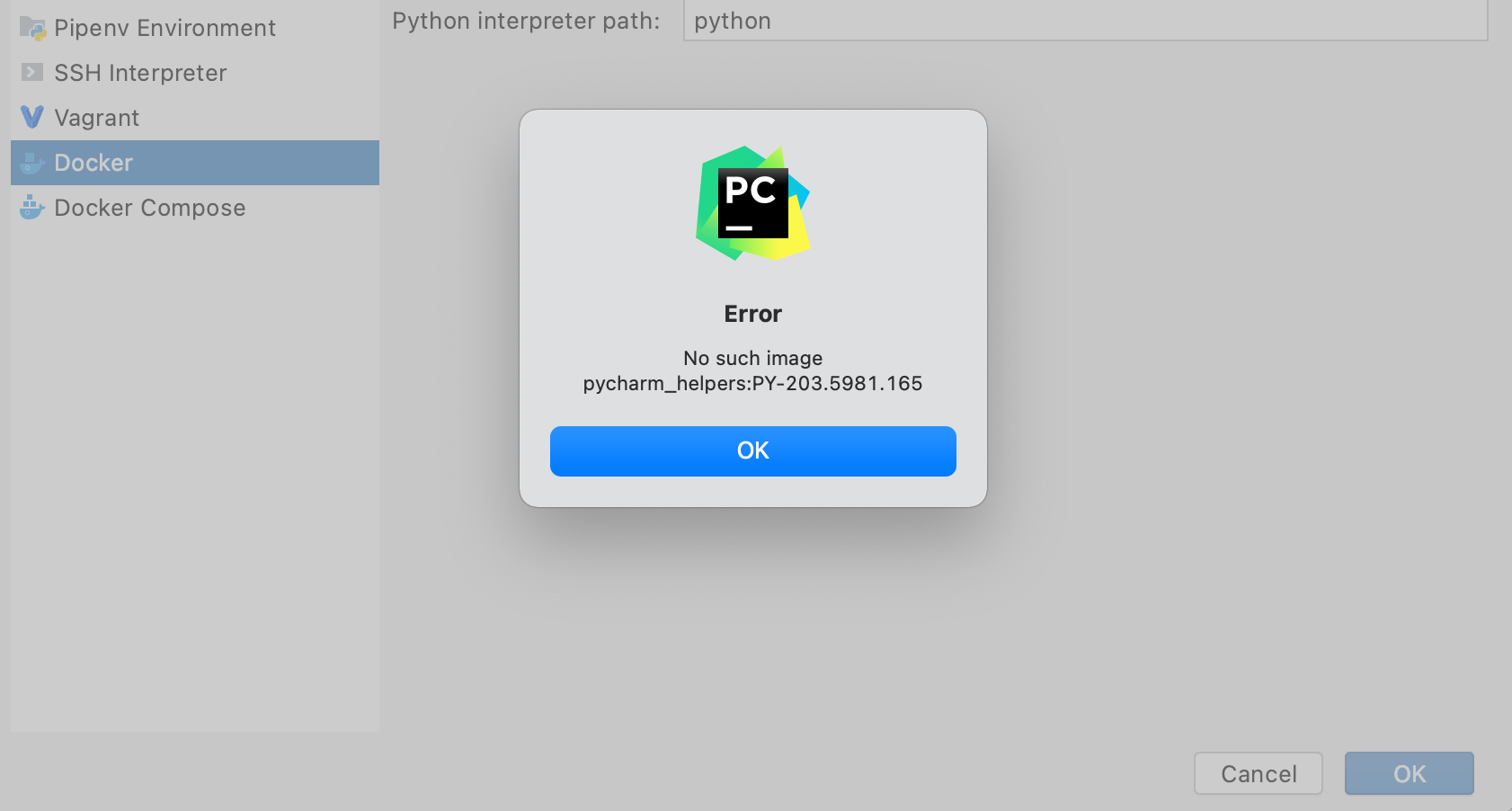
I'd be interested in being able to remove the localhost/ prefix for the image names with podman as well. As another use case, I think it is preventing me from remotely developing on a Linux box running podman from PyCharm on my Mac.

 pclass-sensonix
on 5 Dec 2020
pclass-sensonix
on 5 Dec 2020
@vrothberg Let's talk about this next week, perhaps at Watercooler.
rhatdan
on 5 Dec 2020
Related issues
 hendrikhalkow
·
11Comments
hendrikhalkow
·
11Comments
 sub-mod
·
4Comments
sub-mod
·
4Comments
 stiller-leser
·
10Comments
stiller-leser
·
10Comments
 azatsarynnyy
·
4Comments
azatsarynnyy
·
4Comments
 QincaiLiu
·
9Comments
QincaiLiu
·
9Comments