Build-image: How to use PHP v7 in build script?
https://github.com/netlify/build-image/pull/135#issuecomment-363574565 says that using PHP 7.2.2 is now "just another env var to pass" (after successful PR https://github.com/netlify/build-image/pull/135).
This is what I tried in netlify.toml:
[build]

PHP_VERSION="7.2.2"
And this is what the build logs tell me:
9:55:29 PM: Using PHP version 5.6
No further reference to PHP can be found in the logs. Obviously, PHP7.2.2 does not get used.
What do I need to change to get PHP7 running on the build?
 minthemiddle
All 12 comments
Try using PHP_VERSION=7.2. They are aliased via their minor versions only.
 brycekahle
on 21 Feb 2018
brycekahle
on 21 Feb 2018
@minthemiddle Did you try using what I suggested?
brycekahle
on 22 Feb 2018
Yes, works.
This is the netlify.toml that builds a Jigsaw (Laravel based) page successfully now:
[build]
PHP_VERSION=7.2
command = "./vendor/bin/jigsaw build production"
publish = "build_production"
Wonderful! Thanks @brycekahle
minthemiddle
on 22 Feb 2018
I'm trying to set PHP_VERSION in my netlify.toml file but I'm still stuck using 5.6. What format should the environment variable be and what are the accepted values? I've tried 7.2, "7.2", 7.0, "7.0" and 7, none of which have worked. Here's my current netlify.toml file:
[build]
PHP_VERSION=7.2
command = "php ./scraper.php && yarn build"
publish = "_public"
 typhoon2099
on 24 Feb 2018
typhoon2099
on 24 Feb 2018
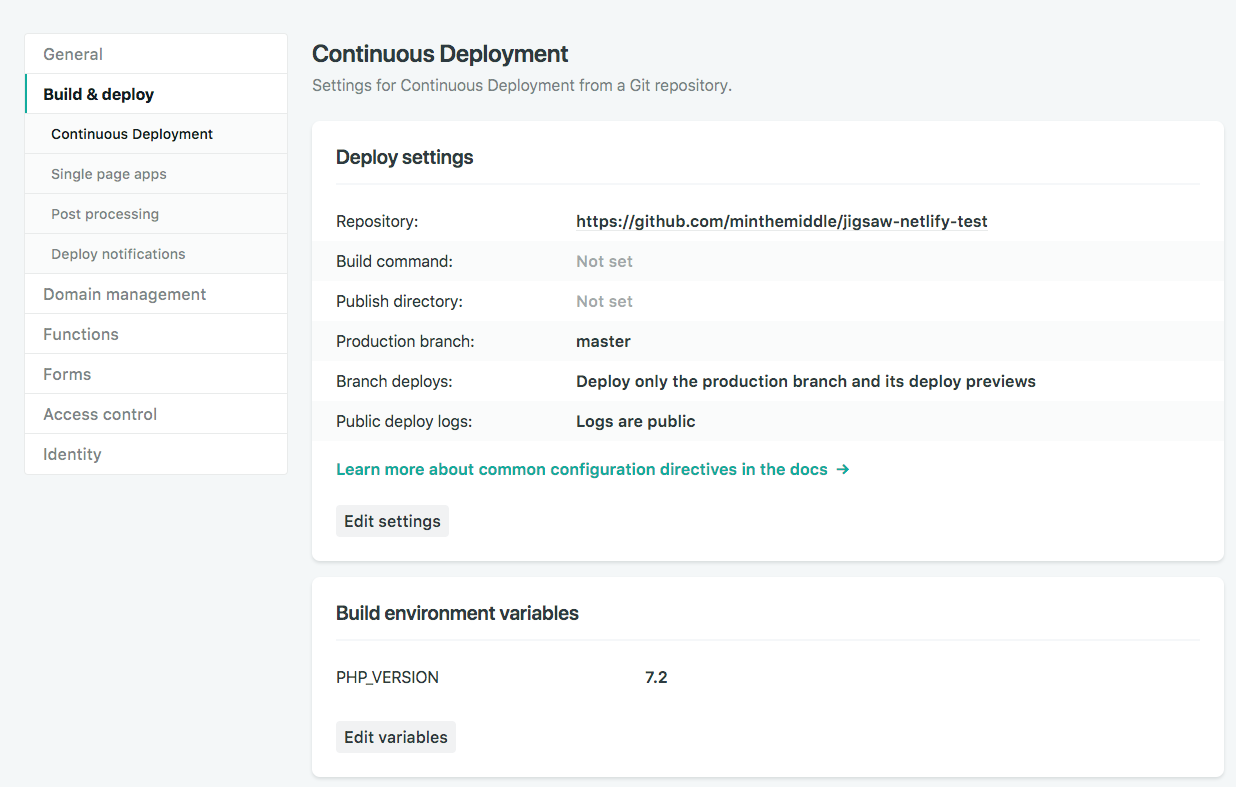
This is exactly how I set up my netlify.toml file. I had some problems with that as well, so I set the env var in the Netlify backend which has worked flawlessly.
minthemiddle
on 24 Feb 2018
Huh, that did it. There must be something preventing my netlify.toml file form being read properly. I shall investigate.
typhoon2099
on 24 Feb 2018
My site is Jigsaw generated and the PHP version isn't being read from the toml file.
I'm aware that you can set this manually on the web UI, I'm just wondering if this is a confirmed bug and why this issue is already closed.
[build]
PHP_VERSION=7.2
command = "npm run production"
publish = "build_production"
 raniesantos
on 17 Apr 2018
raniesantos
on 17 Apr 2018
@minthemiddle thanks for replying (his reply was deleted). Like I said I already know you can set it manually there.
I just wanted to confirm if setting the PHP version in the toml file is no longer supported for some reason.
I read your Medium article and it seems to still be fairly recent so it confuses me why it doesn't completely work as you stated in that post.
If the inability to read it from the toml is a bug I'll keep it there. If it was dropped then I'll remove that line from my file.
raniesantos
on 17 Apr 2018
@raniesantos netlify.toml not recognizing PHP_VERSION=7.2 seems to be a bug that is still not fixed. I will try to reproduce with a few setups and write a bug report, so @brycekahle can solve it :)
minthemiddle
on 17 Apr 2018
hey @minthemiddle and @raniesantos to set the PHP version you need to use the environment section within the context like this for example
[build]
command = "npm run production"
publish = "build_production"
[context.production.environment]
PHP_VERSION="7.2"
which gave me the following (as expected) when building my site:
7:10:57 PM: Using PHP version 7.2
 zaherg
on 1 Jul 2018
zaherg
on 1 Jul 2018
Cool, I will try this out with a fresh Jigsaw install tomorrow.
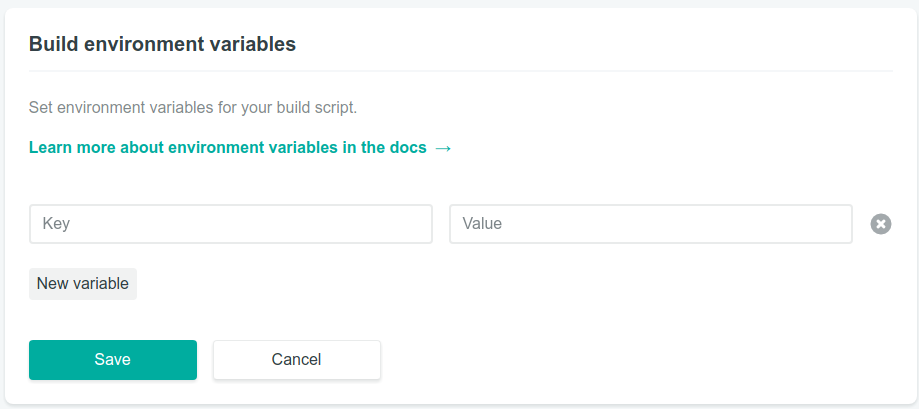
Update: Yep, this definitely works. Though one weird thing I noticed is that PHP_VERSION doesn't actually show up in your deploy settings.
raniesantos
on 1 Jul 2018
@raniesantos mostly because it's not one of the predefined variables they read, based on this but am not so sure.
Also I found out that you can specify the environment for the build like this:
[build]

command = "npm run production"
publish = "build_production"

[build.environment]

PHP_VERSION="7.2"
you can read more about the netlify.toml file and the sets that can be used from this doc post
zaherg
on 2 Jul 2018
Related issues
 arcanis
·
7Comments
arcanis
·
7Comments
 jwicks31
·
6Comments
jwicks31
·
6Comments
 arlyon
·
11Comments
arlyon
·
11Comments
 evanrelf
·
10Comments
evanrelf
·
10Comments
 fool
·
5Comments
fool
·
5Comments
Most helpful comment
@raniesantos mostly because it's not one of the predefined variables they read, based on this but am not so sure.
Also I found out that you can specify the environment for the build like this:
you can read more about the netlify.toml file and the sets that can be used from this doc post