Browser: United.com will not fill in user name
When trying to log into United.com the user name field fails to populate via clicking on the bitwarden logons area or with autofill. This was working before so I believe it's a change on United side but wanted to at least let you all know in case you're able to address it.
 trinitron79
All 13 comments
https://www.united.com/ual/en/us/account/account/signin
worked just fine with my test
 kspearrin
on 2 Nov 2017
kspearrin
on 2 Nov 2017
This was off the main page, it's always worked if you were redirected to this logon page. The main landing page is where it doesn't seem to want to work. Not a big deal as I figured it was something on their end, definitely not a bitwarden problem but figured pointing it out helps make sure bitwarden works off every page.
trinitron79
on 2 Nov 2017
I dont see a login form on the main page. I click sign in and it takes me to the link i posted previously.

kspearrin
on 2 Nov 2017
Ok, I see now. The big yellow thing that doesn't look at all like a button :)
kspearrin
on 2 Nov 2017
Yep that's what where I'm talking about :)
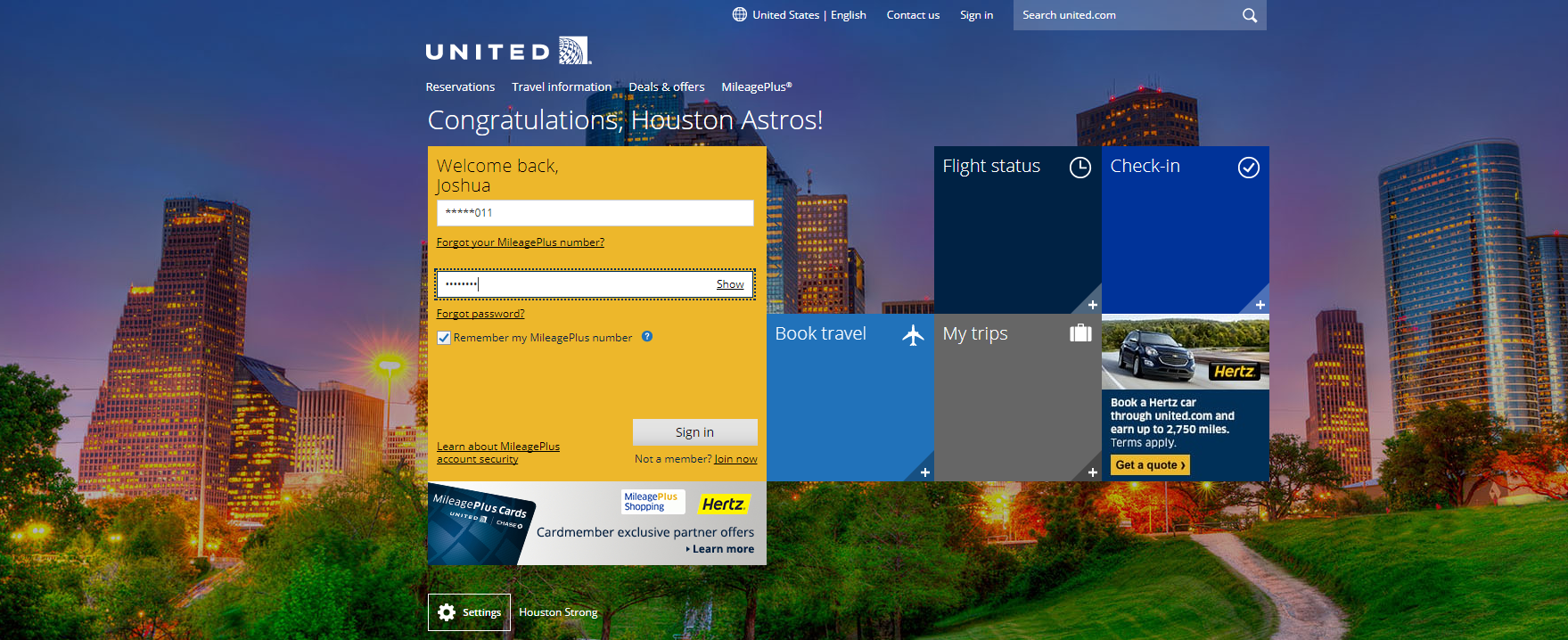
If you leave "Remember my Mileage Plus number" it will just have it semi hidden, that is what doesn't get updated. If you copy / paste user name from bitwarden it works fine.
trinitron79
on 2 Nov 2017
@trinitron79,
Create a custom field named "MpNumber" and put your MileagePlus number as the value and that should work.
You can figure out the name of the input field by using your browser's developer tools. In Chrome and Firefox you can right-click the username field and click "Inspect" or "Inspect Element", then look for the "id=" for the name of the field. In this case, "id=MpNumber". This should help fix similar issues in the future.
 Palf994
on 3 Nov 2017
Palf994
on 3 Nov 2017
So maybe the fix here is to allow aliases on key names? Rather than recreating the username field in order for it to populate with the custom name, perhaps a feature could be added to alias fields to support the various webform names.
 mchugh19
on 3 Nov 2017
mchugh19
on 3 Nov 2017
Thanks! I added the custom field and that has fixed the problem! Thanks for the tip!
trinitron79
on 6 Nov 2017
This is fixed for the next version.
kspearrin
on 6 Nov 2017
Can you please try now with v1.21.x?
kspearrin
on 20 Nov 2017
Works for me now. (yes I removed the custom field before trying ;P )
But I did have to remove / re-add the Chrome Extension to get the 1.21.x code, mine was stuck on the 1.20.x. Should this be auto updating? Windows 10
trinitron79
on 20 Nov 2017
It will eventually auto update. It was just pushed out so might not have propagated fully yet.
kspearrin
on 20 Nov 2017
ok thanks for the fix!
trinitron79
on 20 Nov 2017
Related issues
 garygreen
·
4Comments
kspearrin
·
5Comments
garygreen
·
4Comments
kspearrin
·
5Comments
 HizzyHaz
·
4Comments
HizzyHaz
·
4Comments
 ple103
·
6Comments
ple103
·
6Comments
 Attoy
·
3Comments
Attoy
·
3Comments