Browser-laptop: UGP CAPTCHA is not compatible with Windows 10 scaling options (high-res screen support)
Test plan
See https://github.com/brave/browser-laptop/pull/14362
Original issue details
(Placeholder. Have not reproduced).
Users report that CAPTCHA does not work correctly with some Windows 10 UI/font scaling options. Apparently when Windows is set up for high-res monitors it does not work because of use of absolute x/y coordinates.
 davidtemkin
All 4 comments
I believe a few of us ran into this with VM's but we figured it was a VM specific issue. Example of the issue occurring in the VM:
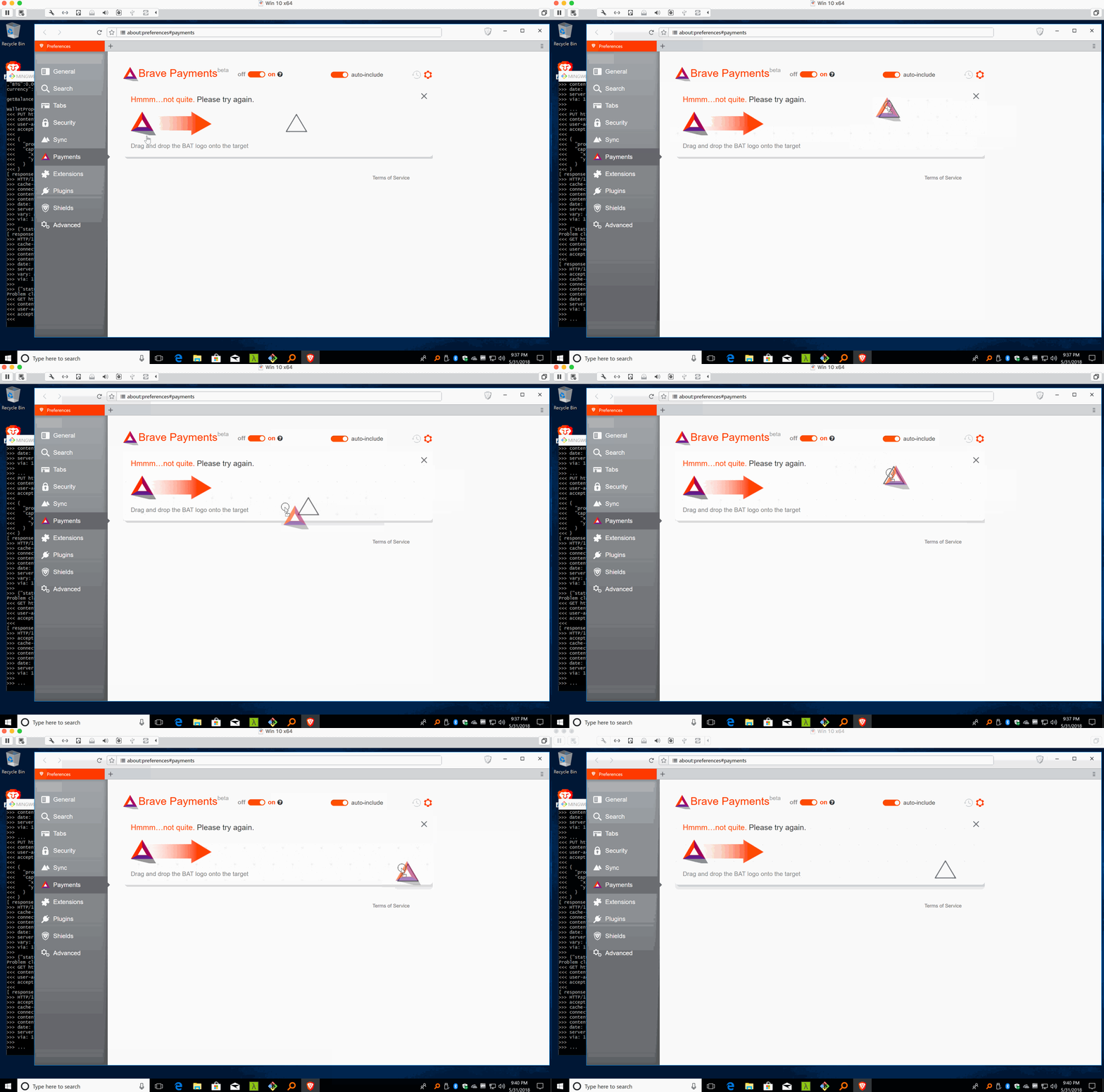
Unfortunately I didn't end up reporting this as everyone that I asked said it was working fine on Win so assumed it's probably a VM issue :/
 kjozwiak
on 8 Jun 2018
kjozwiak
on 8 Jun 2018
Confirming that this is indeed due to scaling. If you reduce device scaling to 100%, it should work.
 jonathansampson
on 8 Jun 2018
jonathansampson
on 8 Jun 2018
@srirambv @LaurenWags @btlechowski @GeetaSarvadnya Even though this was fixed for the scaling issue on Win, we should double check and make sure it still works as expected on all three platforms, hence adding this issue to all three manual passes.
kjozwiak
on 12 Jun 2018
Verified with macOS 10.12.6 using
- 0.22.810 8f30eeb
- Muon 7.0.6
- libchromiumcontent 67.0.3396.71
- verified steps 3-6 of test plan on macOS
Verified on Ubuntu 17.10 x64
- 0.22.810 8f30eeba0c2d6cccf1920a360b4774f820adbc58
- Muon 7.0.6
- libchromiumcontent 67.0.3396.71
Verified on Windows 10 x64 using
- 0.22.810 8f30eeb
- Muon 7.0.6
- libchromiumcontent 67.0.3396.71
 LaurenWags
on 12 Jun 2018
LaurenWags
on 12 Jun 2018
Related issues
 octohedron
·
3Comments
octohedron
·
3Comments
 luixxiul
·
3Comments
luixxiul
·
3Comments
 jkup
·
3Comments
jkup
·
3Comments
 bbondy
·
3Comments
jonathansampson
·
3Comments
bbondy
·
3Comments
jonathansampson
·
3Comments