Browser-laptop: adblock regional and custom filters don't seem to work
Did you search for similar issues before submitting this one?
ya
Describe the issue you encountered:
Expected behavior:
ads should be gone
- Platform (Win7, 8, 10? macOS? Linux distro?):
win10 - Brave Version:
app-0.12.15 - Steps to reproduce:
1.
2.
3.
- Screenshot if needed:
http://s27.postimg.org/qmze59uxv/brave_ilbe_com.jpg - Any related issues:
 sdsucks
All 8 comments
Which list are you using?
What is the site that displays that jpg?
 bbondy
on 20 Dec 2016
bbondy
on 20 Dec 2016
using these regional filter lists:
KOR: Korean Adblock List
KOR: Fanboy's Korean
I see no ads at all using these filter lists in ublock-origin on Chrome
site's address is:
www.ilbe.com
sdsucks
on 21 Dec 2016
Requires investigation but my best guess is because of cosmetic filters which we aren't using yet.
bbondy
on 21 Dec 2016
Possibly similar issue with custom adblock filters
https://community.brave.com/t/ad-blocking-filters-possibly-not-working/1750/3
 srirambv
on 20 Mar 2017
srirambv
on 20 Mar 2017
From #7928 custom filter not working
One per line, a filter is described in Adblock Plus filter syntax
nu.nl^
nu.nl
http://nu.nl
http://www.nu.nl
https://nu.nl
https://www.nu.nl
||nu.nl
||nu.nl^
srirambv
on 28 Mar 2017
I have the same problem, custom filter doesn't work on this website. The filter works fine when using Chrome + uBlock Origin
Platform: Windows 7 x64
Brave version: 0.18.36
Website:
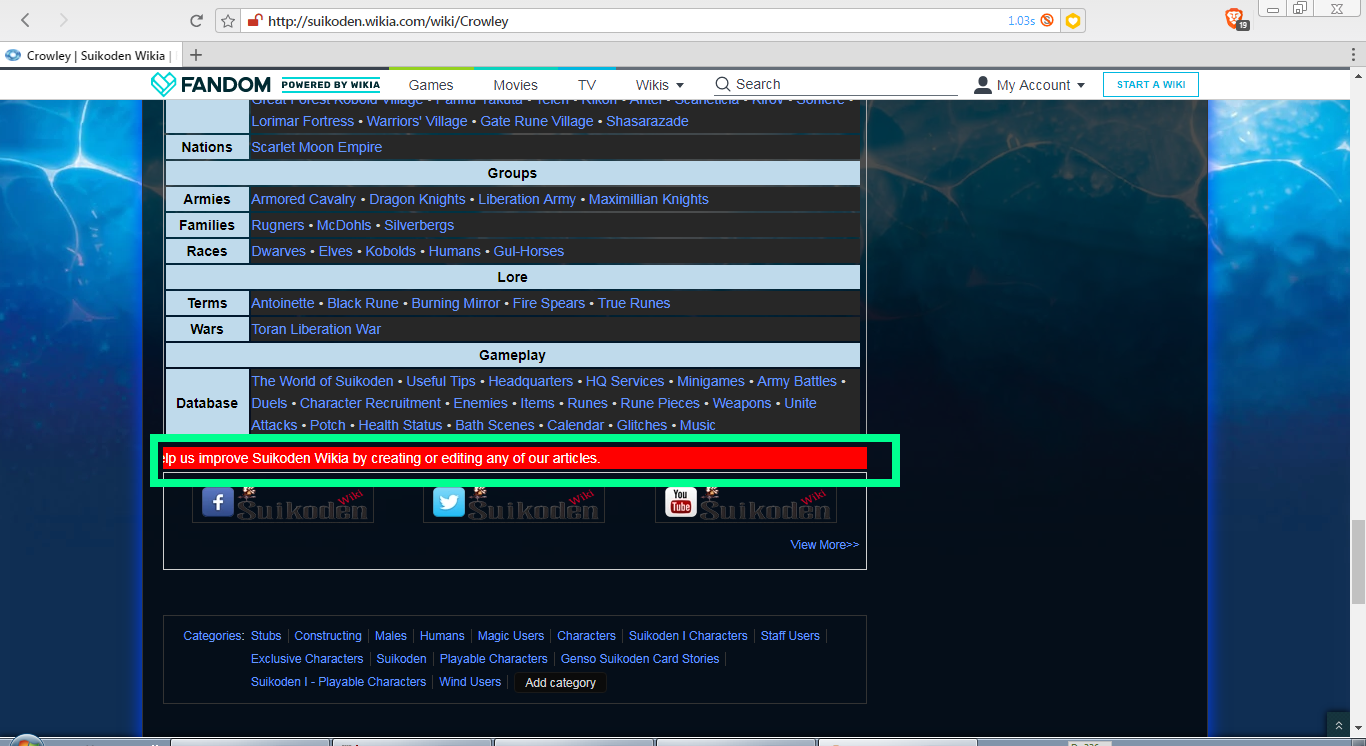
http://suikoden.wikia.com/wiki/Crowley
Filter:
suikoden.wikia.com##.mq-wrapper
Screenshot:
I want to filter the scrolling text with red background.
 onmyouji
on 21 Sep 2017
onmyouji
on 21 Sep 2017
I've spent a while trying to get my custom filters working. I have some pretty basic ones I've used for years before I switched to Brave. I think the Custom filters area of the about:adblock page should be disabled until it's working properly to avoid frustration and confusion.
 benjibee
on 30 Jan 2018
benjibee
on 30 Jan 2018
Duplicate of https://github.com/brave/browser-laptop/issues/12308
 bsclifton
on 1 Oct 2018
bsclifton
on 1 Oct 2018
Related issues
bbondy
·
3Comments
 jonathansampson
·
3Comments
jonathansampson
·
3Comments
 stevespringett
·
3Comments
stevespringett
·
3Comments
 mykkymk
·
3Comments
jonathansampson
·
3Comments
mykkymk
·
3Comments
jonathansampson
·
3Comments
Most helpful comment
I've spent a while trying to get my custom filters working. I have some pretty basic ones I've used for years before I switched to Brave. I think the Custom filters area of the
about:adblockpage should be disabled until it's working properly to avoid frustration and confusion.