Browser-laptop: Plex does not log in on Brave
I did not look for this prior.
When I try to log into my Plex account... it gives me an error.
I am able to log in on Safari and everything else.
- Platform (Win7, 8, 10? OS X? Linux distro?): OS X
- Brave Version: 0.10.0
- Steps to reproduce:
1.
2.
3. - Screenshot if needed:
- Any related issues:
 reallyhispanic
All 12 comments
What kind of error is it? A log/screenshot would be appreciated.
 luixxiul
on 28 May 2016
luixxiul
on 28 May 2016
Sure thing…
It does not log into the server. This is the only browser that doesn’t. I am logged in with Safari at this exact time.
This is the screen shot.
Frank
On May 27, 2016, at 9:27 PM, Suguru Hirahara [email protected] wrote:
What kind of error is it? A log/screenshot would be appreciated.
—
You are receiving this because you authored the thread.
Reply to this email directly, view it on GitHub https://github.com/brave/browser-laptop/issues/1943#issuecomment-222282910, or mute the thread https://github.com/notifications/unsubscribe/ASs951BrV2y-rK6QyPGwNo1QSaMTUSEDks5qF5nngaJpZM4Iokj-.
reallyhispanic
on 28 May 2016
Please disable both "HTTPS Everywhere" and "Block scripts" from Bravery menu (from the top right icon) and try again. That worked for me. It seems that redirections do not work well on their server. cc @diracdeltas
luixxiul
on 28 May 2016
sign in works now with HTTPS Everywhere enabled and scripts disabled, which is the default
 diracdeltas
on 14 Sep 2016
diracdeltas
on 14 Sep 2016
i can't login to plex...
 ghost
on 19 Dec 2017
ghost
on 19 Dec 2017
@Ozzon60 do you have scripts disabled? You check check by clicking the Lion icon (shields menu) in the top right
 bsclifton
on 19 Dec 2017
bsclifton
on 19 Dec 2017
@bsclifton No, I have tried a bunch of things including putting shields down and I still can't login (sort of), if i go to there website rather then clicking open plex (from the windows app) then login, settings and then press the home button, but even still when I press the open plex button I still can't login which is a small inconvenience.
I couldn't figured out how to reply.
When I open a link out site of the browser brave takes a bit longer then other browsers (I mean to appear at all not website load time), is this normal?
ghost
on 19 Dec 2017
its does not work when i disable shield
 marlon99rocks
on 5 Feb 2018
marlon99rocks
on 5 Feb 2018
Same problem here...

Brave version: 0.21.24
 Xaconi
on 2 Apr 2018
Xaconi
on 2 Apr 2018
I am having the same issue. This is one of the things preventing me from using Brave as my main browser.
 gwenhidwy
on 8 Jun 2018
gwenhidwy
on 8 Jun 2018
To successfully use Brave with Plex, you need to authorize cookies for your local Plex Media Server.
Disabling shield does not always works, mostly because Plex logs in through https://app.plex.tv then transfers you to your local media server so you only have a small window of time to do so as the the login fails quickly after trying to redirect, then brings you back to app.plex.tv website with the error, so most of the time you will disable shield for app.plex.tv and not your media server.
 scouturier
on 9 Jul 2018
scouturier
on 9 Jul 2018
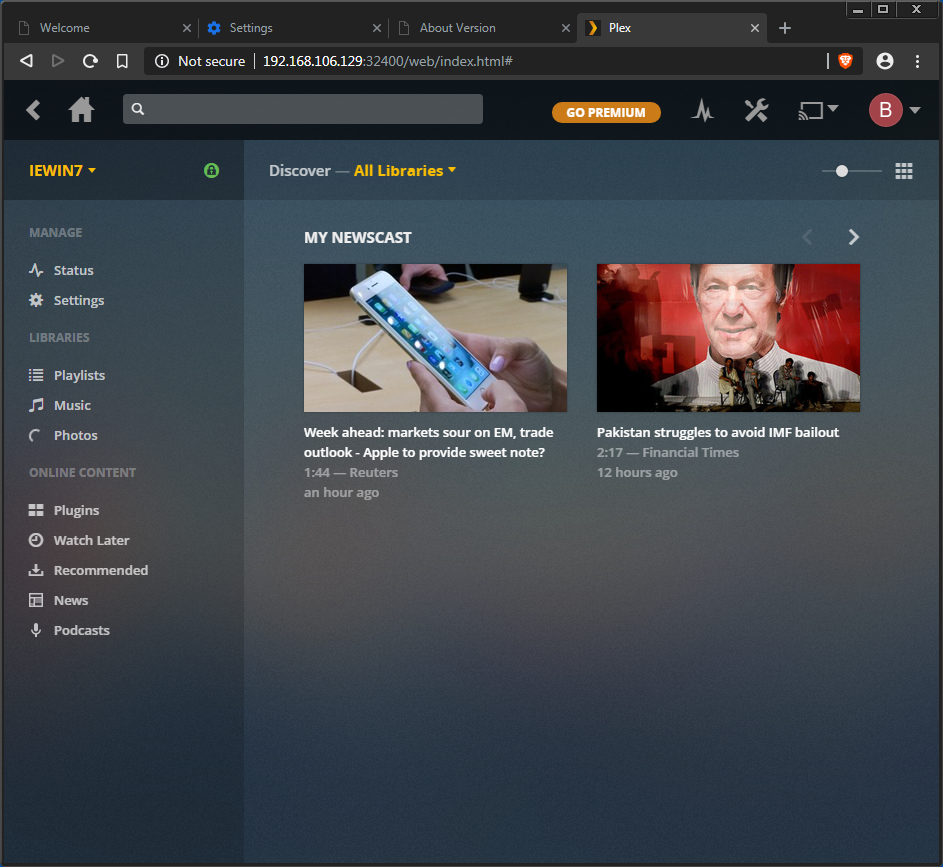
Seems fixed on brave-core
 srirambv
on 9 Sep 2018
srirambv
on 9 Sep 2018
Related issues
luixxiul
·
3Comments
 briannyeko
·
3Comments
luixxiul
·
3Comments
briannyeko
·
3Comments
luixxiul
·
3Comments
 jkup
·
3Comments
jkup
·
3Comments
 lukemulks
·
3Comments
lukemulks
·
3Comments