i am trying to build gcc on arm but as it hits the build for gmp 6.1.2 it fails right away.
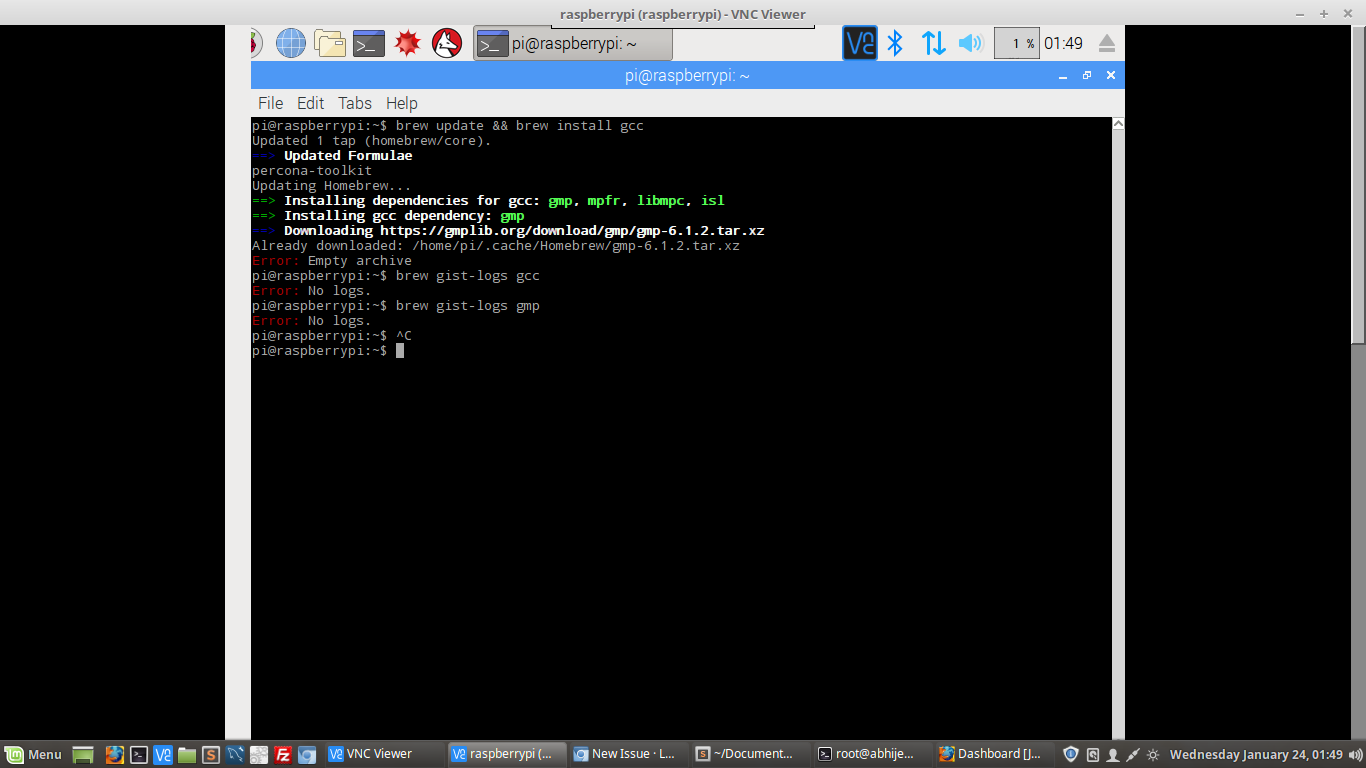
brew update && brew install gmp
Error: Empty archive
I guess that since my gcc is 4.x so you don't support gmp version for arm.
if not can you point me in rigth direction as to how to make gmp and hence gcc on raspberry pi3.
gist : brew gist-logs gcc and/or brew gist-logs gmp results in :
Error : No logs
 pawan-saxena
All 86 comments
Can you brew install -v gcc and post the output?
 alyssais
on 23 Jan 2018
alyssais
on 23 Jan 2018

signature turns out to be okay :(
pawan-saxena
on 23 Jan 2018
The problem may be that the source tarball is xzipped rather than gzipped and you don't have xz available.
Please report…
ls -l /home/pi/.cache/Homebrew/gmp-6.1.2.tar.xz
sha256sum /home/pi/.cache/Homebrew/gmp-6.1.2.tar.xz
 sjackman
on 23 Jan 2018
sjackman
on 23 Jan 2018
Try…
sudo apt-get install xz

pawan-saxena
on 23 Jan 2018

I can't find xz but a lot of other similar packages, any suggestions which to use ?
pawan-saxena
on 23 Jan 2018
sudo apt-get install xz-utils
Please avoid pasting screenshots, and instead copy-and-paste the text.
sjackman
on 23 Jan 2018
After installing xz-utils :
pi@raspberrypi:~$ ls -l /home/pi/.cache/Homebrew/gmp-6.1.2.tar.xz
-rw-r--r-- 1 pi pi 1946336 Dec 16  2016 /home/pi/.cache/Homebrew/gmp-6.1.2.tar.xz
pi@raspberrypi:~$ sha256sum /home/pi/.cache/Homebrew/gmp-6.1.2.tar.xz
87b565e89a9a684fe4ebeeddb8399dce2599f9c9049854ca8c0dfbdea0e21912  /home/pi/.cache/Homebrew/gmp-6.1.2.tar.xz
pi@raspberrypi:~$ source ~/.profile
pi@raspberrypi:~$ brew update && brew install gmp
Updated 1 tap (homebrew/core).
No changes to formulae.
Updating Homebrew...
==> Downloading https://gmplib.org/download/gmp/gmp-6.1.2.tar.xz
Already downloaded: /home/pi/.cache/Homebrew/gmp-6.1.2.tar.xz
Error: Empty archive
pi@raspberrypi:~$
Please enclose copy-and-paste blocks in triple back ticks.
See https://help.github.com/articles/basic-writing-and-formatting-syntax/#quoting-code
sjackman
on 23 Jan 2018
Please report…
tar tf /home/pi/.cache/Homebrew/gmp-6.1.2.tar.xz | head
pi@raspberrypi:~$ tar tf /home/pi/.cache/Homebrew/gmp-6.1.2.tar.xz | head
gmp-6.1.2/
gmp-6.1.2/cxx/
gmp-6.1.2/mini-gmp/
gmp-6.1.2/Makefile.am
gmp-6.1.2/configure
gmp-6.1.2/acinclude.m4
gmp-6.1.2/configure.ac
gmp-6.1.2/aclocal.m4
gmp-6.1.2/gmpxx.h
gmp-6.1.2/Makefile.in
pi@raspberrypi:~$
is it something here :
  def chdir
    entries = Dir["*"]
    case entries.length
    when 0 then raise "Empty archive"
    when 1 then begin
        Dir.chdir entries.first
      rescue
        nil
      end
    end
  end
in download_strategy.rb
pawan-saxena
on 23 Jan 2018
Try…
HOMEBREW_STDERR=1 brew install -v gmp
pi@raspberrypi:~$ HOMEBREW_STDERR=1 brew install -v gmp
Updating Homebrew...
==> Auto-updated Homebrew!
Updated 1 tap (homebrew/core).
No changes to formulae.

==> Downloading https://gmplib.org/download/gmp/gmp-6.1.2.tar.xz
Already downloaded: /home/pi/.cache/Homebrew/gmp-6.1.2.tar.xz
==> Verifying gmp-6.1.2.tar.xz checksum
brew: command not found: /home/linuxbrew/.linuxbrew/opt/xz/bin/xz
tar: This does not look like a tar archive
tar: Exiting with failure status due to previous errors
Error: Empty archive
pi@raspberrypi:~$
okay so i had same problem with curl it was reading it as /opt/curl/ (searching in user's root directory); i resolved that by creating a symlink
ln -s /usr/bin/curl curl
here also i get this /opt/xz
I guess that this issue may happen for other packages as well.
Can you please suggest how to resolve it.
pawan-saxena
on 23 Jan 2018
I made another symlink as :
pi@raspberrypi:~$ ln -s /usr/bin/xz /home/linuxbrew/.linuxbrew/opt/xz/bin/xz
and then tried to make build again
It now stopped with same issue (this time python as /opt/python)
checking compiler gcc-4.9 -O2 -pedantic -fomit-frame-pointer ... no
configure: error: could not find a working compiler, see config.log for details
brew: command not found: /home/linuxbrew/.linuxbrew/opt/python/libexec/bin/python

==> Formula
Path: /home/linuxbrew/.linuxbrew/Homebrew/Library/Taps/homebrew/homebrew-core/Formula/gmp.rb
==> Configuration
HOMEBREW_VERSION: 1.4.3-1-g851177a
ORIGIN: https://github.com/Linuxbrew/brew
HEAD: 851177a2928f65dedadad052347fbd7201282e38
Last commit: 8 days ago
Core tap ORIGIN: https://github.com/Linuxbrew/homebrew-core
Core tap HEAD: 59c3681e71cd21ca833196d30c3b8c02ebc88437
Core tap last commit: 25 minutes ago
HOMEBREW_PREFIX: /home/linuxbrew/.linuxbrew
HOMEBREW_REPOSITORY: /home/linuxbrew/.linuxbrew/Homebrew
HOMEBREW_CELLAR: /home/linuxbrew/.linuxbrew/Cellar
HOMEBREW_CACHE: /home/pi/.cache/Homebrew
HOMEBREW_CELLAR: /home/linuxbrew/.linuxbrew/Cellar
HOMEBREW_DEV_CMD_RUN: 1
HOMEBREW_ENABLE_AUTO_UPDATE_MIGRATION: 1
HOMEBREW_PREFIX: /home/linuxbrew/.linuxbrew
HOMEBREW_REPOSITORY: /home/linuxbrew/.linuxbrew/Homebrew
HOMEBREW_STDERR: 1
CPU: quad-core 32-bit arm
Homebrew Ruby: 2.3.3 => /home/linuxbrew/.linuxbrew/Homebrew/Library/Homebrew/vendor/portable-ruby/2.3.3/bin/ruby
Clang: N/A
Git: 2.1.4 => /usr/bin/git
Curl: 7.38.0 => /home/linuxbrew/.linuxbrew/opt/curl/bin/curl
Perl: /usr/bin/perl
brew: command not found: /home/linuxbrew/.linuxbrew/opt/python/libexec/bin/python
Python: /home/linuxbrew/.linuxbrew/opt/python/libexec/bin/python => /home/pi
Ruby: /usr/bin/ruby => /usr/bin/ruby2.1
Java: 1.8.0_65
Kernel: Linux 4.4.50-v7+ armv7l GNU/Linux
OS: Raspbian GNU/Linux 8.0 (jessie) (jessie)
Host glibc: 2.19
/usr/bin/gcc: 4.9.2
glibc: 2.23
gcc: N/A
xorg: N/A
==> ENV
HOMEBREW_CC: gcc-4.9
HOMEBREW_CXX: g++-4.9
MAKEFLAGS: -j4
CMAKE_PREFIX_PATH: /home/linuxbrew/.linuxbrew
PKG_CONFIG_PATH: /home/linuxbrew/.linuxbrew/opt/xz/lib/pkgconfig
ACLOCAL_PATH: /home/linuxbrew/.linuxbrew/share/aclocal
PATH: /home/linuxbrew/.linuxbrew/Homebrew/Library/Homebrew/shims/linux/super:/home/linuxbrew/.linuxbrew/opt/xz/bin:/home/linuxbrew/.linuxbrew/opt/m4/bin:/home/linuxbrew/.linuxbrew/opt/binutils/bin:/home/linuxbrew/.linuxbrew/opt/python/libexec/bin:/usr/bin:/bin:/usr/sbin:/sbin

Error: gmp 6.1.2 did not build
Logs:
     /home/pi/.cache/Homebrew/Logs/gmp/00.options.out
     /home/pi/.cache/Homebrew/Logs/gmp/01.configure
     /home/pi/.cache/Homebrew/Logs/gmp/01.configure.cc
     /home/pi/.cache/Homebrew/Logs/gmp/config.log
READ THIS: https://github.com/Linuxbrew/brew/blob/master/docs/Troubleshooting.md#troubleshooting
Please do not report this issue to Homebrew/brew or Homebrew/core, which support macOS only.

git: 'credential-osxkeychain' is not a git command. See 'git --help'.
pi@raspberrypi:~$ which python
/usr/bin/python
pi@raspberrypi:~$
@sjackman
i did a fresh install of brew and set the PATH as pointed out in docs.Now when i do
brew install -v gmp
the latest error that comes out is :
pi@raspberrypi:~$ brew install -v gmp
Updating Homebrew...
==> Downloading https://gmplib.org/download/gmp/gmp-6.1.2.tar.xz
Already downloaded: /home/pi/.cache/Homebrew/gmp-6.1.2.tar.xz
==> Verifying gmp-6.1.2.tar.xz checksum
==> ./configure --disable-static --prefix=/home/linuxbrew/.linuxbrew/Cellar/gmp/6.1.2_1 --enable-cxx
checking build system type... armcortexa53neon-unknown-linux-gnueabihf
checking host system type... armcortexa53neon-unknown-linux-gnueabihf
checking for a BSD-compatible install... /usr/bin/install -c
checking whether build environment is sane... yes
checking for a thread-safe mkdir -p... /bin/mkdir -p
checking for gawk... gawk
checking whether make sets $(MAKE)... yes
checking whether make supports nested variables... yes
checking whether to enable maintainer-specific portions of Makefiles... no
checking ABI=64
checking whether gcc-4.9 is gcc... yes
checking compiler gcc-4.9 -O2 -pedantic ... no
checking ABI=32
checking whether gcc-4.9 is gcc... yes
checking compiler gcc-4.9 -O2 -pedantic -fomit-frame-pointer ... no
configure: error: could not find a working compiler, see config.log for details

==> Formula
Path: /home/linuxbrew/.linuxbrew/Homebrew/Library/Taps/homebrew/homebrew-core/Formula/gmp.rb
==> Configuration
HOMEBREW_VERSION: 1.4.3-1-g851177a
ORIGIN: https://github.com/Linuxbrew/brew
HEAD: 851177a2928f65dedadad052347fbd7201282e38
Last commit: 8 days ago
Core tap ORIGIN: https://github.com/Linuxbrew/homebrew-core
Core tap HEAD: 59c3681e71cd21ca833196d30c3b8c02ebc88437
Core tap last commit: 56 minutes ago
HOMEBREW_PREFIX: /home/linuxbrew/.linuxbrew
HOMEBREW_REPOSITORY: /home/linuxbrew/.linuxbrew/Homebrew
HOMEBREW_CELLAR: /home/linuxbrew/.linuxbrew/Cellar
HOMEBREW_CACHE: /home/pi/.cache/Homebrew
HOMEBREW_CELLAR: /home/linuxbrew/.linuxbrew/Cellar
HOMEBREW_DEV_CMD_RUN: 1
HOMEBREW_ENABLE_AUTO_UPDATE_MIGRATION: 1
HOMEBREW_PREFIX: /home/linuxbrew/.linuxbrew
HOMEBREW_REPOSITORY: /home/linuxbrew/.linuxbrew/Homebrew
CPU: quad-core 32-bit arm
Homebrew Ruby: 2.3.3 => /home/linuxbrew/.linuxbrew/Homebrew/Library/Homebrew/vendor/portable-ruby/2.3.3/bin/ruby
Clang: N/A
Git: 2.1.4 => /usr/bin/git
Curl: 7.38.0 => /home/linuxbrew/.linuxbrew/opt/curl/bin/curl
Perl: /usr/bin/perl
Python: /home/linuxbrew/.linuxbrew/opt/python/libexec/bin/python => /usr/bin/python2.7
Ruby: /usr/bin/ruby => /usr/bin/ruby2.1
Java: 1.8.0_65
Kernel: Linux 4.4.50-v7+ armv7l GNU/Linux
OS: Raspbian GNU/Linux 8.0 (jessie) (jessie)
Host glibc: 2.19
/usr/bin/gcc: 4.9.2
glibc: 2.23
gcc: N/A
xorg: N/A
==> ENV
HOMEBREW_CC: gcc-4.9
HOMEBREW_CXX: g++-4.9
MAKEFLAGS: -j4
CMAKE_PREFIX_PATH: /home/linuxbrew/.linuxbrew
PKG_CONFIG_PATH: /home/linuxbrew/.linuxbrew/opt/xz/lib/pkgconfig
ACLOCAL_PATH: /home/linuxbrew/.linuxbrew/share/aclocal
PATH: /home/linuxbrew/.linuxbrew/Homebrew/Library/Homebrew/shims/linux/super:/home/linuxbrew/.linuxbrew/opt/xz/bin:/home/linuxbrew/.linuxbrew/opt/m4/bin:/home/linuxbrew/.linuxbrew/opt/binutils/bin:/home/linuxbrew/.linuxbrew/opt/python/libexec/bin:/usr/bin:/bin:/usr/sbin:/sbin

Error: gmp 6.1.2 did not build
Logs:
     /home/pi/.cache/Homebrew/Logs/gmp/00.options.out
     /home/pi/.cache/Homebrew/Logs/gmp/01.configure
     /home/pi/.cache/Homebrew/Logs/gmp/01.configure.cc
     /home/pi/.cache/Homebrew/Logs/gmp/config.log
READ THIS: https://github.com/Linuxbrew/brew/blob/master/docs/Troubleshooting.md#troubleshooting
Please do not report this issue to Homebrew/brew or Homebrew/core, which support macOS only.

pi@raspberrypi:~$
checking compiler gcc-4.9 -O2 -pedantic -fomit-frame-pointer ... no
configure: error: could not find a working compiler, see config.log for details
Please report brew gist-logs gmp
sjackman
on 23 Jan 2018
@sjackman Gist gmp : https://gist.github.com/fea1762620e5678a5bb6288d2e4d8256
pawan-saxena
on 24 Jan 2018
error trying to exec '/home/linuxbrew/.linuxbrew/bin/ld': execvp: No such file or directory
https://gist.github.com/anonymous/fea1762620e5678a5bb6288d2e4d8256#file-config-log-L98
Try either sudo apt-get install binutils or brew install binutils
sjackman
on 24 Jan 2018
Have you installed these dependencies of Linuxbrew?
http://linuxbrew.sh/#dependencies
sudo apt-get install build-essential curl file git python-setuptools
i have installed these dependencies
sudo apt-get install build-essential curl file git python-setuptools
and then issues started to happen when gcc started building.
I read all threads and adopted one approach where someone said that maybe i should delete linuxbrew altogether and start from fresh.
I will seek your help if some issue happen again.
But it think that would be only after 7-8 hours cause gcc build took 11 hours previously :)
pawan-saxena
on 24 Jan 2018
@sjackman i have made the gcc build again and i failed at :
pi@raspberrypi:~ $ brew install gcc
Updating Homebrew...
==> Installing dependencies for gcc: m4, gmp, mpfr, libmpc, isl
==> Installing gcc dependency: m4
==> Downloading https://ftp.gnu.org/gnu/m4/m4-1.4.18.tar.xz
Already downloaded: /home/pi/.cache/Homebrew/m4-1.4.18.tar.xz
Error: Empty archive
pi@raspberrypi:~ $ brew update
Already up-to-date.
pi@raspberrypi:~ $ brew update
Already up-to-date.
pi@raspberrypi:~ $ brew doctor
Please note that these warnings are just used to help the Homebrew maintainers
with debugging if you file an issue. If everything you use Homebrew for is
working fine: please don't worry or file an issue; just ignore this. Thanks!

Warning: Broken symlinks were found. Remove them with `brew prune`:
  /home/linuxbrew/.linuxbrew/lib/ld.so
pi@raspberrypi:~ $ brew gist-logs m4
Error: No logs.
pi@raspberrypi:~ $ brew gist-logs gcc
Error: No logs.
pi@raspberrypi:~ $
Please report…
ls /home/linuxbrew/.linuxbrew/opt/glibc/lib
pi@raspberrypi:~ $ ls /home/linuxbrew/.linuxbrew/opt/glibc/lib
audit                    libcrypt.a             libnss_compat.so.2      libpthread.so
crt1.o                   libcrypt.so            libnss_db-2.23.so       libpthread.so.0
crti.o                   libcrypt.so.1          libnss_db.so            libresolv-2.23.so
crtn.o                   libc.so                libnss_db.so.2          libresolv.a
gconv                    libc.so.6              libnss_dns-2.23.so      libresolv.so
gcrt1.o                  libdl-2.23.so          libnss_dns.so           libresolv.so.2
ld-2.23.so               libdl.a                libnss_dns.so.2         librpcsvc.a
ld-linux-armhf.so.3      libdl.so               libnss_files-2.23.so    librt-2.23.so
libanl-2.23.so           libdl.so.2             libnss_files.so         librt.a
libanl.a                 libg.a                 libnss_files.so.2       librt.so
libanl.so                libieee.a              libnss_hesiod-2.23.so   librt.so.1
libanl.so.1              libm-2.23.so           libnss_hesiod.so        libSegFault.so
libBrokenLocale-2.23.so  libm.a                 libnss_hesiod.so.2      libthread_db-1.0.so
libBrokenLocale.a        libmcheck.a            libnss_nis-2.23.so      libthread_db.so
libBrokenLocale.so       libmemusage.so         libnss_nisplus-2.23.so  libthread_db.so.1
libBrokenLocale.so.1     libm.so                libnss_nisplus.so       libutil-2.23.so
libc-2.23.so             libm.so.6              libnss_nisplus.so.2     libutil.a
libc.a                   libnsl-2.23.so         libnss_nis.so           libutil.so
libcidn-2.23.so          libnsl.a               libnss_nis.so.2         libutil.so.1
libcidn.so               libnsl.so              libpcprofile.so         locale
libcidn.so.1             libnsl.so.1            libpthread-2.23.so      Mcrt1.o
libc_nonshared.a         libnss_compat-2.23.so  libpthread.a            Scrt1.o
libcrypt-2.23.so         libnss_compat.so       libpthread_nonshared.a
pi@raspberrypi:~ $
Warning: Broken symlinks were found. Remove them with `brew prune`:
  /home/linuxbrew/.linuxbrew/lib/ld.so
Try…
ln -sf /home/linuxbrew/.linuxbrew/opt/glibc/lib/ld-linux-armhf.so.3 /home/linuxbrew/.linuxbrew/lib/ld.so
brew instal m4 || brew gist-logs m4
This line needs to be fixed for ARM and 32-bit Intel.
https://github.com/Linuxbrew/homebrew-core/blob/09c0eb3885089fb315aa66cd8d9c1e1ff413c384/Formula/glibc.rb#L143
    # Install ld.so symlink.
    ln_sf lib/"ld-linux-x86-64.so.2", HOMEBREW_PREFIX/"lib/ld.so"
@sjackman i followed your ins. set and m4 built successfully but gmp still have some issue :
pi@raspberrypi:~ $ brew install gcc
Updating Homebrew...
==> Installing dependencies for gcc: gmp, mpfr, libmpc, isl
==> Installing gcc dependency: gmp
==> Downloading https://gmplib.org/download/gmp/gmp-6.1.2.tar.xz
######################################################################## 100.0%
==> ./configure --disable-static --prefix=/home/linuxbrew/.linuxbrew/Cellar/gmp/6.1.2_1 --enable-cxx
Last 15 lines from /home/pi/.cache/Homebrew/Logs/gmp/01.configure:
checking for gcc-4.9 option to accept ISO C89... none needed
checking whether gcc-4.9 understands -c and -o together... yes
checking for gcc-4.9 option to accept ISO C99... -std=gnu99
checking for gcc-4.9 -std=gnu99 option to accept ISO Standard C... (cached) -std=gnu99
checking how to run the C preprocessor... gcc-4.9 -std=gnu99 -E
checking build system compiler gcc-4.9 -std=gnu99... yes
checking for build system preprocessor... gcc-4.9 -std=gnu99 -E
checking for build system executable suffix...
checking whether build system compiler is ANSI... yes
checking for build system compiler math library... -lm
checking whether we are using the GNU C++ compiler... yes
checking whether g++-4.9 accepts -g... yes
checking C++ compiler g++-4.9  -O2 -pedantic -fomit-frame-pointer -march=armv8-a -mfloat-abi=hard -mfpu=neon -mtune=cortex-a53... no, program does not run
checking C++ compiler g++-4.9  -g -O2... no, program does not run
configure: error: C++ compiler not available, see config.log for details

READ THIS: https://github.com/Linuxbrew/brew/blob/master/docs/Troubleshooting.md#troubleshooting
Please do not report this issue to Homebrew/brew or Homebrew/core, which support macOS only.

pi@raspberrypi:~ $
gist : https://gist.github.com/cd7a11214115e7e1b8d6085f0d3a099d
pawan-saxena
on 24 Jan 2018
./a.out: error while loading shared libraries: libstdc++.so.6: cannot open shared object file: No such file or directory
https://gist.github.com/anonymous/cd7a11214115e7e1b8d6085f0d3a099d#file-config-log-L1061
Looks like compiling gmp requires a C++ compiler, but we haven't yet installed the brewed C++ compiler in gcc.
Try…
ls -l /usr/lib/libstdc++.so.6 && ln -s /usr/lib/libstdc++.so.6 /home/linuxbrew/.linuxbrew/lib/
brew install gmp || brew gist-logs gmp
pi@raspberrypi:/usr/lib $ ls -l /usr/lib/libstdc++.so.6 && ln -s /usr/lib/libstdc++.so.6 /home/linuxbrew/.linuxbrew/lib/
ls: cannot access /usr/lib/libstdc++.so.6: No such file or directory
So i did :
curl -o libstdc++6_4.9.2-10_armhf.deb http://archive.raspbian.org/raspbian/pool/main/g/gcc-4.9/libstdc++6_4.9.2-10_armhf.deb
sudo dpkg -i libstdc++6_4.9.2-10_armhf.deb
and modified your command to :
ls -l /usr/lib/libstdc++6_4.9.2-10_armhf.deb && ln -s /usr/lib/libstdc++6_4.9.2-10_armhf.deb /home/linuxbrew/.linuxbrew/lib/
brew install gmp || brew gist-logs gmp
and i got :
pi@raspberrypi:/usr/lib $ brew install gmp || brew gist-logs gmp

Updating Homebrew...
==> Auto-updated Homebrew!
Updated 1 tap (homebrew/core).
==> Updated Formulae
awscli                     etcd                       mariadb-connector-c        tomcat

==> Downloading https://gmplib.org/download/gmp/gmp-6.1.2.tar.xz
Already downloaded: /home/pi/.cache/Homebrew/gmp-6.1.2.tar.xz
==> ./configure --disable-static --prefix=/home/linuxbrew/.linuxbrew/Cellar/gmp/6.1.2_1 --enable-cxx
Last 15 lines from /home/pi/.cache/Homebrew/Logs/gmp/01.configure:
checking for gcc-4.9 option to accept ISO C89... none needed
checking whether gcc-4.9 understands -c and -o together... yes
checking for gcc-4.9 option to accept ISO C99... -std=gnu99
checking for gcc-4.9 -std=gnu99 option to accept ISO Standard C... (cached) -std=gnu99
checking how to run the C preprocessor... gcc-4.9 -std=gnu99 -E
checking build system compiler gcc-4.9 -std=gnu99... yes
checking for build system preprocessor... gcc-4.9 -std=gnu99 -E
checking for build system executable suffix...
checking whether build system compiler is ANSI... yes
checking for build system compiler math library... -lm
checking whether we are using the GNU C++ compiler... yes
checking whether g++-4.9 accepts -g... yes
checking C++ compiler g++-4.9  -O2 -pedantic -fomit-frame-pointer -march=armv8-a -mfloat-abi=hard -mfpu=neon -mtune=cortex-a53... no, program does not run
checking C++ compiler g++-4.9  -g -O2... no, program does not run
configure: error: C++ compiler not available, see config.log for details

READ THIS: https://github.com/Linuxbrew/brew/blob/master/docs/Troubleshooting.md#troubleshooting
Please do not report this issue to Homebrew/brew or Homebrew/core, which support macOS only.
gist : https://gist.github.com/1fefcaa9f4adb8e7cb77cfa827c13957
pawan-saxena
on 24 Jan 2018
./a.out: error while loading shared libraries: libstdc++.so.6: cannot open shared object file: No such file or directory
https://gist.github.com/anonymous/1fefcaa9f4adb8e7cb77cfa827c13957#file-config-log-L1061
This error persists.
Try…
sudo apt-get install libstdc++6
ls -l /usr/lib/arm-linux-gnueabihf/libstdc++.so.6 && ln -sf /usr/lib/arm-linux-gnueabihf/libstdc++.so.6 /home/linuxbrew/.linuxbrew/lib/
brew install gmp || brew gist-logs gmp
pi@raspberrypi:~ $ brew install gmp || brew gist-logs gmp
Updating Homebrew...
==> Downloading https://gmplib.org/download/gmp/gmp-6.1.2.tar.xz
Already downloaded: /home/pi/.cache/Homebrew/gmp-6.1.2.tar.xz
==> ./configure --disable-static --prefix=/home/linuxbrew/.linuxbrew/Cellar/gmp/6.1.2_1 --enable-cxx
Last 15 lines from /home/pi/.cache/Homebrew/Logs/gmp/01.configure:
checking for gcc-4.9 option to accept ISO C89... none needed
checking whether gcc-4.9 understands -c and -o together... yes
checking for gcc-4.9 option to accept ISO C99... -std=gnu99
checking for gcc-4.9 -std=gnu99 option to accept ISO Standard C... (cached) -std=gnu99
checking how to run the C preprocessor... gcc-4.9 -std=gnu99 -E
checking build system compiler gcc-4.9 -std=gnu99... yes
checking for build system preprocessor... gcc-4.9 -std=gnu99 -E
checking for build system executable suffix...
checking whether build system compiler is ANSI... yes
checking for build system compiler math library... -lm
checking whether we are using the GNU C++ compiler... yes
checking whether g++-4.9 accepts -g... yes
checking C++ compiler g++-4.9  -O2 -pedantic -fomit-frame-pointer -march=armv8-a -mfloat-abi=hard -mfpu=neon -mtune=cortex-a53... no, program does not run
checking C++ compiler g++-4.9  -g -O2... no, program does not run
configure: error: C++ compiler not available, see config.log for details

READ THIS: https://github.com/Linuxbrew/brew/blob/master/docs/Troubleshooting.md#troubleshooting
Please do not report this issue to Homebrew/brew or Homebrew/core, which support macOS only.
gist : https://gist.github.com/41d3b6090038e912934b93af67cbb654
https://gist.github.com/anonymous/41d3b6090038e912934b93af67cbb654#file-config-log-L972
pawan-saxena
on 24 Jan 2018
./a.out: error while loading shared libraries: libstdc++.so.6: cannot open shared object file: No such file or directory
https://gist.github.com/anonymous/41d3b6090038e912934b93af67cbb654#file-config-log-L1061
Please report…
ls -l /usr/lib/arm-linux-gnueabihf/libstdc++.so.6
ls -l /home/linuxbrew/.linuxbrew/lib/libstdc++.so.6
pi@raspberrypi:~ $ ls -l /usr/lib/arm-linux-gnueabihf/libstdc++.so.6
lrwxrwxrwx 1 root root 19 Mar  7  2015 /usr/lib/arm-linux-gnueabihf/libstdc++.so.6 -> libstdc++.so.6.0.20
pi@raspberrypi:~ $ ls -l /home/linuxbrew/.linuxbrew/lib/libstdc++.so.6
lrwxrwxrwx 1 pi pi 43 Jan 25 02:57 /home/linuxbrew/.linuxbrew/lib/libstdc++.so.6 -> /usr/lib/arm-linux-gnueabihf/libstdc++.so.6
pi@raspberrypi:~ $
symlink to a symlink
pawan-saxena
on 24 Jan 2018
Please report…
printf '#include <iostream>\nint main() { std::cout << "Hello, world"; return 0; }\n' >hello.cc
g++-4.9 -pipe -Os -g -O2 -o hello hello.cc -isystem/home/linuxbrew/.linuxbrew/include -Wl,--dynamic-linker=/home/linuxbrew/.linuxbrew/lib/ld.so -B/home/linuxbrew/.linuxbrew/opt/glibc/lib -L/home/linuxbrew/.linuxbrew/lib -Wl,-rpath=/home/linuxbrew/.linuxbrew/Cellar/gmp/6.1.2_1/lib -Wl,-rpath=/home/linuxbrew/.linuxbrew/lib
./hello
ldd ./hello
sorry for late reply but in the process of building gcc i literally burnt it , i had set the overclock too much and swap to 3 Gib and now i can smell it burning...i will try to arrange a new one by tomorrow.Kindly don't close this ticket for now.
pawan-saxena
on 24 Jan 2018
Wow! 🔥
Since you're starting over anyway… this time around try not installing glibc.
brew install gcc --without-glibc
@sjackman first of all thank you for taking some time out to help me.
I got it and ran the below command :
printf '#include <iostream>\nint main() { std::cout << "Hello, world"; return 0; }\n' >hello.cc
g++-4.9 -pipe -Os -g -O2 -o hello hello.cc -isystem/home/linuxbrew/.linuxbrew/include -Wl,--dynamic-linker=/home/linuxbrew/.linuxbrew/lib/ld.so -B/home/linuxbrew/.linuxbrew/opt/glibc/lib -L/home/linuxbrew/.linuxbrew/lib -Wl,-rpath=/home/linuxbrew/.linuxbrew/Cellar/gmp/6.1.2_1/lib -Wl,-rpath=/home/linuxbrew/.linuxbrew/lib
./hello
ldd ./hello
and i got :
pi@raspberrypi:~ $ printf '#include <iostream>\nint main() { std::cout << "Hello, world"; return 0; }\n' >hello.cc
pi@raspberrypi:~ $ g++-4.9 -pipe -Os -g -O2 -o hello hello.cc -isystem/home/linuxbrew/.linuxbrew/include -Wl,--dynamic-linker=/home/linuxbrew/.linuxbrew/lib/ld.so -B/home/linuxbrew/.linuxbrew/opt/glibc/lib -L/home/linuxbrew/.linuxbrew/lib -Wl,-rpath=/home/linuxbrew/.linuxbrew/Cellar/gmp/6.1.2_1/lib -Wl,-rpath=/home/linuxbrew/.linuxbrew/lib
pi@raspberrypi:~ $ ./hello
./hello: error while loading shared libraries: libgcc_s.so.1: cannot open shared object file: No such file or directory
pi@raspberrypi:~ $ printf '#include <iostream>\nint main() { std::cout << "Hello, world"; return 0; }\n' >hello.cc
pi@raspberrypi:~ $ g++-4.9 -pipe -Os -g -O2 -o hello hello.cc -isystem/home/linuxbrew/.linuxbrew/include -Wl,--dynamic-linker=/home/linuxbrew/.linuxbrew/lib/ld.so -B/home/linuxbrew/.linuxbrew/opt/glibc/lib -L/home/linuxbrew/.linuxbrew/lib -Wl,-rpath=/home/linuxbrew/.linuxbrew/Cellar/gmp/6.1.2_1/lib -Wl,-rpath=/home/linuxbrew/.linuxbrew/lib
pi@raspberrypi:~ $ ./hello
./hello: error while loading shared libraries: libgcc_s.so.1: cannot open shared object file: No such file or directory
pi@raspberrypi:~ $
Sorry that it's been trick to get it up and running. Try…
ls -l /usr/lib/arm-linux-gnueabihf/libgcc_s.so.1 && ln -sf /usr/lib/arm-linux-gnueabihf/libgcc_s.so.1 /home/linuxbrew/.linuxbrew/lib/
okay i got :
pi@raspberrypi:~ $ printf '#include <iostream>\nint main() { std::cout << "Hello, world"; return 0; }\n' >hello.cc
pi@raspberrypi:~ $ g++-4.9 -pipe -Os -g -O2 -o hello hello.cc -isystem/home/linuxbrew/.linuxbrew/include -Wl,--dynamic-linker=/home/linuxbrew/.linuxbrew/lib/ld.so -B/home/linuxbrew/.linuxbrew/opt/glibc/lib -L/home/linuxbrew/.linuxbrew/lib -Wl,-rpath=/home/linuxbrew/.linuxbrew/Cellar/gmp/6.1.2_1/lib -Wl,-rpath=/home/linuxbrew/.linuxbrew/lib
pi@raspberrypi:~ $ ./hello
Hello, worldpi@raspberrypi:~ $ ldd ./hello
    linux-vdso.so.1 (0x7edb1000)
    libstdc++.so.6 => /home/linuxbrew/.linuxbrew/lib/libstdc++.so.6 (0x76e5d000)
    libm.so.6 => /home/linuxbrew/.linuxbrew/lib/libm.so.6 (0x76dde000)
    libgcc_s.so.1 => /home/linuxbrew/.linuxbrew/lib/libgcc_s.so.1 (0x76db1000)
    libc.so.6 => /home/linuxbrew/.linuxbrew/lib/libc.so.6 (0x76c75000)
    /home/linuxbrew/.linuxbrew/lib/ld.so (0x76f39000)
pi@raspberrypi:~ $
Try…
brew install gcc
This time every dependency got installed except gcc itself :
pi@raspberrypi:~ $ brew install gcc
Updating Homebrew...
==> Installing dependencies for gcc: mpfr, libmpc, isl
==> Installing gcc dependency: mpfr
==> Downloading https://ftp.gnu.org/gnu/mpfr/mpfr-4.0.0.tar.xz
######################################################################## 100.0%
==> ./configure --prefix=/home/linuxbrew/.linuxbrew/Cellar/mpfr/4.0.0 --disable-silent-rules
==> make
==> make check
==> make install
🍺  /home/linuxbrew/.linuxbrew/Cellar/mpfr/4.0.0: 29 files, 8MB, built in 15 minutes 17 seconds
==> Installing gcc dependency: libmpc
==> Downloading https://ftp.gnu.org/gnu/mpc/mpc-1.1.0.tar.gz
######################################################################## 100.0%
==> ./configure --prefix=/home/linuxbrew/.linuxbrew/Cellar/libmpc/1.1.0 --with-gmp=/home/linuxbrew/.linuxbrew/opt/gmp --with-mpfr=/home/linuxbrew/.linuxbrew/opt/mpfr
==> make
==> make check
==> make install
🍺  /home/linuxbrew/.linuxbrew/Cellar/libmpc/1.1.0: 13 files, 1MB, built in 5 minutes 1 second
==> Installing gcc dependency: isl
==> Downloading http://isl.gforge.inria.fr/isl-0.18.tar.xz
######################################################################## 100.0%
==> ./configure --disable-silent-rules --prefix=/home/linuxbrew/.linuxbrew/Cellar/isl/0.18 --with-gmp=system --with-gmp-prefix=/home/linuxbrew/.linuxbrew/opt/gmp
==> make check
==> make install
🍺  /home/linuxbrew/.linuxbrew/Cellar/isl/0.18: 81 files, 4.5MB, built in 12 minutes 20 seconds
==> Installing gcc
==> Downloading https://ftp.gnu.org/gnu/gcc/gcc-5.5.0/gcc-5.5.0.tar.xz
######################################################################## 100.0%

==> ../configure --with-native-system-header-dir=/home/linuxbrew/.linuxbrew/include --with-local-prefix=/home/linuxbrew/.linuxbrew/local --with-build-time-tools=/home/l
==> make bootstrap


Last 15 lines from /home/pi/.cache/Homebrew/Logs/gcc/02.make:
/home/linuxbrew/.linuxbrew/include/gnu/stubs.h:7:29: fatal error: gnu/stubs-soft.h: No such file or directory
compilation terminated.
Makefile:466: recipe for target '_cmpdi2.o' failed
make[3]: *** [_cmpdi2.o] Error 1
Makefile:466: recipe for target '_ucmpdi2.o' failed
make[3]: *** [_ucmpdi2.o] Error 1
make[3]: Leaving directory '/tmp/gcc-20180125-8077-167xzl7/gcc-5.5.0/build/armv7l-unknown-linux-gnueabihf/libgcc'
Makefile:15812: recipe for target 'all-stage1-target-libgcc' failed
make[2]: *** [all-stage1-target-libgcc] Error 2
make[2]: Leaving directory '/tmp/gcc-20180125-8077-167xzl7/gcc-5.5.0/build'
Makefile:20382: recipe for target 'stage1-bubble' failed
make[1]: *** [stage1-bubble] Error 2
make[1]: Leaving directory '/tmp/gcc-20180125-8077-167xzl7/gcc-5.5.0/build'
Makefile:20718: recipe for target 'bootstrap' failed
make: *** [bootstrap] Error 2

READ THIS: https://github.com/Linuxbrew/brew/blob/master/docs/Troubleshooting.md#troubleshooting
Please do not report this issue to Homebrew/brew or Homebrew/core, which support macOS only.

These open issues may also help:
[email protected]: Build a bottle for Linuxbrew https://github.com/Linuxbrew/homebrew-core/pull/5276
brew install glibc fails looking for gcc 5.5.0_1 specs file https://github.com/Linuxbrew/homebrew-core/issues
gist : https://gist.github.com/cbf56e11bac767f4bc7f334c2677a9c3
pawan-saxena
on 25 Jan 2018
The file gnu/stubs-soft.h is provided by the package libc6-dev-armel-cross on a hard-float ARM system (armhf):
https://packages.debian.org/search?searchon=contents&keywords=gnu%2Fstubs-soft.h&mode=path&suite=stable&arch=armhf
Try…
sudo apt-get install libc6-dev-armel-cross
brew install gcc
Please also report…
brew list glibc | grep stubs
pi@raspberrypi:~ $ brew list glibc | grep stubs
/home/linuxbrew/.linuxbrew/Cellar/glibc/2.23/include/gnu/stubs-hard.h
/home/linuxbrew/.linuxbrew/Cellar/glibc/2.23/include/gnu/stubs.h
/home/linuxbrew/.linuxbrew/Cellar/glibc/2.23/include/bits/libm-simd-decl-stubs.h
pi@raspberrypi:~ $
gcc is configured with --disable-multilib.
https://github.com/Linuxbrew/homebrew-core/blob/master/Formula/gcc.rb#L184
which should prevent it from needing gnu/stubs-soft.h. It looks like a bug in gcc to me that it still needs soft float. That doesn't help you though.
As a super hack, you could try symlinking
/usr/arm-linux-gnueabi/include/gnu/stubs-soft.h
to
/home/linuxbrew/.linuxbrew/Cellar/glibc/2.23/include/gnu/stubs-soft.h
That likely get you past this particular error message. You're definitely in sketchy territory here though.
If you want to start over from scratch, I'd suggest removing everything and trying
brew install gcc --without-glibc
and avoid ever installing the brewed glibc.
Alternatively, you need to configure and compile glibc with multilib support for soft floats.
sjackman
on 25 Jan 2018
i will try symlinking first cause gcc building took 22 hrs. so i guess i should give your first instruction a shot and see how things work out :)
pawan-saxena
on 25 Jan 2018
If you can read C code, you may want to read through gnu/stubs-soft.h and see whether there are any other header files that stubs-soft.h includes that you may need to symlink as well. Or perhaps symlink every file in the Debian gnu directory that doesn't already exist in the brewed glibc directory.
sjackman
on 25 Jan 2018
On it
pawan-saxena
on 25 Jan 2018
Hello @sjackman i tried to find as many header files as i can and there are about 13 of them but still i failed to make them work.
So now i am starting again on a new board and this time using :
brew install gcc --without-glibc
I had success with that command with my Raspberry Pi. Good luck!
sjackman
on 29 Jan 2018
@sjackman i ran :
brew install gcc --without-glibc
and output is :
```==> Installing gcc
==> Downloading https://ftp.gnu.org/gnu/gcc/gcc-5.5.0/gcc-5.5.0.tar.xz
################################################################## 100.0%
==> ../configure --prefix=/home/linuxbrew/.linuxbrew/Cellar/gcc/5.5.0_1 --enable-languages=c,c++,objc,obj-c++,fortran --program-suffix
==> make bootstrap
Last 15 lines from /home/pi/.cache/Homebrew/Logs/gcc/02.make:
/usr/include/features.h:364:25: fatal error: sys/cdefs.h: No such file or directory
compilation terminated.
Makefile:466: recipe for target '_cmpdi2.o' failed
make[3]: * [_cmpdi2.o] Error 1
Makefile:466: recipe for target '_ucmpdi2.o' failed
make[3]: [_ucmpdi2.o] Error 1
make[3]: Leaving directory '/tmp/gcc-20180129-24140-1reos27/gcc-5.5.0/build/armv7l-unknown-linux-gnueabihf/libgcc'
Makefile:15812: recipe for target 'all-stage1-target-libgcc' failed
make[2]: [all-stage1-target-libgcc] Error 2
make[2]: Leaving directory '/tmp/gcc-20180129-24140-1reos27/gcc-5.5.0/build'
Makefile:20382: recipe for target 'stage1-bubble' failed
make[1]: [stage1-bubble] Error 2
make[1]: Leaving directory '/tmp/gcc-20180129-24140-1reos27/gcc-5.5.0/build'
Makefile:20718: recipe for target 'bootstrap' failed
make: ** [bootstrap] Error 2
READ THIS: https://github.com/Linuxbrew/brew/blob/master/docs/Troubleshooting.md#troubleshooting
Please do not report this issue to Homebrew/brew or Homebrew/core, which support macOS only.
These open issues may also help:
gcc fails to build on circle-ci https://github.com/Linuxbrew/homebrew-core/issues/5778
[email protected]: Build a bottle for Linuxbrew https://github.com/Linuxbrew/homebrew-core/pull/5276
brew install glibc fails looking for gcc 5.5.0_1 specs file https://github.com/Linuxbrew/homebrew-core/issues/5707
pi@raspberrypi:~ $
gist : https://gist.github.com/dc409e2fb62be58c0ca518441f2f77a9
Also when i do : ``` gcc -v ```
i get :
Using built-in specs.
COLLECT_GCC=gcc
COLLECT_LTO_WRAPPER=/usr/lib/gcc/arm-linux-gnueabihf/6/lto-wrapper
Target: arm-linux-gnueabihf
Configured with: ../src/configure -v --with-pkgversion='Raspbian 6.3.0-18+rpi1' --with-bugurl=file:///usr/share/doc/gcc-6/README.Bugs --enable-languages=c,ada,c++,java,go,d,fortran,objc,obj-c++ --prefix=/usr --program-suffix=-6 --program-prefix=arm-linux-gnueabihf- --enable-shared --enable-linker-build-id --libexecdir=/usr/lib --without-included-gettext --enable-threads=posix --libdir=/usr/lib --enable-nls --with-sysroot=/ --enable-clocale=gnu --enable-libstdcxx-debug --enable-libstdcxx-time=yes --with-default-libstdcxx-abi=new --enable-gnu-unique-object --disable-libitm --disable-libquadmath --enable-plugin --with-system-zlib --disable-browser-plugin --enable-java-awt=gtk --enable-gtk-cairo --with-java-home=/usr/lib/jvm/java-1.5.0-gcj-6-armhf/jre --enable-java-home --with-jvm-root-dir=/usr/lib/jvm/java-1.5.0-gcj-6-armhf --with-jvm-jar-dir=/usr/lib/jvm-exports/java-1.5.0-gcj-6-armhf --with-arch-directory=arm --with-ecj-jar=/usr/share/java/eclipse-ecj.jar --with-target-system-zlib --enable-objc-gc=auto --enable-multiarch --disable-sjlj-exceptions --with-arch=armv6 --with-fpu=vfp --with-float=hard --enable-checking=release --build=arm-linux-gnueabihf --host=arm-linux-gnueabihf --target=arm-linux-gnueabihf
Thread model: posix
gcc version 6.3.0 20170516 (Raspbian 6.3.0-18+rpi1)
```
so i guess gcc is already on my system but when i try to install it via brew ; why can't it get /usr/local/lib 's gcc and the brew starts the process to install gcc again which fails at above step.
So do you think that if i have gcc laready on my system i should avoid installing it via brew ..any thoughts
I am asking cause the opencv's dependencies are all managed via brew.
pawan-saxena
on 29 Jan 2018
Oh, for sure you can skip installing gcc with Brew if you don't need it. I should have mentioned that earlier. What's the result of…
which -a gcc-6 g++-6
okay thanks :
pi@raspberrypi:~/project/AI-Smart-Mirror $ which -a gcc-6 g++-6
/usr/bin/gcc-6
/usr/bin/g++-6
In that case there should be no need to install a brewed gcc. You can simply use /usr/bin/gcc-6. Does brew install hello work?
sjackman
on 30 Jan 2018
brew install hello works.
when i try to build opencv i get this :
pi@raspberrypi:~/project/AI-Smart-Mirror $ brew install opencv
Updating Homebrew...
==> Installing dependencies for opencv: sphinx-doc, curl, cmake, eigen, jpeg, libpng, libtiff, ilmbase, openexr, libffi, python3, gcc, openblas, numpy, pcre, swig, tbb
Two issues comes here :
1.first one is though python was already installed brew ignores that and installed python3.
2.gcc still got ignored.
How can i tell brew that at the time of building opencv not to install gcc cause
brew install opencv --without-gcc doesn't seem to work.
I guess that i should focus on gcc without trying workarounds; that way i can get to know what is happening and why.
So my approach would be to do :
brew install gcc
and then
brew install opencv
What do you think ?
pawan-saxena
on 30 Jan 2018
To remove the dependency on gcc, run brew edit openblas and delete or comment out the line…
depends_on "gcc" # for gfortran
We may address this issue with a fix. We're discussing it.
sjackman
on 30 Jan 2018
- first one is though python was already installed brew ignores that and installed python3.
I'd recommend installing the brewed Python 3. Some formulae may or may not work with the host's version of Python3 .
sjackman
on 30 Jan 2018
Python 3 got installed because opencv depends on both versions, and bindings will be installed for both too.
 iMichka
on 30 Jan 2018
iMichka
on 30 Jan 2018
brew install opencv --cc=gcc-6
it doesn't seem to resolve the host's gcc :
pi@raspberrypi:~/project/AI-Smart-Mirror $ brew install opencv --cc=gcc-6

Updating Homebrew...
==> Auto-updated Homebrew!
Updated 1 tap (homebrew/core).
==> Updated Formulae
lame ✔                calc                  encfs                 magic-wormhole        pcb                   tcl-tk
armadillo             cfr-decompiler        freeradius-server     ocaml                 rsync                 tintin
btfs                  dpkg                  joplin                ode                   systemd               wiredtiger

==> Installing dependencies for opencv: lame, gcc, openblas, numpy, pcre, swig, tbb
==> Installing opencv dependency: lame
==> Downloading https://downloads.sourceforge.net/sourceforge/lame/lame-3.100.tar.gz
==> Downloading from https://downloads.sourceforge.net/project/lame/lame/3.100/lame-3.100.tar.gz
################################################################################################################################ 100.0%
==> ./configure --prefix=/home/linuxbrew/.linuxbrew/Cellar/lame/3.100 --enable-nasm
==> make install
🍺  /home/linuxbrew/.linuxbrew/Cellar/lame/3.100: 28 files, 2.6MB, built in 2 minutes 57 seconds
==> Installing opencv dependency: gcc
==> Downloading https://ftp.gnu.org/gnu/gcc/gcc-5.5.0/gcc-5.5.0.tar.xz
Already downloaded: /home/pi/.cache/Homebrew/gcc-5.5.0.tar.xz
==> ../configure --prefix=/home/linuxbrew/.linuxbrew/Cellar/gcc/5.5.0_1  --enable-languages=c,c++,objc,obj-c++,fortran --program-suffix
==> make bootstrap
Last 15 lines from /home/pi/.cache/Homebrew/Logs/gcc/02.make:
/usr/include/features.h:364:25: fatal error: sys/cdefs.h: No such file or directory
compilation terminated.
Makefile:466: recipe for target '_cmpdi2.o' failed
make[3]: *** [_cmpdi2.o] Error 1
Makefile:466: recipe for target '_ucmpdi2.o' failed
make[3]: *** [_ucmpdi2.o] Error 1
make[3]: Leaving directory '/tmp/gcc-20180130-24825-5s6lpy/gcc-5.5.0/build/armv7l-unknown-linux-gnueabihf/libgcc'
Makefile:15812: recipe for target 'all-stage1-target-libgcc' failed
make[2]: *** [all-stage1-target-libgcc] Error 2
make[2]: Leaving directory '/tmp/gcc-20180130-24825-5s6lpy/gcc-5.5.0/build'
Makefile:20382: recipe for target 'stage1-bubble' failed
make[1]: *** [stage1-bubble] Error 2
make[1]: Leaving directory '/tmp/gcc-20180130-24825-5s6lpy/gcc-5.5.0/build'
Makefile:20718: recipe for target 'bootstrap' failed
make: *** [bootstrap] Error 2

READ THIS: https://github.com/Linuxbrew/brew/blob/master/docs/Troubleshooting.md#troubleshooting
Please do not report this issue to Homebrew/brew or Homebrew/core, which support macOS only.

These open issues may also help:
gcc fails to build on circle-ci https://github.com/Linuxbrew/homebrew-core/issues/5778
[email protected]: Build a bottle for Linuxbrew https://github.com/Linuxbrew/homebrew-core/pull/5276
brew install glibc fails looking for gcc 5.5.0_1 specs file https://github.com/Linuxbrew/homebrew-core/issues/5707
gist :
pi@raspberrypi:~/project/AI-Smart-Mirror $ brew gist-logs opencv --cc=gcc-6
Error: No logs.
I guess raspian community is still fighting to architect the filesystem properly.
I got to know that the person who was leading the file-system management there stopped contributing as he got job in texas instruments so the filesystem algo is pretty old even in their latest kernel.
i am trying to work it out, but any help would be highly appreciated. :)
pawan-saxena
on 30 Jan 2018
Use brew deps --include-build --tree opencv to figure out why opencv is depending on gcc.
sjackman
on 31 Jan 2018
    └── gcc
        ├── xz
        ├── zlib
        ├── gmp
        │   ├── xz
        │   └── m4
        │       └── xz
        ├── libmpc
        │   ├── gmp
        │   │   ├── xz
        │   │   └── m4
        │   │       └── xz
        │   └── mpfr
        │       ├── xz
        │       └── gmp
        │           ├── xz
        │           └── m4
        │               └── xz
        ├── mpfr
        │   ├── xz
        │   └── gmp
        │       ├── xz
        │       └── m4
        │           └── xz
        └── isl
            ├── xz
            └── gmp
                ├── xz
                └── m4
                    └── xz
opencv requires it to model out the data points gathered from current image.
that error :
/usr/include/features.h:364:25: fatal error: sys/cdefs.h: No such file or directory
i found the cdefs.h in another location :
/usr/include/arm-linux-gnueabihf/sys/cdefs.h
how can i tell brew this thing ?
pawan-saxena
on 31 Jan 2018
You're getting that sys/cdefs.h error when installing gcc, and you don't want to install gcc. To remove the dependency on gcc, run brew edit openblas and delete or comment out the line…
depends_on "gcc" # for gfortran
Maybe i am wrong but since gcc is already on my system, so why this command failed :
brew install opencv --cc=gcc-6
Have you edited openblas?
sjackman
on 31 Jan 2018
Not yet...don't you think that editing and commenting it gcc out could result in some problems later on.
pawan-saxena
on 31 Jan 2018
No, I don't think so.
sjackman
on 31 Jan 2018
okay editing it.
pawan-saxena
on 31 Jan 2018
still gcc issue comes up :)
gcc is primary dependency of opencv
pi@raspberrypi:~ $ brew install opencv --cc=gcc-6
Updating Homebrew...
==> Auto-updated Homebrew!
Updated 1 tap (homebrew/science).
No changes to formulae.

==> Installing dependencies for opencv: gcc, openblas, numpy, pcre, swig, tbb
==> Installing opencv dependency: gcc
==> Downloading https://ftp.gnu.org/gnu/gcc/gcc-5.5.0/gcc-5.5.0.tar.xz
Already downloaded: /home/pi/.cache/Homebrew/gcc-5.5.0.tar.xz
Use brew deps --include-build --tree opencv to figure out why opencv is depending on gcc.
sjackman
on 31 Jan 2018
opencv depends on :
numpywhich in turn depends ongccnumpydepends on openblas which depends ongcc.
3.openblaswhich depends ongcc.
pawan-saxena
on 31 Jan 2018
brew edit numpy openblas and delete or comment out the line
depends_on "gcc" => :build # for gfortran
then brew install opencv --cc=gcc-6
sjackman
on 31 Jan 2018
i am making the build with those commented out but please get ready for some more issues :)
pawan-saxena
on 31 Jan 2018
Good morning.After commenting out the specified part :
depends_on "gcc" => :build # for gfortran
i ran :
brew install opencv --cc=gcc-6
and i got :
pi@raspberrypi:~/project/AI-Smart-Mirror $ brew install opencv --cc=gcc-6
Updating Homebrew...
==> Installing dependencies for opencv: openblas, numpy, pcre, swig, tbb
==> Installing opencv dependency: openblas
==> Downloading https://github.com/xianyi/OpenBLAS/archive/v0.2.20.tar.gz
==> Downloading from https://codeload.github.com/xianyi/OpenBLAS/tar.gz/v0.2.20
                       -=O=-                                                         #         #        #       #
==> make CC=gcc-6 FC=gfortran libs netlib shared
Last 15 lines from /home/pi/.cache/Homebrew/Logs/openblas/01.make:
gfortran -O2 -marm -Wall -fPIC -mfpu=vfpv3 -march=armv7-a -c -o lsame.o lsame.f
make[2]: gfortran: Command not found
gfortran -O2 -marm -Wall -fPIC -mfpu=vfpv3 -march=armv7-a -c -o lsametst.o lsametst.f
make[2]: gfortran: Command not found
Makefile:32: recipe for target 'lsame.o' failed
make[2]: *** [lsame.o] Error 127
make[2]: *** Waiting for unfinished jobs....
Makefile:32: recipe for target 'lsametst.o' failed
make[2]: *** [lsametst.o] Error 127
make[2]: Leaving directory '/tmp/openblas-20180131-1376-1da3oe9/OpenBLAS-0.2.20/lapack-netlib/INSTALL'
Makefile:17: recipe for target 'lapack_install' failed
make[1]: *** [lapack_install] Error 2
make[1]: Leaving directory '/tmp/openblas-20180131-1376-1da3oe9/OpenBLAS-0.2.20/lapack-netlib'
Makefile:215: recipe for target 'netlib' failed
make: *** [netlib] Error 2

READ THIS: https://github.com/Linuxbrew/brew/blob/master/docs/Troubleshooting.md#troubleshooting
Please do not report this issue to Homebrew/brew or Homebrew/core, which support macOS only.
So looks like gfortran comes and it looked for gcc in every street and corner and then he sat on sideways and died.
pawan-saxena
on 31 Jan 2018
Try…
sudo apt-get install gfortran
okay this time all dependencies and gcc got built successfully but i had to comment out that part from numpy and openbls :
depends_on "gcc" => :build # for gfortran
Now since i wanted to build a specific version of opencv opencv-2.4.13_3 i used :
brew install opencv@2 --cc=gcc-6
pawan-saxena
on 31 Jan 2018
okay now every dependency got installed just one minor issue remaining and i am unable to resolve it.
If possible please read through carefully :
I want to build opencv2 on this raspberry pi and i used :
opencv@2 formula and i successfully built the required version of it.
Now i made a vision component vision.py
when i try to do :
python vision.py
i get :
```pi@raspberrypi:~/project/AI-Smart-Mirror $ source hhsmartmirror/bin/activate
(hhsmartmirror) pi@raspberrypi:~/project/AI-Smart-Mirror $ python vision.py
Warning: OpenCV not installed. To use facial recognition, make sure you've properly configured OpenCV.
Traceback (most recent call last):
File "vision.py", line 51, in
faceCascade = cv2.CascadeClassifier("models/facial_recognition_model.xml")
NameError: name 'cv2' is not defined
Maybe it is not related to this issue but i have tried everything i could think of.
There are two files ```cv.py``` and ```cv2.so``` that need to be available to this vision component.
When i do :
find / -iname cv.py
find / -iname cv2.so
i get :
pi@raspberrypi:~ $ sudo find / -iname cv.py
/usr/local/lib/python2.7/site-packages/cv.py
/home/pi/project/AI-Smart-Mirror/hhsmartmirror/lib/python2.7/site-packages/cv.py
/home/linuxbrew/.linuxbrew/Cellar/opencv@2/2.4.13.5/lib/python2.7/site-packages/cv.py
So the cv.py and cv2.so exists in
/home/linuxbrew/.linuxbrew/Cellar/opencv@2/2.4.13.5/lib/python2.7/site-packages/xxxxxx
```
i am not able to resolve it and i need your help.So if you do have some spare time please look into it.
why cv2 is not visible to system if i installed it via brew ?
pawan-saxena
on 31 Jan 2018
Good progress! Try using either python2 or python3 executables rather than python. See…
which -a python python2 python3
pi@raspberrypi:~/project/AI-Smart-Mirror $ which -a python python2 python3
/usr/bin/python
/home/linuxbrew/.linuxbrew/bin/python2
/home/linuxbrew/.linuxbrew/bin/python2
/home/linuxbrew/.linuxbrew/bin/python2
/home/linuxbrew/.linuxbrew/bin/python2
/home/linuxbrew/.linuxbrew/bin/python2
/home/linuxbrew/.linuxbrew/bin/python2
/home/linuxbrew/.linuxbrew/bin/python2
/home/linuxbrew/.linuxbrew/bin/python2
/usr/bin/python2
/home/linuxbrew/.linuxbrew/bin/python3
/home/linuxbrew/.linuxbrew/bin/python3
/home/linuxbrew/.linuxbrew/bin/python3
/home/linuxbrew/.linuxbrew/bin/python3
/home/linuxbrew/.linuxbrew/bin/python3
/home/linuxbrew/.linuxbrew/bin/python3
/home/linuxbrew/.linuxbrew/bin/python3
/home/linuxbrew/.linuxbrew/bin/python3
/usr/bin/python3
i noticed that when i try to do :
```
brew install opencv@2 --cc=gcc-6
````
i see on cli :
pi@raspberrypi:~/project/AI-Smart-Mirror $ brew install opencv@2 --cc=gcc-6
Updating Homebrew...
==> Downloading https://github.com/opencv/opencv/archive/2.4.13.5.tar.gz
Already downloaded: /home/pi/.cache/Homebrew/[email protected]
==> cmake .. -DCMAKE_C_FLAGS_RELEASE=-DNDEBUG -DCMAKE_CXX_FLAGS_RELEASE=-DNDEBUG -DCMAKE_INSTALL_PREFIX=/home/linuxbrew/.linuxbrew/Cell
Can i set the -D CMAKE_INSTALL_PREFIX=/usr/local manually by editing the formula. ?
pawan-saxena
on 31 Jan 2018
Can i set the -D CMAKE_INSTALL_PREFIX=/usr/local manually by editing the formula. ?
No. I do not recommend that.
Did either python2 or python3 work for you?
sjackman
on 31 Jan 2018
No they did not.
Why it is installing the opencv@2 in /home/linuxbrew/.linuxbrew/lib/python2.7/site-packages/cv.py and cv2.so and not in /usr/local/ ?
cause this way when i do :
cv2 --version
it can't find it.
pawan-saxena
on 31 Jan 2018
Since opencv@2 is installed at /home/linuxbrew/.linuxbrew/Cellar/opencv@2/2.4.13.5/lib/python2.7/site-packages/cv.py, I believe this issue is resolved from the standpoint of Linuxbrew. I hope that you're able to figure out how to use it. You may try contacting the OpenCV authors at this point.
sjackman
on 31 Jan 2018
BTW thanks for the great support. Appreciate it.
pawan-saxena
on 31 Jan 2018
No worries, Pawan. Have fun with your Raspberry Pi!
sjackman
on 31 Jan 2018
@sjackman sorry that was really a very dumb question but since i am working 23 hours straight without taking a nap, so maybe i could blame those butterflies of my tired head.
But anyways thanks for such a great support.I am surprised that you people helped me to such an extent.
Please let me know if i can be of any help in future in python scripting and Devops as a whole.
Thanks again and keep up good work.
pawan-saxena
on 31 Jan 2018
Related issues
iMichka
·
6Comments
 rwhogg
·
5Comments
rwhogg
·
5Comments
 iandol
·
6Comments
iandol
·
6Comments
 jwhite007
·
5Comments
jwhite007
·
5Comments
 ghost
·
5Comments
ghost
·
5Comments
Most helpful comment
Please avoid pasting screenshots, and instead copy-and-paste the text.