Bref: Serverless plugin "./vendor/bref/bref" not found
Hi,
I made the following steps:
- Installed Symfony app using flex (
composer create-project symfony/skeleton xapp-api) - Installed Serverless Framework (
npm install -g serverless) and setup the credentials - Installed Bref into my project (
composer require bref/bref) - Optimized the dependencies (
APP_ENV=prod composer install --no-dev --optimize-autoloader)
When running the deploy process (serverless deploy), I'm getting the following error
Serverless Error ---------------------------------------

  Serverless plugin "./vendor/bref/bref" not found. Make sure it's installed and listed in the "plugins" section of your serverless config file.

  Get Support --------------------------------------------
     Docs:          docs.serverless.com
     Bugs:          github.com/serverless/serverless/issues
     Issues:        forum.serverless.com

  Your Environment Information -----------------------------
     OS:                     darwin
     Node Version:           8.16.0
     Serverless Version:     1.36.3
serverless.yml :
service: xapp-api

provider:
    name: aws
    region: us-east-1
    runtime: provided
    environment:
        # Symfony environment variables
        APP_ENV: prod

plugins:
    - ./vendor/bref/bref

functions:
    website:
        handler: public/index.php
        timeout: 28 # in seconds (API Gateway has a timeout of 29 seconds)
        layers:
            - ${bref:layer.php-73-fpm}
        events:
            -   http: 'ANY /'
            -   http: 'ANY /{proxy+}'
    console:
        handler: bin/console
        timeout: 120 # in seconds
        layers:
            - ${bref:layer.php-73} # PHP
            - ${bref:layer.console} # The "console" layer
composer.json snnipet:
...
"bref/bref": "^0.5.5",
...
vendor directory
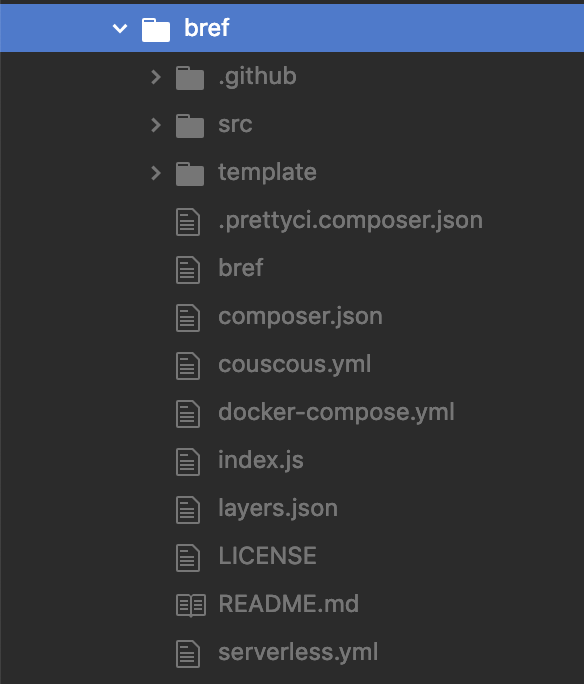
support
 claudiunicolaa
All 3 comments
Hi, this is a common issue: you are probably installing an old version of Bref because your version of PHP is lower than 7.2.
Let me know if that's not it!
 mnapoli
on 15 Sep 2019
mnapoli
on 15 Sep 2019
👍2
Thanks for your response!
The PHP version is 7.3.9, so I went further with the investigations. Seems like the serverless package was the problem. I needed to uninstall and reinstall the package in order to get the latest version.
claudiunicolaa
on 16 Sep 2019
👍3
😄1
Oh OK that's good to know thanks!
mnapoli
on 16 Sep 2019
Was this page helpful?
0 / 5 - 0 ratings
Related issues
mnapoli
·
4Comments
 eddiejan
·
7Comments
eddiejan
·
7Comments
 t-geindre
·
5Comments
t-geindre
·
5Comments
 Yalian
·
9Comments
Yalian
·
9Comments
 anandvns
·
8Comments
anandvns
·
8Comments
Most helpful comment
Thanks for your response!
The PHP version is 7.3.9, so I went further with the investigations. Seems like the
serverlesspackage was the problem. I needed to uninstall and reinstall the package in order to get the latest version.