Brave-browser: Show progressive disclosure to help user discovery of Shields
Description
Currently there is poor onboarding and discovery for Shields. Show a progressive disclosure tooltip the first time a user visits a website with blocked items to educate the user and help them discover the browser feature.
Designs
Scenario
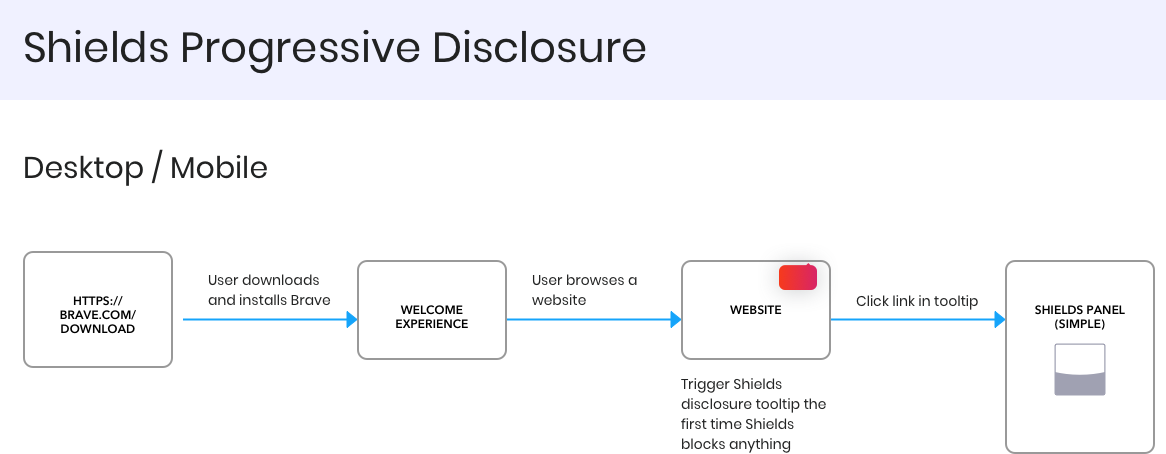
Someone does a fresh install of the Brave Browser. They open the browser and go through the welcome experience, finishing on a new tab page. They now visit a website for the first time. Brave Shields blocks items and shows a progressive disclosure tooltip:
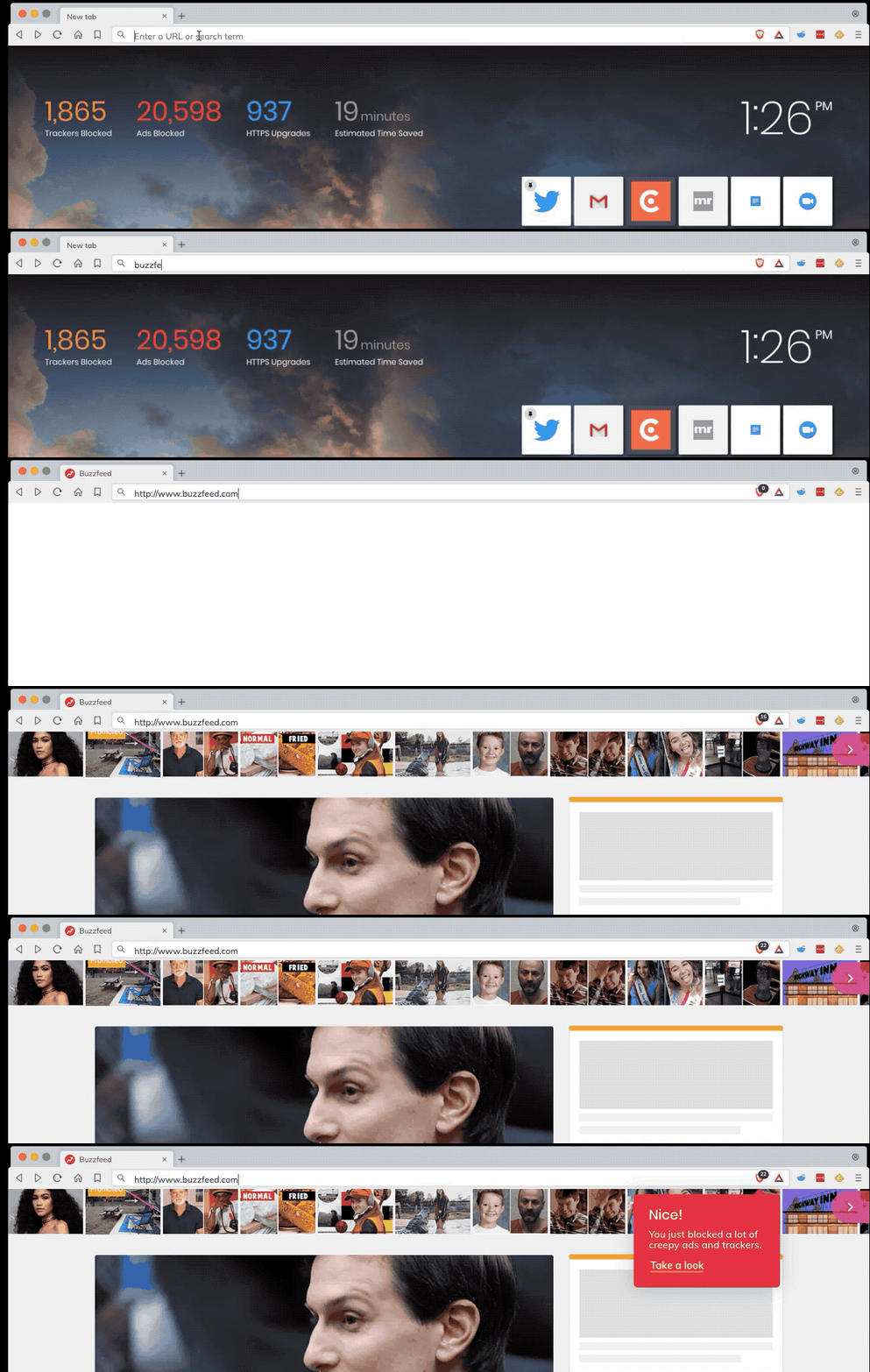
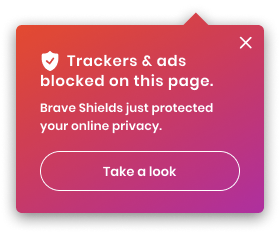
This progressive disclosure tooltip only shows ONCE to user - the very first time Shields ever blocks something in a fresh browser install - not every time they visit a site.
Assets
Figma: https://www.figma.com/file/3A6F6VrxVahiZFxLr7j7FO/?node-id=0%3A215
The tooltip is also used to introduce Brave Today; can grab the code/styling from there.
 karenkliu
All 5 comments
@cezaraugusto Is this technically feasible?
karenkliu
on 26 Apr 2019
FWIW, I think this would be better suited as a brief "tutorial" of some kind as part of the Welcome Tour vs having it appear during actual usage - even if it's just the first time and only once.
For example, in the Shields section of the welcome tour, include a "Try it now"/"See how it works" button/option users can select. When they do, open a new tab and start the [beginning] tool tip at the address bar prompting them to go to a website.
This way the user is explicitly aware that these messages are a part of the learning process rather than (seemingly) showing up "out of nowhere".
 Brave-Matt
on 1 May 2019
Brave-Matt
on 1 May 2019
Hi @Brave-Matt, that's a great idea. During someone's first time user experience, we should use repetition and several different approaches to introduce someone to features to account for the "unhappy path" - that is, someone not clicking through everything, not paying attention to something, skipping the welcome panels, etc.
We currently have a panel about Shields in the welcome tour and, while your suggestion would be a great enhancement to it, I believe currently the desired approach for the welcome tour is to not "pop out" the user from the welcome tour so we encourage them in going through all the panels, rather than leaving the welcome tour and never returning to finish it. Of course, this can be solved if, for example, we make Shields panel the last screen in the welcome tour so they can start browsing and using the product right after the tour. However, this would be a question more for Ross, the current design owner for the welcome tour.
In either case, we still need a way for users to learn about Shields even if they skip the welcome tour or weren't paying attention to it.
karenkliu
on 6 May 2019
Oh come, everyone skips or skims through all welcome tours. In my opinion what a lot users expect out of a really good product, is for it to be ready and working out-of-the-box and their knowledge from a welcome tour is based on their research of looking for a new browser typically from various non-brave articles and from Brave's .com landing page.
Firefox/Tor practically mandates you to look at the welcome tour, otherwise those green ticks remain unchecked and it presents it on the toolbar that things remain unchecked. Perhaps Brave, upon further discussion of course, you could essentially adopt Karen's original idea with an instruction at the bottom of the notification indicating pressing F1 - helps you peruse Brave's features
I like the original idea as it seems somewhat relevant and similar to #5307
 NumDeP
on 9 Oct 2019
NumDeP
on 9 Oct 2019
I'd love to see this implemented.
 johnnyryan
on 29 Oct 2019
johnnyryan
on 29 Oct 2019
Related issues
 moritzhaller
·
3Comments
moritzhaller
·
3Comments
 Sondro
·
3Comments
Sondro
·
3Comments
 kjozwiak
·
3Comments
kjozwiak
·
3Comments
 pitsi
·
3Comments
pitsi
·
3Comments
 bsclifton
·
3Comments
bsclifton
·
3Comments
Most helpful comment
Oh come, everyone skips or skims through all welcome tours. In my opinion what a lot users expect out of a really good product, is for it to be ready and working out-of-the-box and their knowledge from a welcome tour is based on their research of looking for a new browser typically from various non-brave articles and from Brave's .com landing page.
Firefox/Tor practically mandates you to look at the welcome tour, otherwise those green ticks remain unchecked and it presents it on the toolbar that things remain unchecked. Perhaps Brave, upon further discussion of course, you could essentially adopt Karen's original idea with an instruction at the bottom of the notification indicating pressing F1 - helps you peruse Brave's features
I like the original idea as it seems somewhat relevant and similar to #5307