Brave-browser: Allow to disable history
Description
The browsing-history is always stored. I personally prefer never to store my browsing history for privacy-reasons but also because I never found it useful.
Expected result:
There should be an option in the settings which allows to disable the browsing-history completely.
Brave version (brave://version info)
brave-bin-0.62.51 from the AUR on Arch Linux.
 astier
All 4 comments
You can set browser to always launch private window by adding the --incognito flag to the startup. Normal windows will have history when you browse.
 srirambv
on 16 Apr 2019
srirambv
on 16 Apr 2019
@srirambv my objection to the incognito mode is that in incognito mode no cookies will be used and saved. I need to use cookies and be able to disable history at the same time.
astier
on 16 Apr 2019
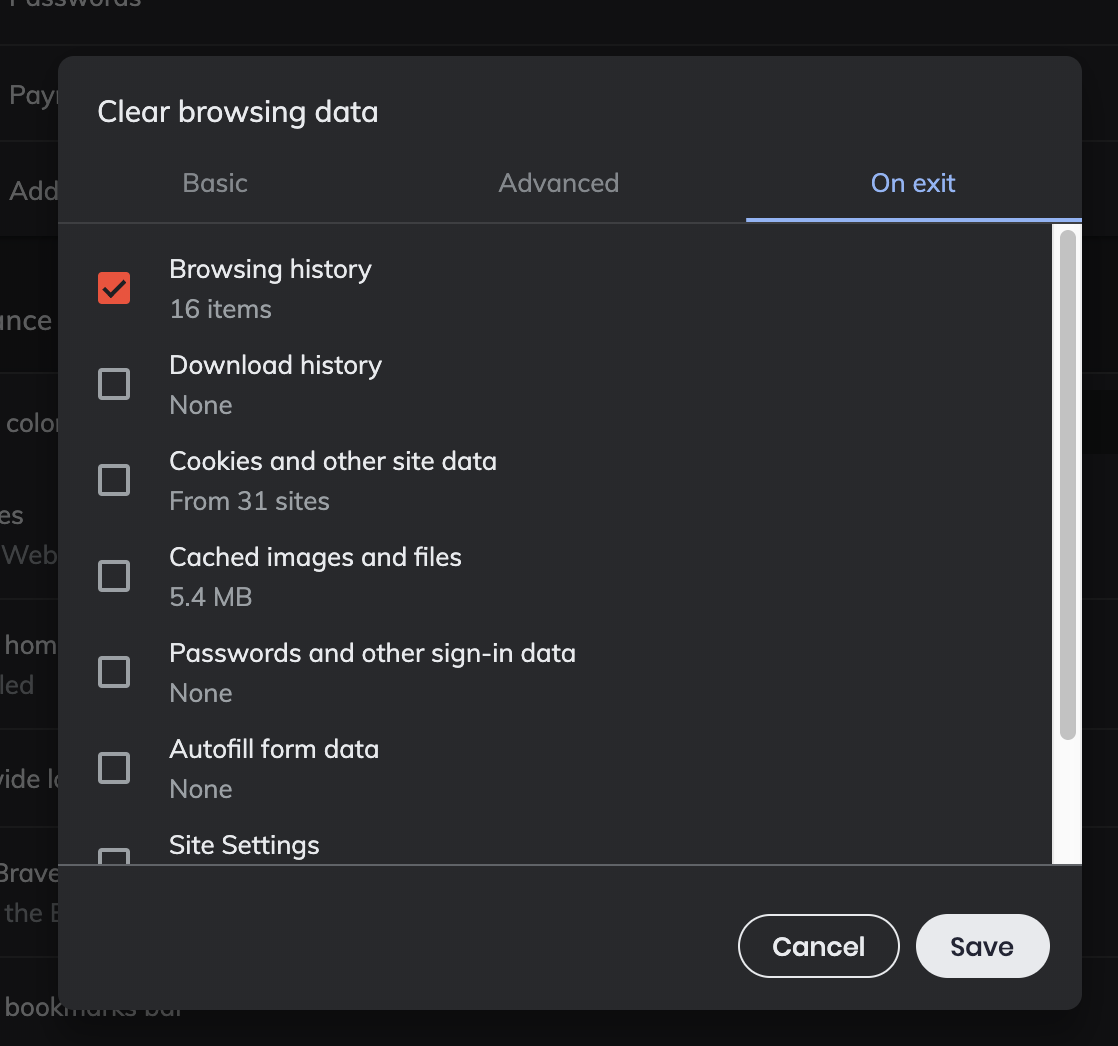
@astier in that case, I believe you can use the Clear browsing data on exit feature that we'll be introducing with our next release, 0.63.x. Per our release schedule, we're shooting for a release next week. This feature is already live in the Beta, Dev, and Nightly channels
Basically, you go to brave://settings/clearBrowserData and then you can choose what you want deleted on exit (for regular tabs; as you've noted, private tabs already clear this info)
 bsclifton
on 16 Apr 2019
bsclifton
on 16 Apr 2019
Thank you. I will try it.
astier
on 17 Apr 2019
Related issues
 simonhong
·
3Comments
simonhong
·
3Comments
 bbondy
·
3Comments
bbondy
·
3Comments
 jonathansampson
·
3Comments
jonathansampson
·
3Comments
 hollons
·
3Comments
hollons
·
3Comments
 kjozwiak
·
3Comments
kjozwiak
·
3Comments
Most helpful comment
@astier in that case, I believe you can use the
Clear browsing data on exitfeature that we'll be introducing with our next release, 0.63.x. Per our release schedule, we're shooting for a release next week. This feature is already live in the Beta, Dev, and Nightly channelsBasically, you go to brave://settings/clearBrowserData and then you can choose what you want deleted on exit (for regular tabs; as you've noted, private tabs already clear this info)
