Brave-browser: PDF embed on a site that require login doesn't open.
Description
PDF embed on a site that require login doesn't open.
Steps to Reproduce
- Go to: https://pje.tjdft.jus.br/pje/login.seam?loginComCertificado=false
- Login on site. (It's a government service, so not possible external users register on the site)
- Go to site url: https://pje.tjdft.jus.br/pje/Processo/ConsultaProcesso/Detalhe/listAutosDigitais.seam?idProcesso=895132&ca=204877a3c129bdc3adb085b41b569d37c7a88930e85758aa9848bbe9b5ced0278eceb6272e2ea39feb225548eed06c7e
Actual result:
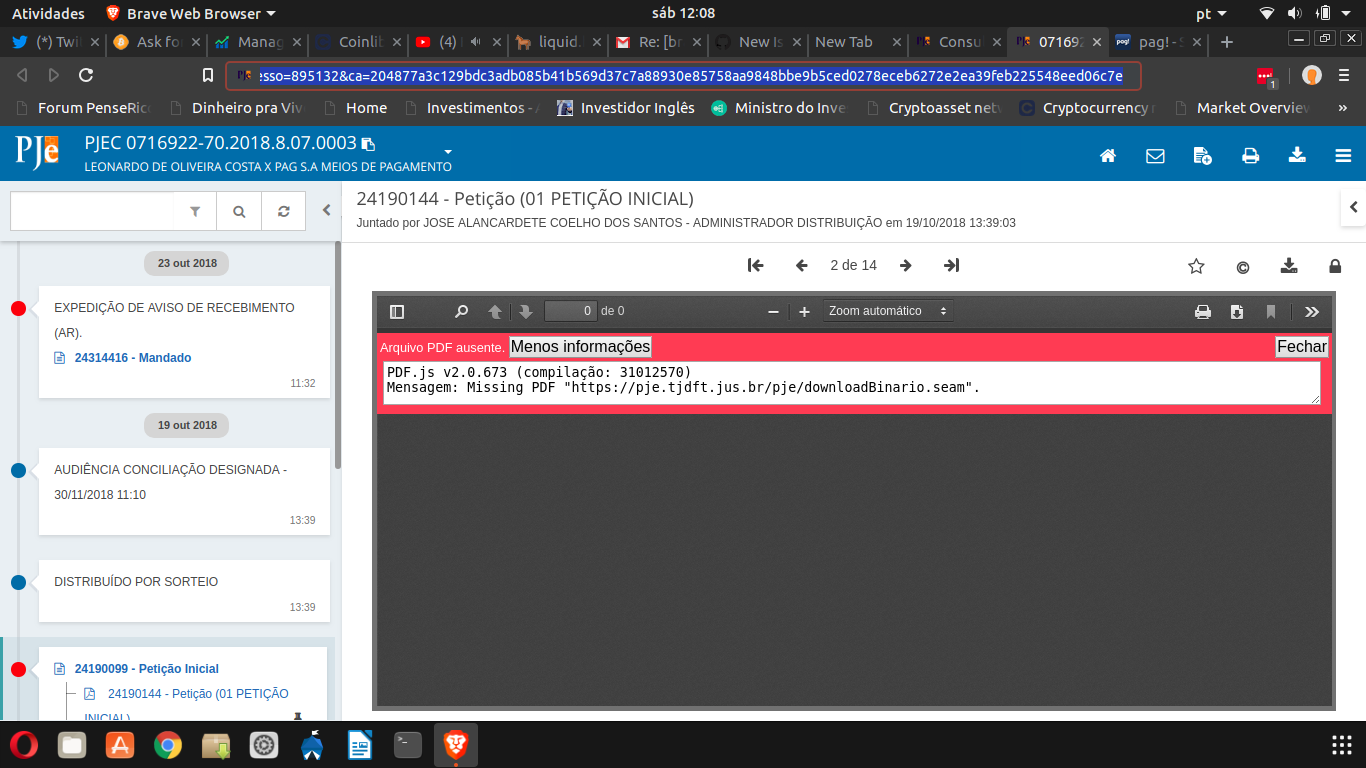
Expected result:
See the pdf embed.
Reproduces how often:
Always
Brave version (brave://version info)
Versão 0.56.12 Chromium: 70.0.3538.77 (Versão oficial) 64 bits
Reproducible on current release:
- Does it reproduce on brave-browser dev/beta builds? Didn't test
Website problems only:
- Does the issue resolve itself when disabling Brave Shields? No
- Is the issue reproducible on the latest version of Chrome? No
Additional Information
 bitcoinuser
All 13 comments
There's a different fix for 0.56.x and 0.57.x, could you try the beta build? https://brave.com/download-beta/
 bbondy
on 10 Nov 2018
bbondy
on 10 Nov 2018
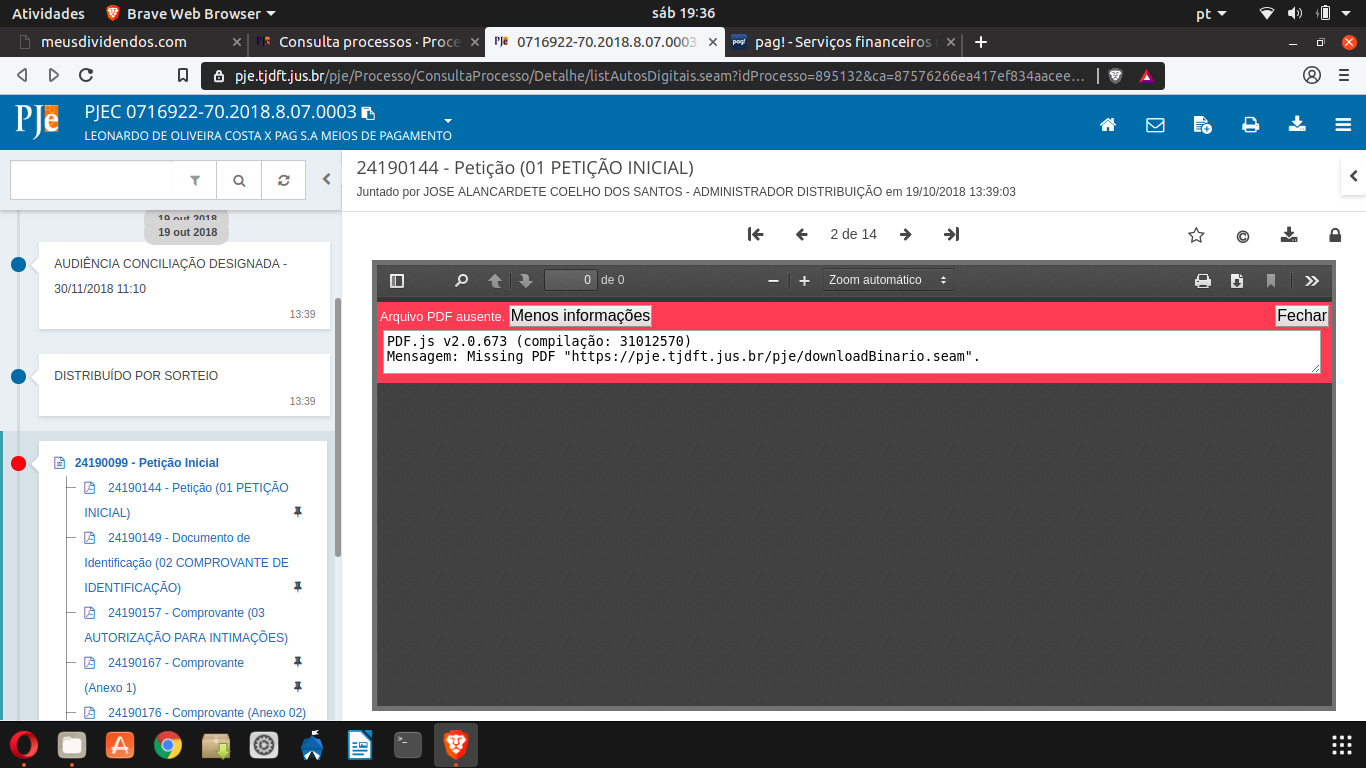
Same problem on Brave: Versão 0.57.6 Chromium: 71.0.3578.31 (Versão oficial) beta 64 bits
Obs. If some Brave team would like my login and password to test, I can give you. Send me an email where I can send the credencial.
bitcoinuser
on 10 Nov 2018
I can also reproduce with a PDF embedded in a page that requires a login.
Brave | 0.57.6 Chromium: 71.0.3578.31 (Official Build) beta(64-bit)
Revision | c88fdf2a4ce19a713615ca4fbde7a0d0b5fe2363-refs/branch-heads/3578@{#427}
OS | Mac OS X

 cndouglas
on 11 Nov 2018
cndouglas
on 11 Nov 2018
Changing shield settings to All Cookies Allowed and then back to 3rd Party Cookies Blocked fixes the problem for me. This seems very similar to #2034.
cndouglas
on 11 Nov 2018
@bitcoinuser if you don't mind sharing the site, I'll get a fix in. [email protected]
bbondy
on 12 Nov 2018
Sent you an email with a video with steps to reproduce the problem. Hope it helps.
bitcoinuser
on 12 Nov 2018
This problem appears to be fixed in the latest dev version (0.59.2). @bitcoinuser Please try the latest dev version: https://github.com/brave/brave-browser/releases.
cndouglas
on 5 Dec 2018
Closing as this appears to be fixed, per comment by @cndouglas
 bsclifton
on 25 Apr 2019
bsclifton
on 25 Apr 2019
Not fixed for me. I still have the same problem.
bitcoinuser
on 26 Apr 2019
@bitcoinuser OK great- thanks for the info.
We'll make sure we test this again once we have a final fix for some related issues (as it should fix this issue too)
bsclifton
on 26 Apr 2019
@bitcoinuser we have a potential fix for this which is available in our NIGHTLY channel:
https://brave.com/download-nightly/
Would you be able to download and try this out? (you can always uninstall afterwards). I don't have a clear way to test this- as you're reporting an issue on a specific site
bsclifton
on 19 Jun 2019
Fixed.
bitcoinuser
on 22 Jun 2019
@bitcoinuser awesome! Thanks for confirming 😄
bsclifton
on 24 Jun 2019
Related issues
 moritzhaller
·
3Comments
moritzhaller
·
3Comments
 fmarier
·
3Comments
fmarier
·
3Comments
 jonathansampson
·
3Comments
jonathansampson
·
3Comments
 kerry-perret
·
3Comments
kerry-perret
·
3Comments
 traffisco
·
3Comments
traffisco
·
3Comments
Most helpful comment
Fixed.