Brave-browser: Shields sometimes shows disabled on a tab even when its enabled
Description
Shields sometimes shows disabled on a tab even when its enabled
Steps to Reproduce
- Build from 2ae4e74b14ee322ec8d417dcff53e8cbc1dd08ed
- Launch browser and switch to an inactive tab
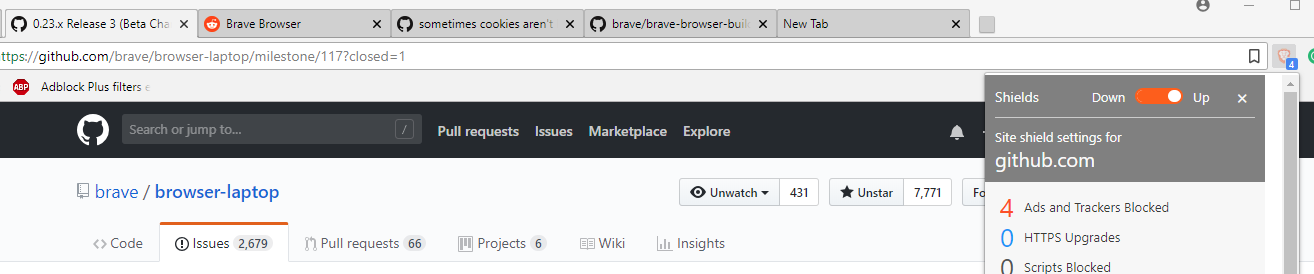
- Page loads, shields shows disabled icon but badge is shown
- Click shields, shows enabled but icon looks disabled (see screenshot)
Actual result:
Expected result:
Should not show disabled icon when shields is enabled for a site
Reproduces how often:
100% on 2ae4e74b14ee322ec8d417dcff53e8cbc1dd08ed
Brave version (about:brave info)
2ae4e74b14ee322ec8d417dcff53e8cbc1dd08ed
Reproducible on current release:
Website problems only:
- Does the issue resolve itself when disabling Brave Shields?
- Is the issue reproducible on the latest version of Chrome?
Additional Information
cc: @cezaraugusto @bbondy
 srirambv
All 6 comments
I've noticed this happen too
 bbondy
on 10 Jul 2018
bbondy
on 10 Jul 2018
I can reproduce this issue on all tabs which are inactive upon browser launch. Here's the correct steps
- Open 4 tabs and visit a different site on each of them
- Keep tab 1 active and close and relaunch browser
- Switch to inactive tab 2 and let the page load
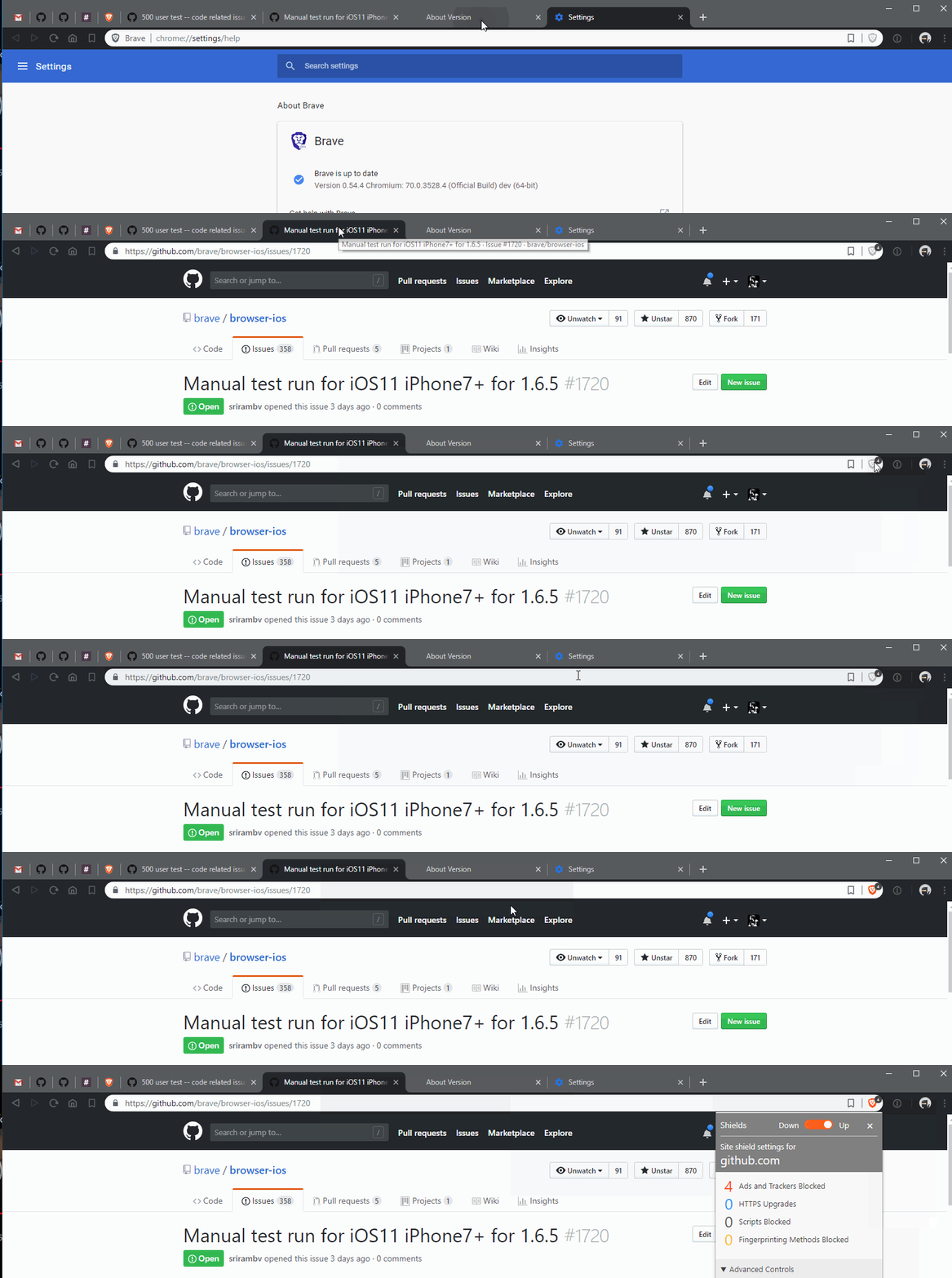
- Shields shows active badge but shields icon itself looks disabled but is clickable
- Switch to tab 1 and switch back to tab 2, shields shows correct enabled icon
srirambv
on 6 Aug 2018
seems like a lifecycle issue I'll be on it next week as soon I finish sync ui
 cezaraugusto
on 7 Aug 2018
cezaraugusto
on 7 Aug 2018
This behaviour is changed on the latest build. After relaunch, shields looks disabled like before but clicking on it doesn't bring the shields menu. Changing tab focus enables the shields button again.
srirambv
on 31 Aug 2018
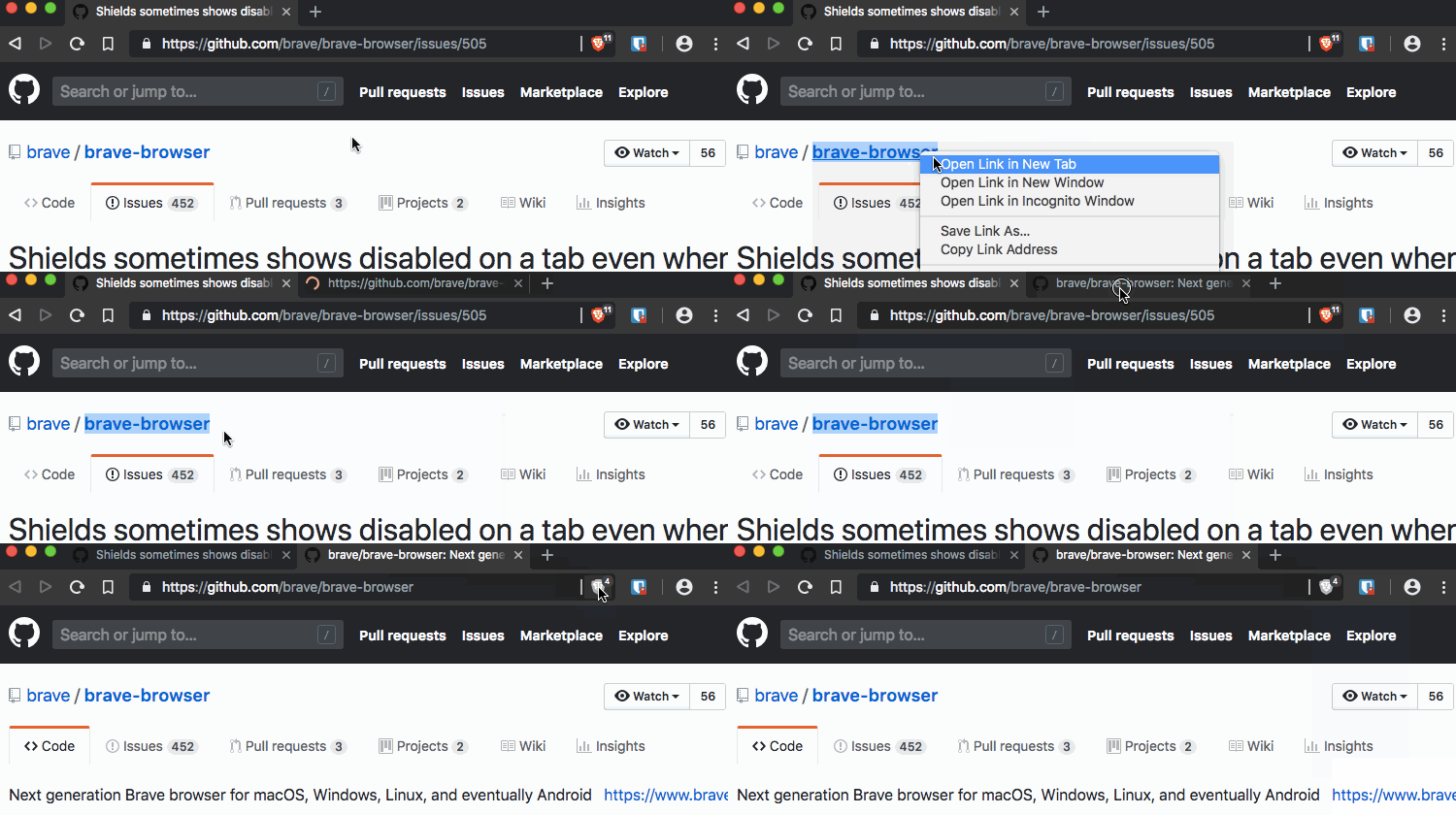
STR:
- Open a new window and navigate to any website with a link.
- Right click any link and click Open Link in New Tab.
- Wait until the page has finished loading.
- Switch to the new tab. Now the shields button is disabled.
 cndouglas
on 12 Sep 2018
cndouglas
on 12 Sep 2018
Verification PASSED on
Brave | 0.55.6 Chromium: 70.0.3538.16 (Official Build) dev (64-bit)
-- | --
Revision | 16ed95b41bb05e565b11fb66ac33c660b721f778-refs/branch-heads/3538@{#306}
OS | Windows
Verification Passed on
Brave | 0.55.6 Chromium: 70.0.3538.16 (Official Build) dev (64-bit)
-- | --
Revision | 16ed95b41bb05e565b11fb66ac33c660b721f778-refs/branch-heads/3538@{#306}
OS | Linux
Verified passed with
Brave | 0.55.10 Chromium: 70.0.3538.22 (Official Build) beta(64-bit)
-- | --
Revision | ac9418ba9c3bd7f6baaffa0b055dfe147e0f8364-refs/branch-heads/3538@{#468}
OS | Mac OS X
- encountered similar issue while testing this, logged https://github.com/brave/brave-browser/issues/1392 for it
 GeetaSarvadnya
on 22 Sep 2018
GeetaSarvadnya
on 22 Sep 2018
Related issues
 kjozwiak
·
3Comments
kjozwiak
·
3Comments
 traffisco
·
3Comments
traffisco
·
3Comments
 lansana
·
3Comments
bbondy
·
3Comments
lansana
·
3Comments
bbondy
·
3Comments
 moritzhaller
·
3Comments
moritzhaller
·
3Comments
Most helpful comment
STR: