Braintree-web: Inputs don't get generated in Chrome for hosted fields.
General information
- SDK version: 3.64.1
- Environment: Both
- Browser and OS: Chromium 84.0.4147.105 (Official Build) Arch Linux (64-bit) (Chrome on Mac, too)
Issue description
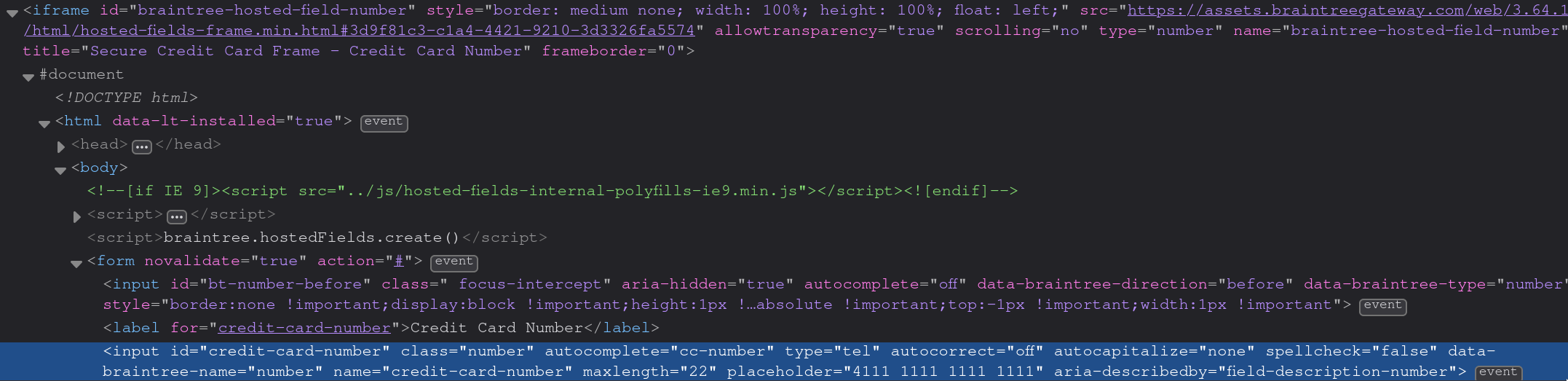
Inputs don't get generated in Chrome for hosted fields. It works with 3.63.0 but breaks after upgrading to 3.64.1.
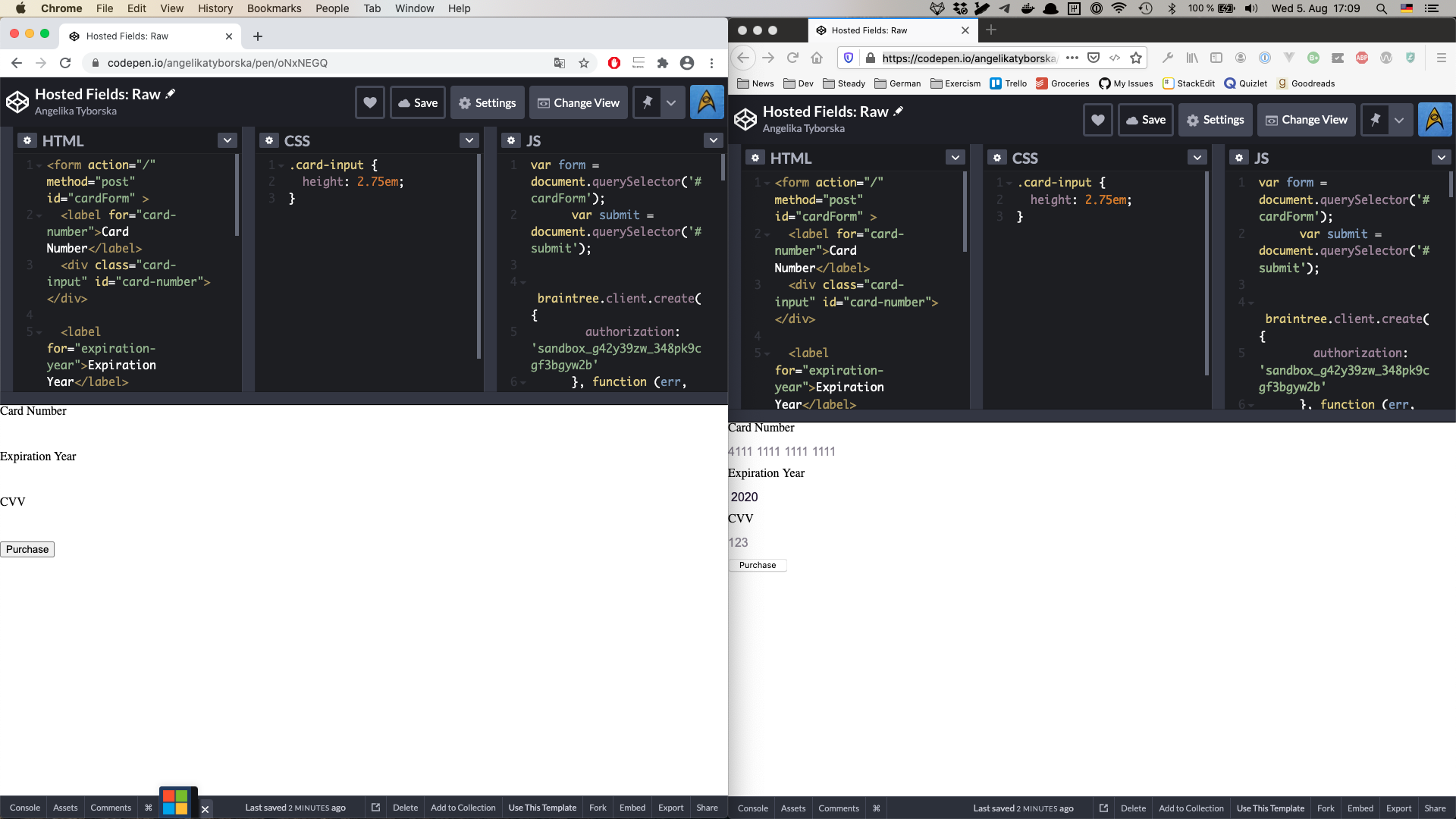
This is what Chrome looks like:

And this is what the same page looks like in Firefox (notice the generated HTML elements):
 manukall
All 6 comments
I can't reproduce the problem. Can you provide a staging site that reproduces it?
Are you experiencing the same issue in this codepen? https://codepen.io/braintree/pen/grQJQM
Any errors in the console?
 crookedneighbor
on 5 Aug 2020
crookedneighbor
on 5 Aug 2020
I work together with @manukall on the project that is experiencing this issue.
@crookedneighbor Your codepen works for me in all browsers, but I managed to edit it to recreate our issue. I added some styles that we have in our project. It looks to me that adding a style for select:-moz-focusring is causing the problem.
Here's a codepen that works for me (macOS 10.15.5) in Firefox (Developer 80.0b1), but doesn't work in Chrome (Version 84.0.4147.105) or Safari (13.1.1) https://codepen.io/angelikatyborska/pen/oNxNEGQ
 angelikatyborska
on 5 Aug 2020
angelikatyborska
on 5 Aug 2020
Thanks for the codepen!
My guess here is something went wrong with an update to inject-stylesheet. Will report back with what I find.
crookedneighbor
on 5 Aug 2020
Yep, I've confirmed that reverting from v3 to v2 for inject-stylesheet fixes the problem. Investigating what the cause is now.
https://github.com/braintree/inject-stylesheet/compare/v2.0.0...v3.0.0
crookedneighbor
on 5 Aug 2020
OK, sorted it out.
Turns out, in v2 of injected-stylesheet, we were checking any errors from calling insertRule incorrectly: https://github.com/braintree/inject-stylesheet/blob/6a699ceb02bdde906c9c76bdea32227b64fbb615/lib/inject-stylesheet.js#L67
So all errors were being swallowed.
This got "fixed" in v3: https://github.com/braintree/inject-stylesheet/blob/0df8bf36ab97f4402f02daf39e489430b0866033/src/lib/inject-stylesheet.ts#L84
But now, the DOMException that is getting thrown is halting the setup of the inputs. In this case, the error is getting thrown because a -moz selector is being used in Google Chrome (which explains why Firefox doesn't care)
I think the correct behavior here is that DOMExceptions get ignored, that will most easily fix cases like this.
Fixed upstream (released as v4.0.0): https://github.com/braintree/inject-stylesheet/commit/26c882a5ee262b51259c35c3238510b509b17f18#diff-078b1db67cfc51a1e8e323a10e90d5e0R84
Gonna try to get a patch release out for braintree-web tomorrow which will include the fix for this.
crookedneighbor
on 5 Aug 2020
This should be fixed in v3.64.2, thanks for the report!
crookedneighbor
on 6 Aug 2020
Related issues
 directrix1
·
6Comments
directrix1
·
6Comments
 sedenardi
·
8Comments
sedenardi
·
8Comments
 sedatbasar
·
11Comments
sedatbasar
·
11Comments
 ndabAP
·
3Comments
ndabAP
·
3Comments
 dimitarnestorov
·
5Comments
dimitarnestorov
·
5Comments
Most helpful comment
This should be fixed in v3.64.2, thanks for the report!