Brackets: Content Not Highlighting In Live Preview
Hello,
I am new to coding and decided to tryout Brackets. I'm learning how to use this editor and I can't seem to get this feature to work as it does in the index.html file included. When I place my cursor on the tags I've created the tags highlight within the file but not the content in the browser using Live Preview. I can get it to work if I open open Inspect Element. Please advise.
"Now, place your cursor on the tag above. Notice the blue highlight that appears
around the image in Chrome."
 kmcrayton7
All 6 comments
@kmcrayton7 Be sure that you're using the Brackets built-in server (not using a Base URL to local server) and also make sure all of your files are in your current "project" using File > Open Folder...
 redmunds
on 30 Jan 2015
redmunds
on 30 Jan 2015
I believe the latter is the issue because when I attempt to access them from the open folder they can't be selected. As you can see all the .html files are deselected. I can only access these files through Finder.

kmcrayton7
on 30 Jan 2015
Use FIle > Open Folder... to select the root folder of your "project" so it contains all of the files you are working with. They will be displayed in file tree on left.
redmunds
on 30 Jan 2015
It works...it works...thank you so much :-)
kmcrayton7
on 30 Jan 2015
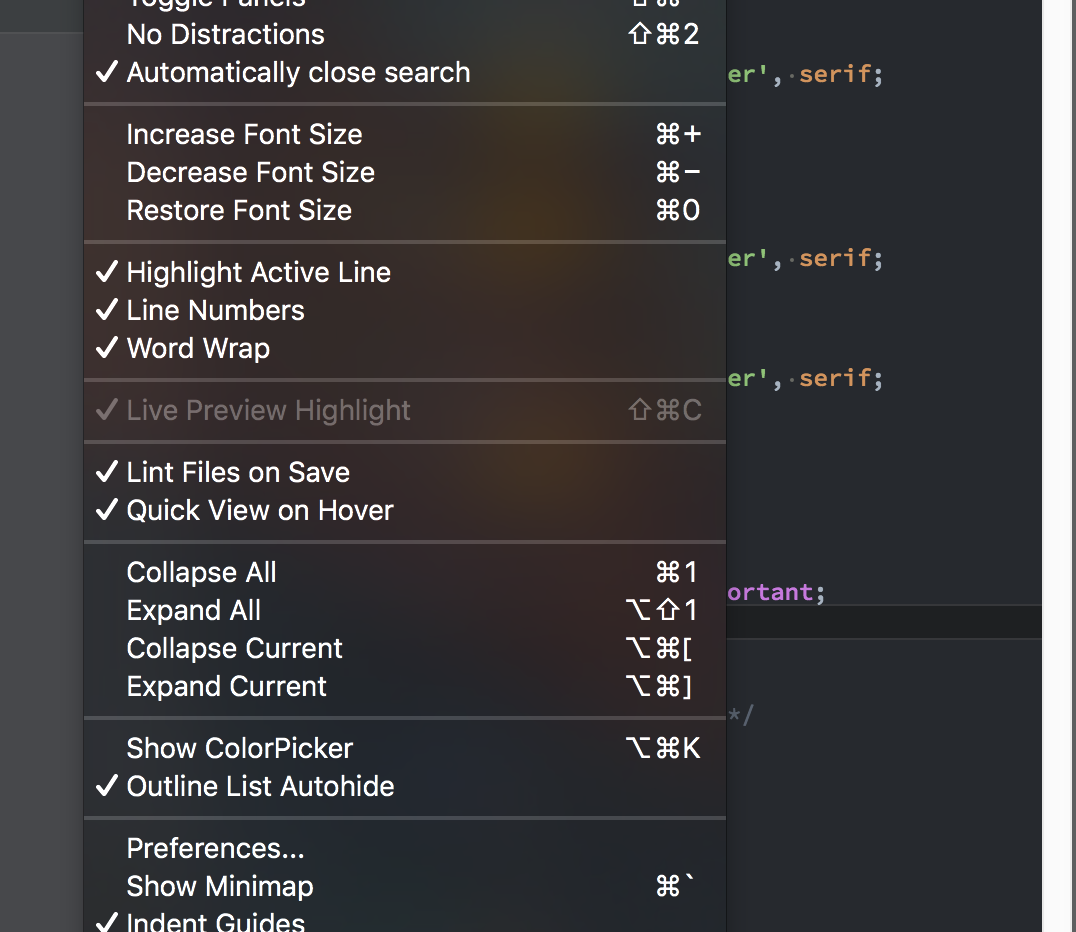
I also see this happening. Live Preview Highlight is greyed out. I got the site open using project. Nothing shows
 schroef
on 14 Jul 2018
schroef
on 14 Jul 2018
I got it "fixed", i had been using css from url address so it doesnt get cached. Deleting that part and make the paths relative did make it work again.
schroef
on 14 Jul 2018
Related issues
 AgamlaRage
·
4Comments
AgamlaRage
·
4Comments
 declanmarks
·
3Comments
declanmarks
·
3Comments
 brendonmm
·
4Comments
brendonmm
·
4Comments
 10polarbears
·
3Comments
10polarbears
·
3Comments
 rugk
·
4Comments
rugk
·
4Comments
Most helpful comment
I also see this happening. Live Preview Highlight is greyed out. I got the site open using project. Nothing shows
