bower install error with new registry "https://registry.bower.io"
Output of bower -v && npm -v && node -v:
bower: 1.8.4
npm: 5.6.0
node: v8.11.3
Additional environment details (proxy, private registry, etc.):
registry: https://registry.bower.io
Steps to reproduce the issue:
1.bower install
Describe the results you received:
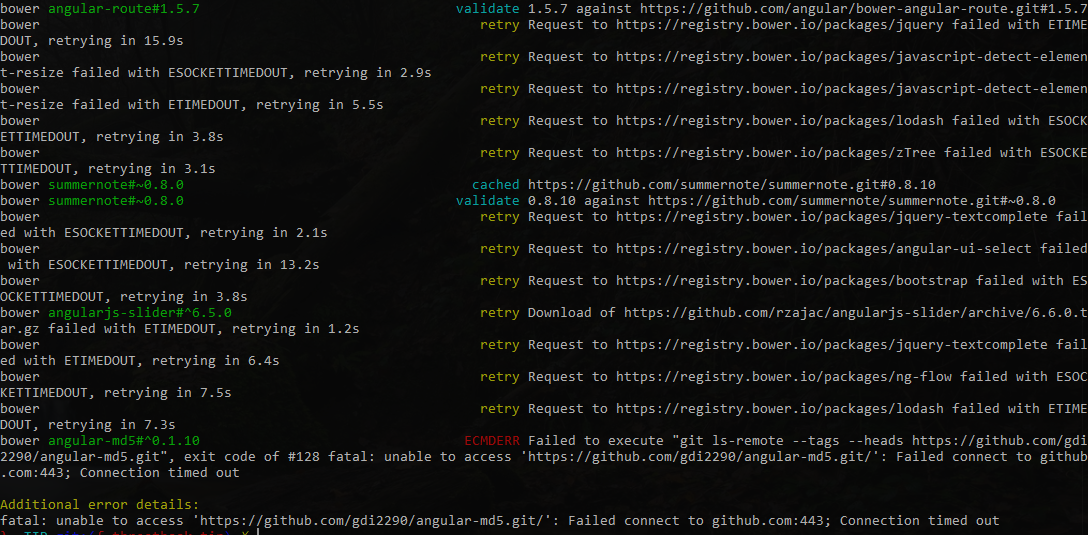
Describe the results you expected:
install success
 brucewar
All 2 comments
Works for me. You can try to change to https://components.bower.io in .bowerrc if you're behind corporate proxy that doesn't like Cloudflare
 sheerun
on 11 Jul 2018
sheerun
on 11 Jul 2018
👍4
Works for me. You can try to change to https://components.bower.io in .bowerrc if you're behind corporate proxy that doesn't like Cloudflare
echo '{"registry": "https://components.bower.io","directory": "wwwroot/lib"}' > .bowerrc
 territorial
on 14 May 2019
territorial
on 14 May 2019
🚀1
👍1
Was this page helpful?
0 / 5 - 0 ratings
Related issues
 binarylegit
·
4Comments
binarylegit
·
4Comments
 simonauner
·
5Comments
simonauner
·
5Comments
 aendrew
·
3Comments
aendrew
·
3Comments
 svenstaro
·
7Comments
svenstaro
·
7Comments
 IGx89
·
7Comments
IGx89
·
7Comments
Most helpful comment
Works for me. You can try to change to https://components.bower.io in .bowerrc if you're behind corporate proxy that doesn't like Cloudflare