Botframework-webchat: How to Customize Suggested Actions Layout
Hi,
I just wondering is there any method to customize the suggested actions container.
Right now my Suggested Actions Layout look like this .
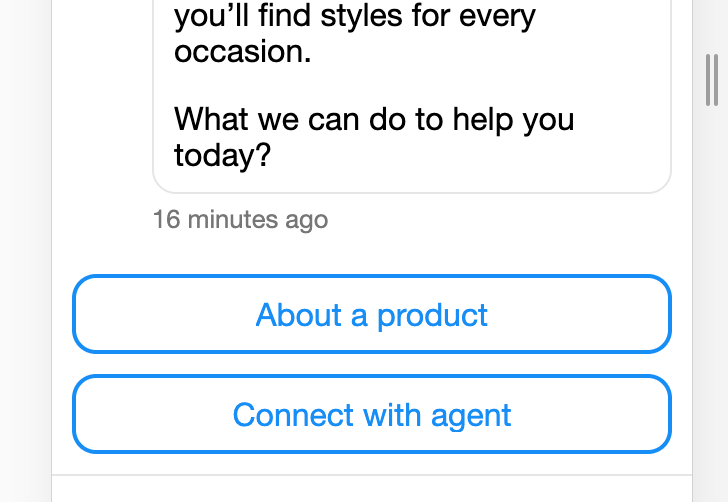
But i need to customize like this . Any method to implement ?

 keshansandeepa
All 5 comments
@keshansandeepa I recommend reviewing the styling sample or the branding sample. Your styleOptions can modify the following for suggested actions:
  suggestedActionBackground: 'White',
  suggestedActionBorder: undefined, // split into 3, null
  suggestedActionBorderColor: undefined, // defaults to accent
  suggestedActionBorderRadius: 0,
  suggestedActionBorderStyle: 'solid',
  suggestedActionBorderWidth: 2,
  suggestedActionDisabledBackground: undefined, // defaults to suggestedActionBackground
  suggestedActionDisabledBorder: null,
  suggestedActionDisabledBorderColor: '#E6E6E6',
  suggestedActionDisabledBorderStyle: 'solid',
  suggestedActionDisabledBorderWidth: 2,
  suggestedActionDisabledTextColor: undefined, // defaults to subtle
  suggestedActionHeight: 40,
  suggestedActionImageHeight: 20,
  suggestedActionLayout: 'carousel', // either "carousel" or "stacked"
  suggestedActionTextColor: null,
 mdrichardson
on 1 Jan 2020
mdrichardson
on 1 Jan 2020
@mdrichardson
I want to edit position of suggestions bar , Currently its all centered , but i need to add justifiy-end make a right align , mm, do you have any solution for that ?
keshansandeepa
on 2 Jan 2020
@keshansandeepa Using suggestedActionLayout: 'stacked' should get you pretty close (although there's currently a bug, so it doesn't work right now). Beyond that you'd need to either:
- Make custom CSS edits. The css class names may change in the future, so I don't necessarily recommend this. Or
- Build and customize WebChat, then include it in your site, or
- Submit this as a feature request
mdrichardson
on 2 Jan 2020
@keshansandeepa In case you didn't see...it's a known bug and it's actually fixed in a version that isn't live on the CDN yet.
mdrichardson
on 3 Jan 2020
@mdrichardson In React Version , That bug was fixed, I just tried css trick for now . But within one month, i will try to implement style version, lets see , thanks for the reply :)
keshansandeepa
on 4 Jan 2020
Related issues
 mmalaiarasan-conga
·
3Comments
mmalaiarasan-conga
·
3Comments
 corinagum
·
3Comments
corinagum
·
3Comments
 Stardox
·
3Comments
Stardox
·
3Comments
 stevengum
·
4Comments
stevengum
·
4Comments
 GewoonMaarten
·
3Comments
GewoonMaarten
·
3Comments