Botframework-webchat: Incorrect Message Time Reporting
Screenshots

Version
Webchat CDN v4.6/latest
Browsers
Edge v44.18362.387.0
IE v11.418.18362.0
Firefox v70.0
Chrome v78.0.3904.87
Describe the bug
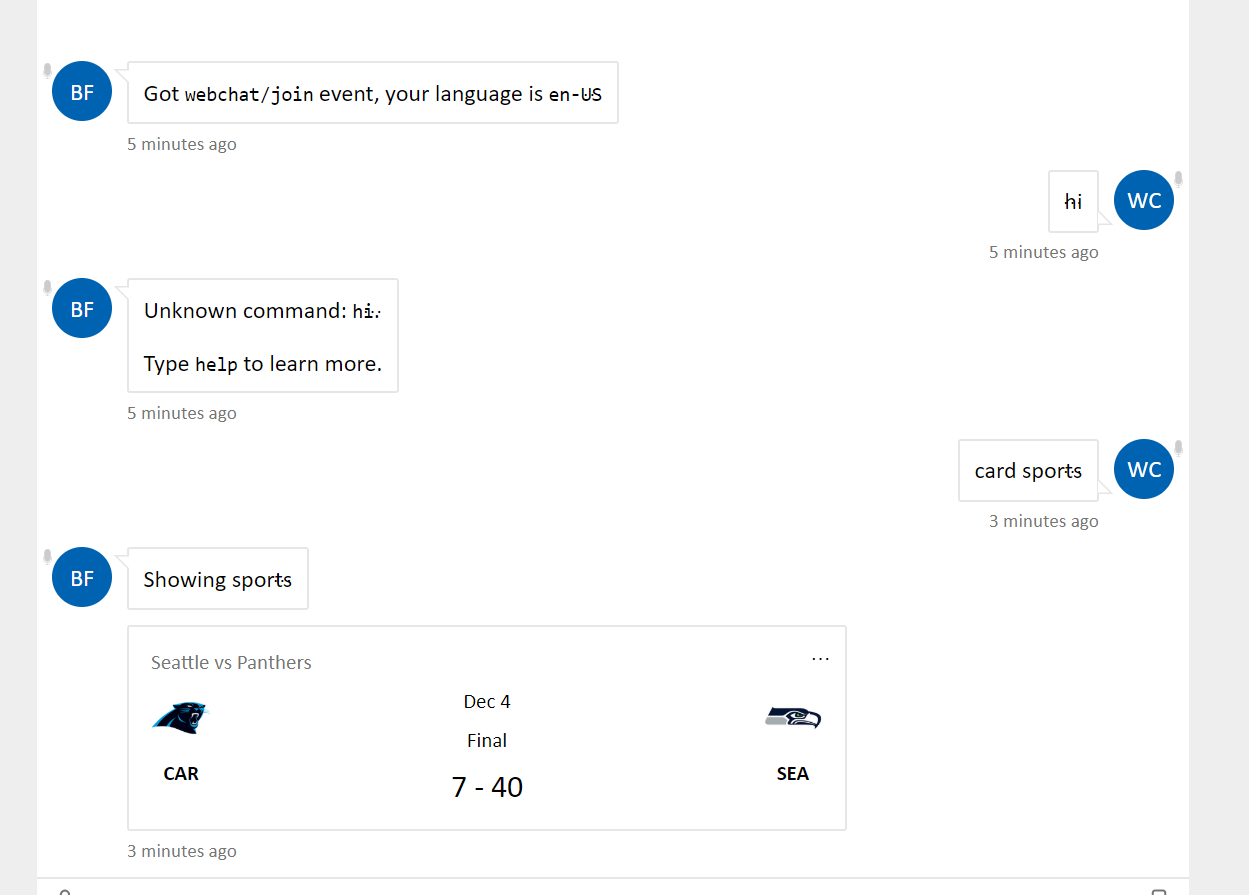
The message reported timing is not showing correctly.
To Reproduce
Steps to reproduce the behavior:
- Run the webchat.
- Make conversation history.
- Wait around 5 min (longer you wait grater would be the inconsistency).
- See the reported message time inconsistency.
Expected behavior
The earlier entered messages should have grater reporting time.
[Bug]
 arman-g
All 11 comments
@arman-g Thanks for reporting. We will take a look at this bug shortly.
 compulim
on 6 Nov 2019
compulim
on 6 Nov 2019
@arman-g This is scheduled for our next release. Updates will be posted here!
 benbrown
on 26 Nov 2019
benbrown
on 26 Nov 2019
@arman-g, sorry for the delay in getting back to you on this. Unfortunately I haven't been able to reproduce this problem on Mock Bot.
Is your bot hosted somewhere that I can test for reproduction purposes? Or would you be able to provide me temporary access to the bot? Please feel free to email me at [email protected] to coordinate.
Since I haven't been able to reproduce yet, I have a few follow up questions.
- Are there any console warnings/errors in any of the browsers?
- Is this a brand new bot? Or has this bot been around for a while and this is buggy behavior has recently changed?
 corinagum
on 2 Dec 2019
corinagum
on 2 Dec 2019
@arman-g scratch my notes above; I was able to reproduce this problem!
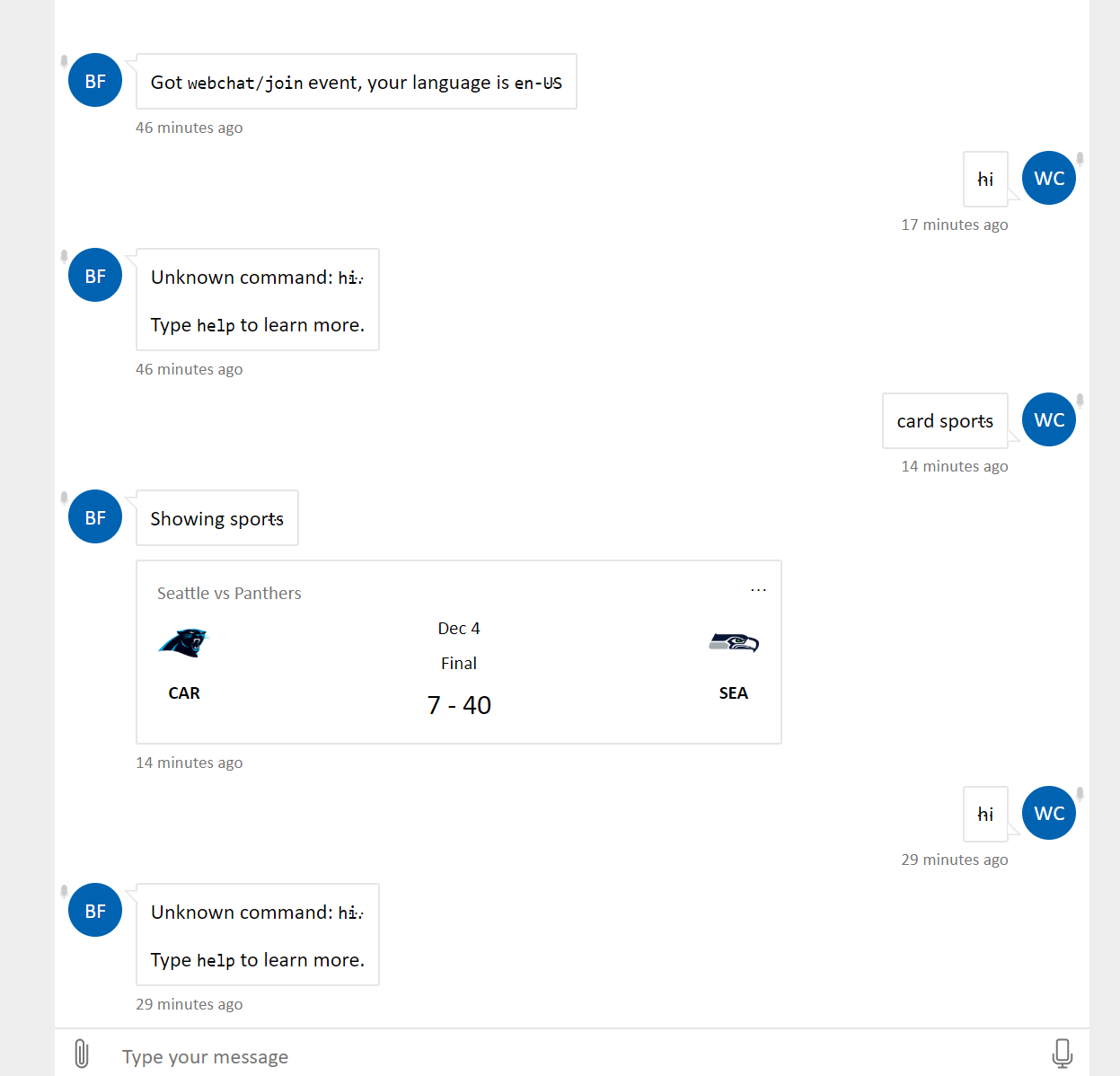
I still haven't found the cause, but I am investigating. For now, all I know is that the absolute time is still accurate (based off of the aria-label), but the relative time component may be causing the issue.
Note to @compulim, the relative timestamp for user will update when user begins typing in the SendBox.
corinagum
on 2 Dec 2019
@corinagum, I see you were able to reproduce the problem. To your questions:
- No there are no console warnings.
- Yes it is a new bot that is in development.
Quick question, how did you make bubble triangles to show? Is it an option under styleOptions? Thank you!
arman-g
on 3 Dec 2019
@arman-g the triangles are bubble nubs. You can take a look at packages\playground\src\App.js to see how they are implemented. :)
No progress yet on finding cause. I'll continue to investigate.
corinagum
on 3 Dec 2019
We're currently tentatively targeting a fix for this in the R9 release.
 clearab
on 14 Feb 2020
clearab
on 14 Feb 2020
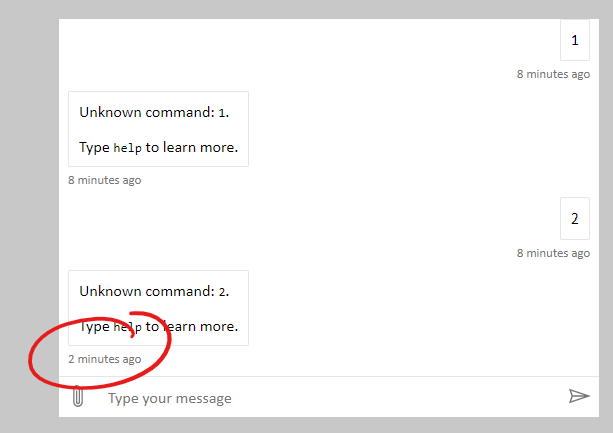
Looking at this one, I am seeing it in 4.8.0.
compulim
on 1 Apr 2020
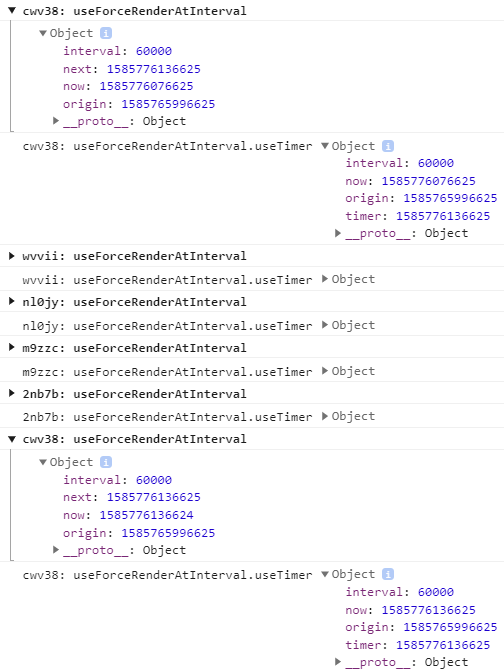
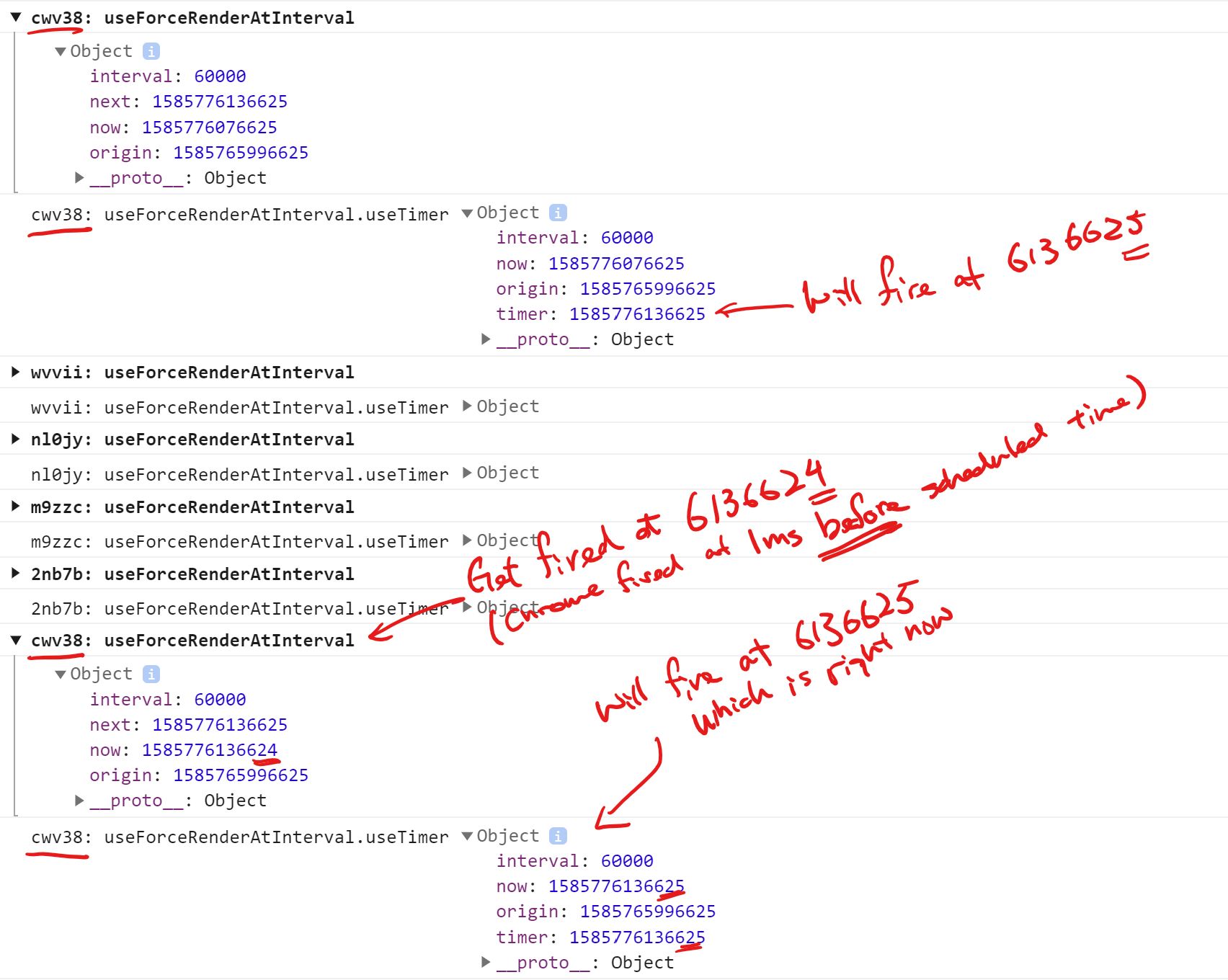
Logging here to understand what is happening. It's difficult to get this repro.

compulim
on 2 Apr 2020
compulim
on 2 Apr 2020
This is the root cause. In Chrome:
// Given time t = 0

setTimeout(() => {
  console.log(Date.now());
}, 100);
The code above can sometimes print 99, instead of >= 100. And this is causing the timer not to be rescheduled, because the new scheduled time has not changed.
compulim
on 2 Apr 2020
Related issues
compulim
·
3Comments
corinagum
·
3Comments
 prashanthsridhar
·
3Comments
prashanthsridhar
·
3Comments
 1Copenut
·
3Comments
1Copenut
·
3Comments
 Stardox
·
3Comments
Stardox
·
3Comments