Botframework-webchat: Hero Card - Markdown rendering not working with latest release
Previously "Hero Card" support markdown content to create a hyperlink with tool tip, it works fine.. However, I've noticed recent release (3 days ago) stopped parsing the markdown and it display as plain text.
Markdown code to create hyperlink
[Google](https://www.google.com "Click here")
Out put to
JS version - https://cdn.botframework.com/botframework-webchat/latest/botchat.js
Is this expected behavior in new release, or is this a bug?
how can I fix this? - Please advise!
 deepumi
All 12 comments
Markdown code is incorrect. Try using [Click here](https://www.google.com)
 Kartik1607
on 30 Jun 2018
Kartik1607
on 30 Jun 2018
Same observation for bold text and lists (Hero Cards content)...
 Klervix
on 2 Jul 2018
Klervix
on 2 Jul 2018
@Kartik1607 Thanks!
Markdown code is incorrect. Try using Click here
The syntax works fine, I don't see any issue, you can see below image or you can try copy paste the same snippet over here https://dillinger.io/
Snippet (hyperlink with tool tip)
[Google](https://www.google.com "Click here")

Looks like chat bot JS version discontinued markdown rendering script, and recommends to use the below one as a workaround solution!
Add mardown-it.js script before botchat.js
<script type="text/javascript" src="https://unpkg.com/markdown-it/dist/markdown-it.js"></script>
<script src="https://cdn.botframework.com/botframework-webchat/latest/botchat.js"></script>
And call processMarkdown function to render markdown!
AdaptiveCards.processMarkdown = function(text) { return markdownit().render(text); }
```
```
HTH
Deepu
deepumi
on 2 Jul 2018
@deepumi Thank you so much! It works perfectly!
Klervix
on 2 Jul 2018
@Klervix You are welcome.
deepumi
on 2 Jul 2018
Adaptive Cards team decided to pull out the Markdown-It in the bundle at Adaptive Cards 1.0 (adopted in Web Chat 0.12.0). In order to use Markdown in Adaptive Cards in Web Chat, one have to bring their own Markdown-It engine via window.markdownit (i.e. from their CDN).
What's more, our legacy cards (hero card, thumbnail card, receipt card) are converted to Adaptive Cards. So Markdown inside all cards are not rendered properly.
But since we bundled Markdown-It into Web Chat, we will now expose Markdown-It as window.markdownit in PR #1034.
 compulim
on 3 Jul 2018
compulim
on 3 Jul 2018
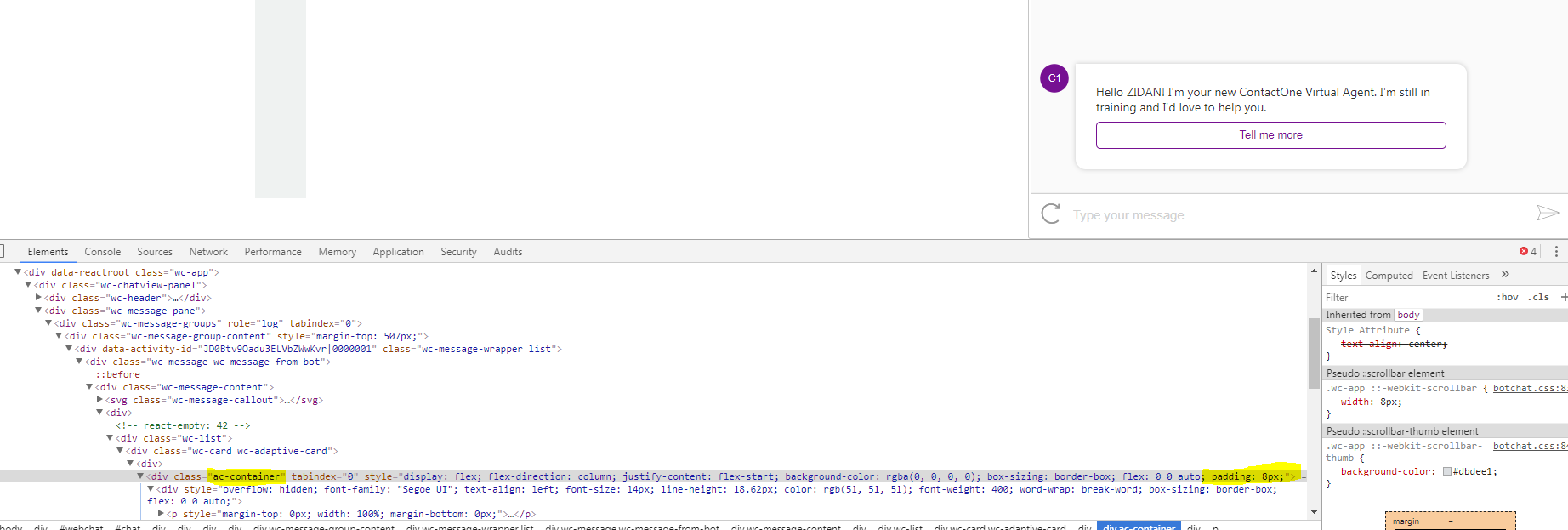
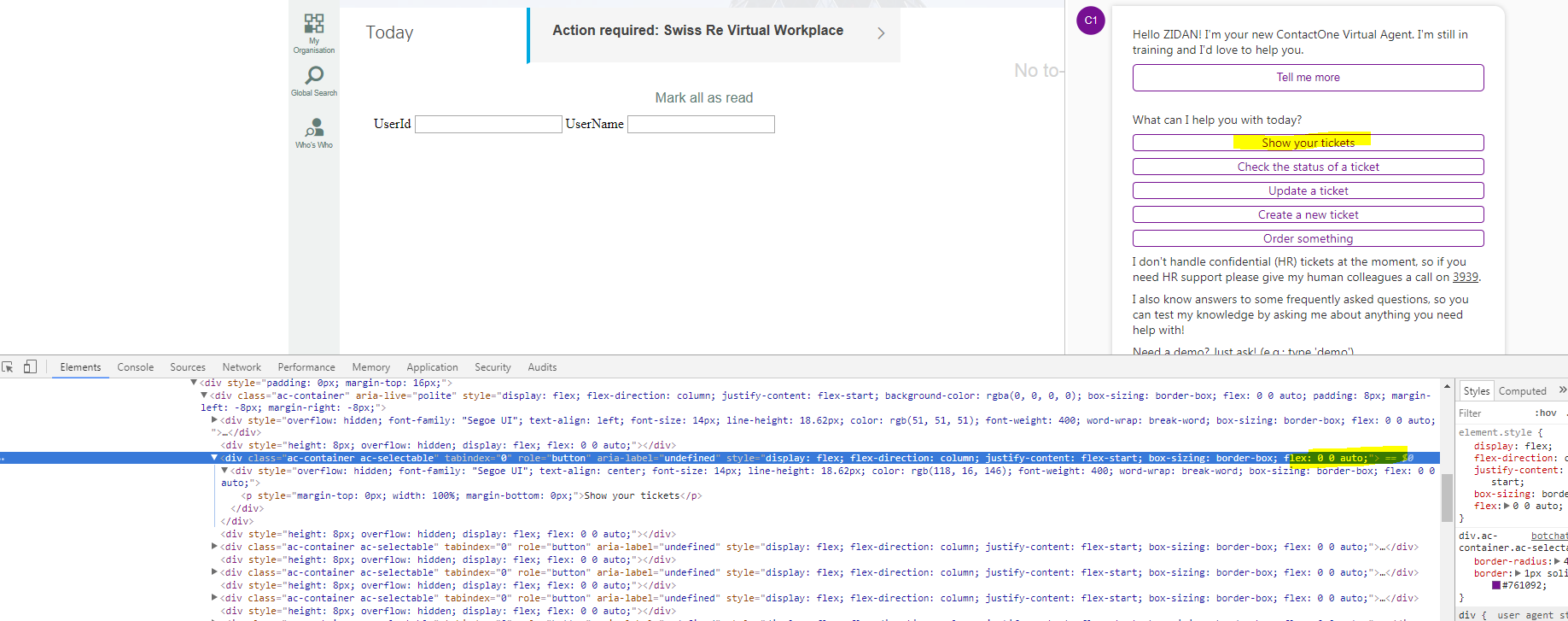
Hi @compulim can you please explain more? We are using Adaptive Cards 1.0 .Net nuget package and markdown is broken, pretty much everything is broken with latest release, new adaptivecards host config schema is not documented, even the code on the Adaptive cards github page does not seem to mach with what is referenced in webchat. I can't get padding to work on AdaptiveCard container that is inside another AdaptiveCard container
Here it is OK:
Here not anymore:
Here's my host.config
{
  "spacing": {
    "small": 3,
    "default": 8,
    "medium": 20,
    "large": 30,
    "extraLarge": 40,
    "padding": 8
  },
  "separator": {
    "lineThickness": 1,
    "lineColor": "#EEEEEE"
  },
  "supportsInteractivity": true,
  "fontFamily": "Segoe UI",
  "fontSizes": {
    "small": 12,
    "default": 14,
    "medium": 17,
    "large": 21,
    "extraLarge": 26
  },
  "fontWeights": {
    "lighter": 200,
    "default": 400,
    "bolder": 600
  },
  "containerStyles": {
    "default": {
      "backgroundColor": "#00000000",
      "foregroundColors": {
        "light": {
          "default": "#D0CECE",
          "subtle": "#88ffff"
        },
        "default": {
          "default": "#FF333333",
          "subtle": "#EE333333"
        },
        "accent": {
          "default": "#761092",
          "subtle": "#88761092"
        },
        "attention": {
          "default": "#FFcc3300",
          "subtle": "#DDcc3300"
        },
        "good": {
          "default": "#FF54a254",
          "subtle": "#DD54a254"
        },
        "warning": {
          "default": "#FFe69500",
          "subtle": "#DDe69500"
        }
      }
    },
    "emphasis": {
      "backgroundColor": "#00000000",
      "foregroundColors": {
        "light": {
          "default": "#D0CECE",
          "subtle": "#88ffff"
        },
        "default": {
          "default": "#FF333333",
          "subtle": "#EE333333"
        },
        "accent": {
          "default": "#761092",
          "subtle": "#88761092"
        },
        "attention": {
          "default": "#FFcc3300",
          "subtle": "#DDcc3300"
        },
        "good": {
          "default": "#FF54a254",
          "subtle": "#DD54a254"
        },
        "warning": {
          "default": "#FFe69500",
          "subtle": "#DDe69500"
        }
      }
    }
  },
  "imageSizes": {
    "small": 40,
    "medium": 80,
    "large": 160
  },
  "actions": {
    "maxActions": 5,
    "spacing": "default",
    "buttonSpacing": 10,
    "showCard": {
      "actionMode": "inline",
      "inlineTopMargin": 16
    },
    "actionsOrientation": "horizontal",
    "actionAlignment": "stretch"
  },
  "adaptiveCard": {
    "allowCustomStyle": false
  },
  "imageSet": {
    "imageSize": "medium",
    "maxImageHeight": 100
  },
  "factSet": {
    "title": {
      "color": "default",
      "size": "default",
      "isSubtle": false,
      "weight": "bolder",
      "wrap": true,
      "maxWidth": 150
    },
    "value": {
      "color": "default",
      "size": "default",
      "isSubtle": false,
      "weight": "default",
      "wrap": true
    },
    "spacing": 10
  },
  "media": {
    "defaultPoster": "http://adaptivecards.io/content/cats/2.png",
    "playButton": "http://adaptivecards.io/content/cats/3.png"
  }
}
It's really frustrating that such breaking release happened without proper documentation
 baki32
on 3 Jul 2018
baki32
on 3 Jul 2018
@baki32 You are absolutely correct, I had the same experience And had to search in GitHub for a work around solution I mentioned above.
Since Azure bot service WEB CHAT version is a subscription based service (Premium channel), team should have some courtesy to document this properly.
It drove me crazy for some time because LIVE adaptive card visualizer still support markdown!
https://adaptivecards.io/visualizer/index.html?hostApp=Bot%20Framework%20WebChat
deepumi
on 3 Jul 2018
@baki I drilled into AdaptiveCards/card-elements.ts. Looks like they have an HostConfig entry for ContainerStyleConfig.padding
@deepumi we are redesigning Web Chat to allow devs to bring their own version of Adaptive Cards, or disable AC at all. Markdown is disabled in AC because AC team decided to remove it from their library and require dev to bring it in manually. But unfortunately, AC did not have a changelog file to let everyone understand what changed. We are bringing Markdown back manually, see PR #1034 for details.
compulim
on 3 Jul 2018
@compulim Thank you!
deepumi
on 5 Jul 2018
Web Chat 0.14.1 is out with the fix #1034.
compulim
on 31 Jul 2018
@compulim Thanks!
deepumi
on 1 Aug 2018
Related issues
 corinagum
·
3Comments
corinagum
·
3Comments
 vikramdadwal
·
3Comments
vikramdadwal
·
3Comments
 joshm998
·
3Comments
joshm998
·
3Comments
 AndreMantas
·
4Comments
AndreMantas
·
4Comments
 1Copenut
·
3Comments
1Copenut
·
3Comments
Most helpful comment
@baki I drilled into AdaptiveCards/card-elements.ts. Looks like they have an HostConfig entry for
ContainerStyleConfig.padding@deepumi we are redesigning Web Chat to allow devs to bring their own version of Adaptive Cards, or disable AC at all. Markdown is disabled in AC because AC team decided to remove it from their library and require dev to bring it in manually. But unfortunately, AC did not have a changelog file to let everyone understand what changed. We are bringing Markdown back manually, see PR #1034 for details.