Botframework-webchat: Adaptive Cards: 100% height is too tall
Since bumping to Adaptive Cards 1.0.0 I had an issue with the display of PromptChoice dialogs.
The single choice had a height of 100% (see below).
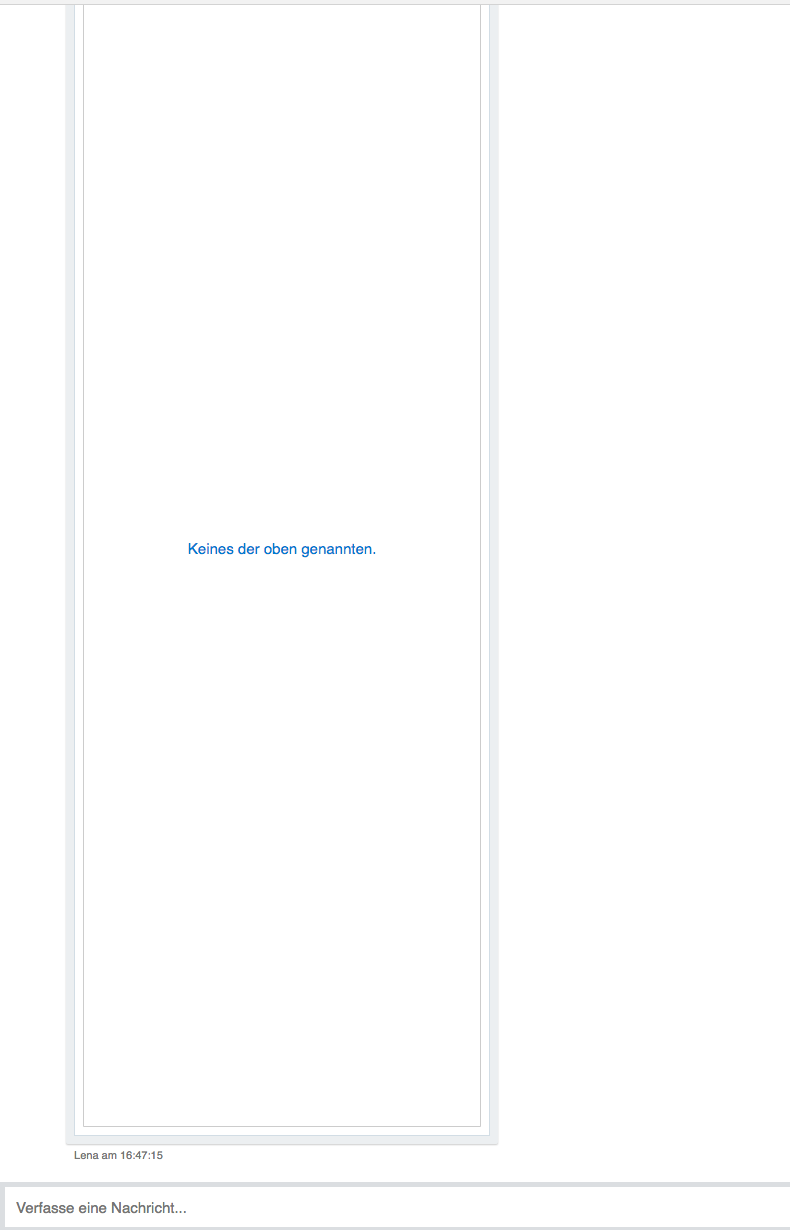
I managed to fix it by setting
.ac-pushButton {
        flex: 0 1 auto !important;
}
Just if anyone is struggling with the same problem :)
 fplaten
All 9 comments
@fplaten can you share the Adaptive Cards code behind the scene?
 compulim
on 14 Jun 2018
compulim
on 14 Jun 2018
I have encountered the same issue (inline directline Web Chat). However (for me atleast) it was a browser specific issue, when viewed in Chrome I would have this problem but it would not occur in other browsers like firefox/edge.
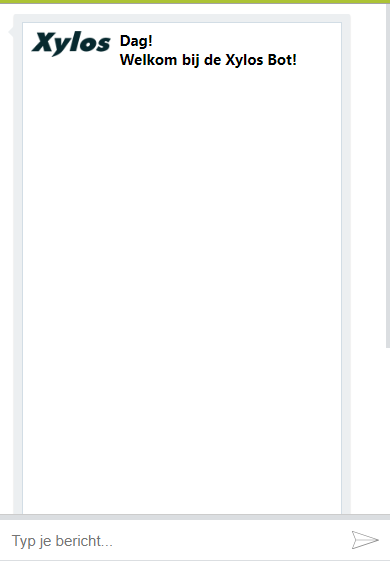
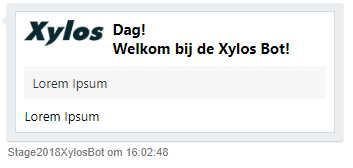
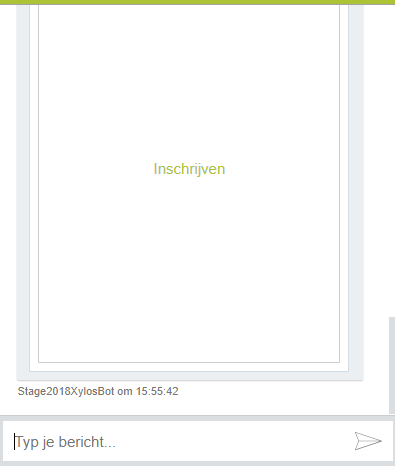
I also encountered this with adaptive card Images so I think there are multiple affected elements, not sure which ones though. The workaround posted by fplaten did fix the weird layout in chrome without breaking it in other browsers.
Images:
| Chrome: | Firefox |
| ------------- | ------------- |
|  |
|  |
|
Buttons:
| Chrome: | Firefox |
| ------------- | ------------- |
|  |
| 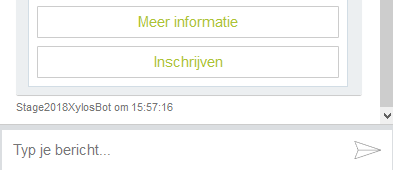 |
|
I wouldn't be surprised if there are other elements experiencing this issue. If I can trace it properly I think it's due to the css property "flex-basic: 100%" which is assigned on multiple levels in the html component itself.
 SeanVSpr
on 24 Jul 2018
SeanVSpr
on 24 Jul 2018
@corinagum could you look at this and try to come up with the JSON?
It will be great if you can also try it out on older Web Chat with older Adaptive Cards, e.g. http://cdn.botframework.com/botframework-webchat/0.11.4/botchat.js is the last version we use AC 0.9.
compulim
on 27 Jul 2018
@SeanVSpr Can you share the adaptive card code you used that caused this bug? Thank you!
 corinagum
on 2 Aug 2018
corinagum
on 2 Aug 2018
@corinagum below is the adaptive card code which I've used for the cards I posted earlier.
The one with the image:
{
    "contentType": "application/vnd.microsoft.card.adaptive",
    "content": {
        "$schema": "http://adaptivecards.io/schemas/adaptive-card.json",
        "type": "AdaptiveCard",
        "version": "1.0",
        "body": [
            {
                "type": "Container",
                "items": [
                    {
                        "type": "ColumnSet",
                        "columns": [
                            {
                                "type": "Column",
                                "width": "auto",
                                "items": [
                                    {
                                        "type": "Image",
                                        "url": {{url of the image}},
                                        "size": "medium",
                                        "height": "stretch"
                                    }
                                ]
                            },
                            {
                                "type": "Column",
                                "width": "auto",
                                "items": [
                                    {
                                        "type": "TextBlock",
                                        "text": "{{welcomeCardHello}}",
                                        "weight": "bolder",
                                        "size": "medium",
                                        "wrap": true
                                    },
                                    {
                                        "type": "TextBlock",
                                        "spacing": "none",
                                        "text": "{{welcomeCardGreetingText}}",
                                        "weight": "bolder",
                                        "size": "medium",
                                        "wrap": true
                                    }
                                ]
                            }
                        ]
                    }
                ]
            },
            {
                "type": "Container",
                "style": "emphasis",
                "items": [
                    {
                        "type": "TextBlock",
                        "text": "{{welcomeCardInfo}}",
                        "wrap": true
                    }
                ]
            },
            {
                "type": "Container",
                "items": [
                    {
                        "type": "TextBlock",
                        "text": "{{welcomeCardInfoText}}",
                        "wrap": true
                    }
                ]
            }
        ]
    }
}
The one with buttons:
{
    "contentType": "application/vnd.microsoft.card.adaptive",
    "content": {
        "$schema": "http://adaptivecards.io/schemas/adaptive-card.json",
        "type": "AdaptiveCard",
        "version": "1.0",
        "body": [
            {
                "type": "TextBlock",
                "text": "{{title}}",
                "weight": "bolder",
                "size": "large"
            },
            {
                "type": "TextBlock",
                "text": "{{shortText}}",
                "wrap": "true"
            },
            {
                "type": "TextBlock",
                "text": "Date: {{date}}",
                "separator": "true",
                "weight": "bolder"
            }
        ],
        "actions": [
            {
                "type": "Action.OpenUrl",
                "title": "{{More information}}",
                "url": "{{Url}}"
            },
            {
                "type": "Action.Submit",
                "title": "{{Subscribe}}",
                "data": "{{subscribesentence}}"
            }
        ]
    }
}
@fplaten @SeanVSpr ,
Thank you for your patience as I investigated this issue. I'm sorry to say that I'm not able to repro the height 100% problem you have both registered. I'm wondering if this is a CSS problem that has to do with both of your bots using personalized appearance, rather than a problem directly related to Web Chat. It's good to see that there is a workaround, however, and I while I'm not able to repro exactly as you report, I can see that Adaptive Cards is using flex: 0 1 100% in the most recent iteration, v.1.0. It might be beneficial to report the issue over there to see if you can get an explanation on the reasoning for changing from flex: 0 1 auto. I hope this issue will benefit others with personalized CSS using WebChat.
I am closing this issue for now. Please report back if there are continued problems.
corinagum
on 9 Aug 2018
Thanks for investigating, I submitted an issue to https://github.com/Microsoft/AdaptiveCards/issues/1781
fplaten
on 9 Aug 2018
I am not able to repro this problem in the visualizer, which uses the same rendering logic as WebChat. It seems to me that there is either a problem with how WebChat vertically sizes cards, or maybe some conflicting styling being applied.
As a side note, an Image can't have "height": "stretch", it should be "size": "stretch"
 dclaux
on 9 Aug 2018
dclaux
on 9 Aug 2018
Hi everyone to those continuing to have this issue: we have found a workaround in bug #1228 that causes the buttons to render as expected!
TLDR: verify that your html page starts with <!DOCTYPE html> as opposed to <html>
corinagum
on 31 Oct 2018
Related issues
 felixhauserch
·
3Comments
felixhauserch
·
3Comments
 naveen-vijay
·
4Comments
naveen-vijay
·
4Comments
 stevengum
·
4Comments
stevengum
·
4Comments
 Kellym-Kainos
·
4Comments
Kellym-Kainos
·
4Comments
 Stardox
·
3Comments
Stardox
·
3Comments