Botframework-solutions: BotTelemetry not storing any details in Application Insights
What project is affected?
Virtual Assistant Template
What language is this in?
C#
What happens?
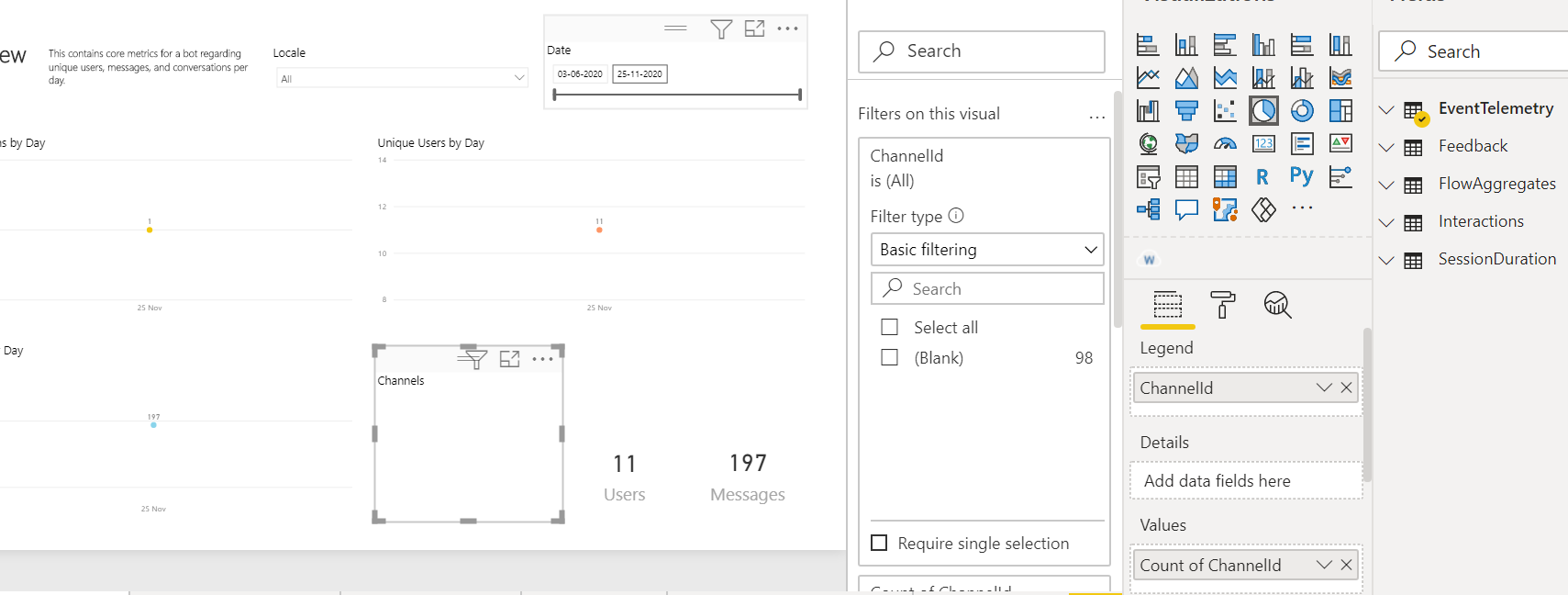
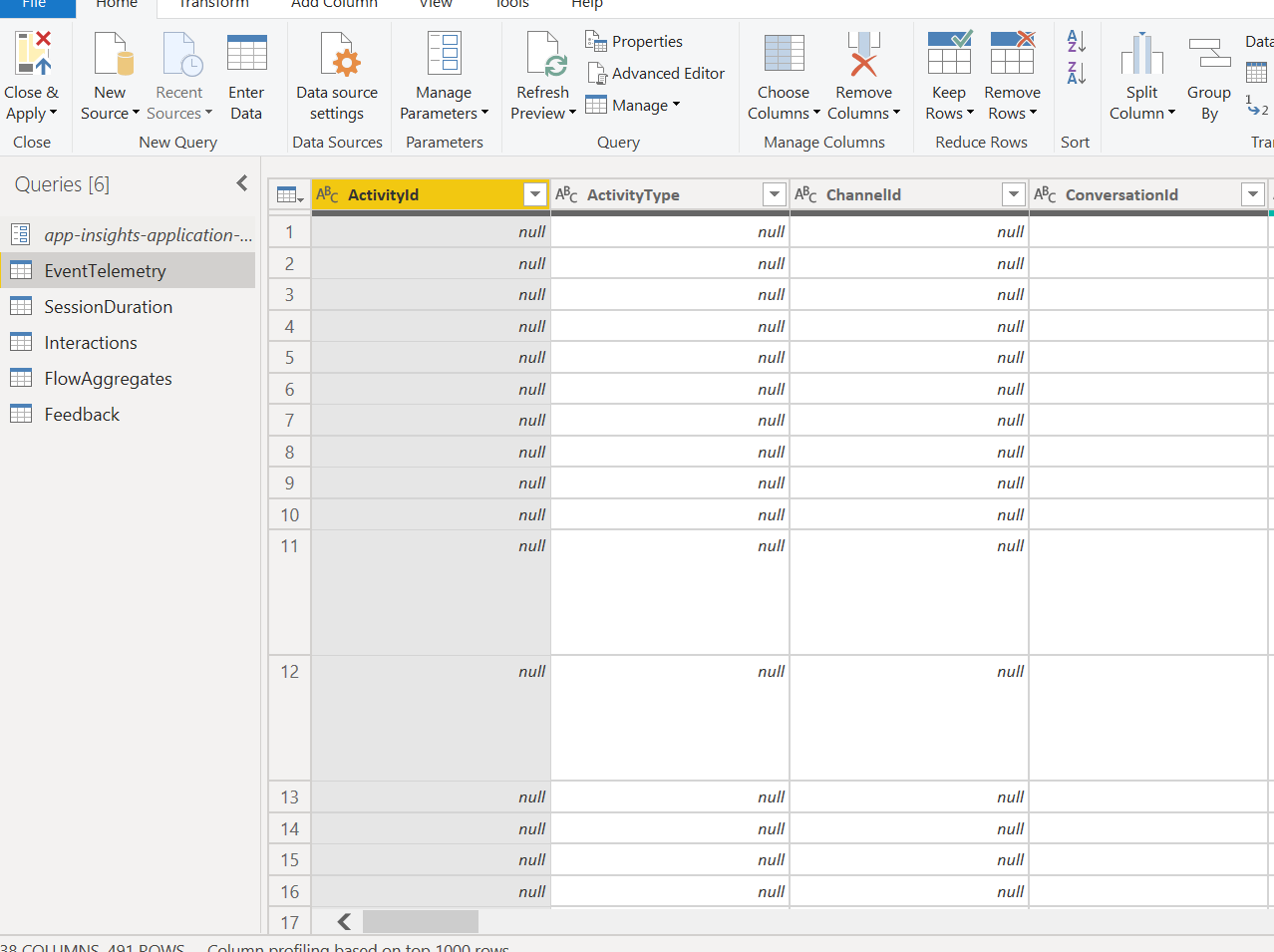
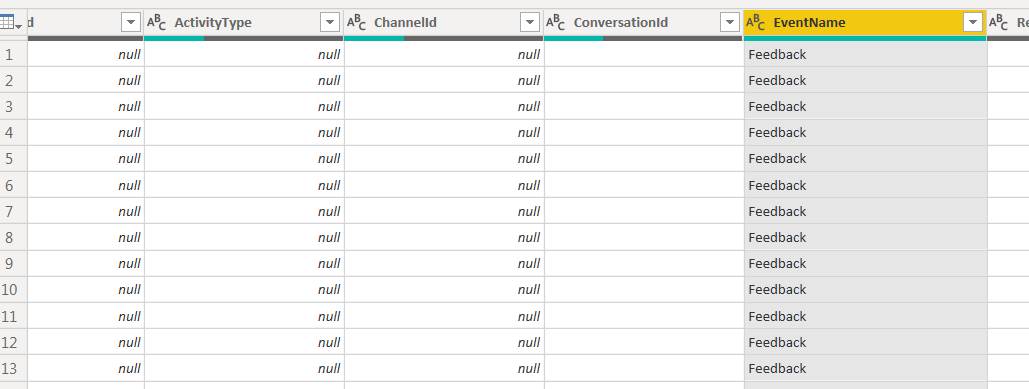
I have added telemetry to my bot and I am using the power BI template given by Microsoft but In data, everything is showing as null. and for directline, facebook channel nothing is storing.
I have enabled telemetry using the below line of code in the startup file.
        services.AddApplicationInsightsTelemetry();
       services.AddSingleton<IBotTelemetryClient, BotTelemetryClient>();
        services.AddSingleton<ITelemetryInitializer, OperationCorrelationTelemetryInitializer>();
        services.AddSingleton<ITelemetryInitializer, TelemetryBotIdInitializer>();
        services.AddSingleton<TelemetryInitializerMiddleware>();
        services.AddSingleton<TelemetryLoggerMiddleware>(s => new TelemetryLoggerMiddleware(s.GetService<IBotTelemetryClient>(), true));
I am using the power bi template given by the Microsoft from below link.
https://microsoft.github.io/botframework-solutions/solution-accelerators/tutorials/view-analytics/3-open-template/
What are the steps to reproduce this issue?
Create a new project using the Virtual Assistant template and enable directline channel.
Do some conversations through chatbot using directline/webchat.
Create a power bi report using a power bi template.
What were you expecting to happen?
Telemetry should store every field value so it will help to create the dashboard.
Can you share any logs, error output, etc.?
Any screenshots or additional context?
 UtkarshSinghal17
All 13 comments
Hi @UtkarshSinghal17, thanks for reporting this issue.
We will be reviewing the problem and we will let you know any update in this thread 😊.
 Batta32
on 25 Nov 2020
Batta32
on 25 Nov 2020
@Batta32 Please find additional information.
I am using Microsoft.Bot.Solution 1.0.1 version.
UtkarshSinghal17
on 25 Nov 2020
@UtkarshSinghal17 ,
Not necessarily the root cause of your issue, but one thing that might be worthy to check is the version of the Microsoft.ApplicationInsights.* series nuget packages, try 2.12.0 if this is not what you have and see if that works, as I recently observed the Telemetry is not flowing with any higher version.
 dawwa
on 25 Nov 2020
dawwa
on 25 Nov 2020
@dawwa I already have the same version.
UtkarshSinghal17
on 26 Nov 2020
@peterinnesmsft / @Batta32 please provide an update if possible.
 tonyanziano
on 1 Dec 2020
tonyanziano
on 1 Dec 2020
Hi @tonyanziano, we are currently working on this issue trying to reproduce the problem. As soon as we have any update, we will back here with the new information 😊.
Batta32
on 1 Dec 2020
Hi @UtkarshSinghal17, we were not able to reproduce the issue.
We came up with some questions:
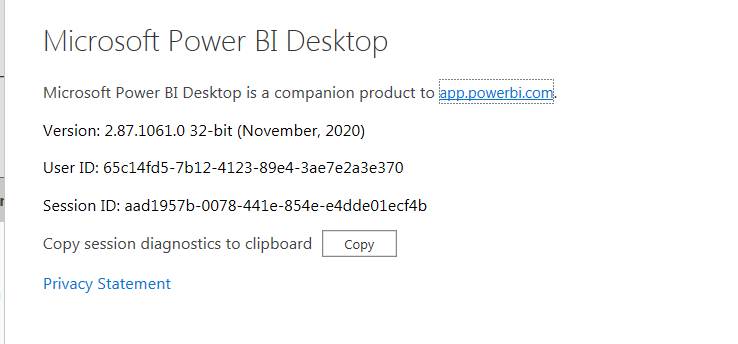
- What version of Power BI are you using? We recommend to use the latest version 2.87.1061.0 32-bit (November 2020)
- Are you using the
application-insights idas this document describes?
Our environment:
- C# Virtual Assistant
- Direct Line Channel Enabled
- Power BI Desktop version 2.87.1061.0 32-bit (November 2020)
- Direct Line Sample
We followed these steps:
- Apply code lines you provided
- Deploy the bot using
deploy.ps1script - Enable Direct Line Channel in the bot
- Open the Power BI report
- Provide the application-insights id
- Talk with the bot in the Direct Line Channel
- Refresh the Power BI report
- See the results in the Power BI report
Furthermore, we followed these documents as guide:
- Intro: View analytics with Power BI
- Get your Application Insights Application ID
- Open the Power BI template
We will be attentive to your answer 🙂.
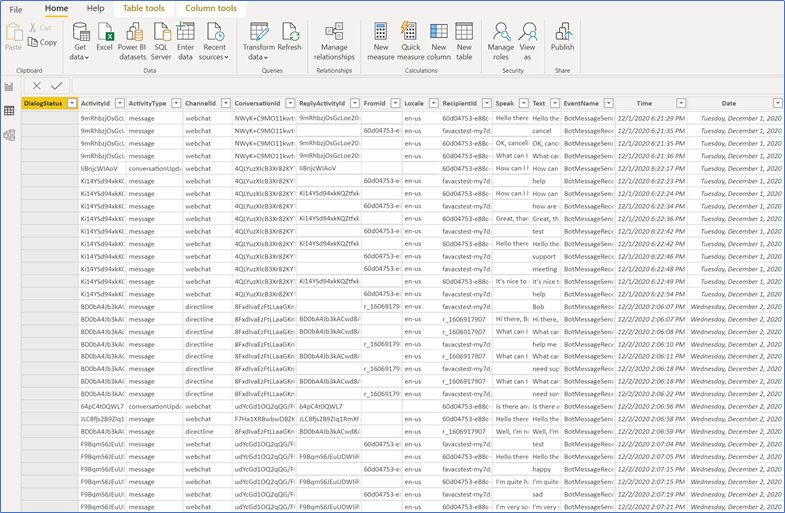
_Telemetry showing in Power BI report_
Batta32
on 2 Dec 2020
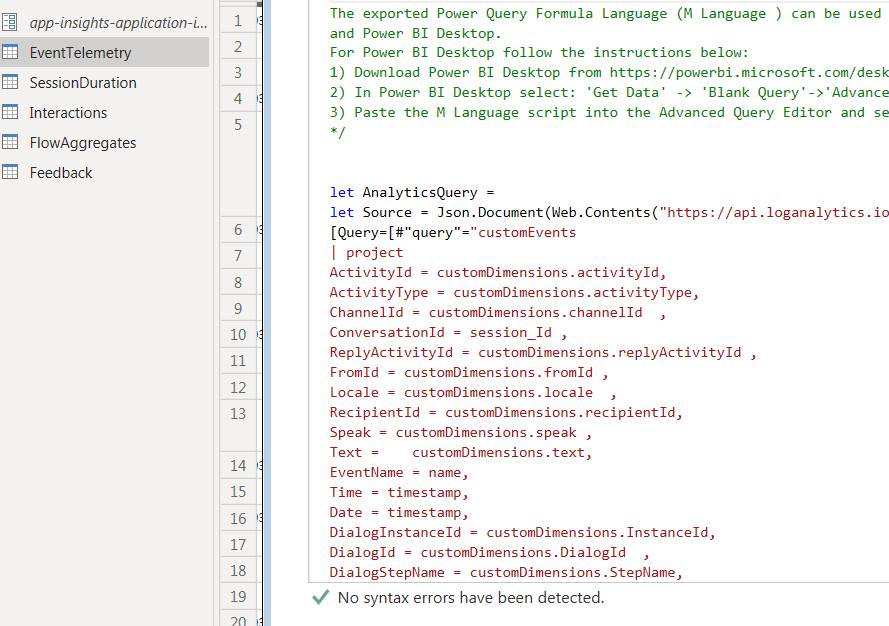
Hello @Batta32 Please find screenshots for my power bi version and also I have used application-insight same as described in the document.
UtkarshSinghal17
on 2 Dec 2020
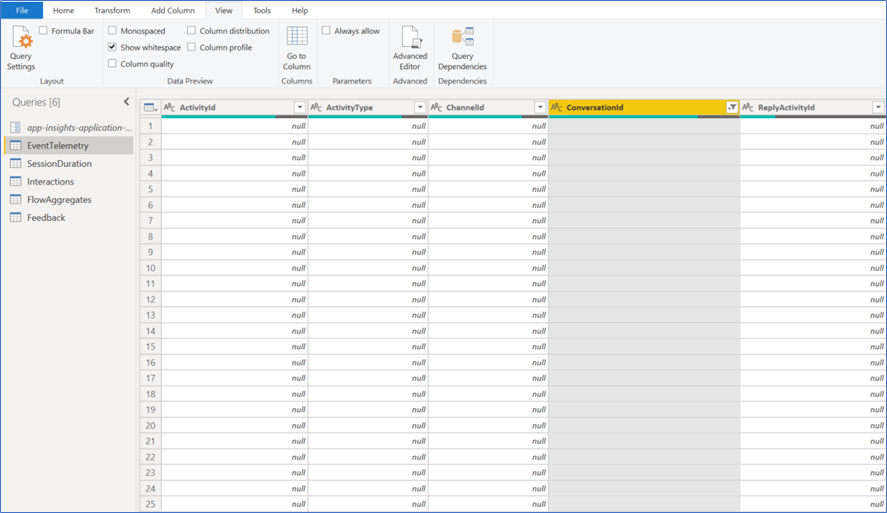
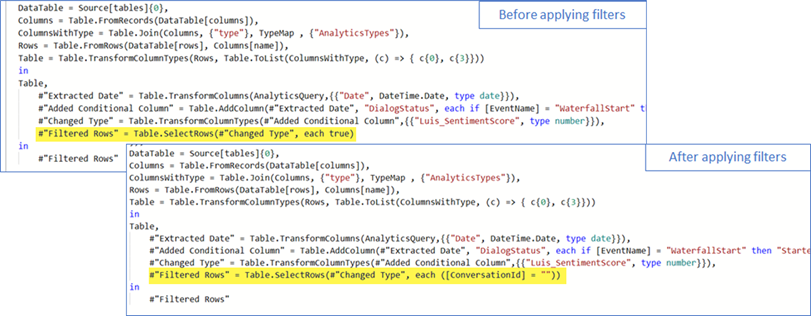
Hi @UtkarshSinghal17, we successfully reproduced the issue filtering the ConversationId column by the blank value as you appear to have filtered here.
Can you verify if you have any active filter in your query? We have attached the query.txt
that you can use in your Power BI which is the one of the template.
Finally, we noticed that you correctly received data in your report as you have _11 Users and 197 Messages_ here.
We will be attentive to your answer 🙂.
_Issue reproduced_
_Before/After of the query with the applied filter_
Batta32
on 2 Dec 2020
I have deployed chatbot to different app service and pointing to different application Insights Now I am able to retrieve all data except Hero Card, Adaptive Card text. Is it any way I can get text/title/button values in the power bi report?
UtkarshSinghal17
on 11 Dec 2020
Great @UtkarshSinghal17 ! We will be reviewing the scenario of populating the values of a card in the Power BI report and as soon as we have any update, we will back to you here 😊.
Batta32
on 11 Dec 2020
Hi @UtkarshSinghal17, there is a way to do what you need and we found the same issue described in #3447 (check comment). However, it's not ideal and hopefully you can adapt it to better suit your needs.
Follow these steps:
- In the Power BI report, click on
Transform Datafrom the Home tab - Click on
EventTelemetry, and then click onAdvanced Editor - Add this line to the query, and click Done
Card_Text = (parse_json(tostring(parse_json(customDimensions.attachments))))[0].content['text']
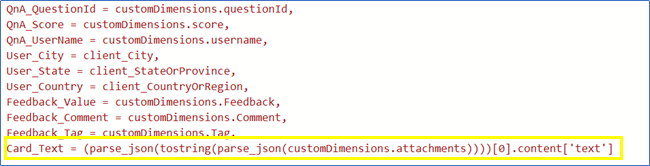
Now go to the
Interactionstable, and change line 7:#"Added BotMessageText Column" = Table.AddColumn(#"Added OperationID Column", "BotResponseText", each if [EventName] = "BotMessageSend" then (if [Card_Text]<>null then [Card_Text] else [Title]) else null)
Click Done. A new column Card_Text should appears as follows:
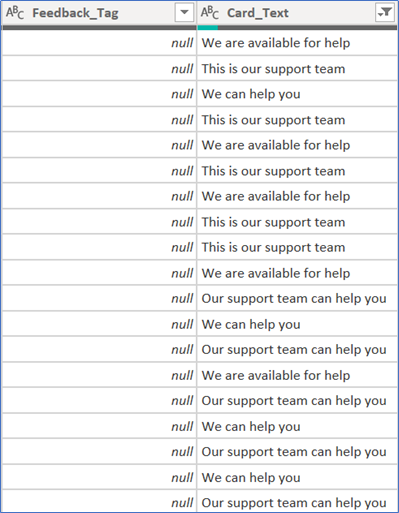
Let us know if this helps you 😊
Batta32
on 14 Dec 2020
Thanks @Batta32 .
It is really helpful. I am able to get all the data that I required.
UtkarshSinghal17
on 22 Dec 2020
Related issues
 esoler-sage
·
3Comments
esoler-sage
·
3Comments
 gabog
·
3Comments
gabog
·
3Comments
 nestoralonsovina
·
4Comments
nestoralonsovina
·
4Comments
 elaine-chang
·
4Comments
elaine-chang
·
4Comments
 igor17400
·
4Comments
igor17400
·
4Comments