Botframework-solutions: spanish Language translation / No answer from cognitive models
Project
Name: Virtial Assistant
Language: Typescript
Description
Virtual Assistanthot works for languages different than english.
To Reproduce
I've made a brand new project using the yeoman's generator-botbuilder-assistant.
Then i've executed the bot locally using appId and password in blank, then installing node dependencies and after that starting the bot.
Then i use the emulator to test the bot. By default, the language of the emulator is "en-US".
When i test the generated bot, it shows the onboarding dialog and the links to test luis and qna works well. However when i try to switch the language to "es" or "es-CO", the onboarding dialog is shown in spanish but nothing else happens: utterance sent to the model seems not being processed and qna or luis didn't answer the questions.
Expected behavior
that bot could answer the questions in spanish
Screenshots
- spanish (es-CO) nothing else seems to work after configure locale
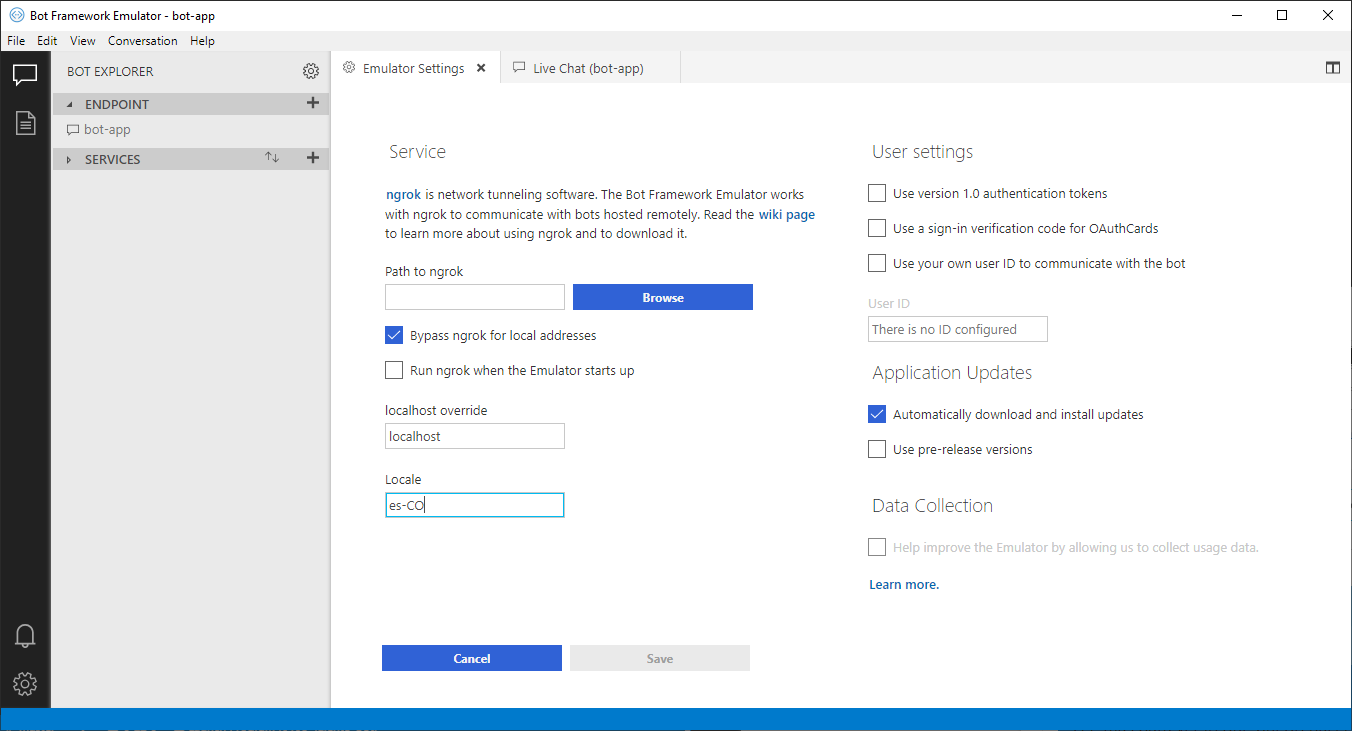
spanish (es-CO) onboarding dialog: the one and only dialog that works with "es" locale

english (en-US) model works like a charm

Additional context
I don't know if i must deploy another model to luis, qna or dispatcher to have the expected behavior (but this step is not commented in the virtual assistant instructions).
dependencies are:
"dependencies": {
        "@microsoft/microsoft-graph-client": "^1.3.0",
        "@microsoft/microsoft-graph-types": "^1.5.0",
        "azure-cognitiveservices-contentmoderator": "^4.0.0",
        "botbuilder": "^4.4.0",
        "botbuilder-ai": "^4.4.0",
        "botbuilder-applicationinsights": "^4.4.0",
        "botbuilder-azure": "^4.4.0",
        "botbuilder-core": "^4.4.0",
        "botbuilder-dialogs": "^4.4.0",
        "botbuilder-skills": "^4.4.6",
        "botbuilder-solutions": "^4.4.6",
        "botframework-config": "^4.4.0",
        "botframework-connector": "^4.4.0",
        "botframework-schema": "^4.4.0",
        "dotenv": "^6.0.0",
        "i18next": "^15.0.6",
        "i18next-node-fs-backend": "^2.1.1",
        "ms-rest-azure": "^2.5.0",
        "restify": "^7.2.1"
    },
 andhdo
All 3 comments
Hi @andhdo,
First of all, thanks for the level of detail in the issue!
By default, the deploy.ps1 script takes en-us as the language for the cognitive models, so, if you want to have another language or more than one, you should pass the language or languages to the -languages argument.
The following example deploys the cognitive models in en-us and es-es languages
pwsh.exe -ExecutionPolicy Bypass -File deploymentscriptsdeploy.ps1 -name "
" -location " " -appId " " -appPassword " " -luisAuthoringKey " " -luisAuthoringRegion " " -languages "es-es,en-us"
If you would like to further customize your deployment, check Deploy your bot which is included in Deploy your assistant documentation.
 Batta32
on 18 Jun 2019
Batta32
on 18 Jun 2019
Hi @Batta32 ; it works now, generating the spanish model to the infrastructure as a service code, so both knowledge base of qna model and luis intents were published in azure.
we should bear in mind that locales depends on the list supported by each cognitive model. Currently "es-es" and "es-mx" are valid parameters.
Thanks for your help.
andhdo
on 19 Jun 2019
Hi @andhdo, it was a pleasure to help you.
We will close the issue because you could make it work! Feel free to reopen if you have a similar issue.
Batta32
on 19 Jun 2019
Related issues
 edemehmetcan
·
3Comments
edemehmetcan
·
3Comments
 GitDruid
·
4Comments
GitDruid
·
4Comments
 VladPapacostea-SM
·
3Comments
VladPapacostea-SM
·
3Comments
 tommyJimmy87
·
4Comments
tommyJimmy87
·
4Comments
 igor17400
·
4Comments
igor17400
·
4Comments
Most helpful comment
Hi @andhdo,
First of all, thanks for the level of detail in the issue!
By default, the
deploy.ps1script takesen-usas the language for the cognitive models, so, if you want to have another language or more than one, you should pass the language or languages to the-languagesargument.The following example deploys the cognitive models in
en-usandes-eslanguagesIf you would like to further customize your deployment, check Deploy your bot which is included in Deploy your assistant documentation.