Botframework-solutions: Calendar Skill not working directly with Teams
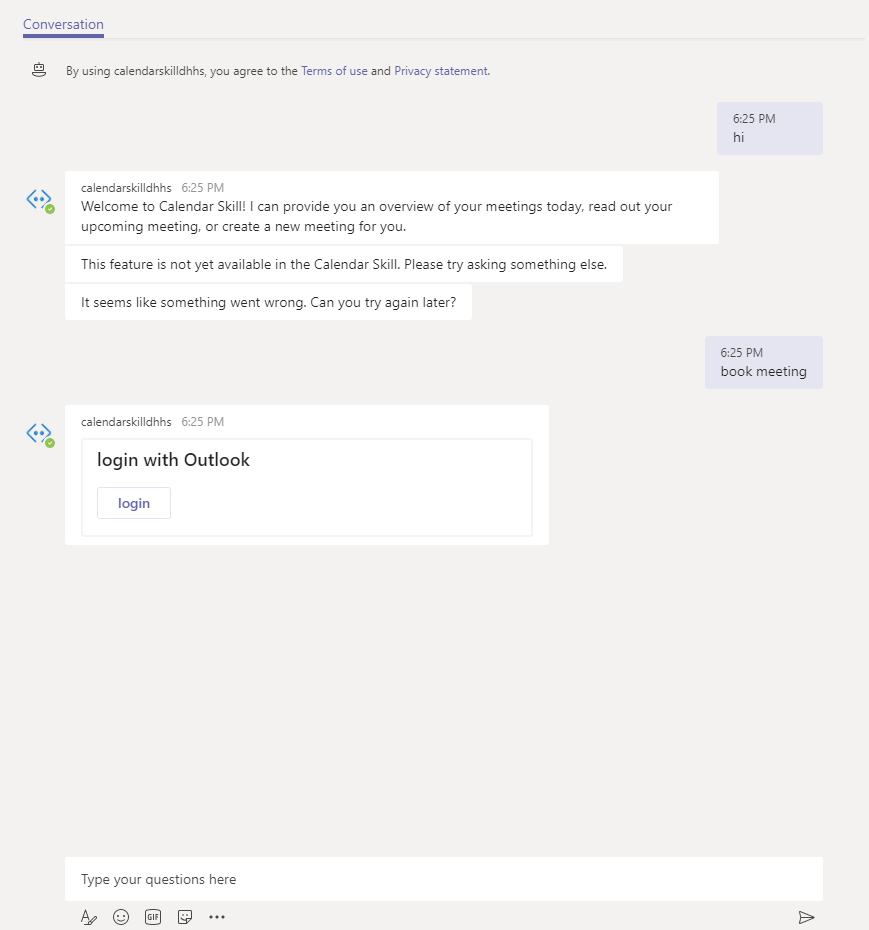
I'm able to use calendar skill directly using Emulator but when i add to teams it doesn't work. I added calendar skill to teams and when i click on login prompt "Login with Outlook" nothing happens.
Here is the screenshot.
 gagankohli2000
All 10 comments
This appears to be related to https://github.com/microsoft/botbuilder-js/issues/924#issuecomment-494123719 and https://github.com/microsoft/BotBuilder-Samples/issues/1513#issuecomment-493556340
 tdurnford
on 30 May 2019
tdurnford
on 30 May 2019
Yes, also related to https://github.com/microsoft/botbuilder-dotnet/issues/1913
We are looking into this, the workaround provided doesn't work as expected with my testing yesterday. Whilst we wait for an SDK change we'll work on a workaround to unblock Teams in the next few days and provide custom steps shortly.
 darrenj
on 31 May 2019
darrenj
on 31 May 2019
Whilst there are SDK changes planned to make this "just work" here is a workaround for Teams support.
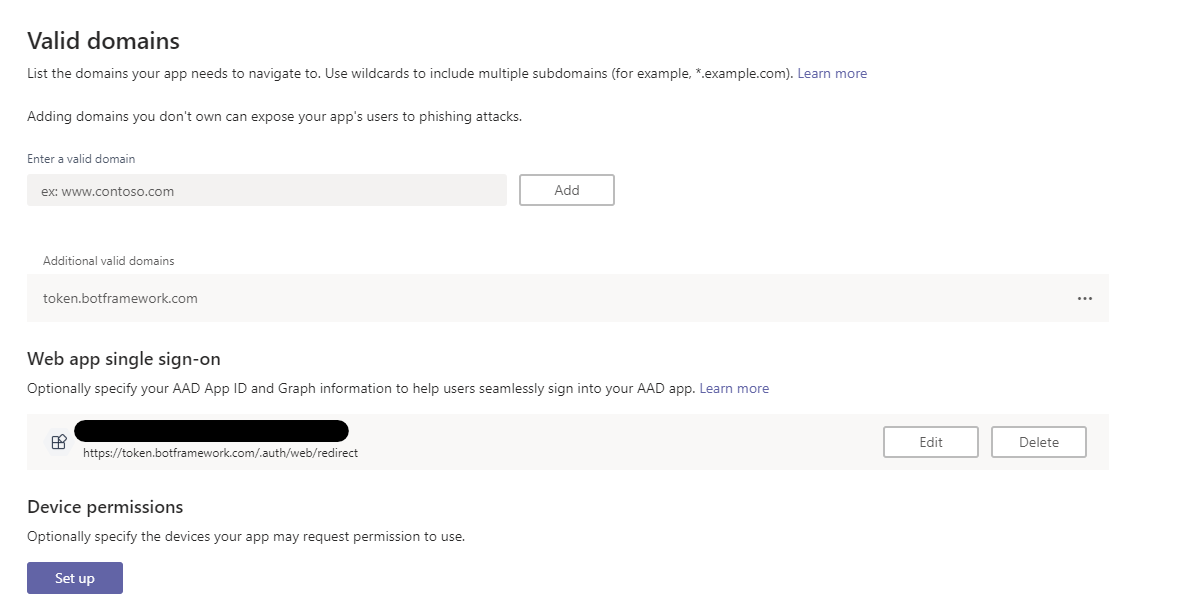
Please be aware that you must use App Studio to create an Application Manifest. Otherwise you won't be able to click any login buttons. It's key to ensure that under Domains and permissions in the Manifest Editor that you enter the domain token.botframework.com to enable clicking of the login button. You cannot click the link in the Channel Page of the Bot Framework to start a conversation with your Bot.
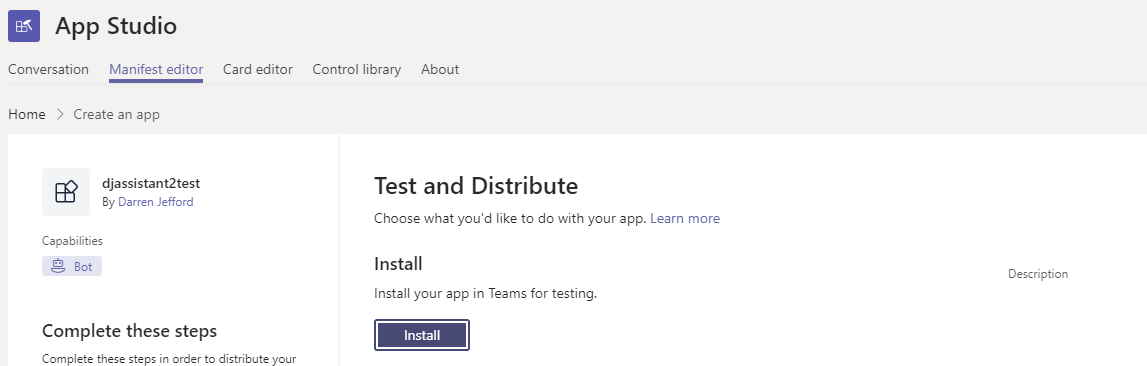
Then click Install to start talking to your Bot:
Then you need these code changes:
DialogBot.cs in your Bots folder
Add the following under the if handler for BotTimedOut. This responses to the Invoke messages sent by Teams and addresses the issue where the animated circle keeps spinning as Teams hasn't been responded to.
else if (turnContext?.Activity.Type == ActivityTypes.Invoke && turnContext?.Activity.Name == "signin/verifyState")
{
       await turnContext.SendActivityAsync(new Activity(ActivityTypesEx.InvokeResponse, value: null));
}
MainDialog.cs in Dialogs folder
This change ensures the Invoke message is propogated into the waiting Dialog. The RouterDialog doesn't pass this along as it wasn't an expected ActivityType so we have to override this behaviour. We'll push a new Bot.Solutions package with a change to remove the need for this override shortly.
protected async override Task<DialogTurnResult> OnContinueDialogAsync(DialogContext innerDc, CancellationToken cancellationToken = default)
        {
            if (innerDc.Context.Activity.Type == ActivityTypes.Invoke)
            {
                    var result = await innerDc.ContinueDialogAsync();

                    if (result.Status == DialogTurnStatus.Complete)
                    {
                        await CompleteAsync(innerDc);
                    }

                return result;
            }
            else
            {
                return await base.OnContinueDialogAsync(innerDc, cancellationToken);
            }
        }
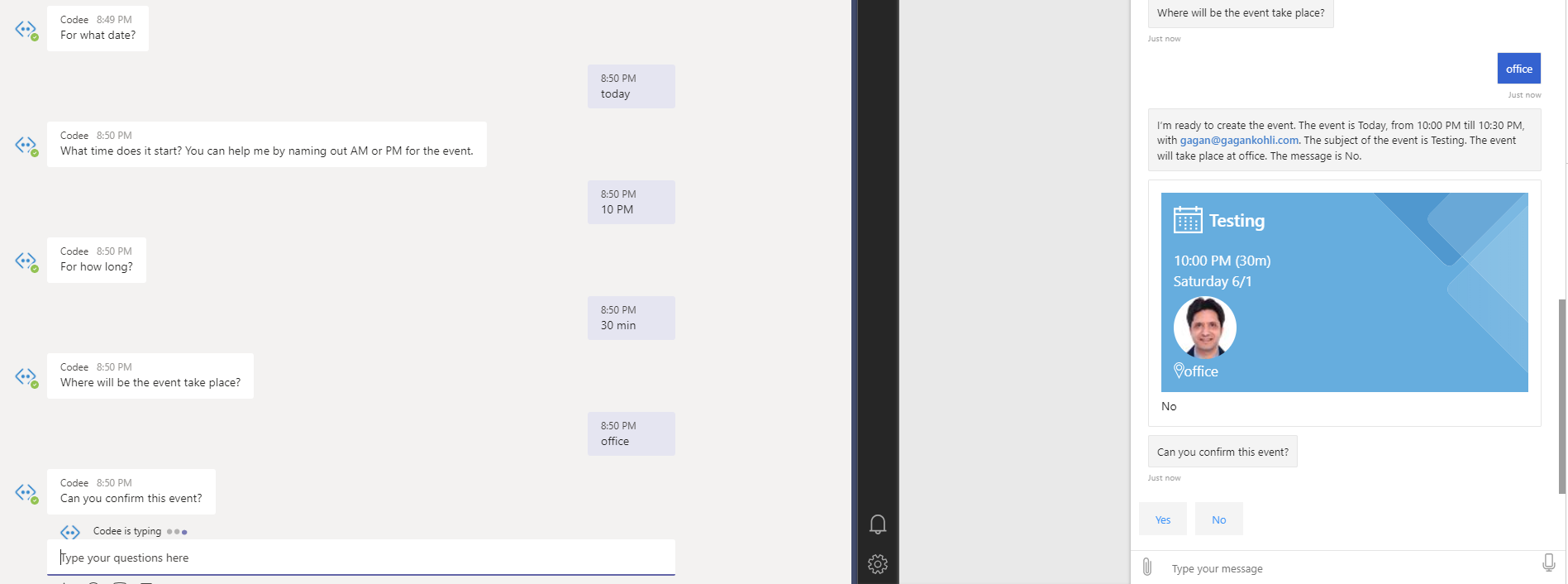
Thanks Darren for providing solution for login issue. I'm able to login via Teams but user experience is poor. None of the cards or dialog prompts seems to be working in Teams.
gagankohli2000
on 1 Jun 2019
Here is the screenshot of Emulator vs Teams experience
gagankohli2000
on 1 Jun 2019
Teams appears to have an issue with adaptive card rendering. Other channels work fine as you can see with emulator / webchat. We have raised an issue with Teams and investigating further - potentially it's the images within the cards causing issues with rendering.
darrenj
on 1 Jun 2019
Thanks Darren. Our bot is deployed on Teams and these were the enhancements we were trying to push. It would be good to get this resolved on priority.
gagankohli2000
on 3 Jun 2019
Original issue resolved. Tracking Teams issue in #1467
darrenj
on 3 Jun 2019
@darrenj thank! this workaround saved my bacon for the Insider Dev Tour demo tomorrow :)
 ltwlf
on 7 Jun 2019
ltwlf
on 7 Jun 2019
Update - the latest SDK (4.4.5) and Bot.Builder.Solutions (4.4.4.1) means Teams auth/login works without any manual changes. You can remove the custom code after these updates. New projects created using the VA template will work out of the box.
darrenj
on 17 Jun 2019
Related issues
 BillStrait
·
3Comments
BillStrait
·
3Comments
 esoler-sage
·
3Comments
esoler-sage
·
3Comments
 hansmbakker
·
3Comments
hansmbakker
·
3Comments
 jbonet07
·
4Comments
jbonet07
·
4Comments
 lauren-mills
·
4Comments
lauren-mills
·
4Comments
Most helpful comment
Whilst there are SDK changes planned to make this "just work" here is a workaround for Teams support.
Please be aware that you must use App Studio to create an Application Manifest. Otherwise you won't be able to click any login buttons. It's key to ensure that under Domains and permissions in the Manifest Editor that you enter the domain token.botframework.com to enable clicking of the login button. You cannot click the link in the Channel Page of the Bot Framework to start a conversation with your Bot.
Then click Install to start talking to your Bot:
Then you need these code changes:
DialogBot.cs in your Bots folder
Add the following under the
ifhandler for BotTimedOut. This responses to the Invoke messages sent by Teams and addresses the issue where the animated circle keeps spinning as Teams hasn't been responded to.MainDialog.cs in Dialogs folder
This change ensures the Invoke message is propogated into the waiting Dialog. The RouterDialog doesn't pass this along as it wasn't an expected ActivityType so we have to override this behaviour. We'll push a new Bot.Solutions package with a change to remove the need for this override shortly.