Botframework-sdk: DirectLine Service is responding with "503 Service Unavailable". Service Down.
Bot Info
- SDK Platform: .NET
- SDK Version: 3.12.2.4
- Active Channels: Direct Line
- Deployment Environment: Azure Bot Service, Azure App Service,
Issue Description
Bot is not able to respond back, throwing "503 Service Unavailable".
Code Example
No Code
Reproduction Steps
- Open any bot that connects with Direct Line Channel
Expected Behavior
Directline should respond.
Actual Results
Directline Throwing "503 Service Unavailable"
In Azure Portal when opening the Channels Blade under Web App Bot and editing the Direct Line Channel gives below response;
https://dev.botframework.com/client/images/errorbot.svg
 mutanttech
All 67 comments
Same problem!
SDK Platform: NodeJS
SDK Version: 3.15
Active Channels: Direct Line
Deployment Environment: OnPrem
 Squashy83
on 14 Jun 2018
Squashy83
on 14 Jun 2018
Same issue
SDK Platform: NodeJS
SDK Version: 3.14.1
Active Channels: Direct Line
Deployment Environment: Azure Bot Service, Azure App Service
 pupipipu
on 14 Jun 2018
pupipipu
on 14 Jun 2018
Same issue with our chatbot
.Net SDK version 3.15.2.2
Channel: Directline
Deployed: Azure bot service
 singhsurya
on 14 Jun 2018
singhsurya
on 14 Jun 2018
i am getting the same issue!
SDK Platform: NodeJS
SDK Version: 3.15
Active Channels: Direct Line
Deployment Environment: Azure Bot Service, Azure App Service
 ibrahemw
on 14 Jun 2018
ibrahemw
on 14 Jun 2018
Same issue
SDK Platform: .NET
SDK Version: 3.12.2.4
Active Channels: Direct Line
Deployment Environment:
- Web App Bot (Azure, global)
- App Service (Azure, West Europe)
 EdwinOtten
on 14 Jun 2018
EdwinOtten
on 14 Jun 2018
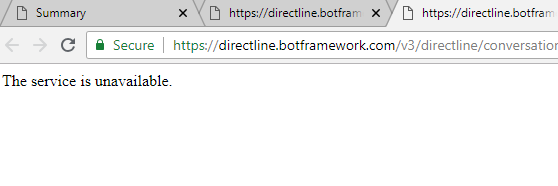
We are also having the same issue.
Here's a sample of the error:
Failed to load https://directline.botframework.com/v3/directline/conversations/CJNVaedUKzPAuf4kKEn2hL/activities:
Response to preflight request doesn't pass access control check:
No 'Access-Control-Allow-Origin' header is present on the requested resource.
Origin 'https://www.ouroriginwhichwasworking.com' is therefore not allowed access.
The response had HTTP status code 503
 JPThorne
on 14 Jun 2018
JPThorne
on 14 Jun 2018
 mchsudhakar
on 14 Jun 2018
mchsudhakar
on 14 Jun 2018
Facing the same issue
 jopuneet
on 14 Jun 2018
jopuneet
on 14 Jun 2018
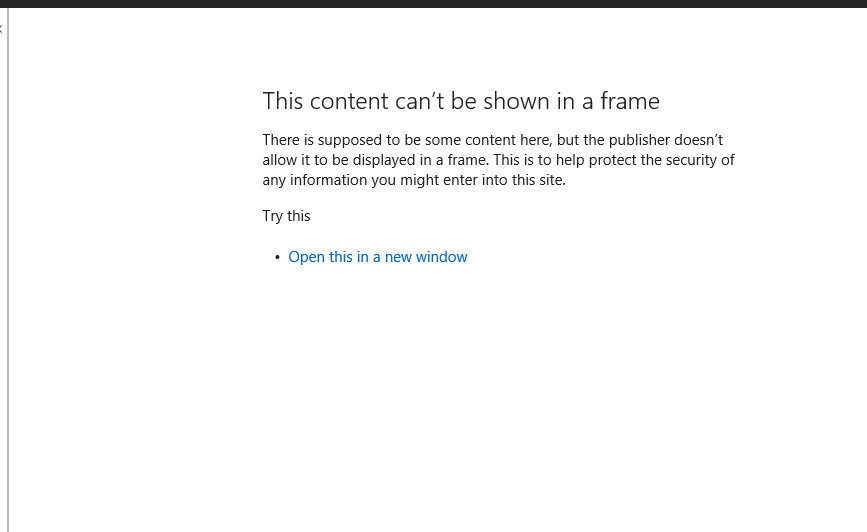
I got this message on Azure Directline Channel.
Facing the same Issue of 503 (Service Unavailable).
 sangeeta211M
on 14 Jun 2018
sangeeta211M
on 14 Jun 2018
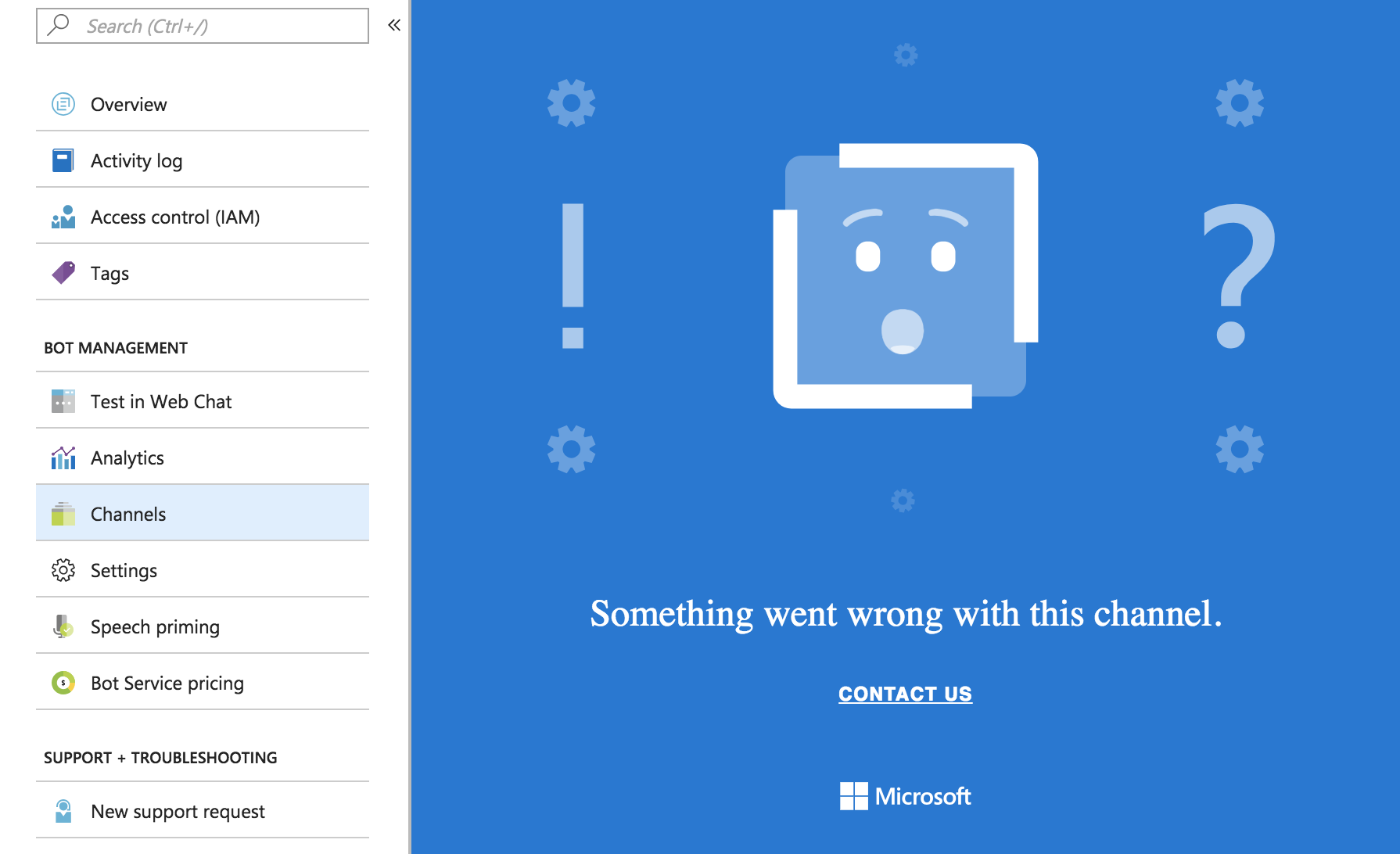
This is what I am getting in Directline channel in azure portal
jopuneet
on 14 Jun 2018
Same Issue:
We are facing same issue, 503 Service Unavailable when trying to connect to Directline


Above screenshots are from Google Chrome 66 Dev Console.
 harigovind511
on 14 Jun 2018
harigovind511
on 14 Jun 2018
If any one from MS is available, kindly address this issue or at least post a status update. I have been checking the service calls since I have opened the issue and I have found really inconsistent Direct Line responses, it responded with 500 Internal Server Error , 502 Bad Gateway, 503 Service Unavailable in different attempts and it occasionally served data as well.
When I am testing the bot from the Azure Portal, bot worked inconsistently from there as well. Kindly fix the issue.
mutanttech
on 14 Jun 2018
I see the service is back up again. Able to post to the direct line API successfully.
 rmaheshwaran
on 14 Jun 2018
rmaheshwaran
on 14 Jun 2018
 mchsudhakar
on 14 Jun 2018
mchsudhakar
on 14 Jun 2018
I've left a WebChat window open for the last few hours, a lot of requests were taking too long and resulted in the 503's.
Then, since around 2018-06-14 09:59:00 GMT, the requests stopped failing and the response time gradually decreased from ±14 seconds to <200ms a minute later.
Since then (for at least and hour, that is) all requests are succeeding (200 OK) and the response times are generally below 200ms, with an occasional peak to ± 2 seconds. So things are stabilising, I'm curious to see what is/was causing this issue.
EdwinOtten
on 14 Jun 2018
I can confirm as well, that the Service works now. Still to see performance data. BTW, the message below:
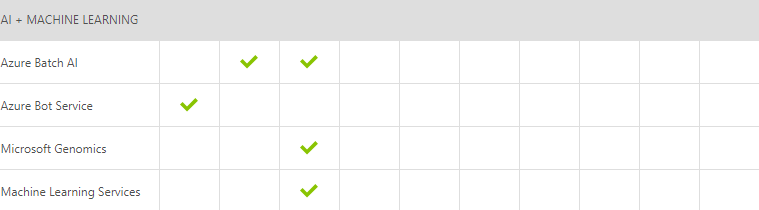
Starting at 07:15 UTC on 14 Jun 2018 you are a customer using Azure Bot Service who may experience difficulties connecting to bot resources. Engineers are aware of this issue and are actively investigating. The next update will be provided in 60 minutes, or as events warrant.
Message, does not clearly describes which resources and as per the message it started at 7:15 UTC and currently its 11:00 UTC, so looks like the problem was really big.
In Azure Portal under Service Health shows above message and Potential Impact in 0 resources, what does it mean?
The status url https://azure.microsoft.com/en-gb/status/ shows this now:
mutanttech
on 14 Jun 2018
Final Update

mchsudhakar
on 14 Jun 2018
the issue still happens for me...
pupipipu
on 14 Jun 2018
Same here, It was working fine before a while. Now it is again giving the same error of 503. It is highly inconsistent.
sangeeta211M
on 14 Jun 2018
Dear Microsoft,
Please avoid this in the future, as we nearly lost a customer when we couldn't demo their bot because of this bug.
 anton-bot
on 14 Jun 2018
anton-bot
on 14 Jun 2018
@sangeeta211M, @pupipipu, are you still running into this issue? As indicated the issue has been mitigated and bots previously running into this issue should now be unblocked.
 stevengum
on 15 Jun 2018
stevengum
on 15 Jun 2018
@stevengum it is working again now, thanks. As @catcher-in-the-try said, please try to avoid this issue in the future, especially as Azure Bot Service is GA paid service.
pupipipu
on 15 Jun 2018
Hey @stevengum , I work along side @sangeeta211M and the issue now seems to be resolved.
Thanks & Regards,
Hari
harigovind511
on 15 Jun 2018
The issue doesn't seem to be resolved for us.
We are having issues with Microsoft.Bot.Connector.Conversations very frequently. This is causing issues for our clients :/
 DylanIvanBrown
on 15 Jun 2018
DylanIvanBrown
on 15 Jun 2018
The Azure Bot Service is experiencing degraded performance that is impacting customers under certain conditions. Our engineering team has identified a root cause and implemented a solution that should mitigate the problem. Today, the fix was deployed to a subset of datacenters where it’s undergoing validation. Pending further verification the team will continue to deploy the fix to datacenters worldwide.
stevengum
on 19 Jun 2018
Thank you @stevengum .
Any updates on the current status?
Squashy83
on 20 Jun 2018
The fix for this has been deployed worldwide. Please let us know if you are still experiencing issues.
 EricDahlvang
on 21 Jun 2018
EricDahlvang
on 21 Jun 2018
2018-06-30T07:18:48.741526079Z
Error: POST to 'https://directline.botframework.com/v3/conversations/7xxxxxxxxf/activities/7xxxxxxxxxxx%7C0000000' failed: [502] Bad Gateway
 sharmadine
on 1 Jul 2018
sharmadine
on 1 Jul 2018
Bad Gateway [502] Posting to Directline.
What's happening?
Please fix it!
Squashy83
on 2 Jul 2018
@sharmadine, thank you for the exact time and hints at the conversation id. That detail was super helpful and I can confirm that that conversation went to one server in our West Europe datacenter which was impacted from 2018-06-30T07:18:47Z to 2018-06-30T07:19:14Z when the machine was restarted.
We are aware that there have been quite a few of these instances and, while we are making fixes to reduce the breadth and duration, we are far from satisfied with the current stability of Direct Line.
The team is working on this as our top priority. You can expect more changes coming this week and we'll continue to fight this fight until we win.
I apologize for each and every 502 and appreciate your reports and patience.
 vincec-msft
on 2 Jul 2018
vincec-msft
on 2 Jul 2018
@vincec-msft directline is giving me 502 always, from yesterday...an example:
2018-07-03T09:33
https://directline.botframework.com/v3/directline/conversations/8Uxxxxxxxxxxxxxxxx/activities 502 (Bad Gateway)
How can I solve this?
Thank you
Squashy83
on 3 Jul 2018
@Squashy83, was the time 2018-07-03 07:33:12Z (UTC)? Conversation Id ended in "wN"? Please post times in UTC.
If so, I see HTTP 502 after 15 seconds, which looks like a timeout talking to the bot. 15 seconds is the Direct Line timeout when talking to a bot.
To see errors posting to your bot, go to the Azure portal for your bot, click on the Channels tab, click on Issues next to the channel name (Direct Line in this case).
On your bot's Direct Line Issues page, I see many errors like this: "There was an error sending this message to your bot: HTTP status code GatewayTimeout"
Is your bot receiving the messages? It must reply within 15 seconds or Direct Line will time out the connection. It can post activities after the initial reply but the reply to Direct Line's post must happen quickly.
vincec-msft
on 3 Jul 2018
Sorry @vincec-msft we found this is not an error on Directline, but our problem with the bot endpoint.
I was misled by the past 502 errors.
Thank you for your support.
Squashy83
on 4 Jul 2018
have you resolved ? my chatbot page is blank ? :(
 stelazh
on 5 Jul 2018
stelazh
on 5 Jul 2018
@stelazh Do you see errors in the browser's console?
EricDahlvang
on 5 Jul 2018
@vincec-msft We have started seeing these errors again for last 15 mins. Please find the error logged in Browser console:
These errors have again de-stabilised out bot. Please help.
Request URL: https://directline.botframework.com/v3/directline/conversations/XXXX/activities?watermark=93
Request Method: GET
Status Code: 503 Service Unavailable
Remote Address: 137.116.153.238:443
Referrer Policy: no-referrer-when-downgrade
Hello,I meet a similar problem.
When I test in "Test in Web Chat", it works well. However, it responses nothing until I restart bot when I test it in channel(MS Teams).
MS Teams can work well for approximately 3 hours. Then it suddenly breaks, and then I test in "Test in Web Chat", it indicates "503 Service Unavailable", then wait a minute "Test in Web Chat" works well.
crying....
 libihan
on 25 Jul 2018
libihan
on 25 Jul 2018
@libihan , this sounds like a different issue than what this thread is covering. This is about Direct Line and you're talking about Teams.
My guess is that you are not refreshing a token needed to communicate with Teams. This would be a bug in the bot, not in the Bot Framework service or SDK and therefore it is more appropriate to post to Stack Overflow with the [botframework] tag. In fact, someone may have already asked the question there.
vincec-msft
on 25 Jul 2018
@vincec-msft We have started seeing these errors again for last 90 mins. Please find the error logged in Browser console:
These errors have again de-stabilised out bot. Please help.
Request URL: https://directline.botframework.com/v3/directline/conversations/XXXX/activities?watermark=93
Request Method: GET
Status Code: 503 Service Unavailable
Remote Address: 137.116.153.238:443
Referrer Policy: no-referrer-when-downgrade
@sharmadine , there was one Direct Line instance in our Southeast Asia datacenter that was unhealthy. I have dealt with it so you should be stable again now. Our alerting did catch the problem but didn't flag it at a high enough priority. We will look at that immediately.
Thanks for the help!
vincec-msft
on 30 Jul 2018
@vincec-msft thanks for the update. Our services are hosted in EU West and US East DC. So, not sure why requests were failing. May be Geolocation based routing was hitting our requests to this DC? Will check and update.
sharmadine
on 30 Jul 2018
@sharmadine , it looks like the majority of your clients are close to the Southeast Asia datacenter so they're getting its IP address when resolving directline.botframework.com.
vincec-msft
on 30 Jul 2018
@vincec-msft thank u~
My problem has been solved. I use keyvault to store my key, and the code calls keyvault every time when user sends message to bot. Then I modify the code to call keyvault only once, and it works.
libihan
on 31 Jul 2018
@vincec-msft We are also facing the same issue for past couple of hours. Bot is not able to respond to some messages intermittently.
_Error: POST to 'https://directline.botframework.com/v3/conversations/8aDI6eHywQeDDnurKP2JaI/activities/8aDI6eHywQeDDnurKP2JaI%7C0000012' failed: [503] Service Unavailable_
Our Web app is hosted in India. We are using the Standard Pricing Plan for the Bot Service. This is a production instance (with SLAs linked), so if you could provide assistance on priority please. Thankyou.
 live-abhishek
on 31 Jul 2018
live-abhishek
on 31 Jul 2018
@vincec-msft Directline APIs again started giving 503 errors in random fashion. APIs are originating from India. Can you please check? Our bot experience in production is skewed.
 bhushanvadgave
on 8 Aug 2018
bhushanvadgave
on 8 Aug 2018
Our bot service has started giving below errors for directline channel
Error: POST to 'https://directline.botframework.com/v3/conversations/xxxxxxxxxx/activities/xxxxxxx%7C0000004' failed: [503] Service Unavailable
    at Request._callback (/usr/src/app/node_modules/bot-services/node_modules/botbuilder/lib/bots/ChatConnector.js:559:46)
    at Request.self.callback (/usr/src/app/node_modules/bot-services/node_modules/request/request.js:188:22)
    at emitTwo (events.js:106:13)
    at Request.emit (events.js:194:7)
    at Request.<anonymous> (/usr/src/app/node_modules/bot-services/node_modules/request/request.js:1171:10)
    at emitOne (events.js:96:13)
    at Request.emit (events.js:191:7)
    at IncomingMessage.<anonymous> (/usr/src/app/node_modules/bot-services/node_modules/request/request.js:1091:12)
    at Object.onceWrapper (events.js:293:19)
    at emitNone (events.js:91:20)
    at IncomingMessage.emit (events.js:188:7)
    at endReadableNT (_stream_readable.js:975:12)
    at _combinedTickCallback (internal/process/next_tick.js:80:11)
    at process._tickDomainCallback (internal/process/next_tick.js:128:9)
We are also experiencing DirectLine API randomly throwing 503, like @bhushanvadgave described. Our App Service is in West Europe.
These are a couple of examples from this morning, they do not always happen, but we see other 200 requests that are very slow taking up to 30 seconds:
Request: https://directline.botframework.com:443/v3/conversations/KQJBh7R8h2yKUQnJLemHrW/activities/xxxxxx
Time: 8/10/2018, 9:07:29 AM | ( GMT+1)
Request: https://directline.botframework.com:443/v3/conversations/JY95MSeUPqfLtF82BxWtfb/activities/xxxxx
Time:
8/10/2018, 8:48:31 AM |
Let me know how can we help to debug this issue :-)
Thanks
 rafadorado
on 10 Aug 2018
rafadorado
on 10 Aug 2018
This is not done guys (Microsoft)! How can we run Production systems with so many frequent directline errors? It was promised that directline apis will be stabilized and yet we are having hours of downtime. Now our customers are also questioning the reason that Microsoft service is down! It seems to them that we are making it up.
Can you guys please take these errors with increased seriousness and make directline stable? It's more than 4 hours and no one is listening including Azure support...
sharmadine
on 10 Aug 2018
Another ticket has been opened about the latency/errors that we got those days: https://github.com/Microsoft/BotBuilder/issues/4960
 nrobert
on 10 Aug 2018
nrobert
on 10 Aug 2018
Thank you for cross linking @nrobert!
@sharmadine, @rafadorado , @bhushanvadgave, @live-abhishek, please post your issues into #4960 for better tracking or if there are major differences between your issue and #4960, please create a new issue.
stevengum
on 10 Aug 2018
Hi everybody,
SDK Platform: NodeJS
SDK Version: 3.15
Active Channels: Direct Line
Deployment Environment: OnPrem
experiencing long latency time in connecting to directline (frequent TIMEOUTs). Any news about service status?
Thank you
Squashy83
on 22 Oct 2018
There was a slow machine in the Australia East datacenter which I have removed from rotation. Are you still seeing the errors? If the errors persist please include the first half of a conversation id so I can target the investigation. Thanks!
vincec-msft
on 22 Oct 2018
Dear vinsec,
here what you requested:
ygiRW8xsqm9
Thank you
Squashy83
on 22 Oct 2018
@Squashy83 , this appears to be another problem with the bot, not Direct Line.
At 2018-10-22T13:26:12Z, Direct Line POSTed an activity to the bot, waited 15 seconds, but never heard back.
Note that the result code from Direct Line is 502, which indicates an error communicating with the bot.
You can also see the errors in the Bot Channel Registration for your bot in the Azure portal. Go to Channels, Direct Line, Issues. I can see the timeout errors for your bot listed in this view.
vincec-msft
on 22 Oct 2018
@vincec-msft I am experiencing the same error.
My bot performs well in the bot emulator but fails in webchat
My bot is at this url http://testst.bombeohq.com/
 teamplumaa
on 22 Oct 2018
teamplumaa
on 22 Oct 2018
@teamplumaa , Please open a new issue and include details about how it fails. Ideally the exact time (in UTC) and the start of the conversation id.
vincec-msft
on 22 Oct 2018
@vincec-msft : sorry but I'm experiencing right now:
POST https://directline.botframework.com/v3/directline/conversations/IOc7uL5m0g0XXXXXXXX/activities 502 (Bad Gateway)
Can you check pls?
Thanx
-S.
Squashy83
on 23 Oct 2018
@Squashy83 , once again, HTTP 502 indicates an issue with the bot, not with Direct Line. And, once again, I looked at the telemetry and saw that Direct Line sent your bot a message at 2018-10-23T14:09:40.972 but did not hear back.
Please check your bot's logs and figure out why it is not responding. Do not keep posting to this thread with the same issue (HTTP 502). If you think you're having a new issue please open an new thread.
vincec-msft
on 23 Oct 2018
@vincec-msft I'm experiencing the same error. I have read all related issues and haven't reached a clear description or solution for this problem. Here's what I get while sending "specific queries" using DirectLine.
Error: POST to 'https://directline.botframework.com/v3/conversations/5D6MSgObQcmCzVwoR5M8Tf/activities/5D6MSgObQcmCzVwoR5M8Tf%7C0000024' failed: [500] Internal Server Error
    at Request._callback (D:\home\site\wwwroot\node_modules\botbuilder\lib\bots\ChatConnector.js:647:46)
    at Request.self.callback (D:\home\site\wwwroot\node_modules\request\request.js:185:22)
    at emitTwo (events.js:126:13)
    at Request.emit (events.js:214:7)
    at Request.<anonymous> (D:\home\site\wwwroot\node_modules\request\request.js:1161:10)
    at emitOne (events.js:116:13)
    at Request.emit (events.js:211:7)
    at IncomingMessage.<anonymous> (D:\home\site\wwwroot\node_modules\request\request.js:1083:12)
    at Object.onceWrapper (events.js:313:30)
    at emitNone (events.js:111:20)
Error: POST to 'https://directline.botframework.com/v3/conversations/5D6MSgObQcmCzVwoR5M8Tf/activities/5D6MSgObQcmCzVwoR5M8Tf%7C0000026' failed: [500] Internal Server Error
    at Request._callback (D:\home\site\wwwroot\node_modules\botbuilder\lib\bots\ChatConnector.js:647:46)
    at Request.self.callback (D:\home\site\wwwroot\node_modules\request\request.js:185:22)
    at emitTwo (events.js:126:13)
    at Request.emit (events.js:214:7)
    at Request.<anonymous> (D:\home\site\wwwroot\node_modules\request\request.js:1161:10)
    at emitOne (events.js:116:13)
    at Request.emit (events.js:211:7)
    at IncomingMessage.<anonymous> (D:\home\site\wwwroot\node_modules\request\request.js:1083:12)
    at Object.onceWrapper (events.js:313:30)
    at emitNone (events.js:111:20)
 amragaey
on 28 Oct 2018
amragaey
on 28 Oct 2018
@amragaey , those posts are failing because the activity is too large. They both posted more than 130K bytes which is larger than what Direct Line currently supports.
You can work around this by keeping the size of activities small. If there is lots of data needed consider moving some of it into attachments which are uploaded separately.
Some things we can do:
1) Return a clear error message when this is hit.
2) Document the limitations of Direct Line with regards to the size of activities. (Note that I just sent a PR to add this information to https://docs.microsoft.com/en-us/azure/bot-service/rest-api/bot-framework-rest-direct-line-3-0-api-reference?view=azure-bot-service-4.0. That's not published yet but the information I added is bad anyway. I'll have to find the real limit and update that page.
3) Upgrade our infrastructure to support larger messages. This is in progress but until everything is upgraded we have to code to the lowest common denominator. Once all the upgrades are in place I'll update the docs again.
PS - Please open a new issue for new issues. Thanks!
vincec-msft
on 28 Oct 2018
@vincec-msft Are you sure there are no issues on MS end with direct line? Our company has multiple bot services deployed and each of them are having issues posting to directline. Even when trying to access the direct line channel in the azure portal, says service is unavailable.
 alexknipfer
on 1 Nov 2018
alexknipfer
on 1 Nov 2018
We are seeing a very high volume of traffic to our East US datacenters and are working on a mitigation right now. There will be something posted to the Azure status page soon.
vincec-msft
on 1 Nov 2018
Sounds good, thanks for the update @vincec-msft
alexknipfer
on 1 Nov 2018
We are seeing a very high volume of traffic to our East US datacenters and are working on a mitigation right now. There will be something posted to the Azure status page soon.
@vincec-msft Is there any update on the issue? Any update on Azure status page would be helpful for us to explain to our customers. Thank you.
 songohannyc
on 2 Nov 2018
songohannyc
on 2 Nov 2018
We are working on a hotfix right now to deploy tonight. I will check on why the status page has not been updated.
vincec-msft
on 2 Nov 2018
We are working on a hotfix right now to deploy tonight. I will check on why the status page has not been updated.
Thank you @vincec-msft . Could you please confirm if the fix has been deployed and stable?
I still don't see any update at https://azure.microsoft.com/en-us/status/ . Am I looking at the right place?
Please note that since I'm commenting in a closed case. I also opened a new case at https://github.com/Microsoft/BotFramework-Services/issues/17. Please let me know if that's not the right place.
songohannyc
on 2 Nov 2018
A hotfix has been deployed and Direct Line is looking healthy again.
The issue was posted here, but hasn't been updated yet. We're still watching to make sure the system is happy.
https://ms.portal.azure.com/#blade/Microsoft_Azure_Health/AzureHealthBrowseBlade/serviceIssues
I'm not sure why the main status page was not updated.
vincec-msft
on 2 Nov 2018
Related issues
 jschristophe
·
3Comments
jschristophe
·
3Comments
 clearab
·
3Comments
clearab
·
3Comments
 somprabhsharma
·
3Comments
somprabhsharma
·
3Comments
 stijnherreman
·
3Comments
stijnherreman
·
3Comments
 bluekite2000
·
4Comments
bluekite2000
·
4Comments
Most helpful comment
Dear Microsoft,
Please avoid this in the future, as we nearly lost a customer when we couldn't demo their bot because of this bug.