Botframework-sdk: [Question] Bot's messaging endpoint does not update after change/save?
I believe there are some issues around the bot end point setting.
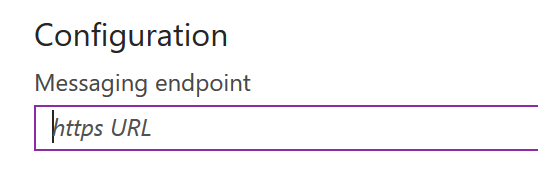
After set the URL to another URL (online Azure function URL), test in MSTeams still remember the previous testing local ngrok URL and keep sending requests to my local server. But at this moment, there is no settings showing the ngrok URL anymore.
My guess is, when saving the new URL, it makes some validation but the validation may fail. However even it fails, there is no error message and the input URL is stored. I still cannot figure out what is failing the validation, one guess is the URL is too long because I am using a long Azure Function URL with authLevel=function.
BTW, this is really bad because when I send message from MSTeams, there is nothing showing in Azure Function monitor, no logs from MSTeams and nothing. There is no clue to debug.
 lijunle
All 7 comments
Hi @lijunle - Thanks for reporting. If you are having a problem with your bot code or BotBuilder SDK for .NET or Node.js - please share your code so we can better assist you.
If you are having a problem with Azure Bot Service products, such as Web App Bot or Functions Bot -- please open a support request with Azure Support via the Azure website.

 nwhitmont
on 15 Jan 2018
nwhitmont
on 15 Jan 2018
I have the same problem, I can’t change a bot endpoint actually. I found that Web App Bot send a OPTIONS request to new endpoint after I have changed endpoint. Add to your bot controller a handler for the OPTIONS request like this:
[HttpOptions]
public IActionResult Index()
{
    return Ok();
}
And your server must run and be available from internet, when you change endpoint (like with Facebook bot).
 DH-Yaroslav
on 16 Apr 2018
DH-Yaroslav
on 16 Apr 2018
I'm having a similar issue. I tried to change the URL to my bot, and for a while, it seemed it was ignoring me (activity log showed writes failing with HTTP 500s). App log also showed OPTIONS requests for /api/messages?code=.... at the same time. Then it seemed to stick, but requests were still going to my old site. Deployed an update that responds with a HTTP 200 to my new endpoint, and I see the OPTIONS calls in the logs (with 200 responses), but my test requests via web + S4B are going to the old address (as logged to app insights).
Is there some kind of cache I have to clear, or TTL I have to wait out here?
 jorupp
on 23 Apr 2018
jorupp
on 23 Apr 2018
There isn't cashe for URL endpoint, I think. But, before you change the endpoint in Azure, you MUST start your bot server, and the bot server MUST return 200 response (not 500) on OPTIONS request from URL = Endpoint.
When you click 'Save' in Azure Bot Endpoint, your bot server must be able to respond on OPTIONS request (and with 200 code). If Azure didn't recevied 200 response on the OPRIONS request, it didn't change endpoint url.
DH-Yaroslav
on 28 Apr 2018
@DH-Yaroslav I did that - bot was deployed to new endpoint and returning HTTP 200 for OPTIONS call - can see it in the logs.
I opened a support ticket this week via the portal (meant to post this earlier - thanks for the prompt to remind me), who then consulted with the product team, and told me that changing the URL of a bot is not supported.
jorupp
on 28 Apr 2018
jorupp, it is misunderstanding. They said about url of bot (bot handle), not about url of Messaging Endpoint. When I debug bot, I change url of endpoint many times without any problem.
But there is a delay in Azure Panel, it shows old url of endpoint in same blades. But if you have HTTP OPTIONS 200, it meens, new endpoint is working and you can process messagin from bot like this:
[Route("api/bot")]
[HttpPost]
public async Task
In your case, route must be with parameter, like this
[Route("api/messages/{id}")]
DH-Yaroslav
on 2 May 2018
Closing the issue assuming it as resolved. Please reopen a new issue if it still persists.
 fanidamj-zz
on 22 Jun 2018
fanidamj-zz
on 22 Jun 2018
Related issues
 arpan14
·
3Comments
arpan14
·
3Comments
 Vigneshramkumar
·
3Comments
Vigneshramkumar
·
3Comments
 stijnherreman
·
3Comments
stijnherreman
·
3Comments
 Arimov
·
3Comments
Arimov
·
3Comments
 bluekite2000
·
4Comments
bluekite2000
·
4Comments
Most helpful comment
I have the same problem, I can’t change a bot endpoint actually. I found that Web App Bot send a OPTIONS request to new endpoint after I have changed endpoint. Add to your bot controller a handler for the OPTIONS request like this:
And your server must run and be available from internet, when you change endpoint (like with Facebook bot).