Botframework-sdk: [Question] Bot works on Bot Portal webchat but not on Skype?
System Information
- SDK Language: Node.js
- SDK Version: 3.9.0
- Development Environment: Docker swarm
Bot Info
- Bot name: clippy
- Bot handle: clippyjr
- App ID: eb0cd0be-a629-4332-a23f-fc747492dd5c
- Connected channels: Skype
Issue Description
I am able to send and receive messages to my bot via the test panel at https://dev.botframework.com. However, when I add it to my skype client (OSX, Version 7.56 (776)), it has no profile picture, it is listed as Offline, I am unable to add it to my contacts or add it as a bot, and it says "You cannot send messages to this conversation". When adding it to skype, this is listed on the page:
Send and receive instant messages and photos
There are no issues listed under health status for skype, and I am not receiving any messages on my webapp from skype (I do clearly receive messages from the test panel.)
Please let me know if I need to provide anything else.
Thanks
 stsquared99
All 11 comments
@stsquared99
- Where is your bot hosted?
- Does your server have a valid SSL certificate?
- Did you publish your bot to the Skype channel using the publish view in the Skype channel config page?
 nwhitmont
on 8 Aug 2017
nwhitmont
on 8 Aug 2017
- It is hosted on a custom application platform built on docker swarm, running in AWS.
- Yes it does, I am able to hit the URL cleanly through my browser, and I ran it through https://www.sslshopper.com with no errors.
- I don't see how to publish it through the publish view. I am running it in preview, and I am simply adding to my skype by clicking on the join.skype.com url, which is how I've done it in the past up until this point.
Thanks
stsquared99
on 8 Aug 2017
FYI - You cannot name your bot "clippit" or "clippy" as it is an infringement of Microsoft's intellectual property. Please change your bot's name and profile icon picture.
nwhitmont
on 8 Aug 2017
Alright. I'll try again with a new one
stsquared99
on 8 Aug 2017
Same problem. Made a personal bot, I don't want to publish it and it says it's not required:
Bots in Preview are limited to 100 contacts. If you need more than 100 contacts, Publish your bot and then distribute it to unlimited users via a URL or button. Then we will review your bot. If approved we’ll consider it for the Skype bot directory (unless you have selected the option to Hide from Directory). If we cannot approve your bot, we’ll tell you what you need to change before it can be approved. Check the Review Guidelines before Publishing.
When I add it to contacts, it does send a POST request to the server. Is there a special code/setup needed to make bot accept contact invites?
 grisevg
on 25 Aug 2017
grisevg
on 25 Aug 2017
@grisevg
Skype is auto configured when your bot is registered on the Bot Portal ( https://dev.botframework.com/bots?id=[YourBotId] )
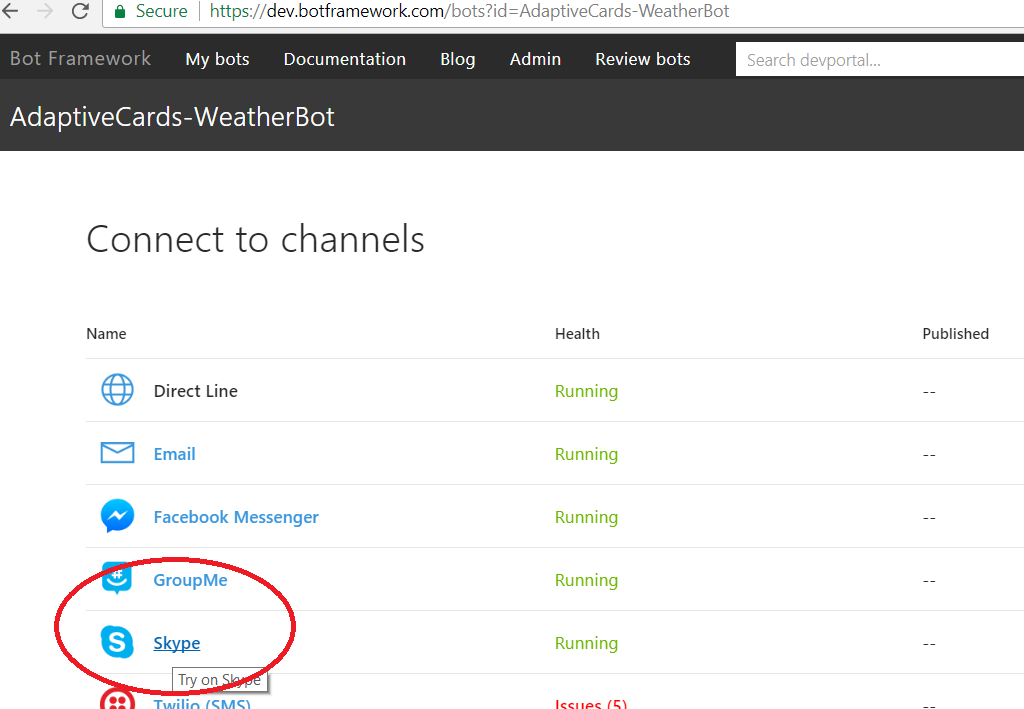
Clicking the Skype link will provide you with a url you can use to add the bot to your skype contacts.
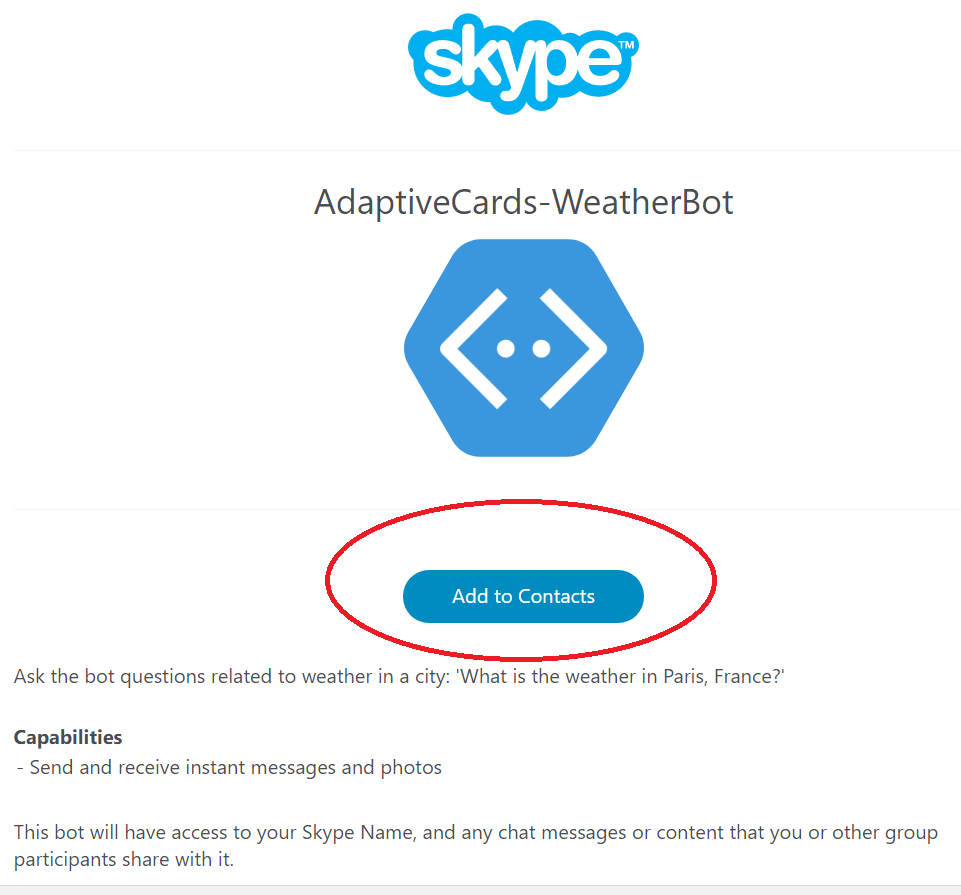
If this does not answer your question, please open a new issue. This issue has been closed.
 EricDahlvang
on 25 Aug 2017
EricDahlvang
on 25 Aug 2017
Opened #3382
grisevg
on 25 Aug 2017
I made a chatbot using qnamaker and deployed on the free trial version of Azure. I can test the bot on the test panel. However, when I am trying to integrate it with Skype it does not send the message.
Bot name: ProjectCompliance
AppId: adea4d84-dbe8-4a92-a86e-075bd3713186
 akshat172
on 13 Jan 2018
akshat172
on 13 Jan 2018
I am facing same issue for my bot (AppID: 2bd48edc-0592-4c7c-ac08-64416f66212c). am not even receiving a request from Skype while trying bot on skype (not published yet).
 AkshayKanchan
on 16 Apr 2018
AkshayKanchan
on 16 Apr 2018
@AkshayKanchan Sometimes Skype doesn't propagate the settings. This can usually be remedied by changing the messaging endpoint and saving, then changing it back.
EricDahlvang
on 16 Apr 2018
@EricDahlvang, Is there any permanent solution for this? do we really have to change the endpoint everytime it stops working on skype?
AkshayKanchan
on 17 Apr 2018
Related issues
 somprabhsharma
·
3Comments
somprabhsharma
·
3Comments
 mattlanham
·
3Comments
mattlanham
·
3Comments
 Vigneshramkumar
·
3Comments
Vigneshramkumar
·
3Comments
 peterbozso
·
3Comments
peterbozso
·
3Comments
 bluekite2000
·
4Comments
bluekite2000
·
4Comments
Most helpful comment
I made a chatbot using qnamaker and deployed on the free trial version of Azure. I can test the bot on the test panel. However, when I am trying to integrate it with Skype it does not send the message.
Bot name: ProjectCompliance
AppId: adea4d84-dbe8-4a92-a86e-075bd3713186