Botframework-sdk: [Question] Bot doesn't work in Microsoft Teams but works perfectly in Slack
System Information (Required)
- SDK Language: .NET
- SDK Version: BotBuilder 3.8.5
- Development Environment: App Service
Bot Info
- Bot name: meelo
- Bot handle: meelo
- App ID: 764e233f-f94d-4e21-9728-fdf768814285
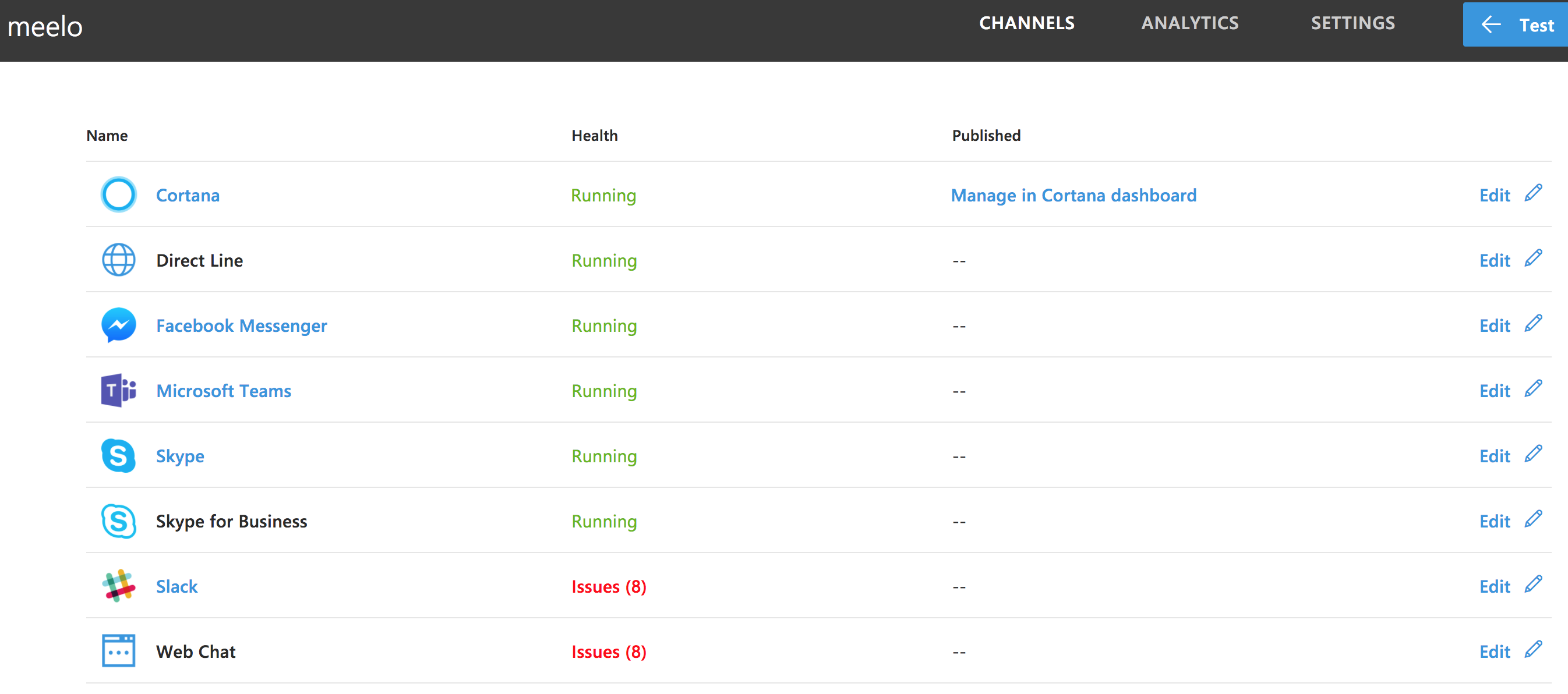
- Connected channels: Slack, MS Teams, Facebook, Skype
Issue Description
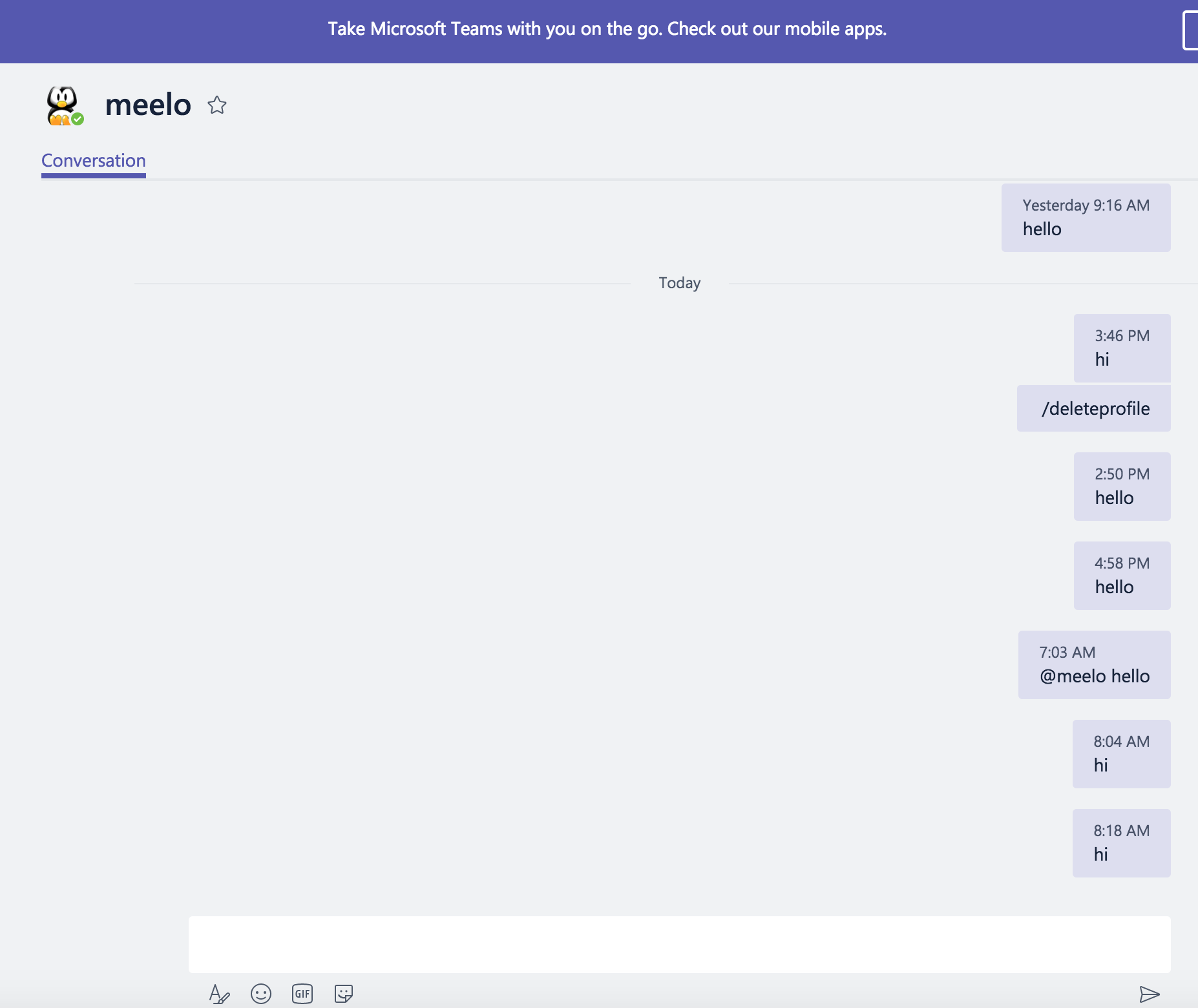
The bot does not receive any messages from Microsoft Teams. Works perfectly in Slack.
Code Example
No code to share. Regular code that compiles and runs fine in Slack and Skype.
Steps to Reproduce the Issue
1.
2.
3.
Expected Behavior
Expect the bot to work in Microsoft Teams
Actual Results
No messages received by bot. I remote debugged using VS 2017 and no messages were received from MS Teams. All Slack and Skype messages were received.
For Facebook messenger, bot receives the messages, responds it, but the Facebook messenger doesn't display the response.
 dynamicdeploy
All 10 comments
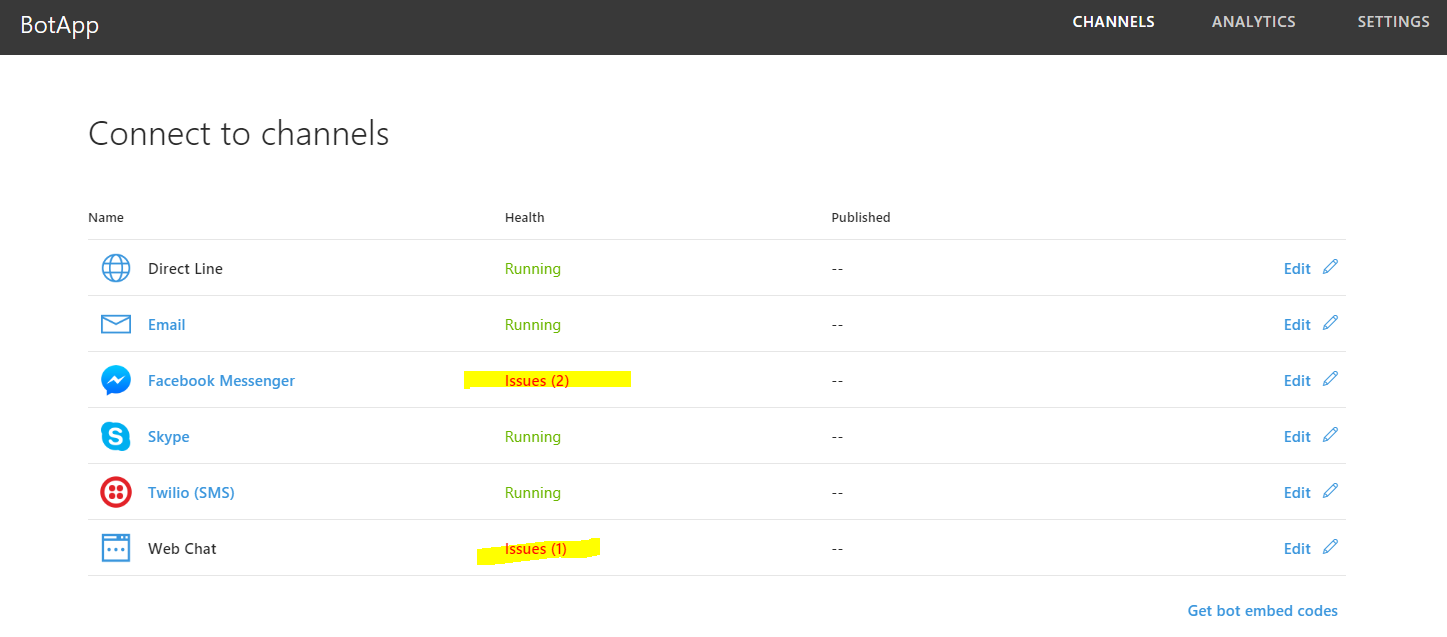
go to dev.botframework.com
in your bots page you'll be able to see the errors you receive per channel.
 xjose97x
on 1 Aug 2017
xjose97x
on 1 Aug 2017
@xjose97x I don't see any errors on MS Teams yet no message is received by my bot.
dynamicdeploy
on 1 Aug 2017
@dynamicdeploy , can you check the errors on webchat?
I remember that sometimes the errors I received on Skype were actually shown on the webchat.
Not sure if it applies on MS Teams.
xjose97x
on 1 Aug 2017
No, I just double-checked. WebChat messages are the expected ones (timeouts). But MS Teams shows no messages.
dynamicdeploy
on 1 Aug 2017
@dynamicdeploy Did you "Side-Load" your bot into MS Teams app? With JSON manifest file, etc.?
This is a second step after you have added your bot to the Teams channel in the Bot Dev Portal at https://dev.botframework.com/
How to load your bot into MS Teams
Quick MS Teams bot deployment checklist:
- Did your O365 tenant administrator enable sideloading of apps for your organization?
- Did you create an app package
- Did you sideload your bot app into the relevant team?
Recommended reading:
 nwhitmont
on 1 Aug 2017
nwhitmont
on 1 Aug 2017
I added to the dev portal and then just clicked the associated link to enable bot in MS Teams. I will try the procedure in the admin portal.
dynamicdeploy
on 1 Aug 2017
@dynamicdeploy Any luck with enabling the bot in Teams? Let me know if you are still having issues.
nwhitmont
on 9 Aug 2017
Enabling sideloading worked. Thanks for the help.
dynamicdeploy
on 10 Aug 2017
glad you got this working
 JasonSowers
on 10 Aug 2017
JasonSowers
on 10 Aug 2017
I'm also seeing this issue for some reason. The bot seems at best unreliable at receiving the messages. Inspecting the web traffic, i can see that messages from Teams never hits the api endpoint i specified. However messages from the webchat goes through without issues. I have enabled the bot through side-loading, and it does seem to be working _sometimes_..
A colleague of mine tried writing messaging the bot from his user, and the first couple of hours didn't go through. Then a couple of messages got through, and then stuff kinda started falling apart again. If there a way of diagnosing this? It's a bit frustrating that the portal doesn't really tell us anything at all.
 zlepper
on 7 Jan 2018
zlepper
on 7 Jan 2018
Related issues
 hailiang-wang
·
3Comments
hailiang-wang
·
3Comments
 Prybe
·
3Comments
Prybe
·
3Comments
 peterbozso
·
3Comments
peterbozso
·
3Comments
 kenyeung128
·
3Comments
kenyeung128
·
3Comments
 daveta
·
3Comments
daveta
·
3Comments
Most helpful comment
@dynamicdeploy Did you "Side-Load" your bot into MS Teams app? With JSON manifest file, etc.?
This is a second step after you have added your bot to the Teams channel in the Bot Dev Portal at https://dev.botframework.com/
How to load your bot into MS Teams
Quick MS Teams bot deployment checklist:
Recommended reading: