Botframework-sdk: [Skype] I am trying to publish my demo bot to Skype Channel, by I am getting an error:
i create my bot using bot builder framework in asp.net .Bot work fine in emulator but give me error when i try to publish it with Skype ...
"Your bot did not respond to our Ping request with a success code. Please verify your bot is running and responsive before Publishing your bot. The error received from your bot was: Unauthorized(401), BotAuthenticator failed to authenticate incoming request!"
please help me !!
 UsamaAslam
All 20 comments
@UsamaAslam Did you register your bot with App ID and password in the Bot Portal at: https://botframework.com? If so, what is your bot name, bot handle, and Microsoft App ID?
 nwhitmont
on 19 Jun 2017
nwhitmont
on 19 Jun 2017
thanks for reply . yes i already register my bot .. here is my bot name :Biz_WeatherBot ,
bot handle :Biz_WeatherBot and my Microsoft id is :6ec9eb2d-1a16-4fdf-903d-d150e93dbed7
and my publish web site link is : https://usamalatestv2.azurewebsites.net/
UsamaAslam
on 19 Jun 2017
bot work fine in emulator and Testing in https://botframework.com but when i open Skype channel and click publish it give me error :
"Your bot did not respond to our Ping request with a success code. Please verify your bot is running and responsive before Publishing your bot. The error received from your bot was: Unauthorized(401), BotAuthenticator failed to authenticate incoming request!"
UsamaAslam
on 19 Jun 2017
@UsamaAslam do you have your app id and your password in your web config?
  <appSettings>
    <add key="MicrosoftAppId" value="YOUR ADD ID" />
    <add key="MicrosoftAppPassword" value="YOUR APP PASSWORD" />
  </appSettings>
 JasonSowers
on 19 Jun 2017
JasonSowers
on 19 Jun 2017
yes , APP ID and PASSWORD are exactly same as botframework
UsamaAslam
on 19 Jun 2017
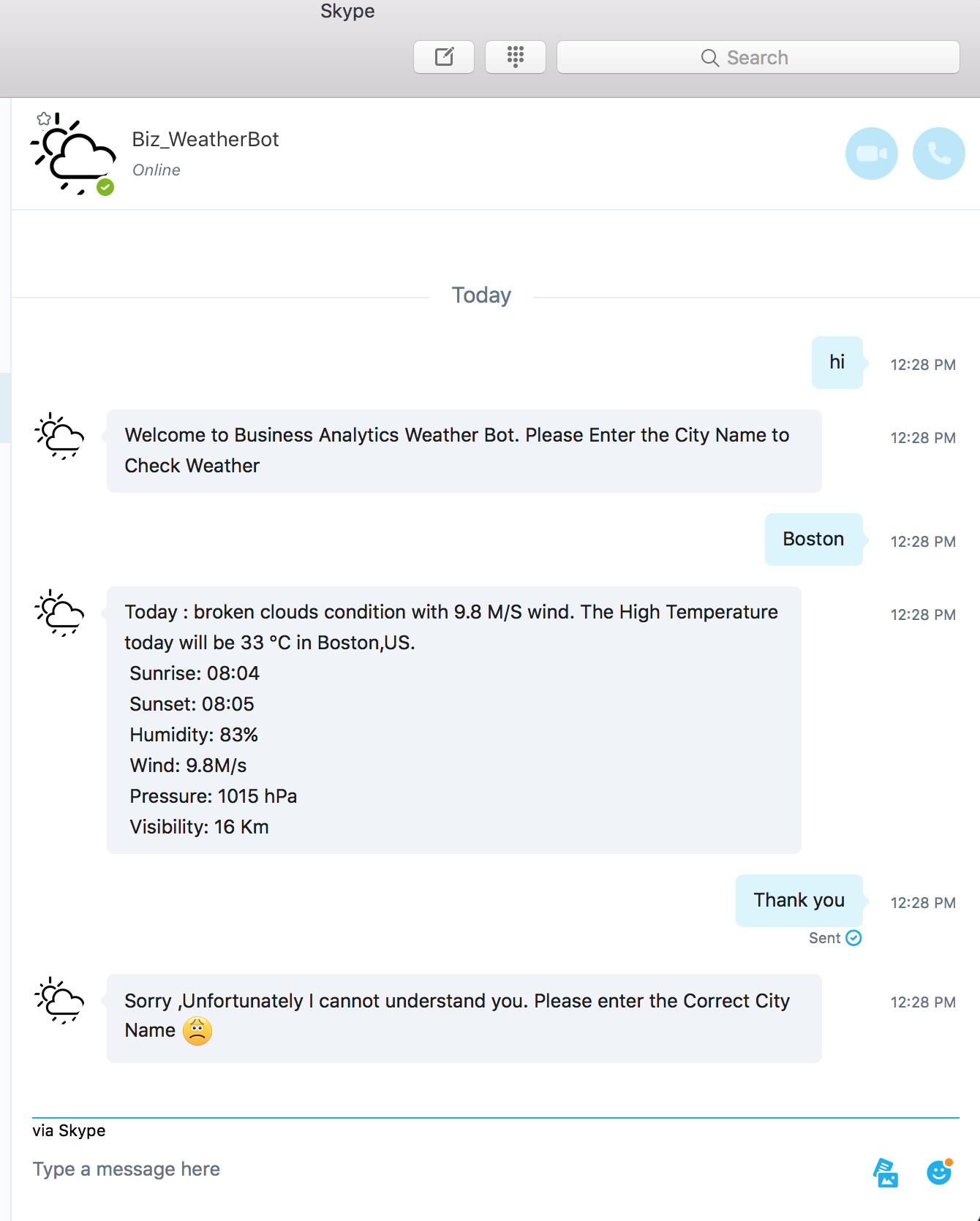
@UsamaAslam I just tested your bot on Skype channel, and it is working normally. See attached screenshot.
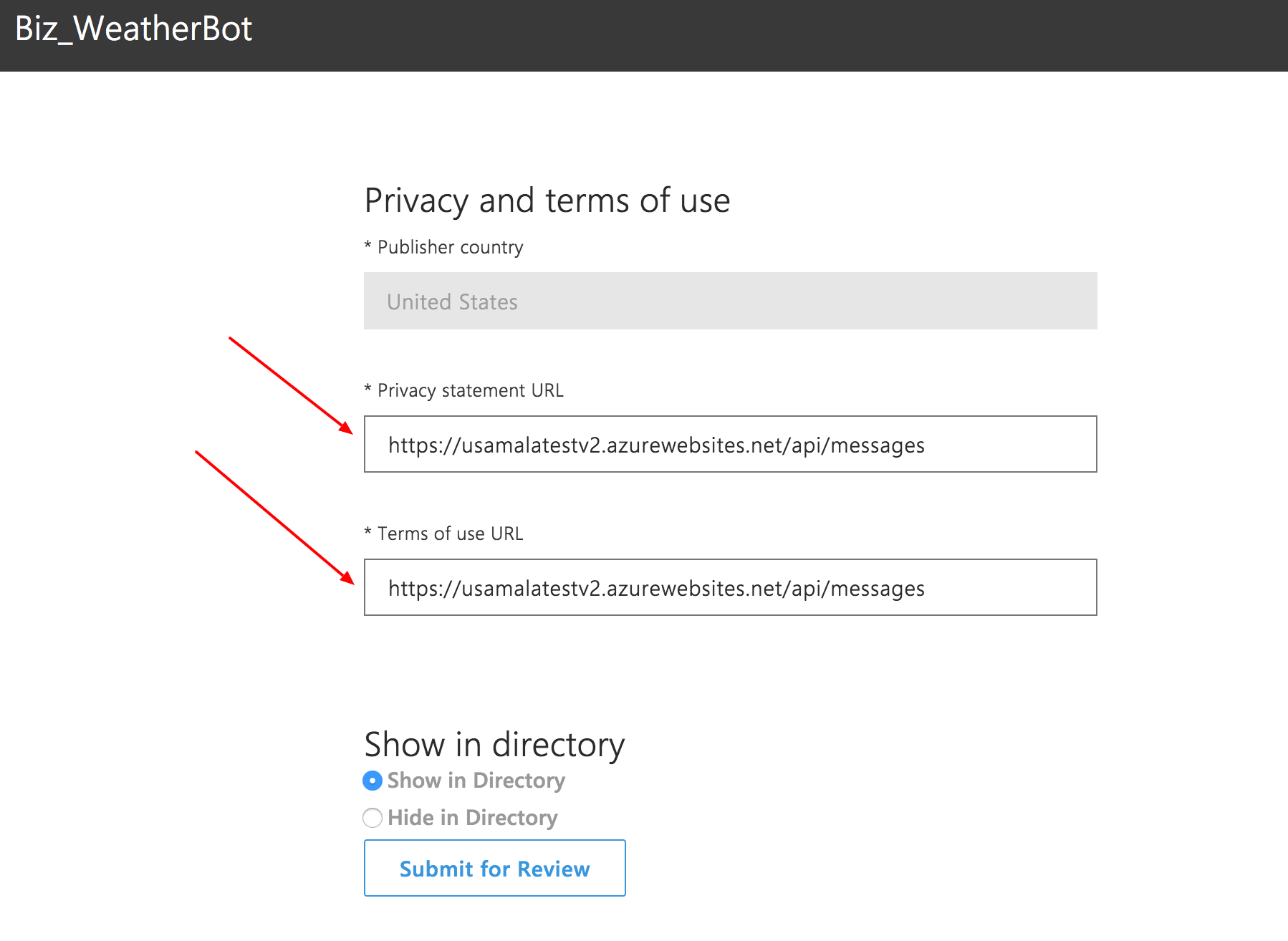
In order to publish your bot on Skype, you need to provide valid URLs for your Privacy statement and Terms of Service. You cannot use your bot's messaging endpoint for this. Probably why you are seeing the publish error.
nwhitmont
on 19 Jun 2017
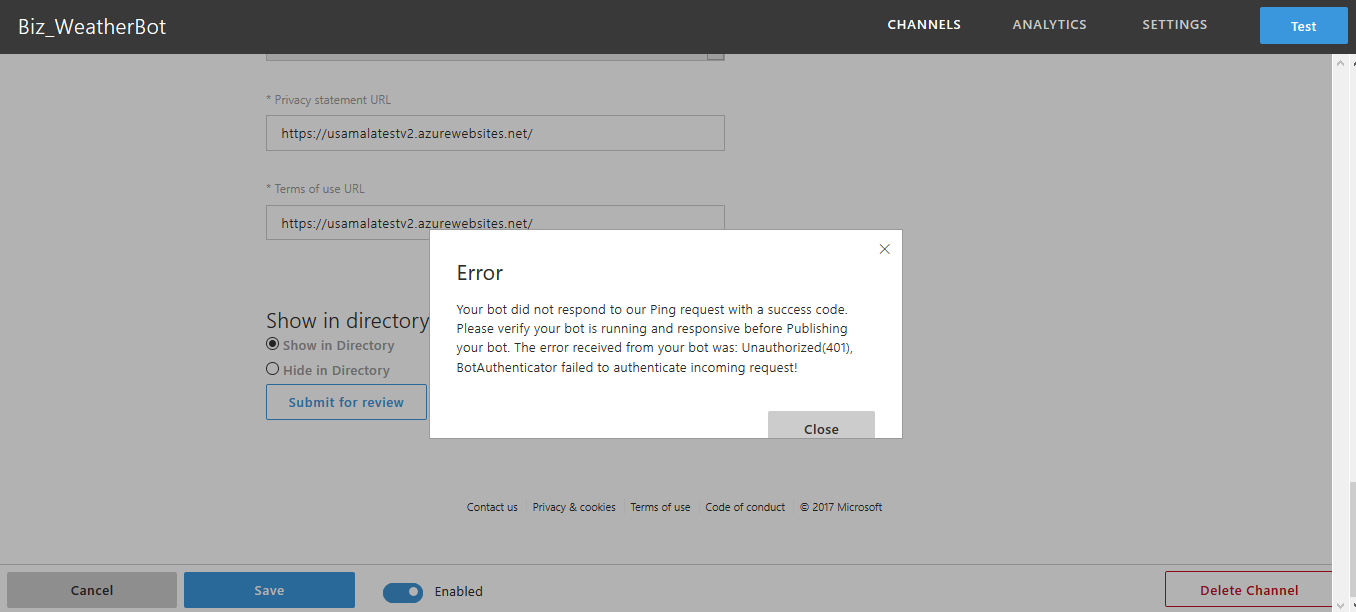
still same problem ...
i change the urls but problem not solves . can you guide me what type of url we have to enter in Privacy statement URL and Terms of use URL ??

UsamaAslam
on 20 Jun 2017
There is an collision between botbuilder and microsoft review ping request.
Basically ChatConnector says that it can't allow unknown channelId: test , it will allow only
these channels bing,directline,email,facebook,groupme,kik,skype,slack,sms,telegram,webchat.
Here the error
ERROR: ChatConnector: receive - endorsements validation failure. channelId in req.body: test didn't match the endorsements: bing,directline,email,facebook,groupme,kik,skype,slack,sms,telegram,webchat.
I think we need to mark this as bug.
I have published my app on messenger and it works normally, only Skype has an issue
 Cartman720
on 20 Jun 2017
Cartman720
on 20 Jun 2017
okay .. then is their any way to solve this bug / issue ??
can you guide me or inform me how can i remove this bug and add skype channel in my bot ?
thanks
UsamaAslam
on 20 Jun 2017
I don't know, like you I have an issue with this too :)
If this is a bug we can't do anything from our side and need to wait for @nwhitmont I think.
Cartman720
on 20 Jun 2017
Also I am using NodeJS SDK for this, so I don't think that both NodeJS and ASP.NET SDK's are buggy.
I think we need PR for both repos (which is not optimal IMHO) or fixing from MS backend :)
Cartman720
on 20 Jun 2017
There's a problem with the publishing workflow. We are actively working to fix the issue.
nwhitmont
on 20 Jun 2017
Thanks @nwhitmont !
Cartman720
on 20 Jun 2017
We should have this hotfixed soon, probably in the next 1-2 hour.
nwhitmont
on 20 Jun 2017
Great!
Cartman720
on 20 Jun 2017
@UsamaAslam @Cartman720 Should be fixed now. Can you verify if its working for you?
nwhitmont
on 21 Jun 2017
Fix is deployed
nwhitmont
on 21 Jun 2017
thanks
UsamaAslam
on 21 Jun 2017
I still have an issue with this....
Your bot did not respond to our Ping request with a success code. Please verify your bot is running and responsive before Publishing your bot. The error received from your bot was: InternalServerError(500), Internal Server Error is the error am getting. what could be wrong?
 Daddymarto01
on 19 Jun 2018
Daddymarto01
on 19 Jun 2018
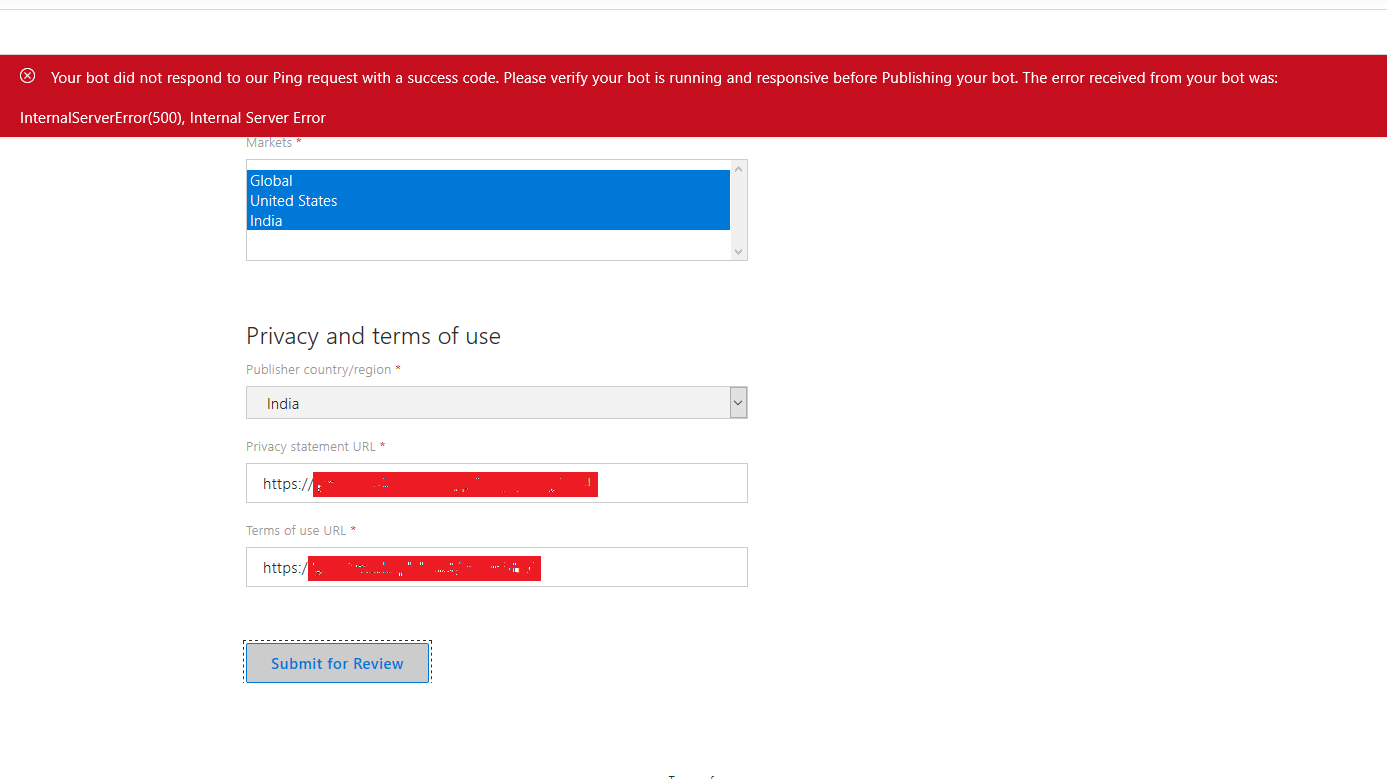
I have the same issue ...
Your bot did not respond to our Ping request with a success code. Please verify your bot is running and responsive before Publishing your bot. The error received from your bot was: InternalServerError(500), Internal Server Error is the error am getting. what could be wrong?
 praveemich
on 20 May 2019
praveemich
on 20 May 2019
Related issues
 hailiang-wang
·
3Comments
hailiang-wang
·
3Comments
 Arimov
·
3Comments
Arimov
·
3Comments
 akakoychenko
·
3Comments
akakoychenko
·
3Comments
 bluekite2000
·
4Comments
bluekite2000
·
4Comments
 Vigneshramkumar
·
3Comments
Vigneshramkumar
·
3Comments