Botframework-sdk: New bot creation is not working
In https://dev.botframework.com bot creation was working fine. But today when I create a new bot, it stopped working. The chat window to test the bot is disappeared. But the bots created before working fine. When i try to test the new bot with "Add to skype" test link. Its failing with this error "Oops, there was a problem with your link The bot was not found. " Any reason why its failing?
 dotnetdude
All 11 comments
I am seeing the same issue . I've created another issue but I'll close it as a duplicate.
In addition - when I click edit on either MS Teams/Skype channels I also see.

Older bots seem OK when I configure the same channels so it looks like there is a problem with new Bot registration.
 jamesemann
on 2 Dec 2016
jamesemann
on 2 Dec 2016
Further to my previous comment, it seems it's only Skype/Teams having this issue. Other channels I've tested with a new Bot and they work fine.
jamesemann
on 2 Dec 2016
Thanks for the report - we have identified an intermittent issue and a fix is being deployed today. Please retry later today.
 danmarshall
on 2 Dec 2016
danmarshall
on 2 Dec 2016
its working fine now. thanks for the quick fix.
dotnetdude
on 5 Dec 2016
I am still having the same issue.
Before migration to 'Azure Bot Service' I was able to add an "unpublished" bot to skype clicking on the link.
After migration to 'Azure Bot Service', I have registered a brand new bot for testing purposes. But I am not able to add it to Skype. If I try with webchat, everything works correctly.
 dicastro
on 30 Jan 2018
dicastro
on 30 Jan 2018
The problem has disapeared after filling in 'Long Description' in 'Publish' tab in 'Skype' channel details and saving the form.
dicastro
on 30 Jan 2018
i also solved this issue by filling in 'Long Description' in 'Publish' tab in 'Skype' channel details and saving the form.
 desflan
on 7 Mar 2018
desflan
on 7 Mar 2018
For me the problem cannot be resolved by adding long description. Any other ideas?
 mitkodi
on 2 May 2018
mitkodi
on 2 May 2018
@desflan @dicastro hey guys, did you submit the form too or just save?
 ManoloPatrimonio
on 4 May 2018
ManoloPatrimonio
on 4 May 2018
As of yesterday, I am also encountering this error (see screenshot)
Creating a new Bot Registration Channel does not help. Even more strangely: Links that I used previously to add bots to Skype give the same error now.
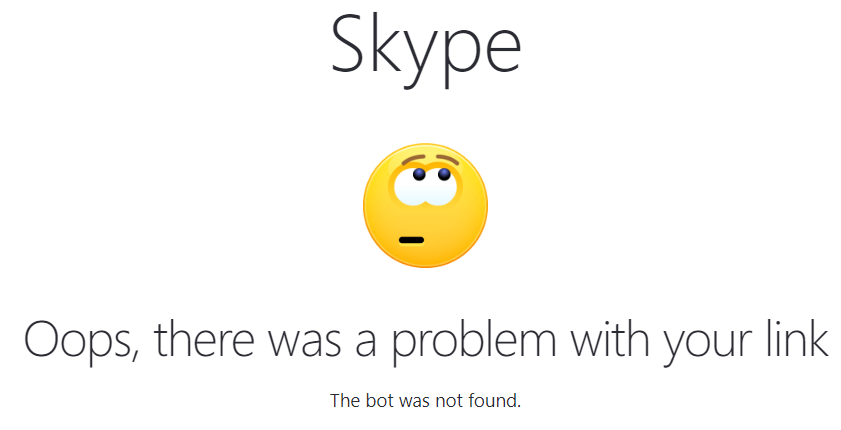
 Rufus1123
on 5 Jun 2018
Rufus1123
on 5 Jun 2018
Hey @Rufus1123
This issue is tracking the Skype join link problem: https://github.com/Microsoft/BotBuilder/issues/4700
 EricDahlvang
on 5 Jun 2018
EricDahlvang
on 5 Jun 2018
Related issues
 Arimov
·
3Comments
Arimov
·
3Comments
 RaoVenka
·
3Comments
RaoVenka
·
3Comments
 daveta
·
3Comments
daveta
·
3Comments
 somprabhsharma
·
3Comments
somprabhsharma
·
3Comments
 hailiang-wang
·
3Comments
hailiang-wang
·
3Comments
Most helpful comment
The problem has disapeared after filling in 'Long Description' in 'Publish' tab in 'Skype' channel details and saving the form.