Botframework-emulator: Bot Framework Emulator failed to run when an existing NODE_OPTIONS environment variable
Version
BotFramework-Emulator-4.11.0-windows and also some early versions.
Describe the bug
Cannot run the emulator after installation. No error message is displayed.
To Reproduce
Steps to reproduce the behavior:
- Just double click the icon to start
- Nothing happens
Workaround
Delete the 'NODE_OPTIONS' environment variable and the emulator starts working.
Screenshots
No error message is shown when running the exe directly. But you can find the error below when running from a console.

 xiaoyunwei
All 11 comments
@tonyanziano can you take a look at this?
 cwhitten
on 23 Feb 2021
cwhitten
on 23 Feb 2021
Sure, will do
 tonyanziano
on 23 Feb 2021
tonyanziano
on 23 Feb 2021
@tonyanziano could you please take a look at this item? Thanks.
 congysu
on 25 Feb 2021
congysu
on 25 Feb 2021
I can't seem to reproduce this. I have tried setting the NODE_OPTIONS variable and starting Emulator but it starts without any issues.
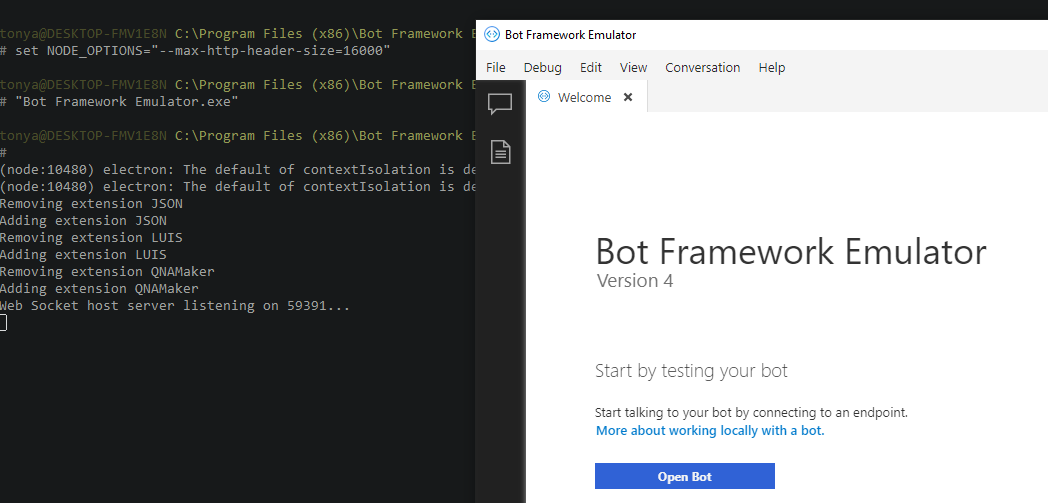
If I set the --max-http-header-size option to have an empty value, electron will tell me that it needs an argument, so I know it is parsing the option out of the environment variable.
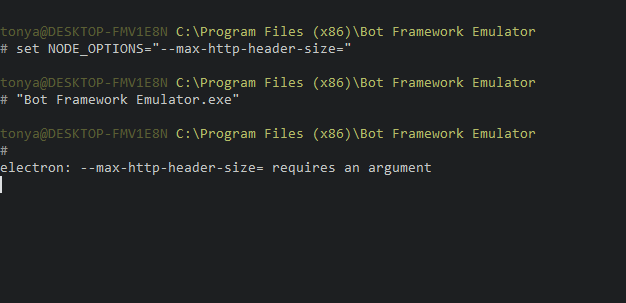
@xiaoyunwei what version of NodeJS are you running?
tonyanziano
on 1 Mar 2021
The version on my laptop is "v10.16.3". The one on my desktop is "14.16.0 LTS". Both had the same issue and it is OK now after removing the environment variable.
xiaoyunwei
on 2 Mar 2021
Thanks for the info.
I tried using version 4.11.0 of the Emulator (Electron 4.x) and was not able to reproduce this. I also tried it on the newer version of Emulator (Electron 11.x) and was unsuccessful as well.
@xiaoyunwei is there any chance you could show me what your NODE_OPTIONS environment variable looks like when you experience this issue?
You can run the following command:
echo %NODE_OPTIONS%
tonyanziano
on 3 Mar 2021

This is on a Windows 10 VM in Azure. I didn't install node.js separately on this VM.
xiaoyunwei
on 3 Mar 2021
I can't seem to reproduce this. I have tried setting the
NODE_OPTIONSvariable and starting Emulator but it starts without any issues.
If I set the
--max-http-header-sizeoption to have an empty value, electron will tell me that it needs an argument, so I know it is parsing the option out of the environment variable.
@xiaoyunwei what version of NodeJS are you running?
Can you just try deleting this variable? If it's not set, it uses the default value for max-http-header-size.
xiaoyunwei
on 3 Mar 2021
Interesting, I thought the missing double quotes would be the issue, but I was still unable to reproduce this:
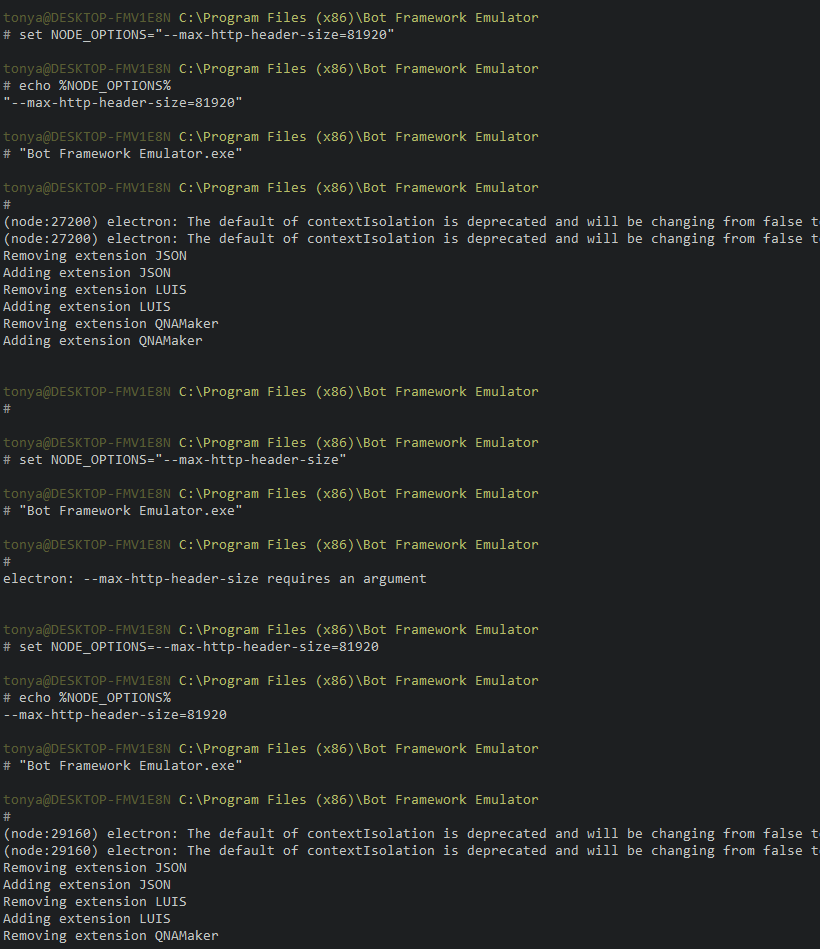
I don't think we can just delete the variable inside of the code because it looks like electron is throwing the error before the app code is even loaded.
tonyanziano
on 4 Mar 2021
For now the workaround is to delete the NODE_OPTIONS environment variable if you encounter this issue.
I will try and repro this on a WIndows 10 VM in Azure
tonyanziano
on 16 Mar 2021
I tried reproducing this on a freshly created Windows 10 VM in Azure (Windows 10 Pro version 2004) and was unsuccessful:
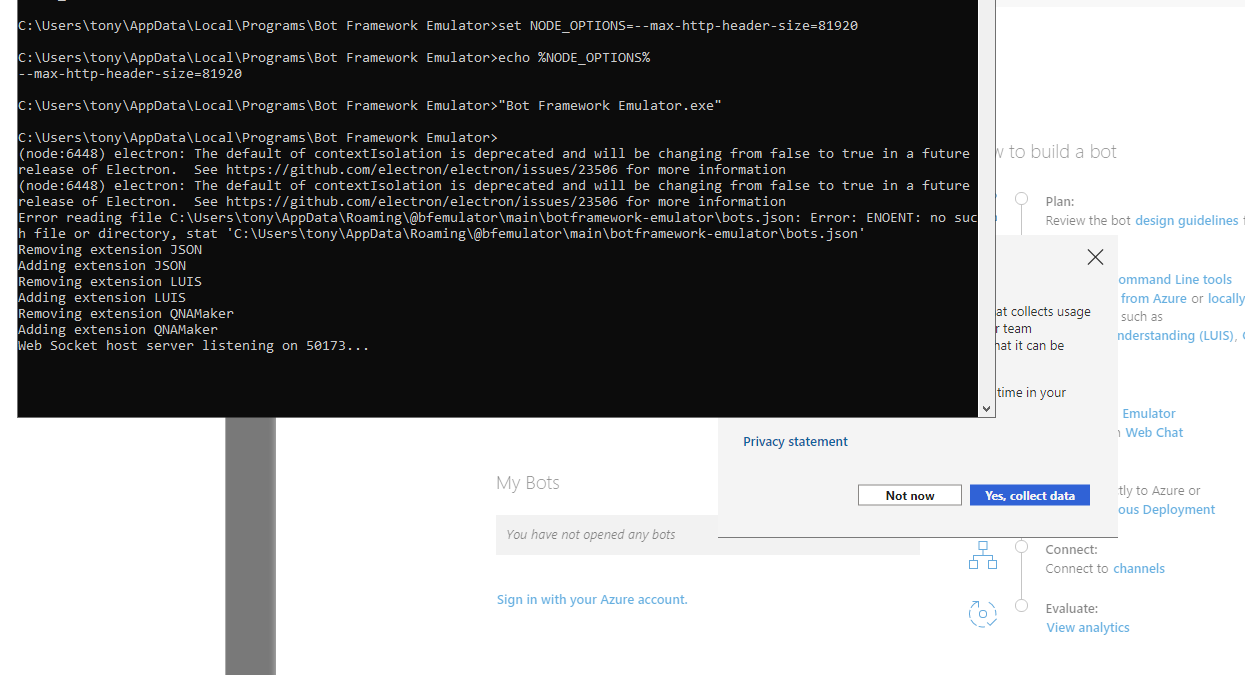
I'm going to close this issue for now as I am unable to reproduce this, and there appears to be a reliable workaround in which you delete the NODE_OPTIONS environment variable.
tonyanziano
on 16 Mar 2021
Related issues
 giorgobiani
·
3Comments
giorgobiani
·
3Comments
 giorigor
·
4Comments
giorigor
·
4Comments
 Kumar2608
·
4Comments
Kumar2608
·
4Comments
 madenwala
·
6Comments
madenwala
·
6Comments
 ravriel
·
3Comments
ravriel
·
3Comments