Botframework-emulator: Google Sign In Wont Work With Bot Browser
Github issues should be used for bugs and feature requests. Use Stack Overflow for general "how-to" questions.
Version
What version of the Emulator are you using.
4.8.1
Describe the bug
Give a clear and concise description of what the bug is.
I am working with Google O Auth. its all setup fine on the azure bot web settings. that works fine.
Now, I try to sign in, it loads the bot browser. but, Google gives an error (after taking the login email address) asking me to use some other browser.
To Reproduce
Steps to reproduce the behavior:
- run any bot authentication sample and try to use login with Google configured as a connection in bot settings.
Expected behavior
ideally it should just allow me to complete the auth flow.
Screenshots
If applicable, add screenshots to help explain your problem.
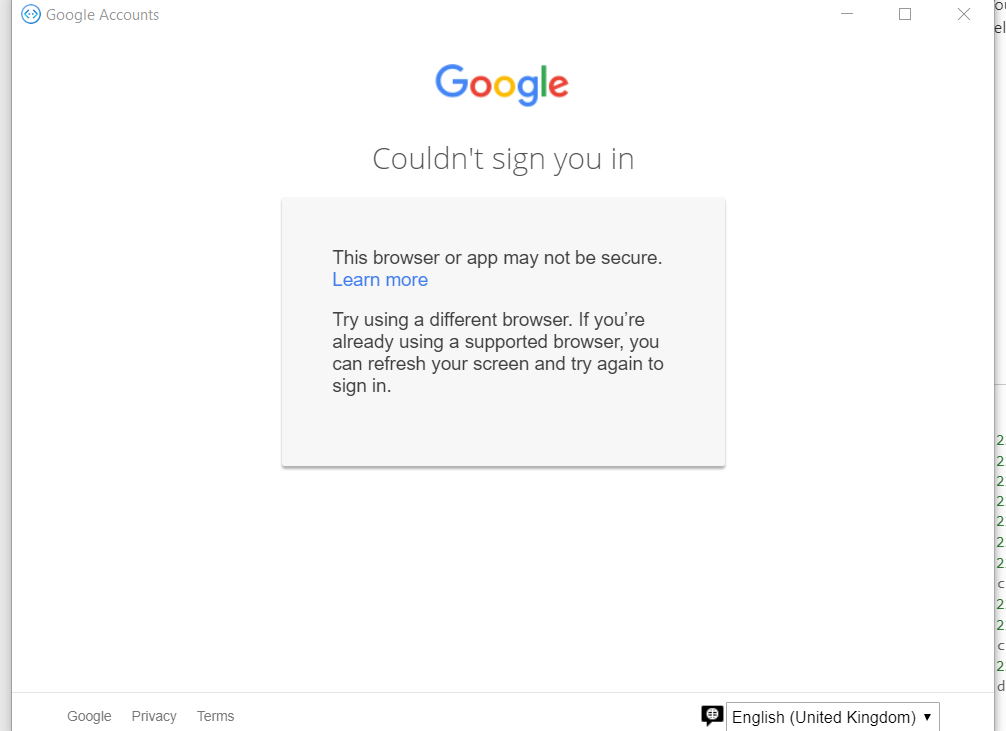
Additional context
Add any other context about the problem here.
[bug]
 Jay-study-nildana
All 4 comments
Quick Update
I configured GitHub and that seems to work just fine. So, we are good with that. Its something to do with Google and the way it treats browsers.
Jay-study-nildana
on 28 Apr 2020
Hi @Jay-study-nildana ,
Thanks for reporting and testing out the GitHub auth provider as well.
I did a little bit of research just now and it sounds like it might have something to do with one or both of the following:
- the User Agent string that Electron attaches to all outgoing requests
- the version of Chrome we are running (69)

A lot of the issues I saw reporting this same auth error dialog seem to have been opened up in the last 3 months or so, so maybe it is a recently added restriction to Google auth.
 tonyanziano
on 28 Apr 2020
tonyanziano
on 28 Apr 2020
I agree with your assessment that this is some google thing. If this will take a while to fix, it is cool, because, I have discussed with my customers and they are okay with no google support as of now.
Further, yes, the auth system works fine with other providers (as proved with my GitHub working system). So, worst case scenario, our client is okay with simply building our own generic oauth provider, to which we can plug google in.
So, ultimately, if you want to close this bug away, I am okay with it or perhaps merge with this with other (past and future) similar bug reports.
Jay-study-nildana
on 29 Apr 2020
We'll keep it open for tracking.
tonyanziano
on 29 Apr 2020
Related issues
 martinoss
·
4Comments
martinoss
·
4Comments
 Spydernaz
·
5Comments
Spydernaz
·
5Comments
 giorigor
·
4Comments
giorigor
·
4Comments
 textminer
·
5Comments
textminer
·
5Comments
 Revolyze
·
4Comments
Revolyze
·
4Comments