Botframework-emulator: locale setting is not being passed to the bot
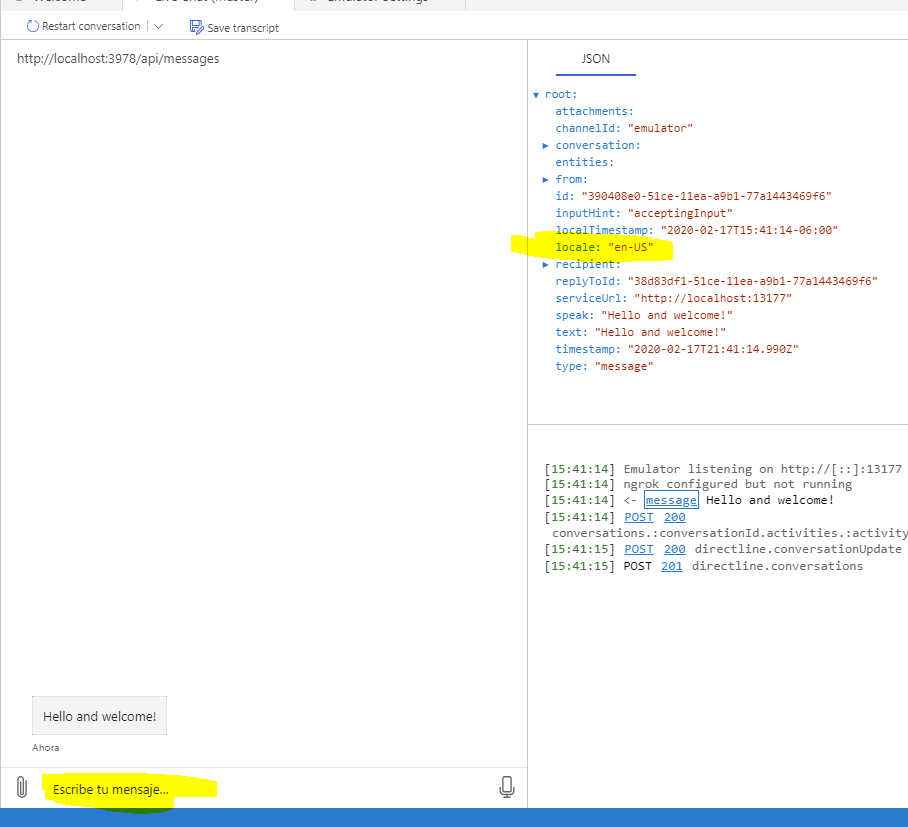
I changed locale setting to "es-ES" in the Emulator settings and the UI changed, but the locale in the message activity is still "en-US":
 turbozapekanka
All 12 comments
This might be related to #415
 tonyanziano
on 18 Feb 2020
tonyanziano
on 18 Feb 2020
Yes this is related and I first discovered this when I noticed welcome message was not translated. I was testing my bot (based on Virtual Assistant) with WebChat and noticed that welcome message is sent in English regardless of the language I specify in WebChat.renderWebChat(). After the first message it switches to Spanish correctly.
Would like to have this fixed or if this is by design, then please suggest a workaround.
turbozapekanka
on 18 Feb 2020
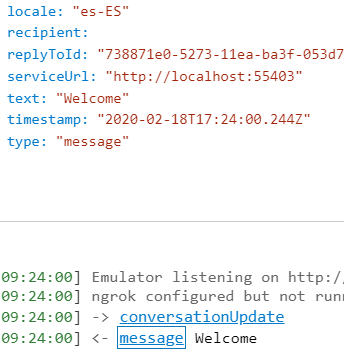
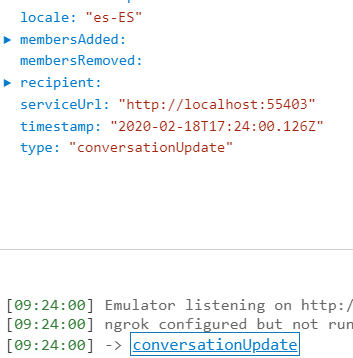
@turbozapekanka What version of Emulator are you using? I'm not able to replicate this in a non-VA bot.
 mdrichardson
on 18 Feb 2020
mdrichardson
on 18 Feb 2020
4.7.0
turbozapekanka
on 18 Feb 2020
@turbozapekanka If you fully close out of Emulator and re-open it, does the problem persist? If so, I'm starting to think it may be specific to that VA bot. I'll spin one up and test it.
mdrichardson
on 18 Feb 2020
It works after I restarted the Emulator!
turbozapekanka
on 18 Feb 2020
Glad to hear that worked @turbozapekanka .
We should still investigate and fix this if it requires a restart for the locale change to take effect; that is not by design.
tonyanziano
on 18 Feb 2020
@tonyanziano For me, I didn't need to restart for it to take effect. I only recommended it because I've had other odd/sporadic, and unrelated, issues with Emulator that were fixed with a restart.
mdrichardson
on 18 Feb 2020
@mdrichardson Ah gotcha. Ok well I'll take a look anyways to see if there's anything fishy going on.
tonyanziano
on 18 Feb 2020
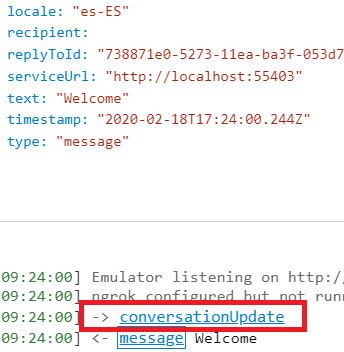
@mdrichardson I also noticed your screenshot looks a bit different, I don't have this conversationUpdate for example:
turbozapekanka
on 19 Feb 2020
@turbozapekanka I saw that, too. I think sometimes that can happen depending on the timing between starting the conversation and the bot being ready?
mdrichardson
on 19 Feb 2020
I took a look and could not repro the issue or find anything suspicious in the code that assigns the locale to outgoing activities.
For now I I think it's safe to close this issue, with the workaround being restarting the Emulator as @mdrichardson mentioned.
If there are more reports of settings not saving properly then we can take a deeper dive into the logic behind persisting the app settings.
tonyanziano
on 20 Feb 2020
Related issues
 Kumar2608
·
4Comments
Kumar2608
·
4Comments
 martinoss
·
4Comments
martinoss
·
4Comments
 madenwala
·
6Comments
madenwala
·
6Comments
 textminer
·
5Comments
textminer
·
5Comments
 saiteja21
·
4Comments
saiteja21
·
4Comments