Botframework-emulator: [QnAMaker] Failed to queue training.
It seems that training and publishing of qnamaker service integration with botframework emulator is not working properly.
I have detected these errors and issues:
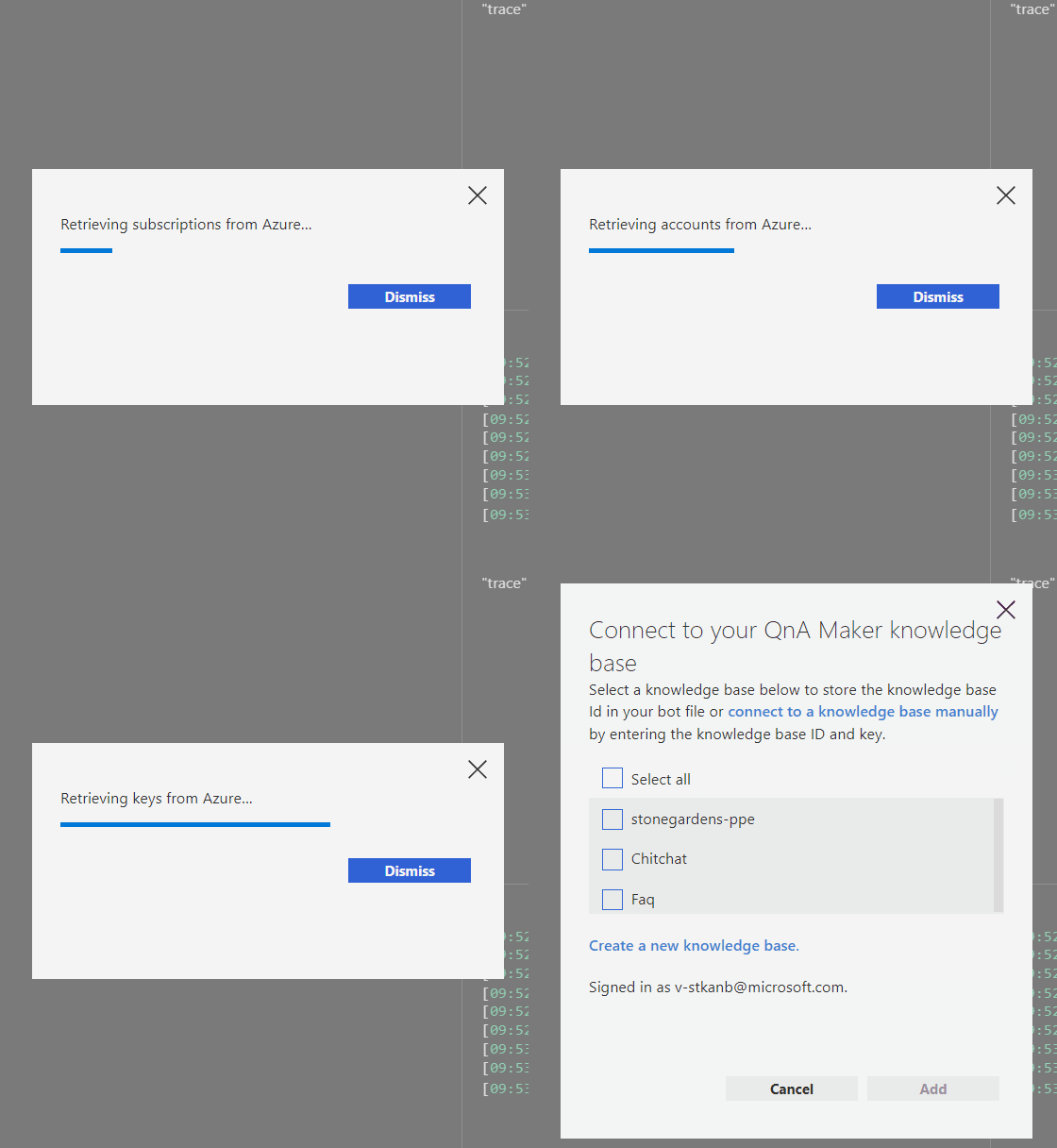
· In BOTEXPLORER when I try to "Connect my bot to a QnA Maker knowledge base" with the + button, a pop-up window is displayed indicating that it is necessary to log in azure.
After correctly identifying myself in azure, the second pop-up window that is trying to get my QnAMaker knowledge bases crashes saying to me:
"You have not signed up for a QnAMaker account under "myuser@mydomain". Get Started with QnA Maker
Alternatively, you can connect to a knowledge base manually if you know the ID and subscription key.
Clicking on second link (connect manually) opens an internet explorer documentation page with an overview of QnAMaker and no instructions for manually connection.
After this sequence, the + button stops working. It's necessary to restart the emulator.
· With my workarround, I added manually to my bot File, my QnAMaker service like this:
{
    "type": "qna",
    "name": "MyQnAMakerName",
    "kbId": "GUID_1",
    "subscriptionKey": "GUID_2",
    "endpointKey": "GUID_3",
    "hostname": "https://myqnamakername.azurewebsites.net/qnamaker"
}
GUID_1 = "QnAKnowledgebaseId value" of appsettings.json file of Bot Solution.
GUID_3 = "QnAEndpointKey value" of appsettings.json file of Bot Solution.
hostname = "QnAEndpointHostName value of appsettings.json file of Bot Solution.
and GUID_2 = "my subscriptionKey retrieved from one of my services in Azure"
However, in that way, during a conversation, by clicking the link "trace" is shown on the right the training windows of qnaMaker but with these errors:
[Visual issues]
· The training window has a split control in the middle (separating questions from the answers) that does not work properly.
· The training window does not expand to the "live chat window" container and is too narrow to work well with it.
· When the cursor is over the alternate responses, the box changes from black to blue, but clicking all remain black. That doesn't let you know if the answer has really been changed or not. The same when we add new answer.
[Functional issues]
· Click on "Train" link/button gets the error: [QnAMaker] Failed to queue training.
· Publish is always disabled (I think this is because training is not working).
Thanks for your time.
 eduardmartos
All 8 comments
Can you tell me which version of Emulator you are using? And, are you certain you have QnA services set up on your account and are logging in using the same account? The "Add QnA Maker" function looks for the QnA service you created in Azure and returns the list of knowledge bases, once found.
 stevkan
on 3 Sep 2019
stevkan
on 3 Sep 2019
Yes, I am using latest Emulator version, but I suspect that this specific bug is related to the use of multiple tenants subscription.
I have an original Azure Visual Studio Subscription (My enterprise MSDN subscription) that is associated by default to my entire enterprise Active Directory, where I have no permissions to register azure applications. When I discovered the posibility to create my personal AD (with no permits issues), to have a new tenant under my Subscription I created a new one. As a result, I have one active Azure subscription with two tenants. I use only the second tenant to create all my azure resources (Bots, Service Plans, Web Services, ...).
All is working fine at https://qnamaker.ai and in visual studio code and in emulator, except issues that I mentioned.
Thanks for your time.
El 3 sept 2019, a las 19:29, Steven Kanberg notifications@github.com escribió:
Can you tell me which version of Emulator you are using? And, are you certain you have QnA services set up on your account and are logging in using the same account? The "Add QnA Maker" function looks for the QnA service you created in Azure and returns the list of knowledge bases, once found.
—
You are receiving this because you authored the thread.
Reply to this email directly, view it on GitHub, or mute the thread.
eduardmartos
on 3 Sep 2019
Hi @eduardmartos ,
The Emulator does not support multi-tenant Azure accounts at the moment. Currently, it will default to one of the tenants and show you the resources associated with that tenant, however, there is no way to select a tenant.
 tonyanziano
on 3 Sep 2019
tonyanziano
on 3 Sep 2019
Ok, that’s clear Tony...
Can I suggest this feature for the next version?
You think all the other issues/bugs are related to this fact?
Meanwhile, azure portal is selecting by default the last combination of subscription/tenant used by the subscriptor, is there any “easy” way to implement something similar in the emulator prior to menu for selecting the appropriate tenant?
And other question related...
Exists any json parameter at .bot file that could be interpreted as “tenantName”, in the same way as it does “SubscriptionKey”, “Kbid”,...?
Thank you...
El 3 sept 2019, a las 20:05, Tony Anziano notifications@github.com escribió:
Hi @eduardmartos ,
The Emulator does not support multi-tenant Azure accounts at the moment. Currently, it will default to one of the tenants and show you the resources associated with that tenant, however, there is no way to select a tenant.
—
You are receiving this because you were mentioned.
Reply to this email directly, view it on GitHub, or mute the thread.
eduardmartos
on 3 Sep 2019
Hello @eduardmartos and thank you for your issue.
We'll gladly accept your feature suggestion and prioritize it in an upcoming sprint. At this point it is unlikely that this feature will be released in a stable version of the Emulator by the end of the calendar year 2019.
I've gone ahead and created a work item where we'll describe the feature and continue discussion there. Thank you!
 cwhitten
on 4 Sep 2019
cwhitten
on 4 Sep 2019
@eduardmartos,
As a public service, in case you are unaware, please note the following announcement from last May in the BotFramework docs:
Prior to the Bot Framework SDK 4.3 release, we offered the .bot file as a mechanism to manage resources. However, going forward we recommend that you use appsettings.json or .env file for managing these resources. Bots that use .bot file will continue to work for now even though the .bot file has been deprecated. If you've been using a .bot file to manage resources, follow the steps that apply to migrate the settings.
The abovesteps can be viewed here, for reference.
stevkan
on 4 Sep 2019
Steve, thanks for your comments about the deprecated use of .bot file. I know that. I know that latests templates of Bot implementations based on .Net Core and Bot Framework v4 don’t use .bot file and use appsettings.json.
But I was talking about the .bot file created and used by the Emulator where associated Services as QnAMaker, LUIS services are still defined and is the way I found to add them manually to the Emulator.
Thanks Chris for adding this feature to the next version. I think having the possibility of training in the same emulator is a great advantage respect doing that at portals. Portal training are great as a first step and because you need to train QnA and LUIS models as service of course. But the final Bot implementation is using this services and your own logic in code, and the only way to test all in conjunction is by using the Emulator.
Thanks a lot for your great work and contributions to this amazing Bot Emulator!
eduardmartos
on 4 Sep 2019
Simple housing keeping update: we'll close this issue and track it here: https://github.com/microsoft/BotFramework-Emulator/issues/1814 Thanks!
cwhitten
on 26 Feb 2021
Related issues
 giorigor
·
4Comments
giorigor
·
4Comments
 Revolyze
·
4Comments
Revolyze
·
4Comments
 Kumar2608
·
4Comments
Kumar2608
·
4Comments
 giorgobiani
·
3Comments
giorgobiani
·
3Comments
 hpksp
·
5Comments
hpksp
·
5Comments