Botframework-emulator: Support custom events to test custom Webchat clients.
Provide a mechanism to post custom events to a bot.
A form should be included to insert the following event details:
- Name; The name of the event to be handled by bot
- Value; The event data to be consumed by bot.
The event sent to the bot
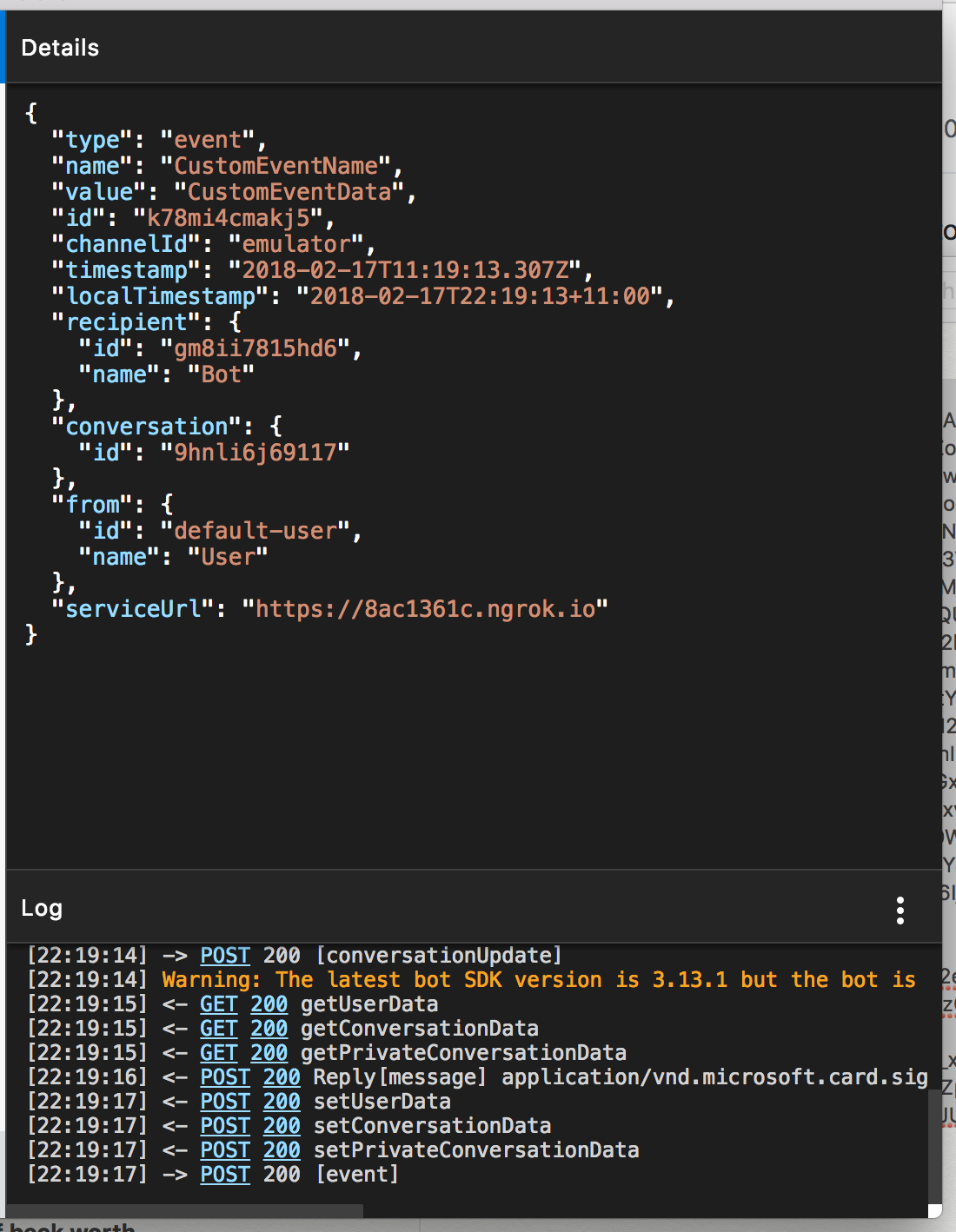
Custom event form to specify name and value

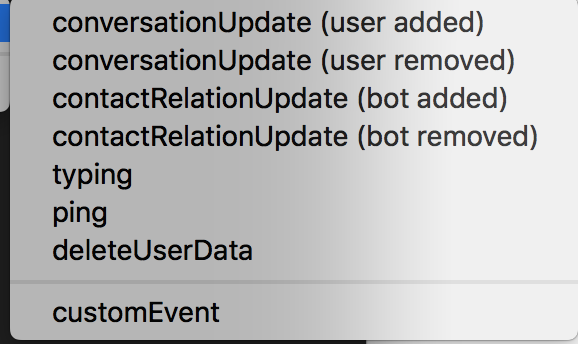
The customEvent button in the address bar menu
 Crazedpeanut
All 15 comments
This is great. I think this is very reasonable request. Help me understand: Are you developing your own chat client that sends custom event activities?
 eanders-MS
on 22 Feb 2018
eanders-MS
on 22 Feb 2018
I have a similar need. I use the webchat control, but when the control loads, the page it is on sends custom user information to the bot via the backchannel in order to customize the user's experience (or to use as tokens for backend APIs).
 negativeeddy
on 28 Feb 2018
negativeeddy
on 28 Feb 2018
@eanders-MS exactly, I am developing a custom chat client.
@negativeeddy, I have basically the same use-case.
I created a PR, hopefully it gets merged in soon :)
Crazedpeanut
on 4 Mar 2018
I also need such feature. I'm sending custom event with initialization data such as URL of external Web API's.
Thanks
 petrformanek
on 5 Mar 2018
petrformanek
on 5 Mar 2018
Hi @eanders-MS, I am developing a custom chat client that sends custom events.
Any suggestions or feedback for my PR?
Crazedpeanut
on 13 Mar 2018
Hi @Crazedpeanut, we aren't taking PRs against this repo right now, unfortunately. We will resume PR acceptance around mid-May. It is possible to test using your custom client and the emulator. Here are the instructions, in case this is an option for you:
- When the emulator starts up, you'll see something like
Emulator listening on http://[::]:2032in the log. That's the emulator's Direct Line endpoint. Make a note of this url, but replace[::]withlocalhost. Also, your port number will probably be different. - Start a conversation with your bot in the emulator. This step is necessary so that the emulator knows which bot to talk to when your custom client starts a new conversation.
- Configure your custom client to talk to the emulator endpoint above.
I hope this helps!
eanders-MS
on 13 Mar 2018
Hi, I downloaded the latest stable version of Emulator for windows but can't see an option to send custom event.
Can I have the link to download of the version that contains send custom event capability?
Thanks,
Muhammad Masood
 m4masood
on 21 Mar 2019
m4masood
on 21 Mar 2019
Any updates on this?
I have the same use case as @negativeeddy and this would significantly reduce testing effort, as I currently have to deploy the bot to test this scenario
 stevospinks
on 2 Apr 2019
stevospinks
on 2 Apr 2019
Currently, this is still in our backlog, but we have had enough requests for this feature that I think it warrants an internal discussion about possibly implementing it.
 tonyanziano
on 18 Jul 2019
tonyanziano
on 18 Jul 2019
@tonyanziano are you still after someone to look at implementing this? I wouldn't mind taking this and adding it into the v4 emulator?
Crazedpeanut
on 24 Jul 2019
I have similar case, +1 for adding this feature to the botframework emulator update.
 brynetwork
on 18 Sep 2019
brynetwork
on 18 Sep 2019
@Crazedpeanut @brynetwork This item has been tentatively scheduled for the 4.6 release later this year. #1700
We are currently undergoing an accessibility audit which is pushing a lot of work items in the schedule back, so it may get pushed out to a later 4.6 patch or 4.7 stable release, but it is on our radar.
tonyanziano
on 18 Sep 2019
Closing this in favor of tracking over at #1700
tonyanziano
on 9 Jan 2020
Hi @Crazedpeanut, we aren't taking PRs against this repo right now, unfortunately. We will resume PR acceptance around mid-May. It is possible to test using your custom client and the emulator. Here are the instructions, in case this is an option for you:
- When the emulator starts up, you'll see something like
Emulator listening on http://[::]:2032in the log. That's the emulator's Direct Line endpoint. Make a note of this url, but replace[::]withlocalhost. Also, your port number will probably be different.- Start a conversation with your bot in the emulator. This step is necessary so that the emulator knows which bot to talk to when your custom client starts a new conversation.
- Configure your custom client to talk to the emulator endpoint above.
I hope this helps!
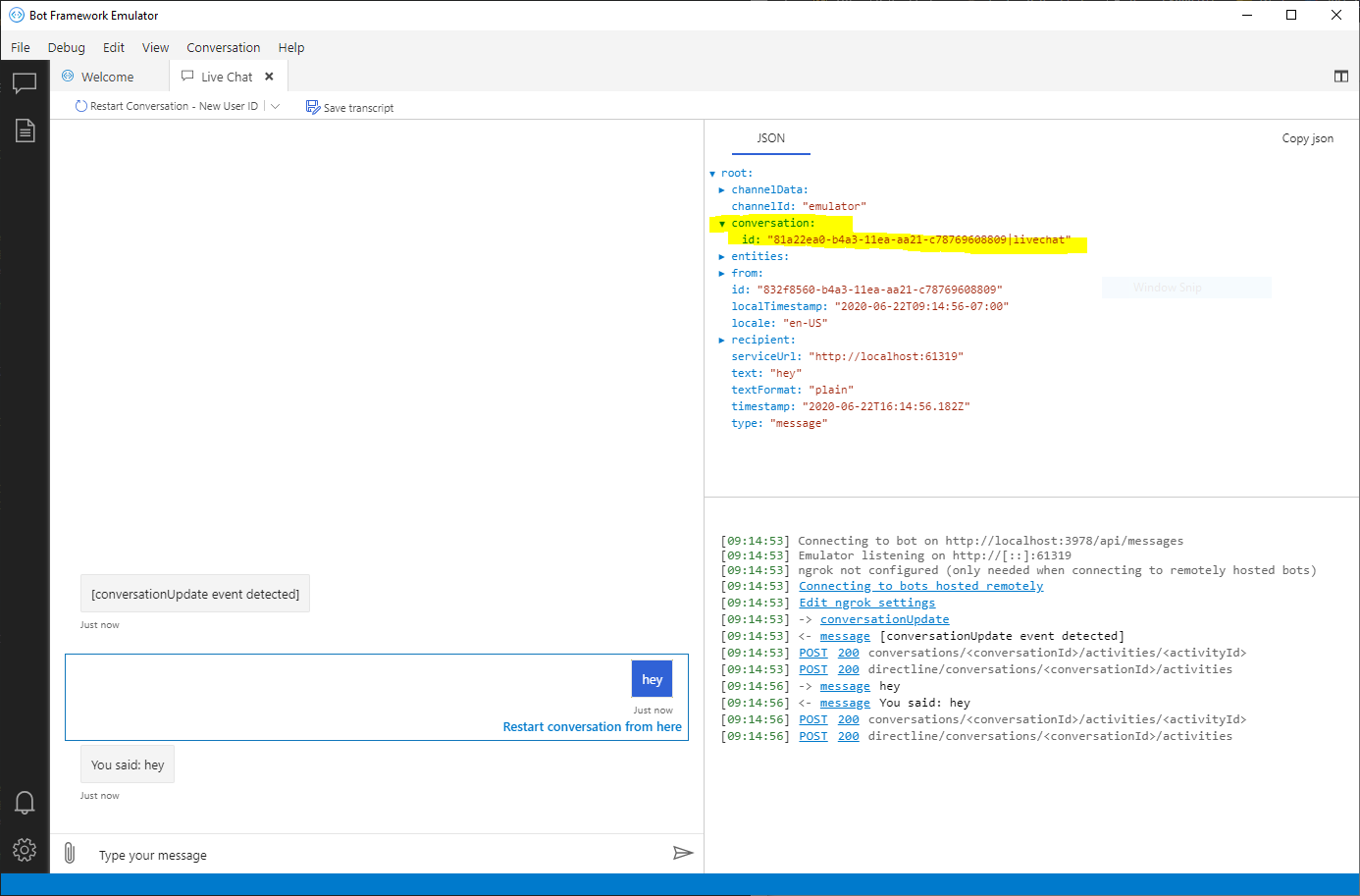
@eanders-MS but how can we get the conversation ID from the emulator?
 hrazmsft
on 22 Jun 2020
hrazmsft
on 22 Jun 2020
@hraz-msft you can get the conversation ID of the current conversation in the Emulator by clicking on any activity in the conversation pane or log panel.
The conversation ID will be under the conversation property in the JSON inspector.
tonyanziano
on 22 Jun 2020
Related issues
 weewey
·
6Comments
weewey
·
6Comments
 cwhitten
·
5Comments
cwhitten
·
5Comments
 pkirch
·
4Comments
pkirch
·
4Comments
 martinoss
·
4Comments
martinoss
·
4Comments
 mark-szabo
·
6Comments
mark-szabo
·
6Comments
Most helpful comment
This is great. I think this is very reasonable request. Help me understand: Are you developing your own chat client that sends custom event activities?