Botframework-emulator: Unable connect because error: "The bot's MSA appId or password is incorrect"
Hi everyone!
I have a bot created using Visual Studio 2015 (.NET C#)
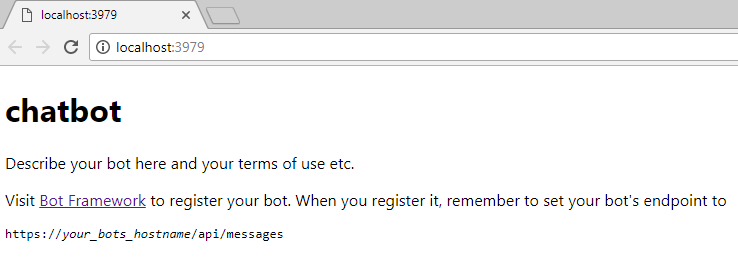
This bot is running local, on 3979 port and localhost (look this image below).
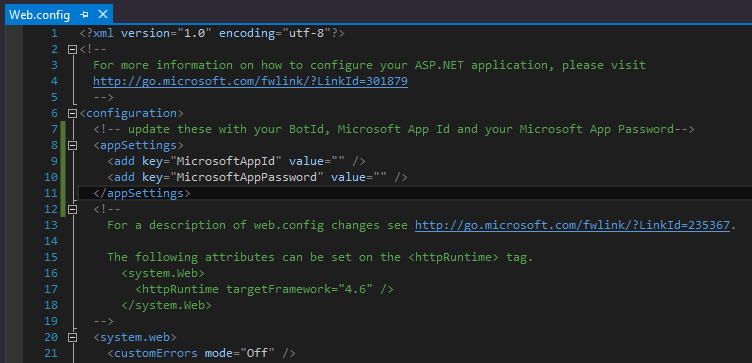
About the Web.config file, the AppId and Password are blank.
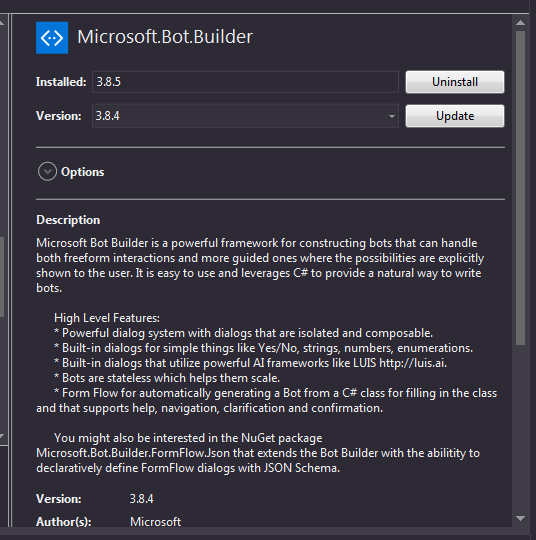
I'm using the lastest stable version of Bot Builder framework (v3.8.5)
Here show the connection test with problem and is the same port and host (local) running.

I was looking to get informations to solve my problem, I'm sorry if there is have another issue open with this problem.
I don't know if is necessary anothers information about the project.
Can you help me to solve this problem?
Thanks a lot.
 falvessc
All 7 comments
Hi @falvessc
Your configuration looks correct. There was a temporary issue yesterday that may have caused the problem you experienced. Please try again today, and let us know if you still have issues.
 EricDahlvang
on 26 Jul 2017
EricDahlvang
on 26 Jul 2017
Hi @EricDahlvang
Unfortunately I tried to run the emulator right now and found the same issue.
I didn't change anything that I report yesterday.
falvessc
on 26 Jul 2017
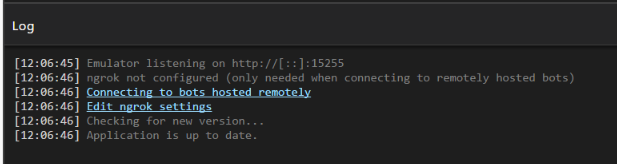
When you first run the emulator, do you see something like the following in the log window?
EricDahlvang
on 27 Jul 2017
The 401/Unauthorized may be unrelated to MSA. The emulator knows that a 401 can mean failure by the authentication service, and reports it that way, but it's possible for other services, like proxies, to return 401. This may be the case for your network configuration. A few simple things to try:
- Change your bot endpoint in the emulator to https .
- Try 127.0.0.1 instead of localhost.
Less simple, but worth doing:
- Capture a Fiddler trace of your network traffic to determine who is returning 401.
 eanders-MS
on 27 Jul 2017
eanders-MS
on 27 Jul 2017
Hi @eanders-MS and @EricDahlvang
Sorry for the delay.
I fixed the issue yesterday and now is works fine about the bot framework emulator on localhost.
Look this image below.
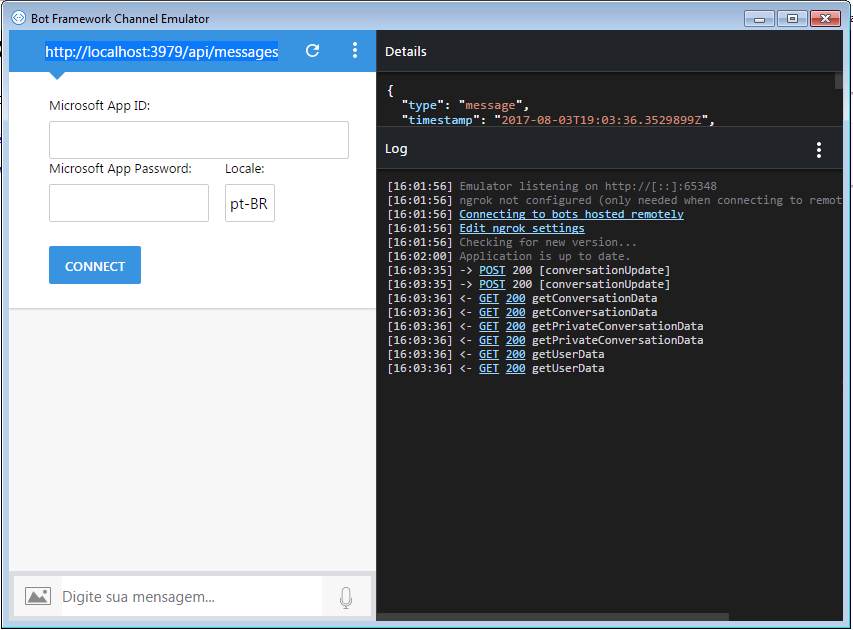
I was with NuGet packages problems on my project.
The solution was only uninstall the System.IdentityModel.Tokens.Jwt package with Microsft.Bot.Builder together and install again, because the reference assemblie was with problems.
Actually, right now, I'm using the 4.0.4.403061554 version of System.IdentityMode.Tokens.Jwt and the lastest stable version of Bot Builder framework (v3.9.0).
Thanks a lot for the suggestions and support.
I'll close the issue.
falvessc
on 3 Aug 2017
Glad to hear you're unblocked, and thank you for letting us now the solution.
eanders-MS
on 3 Aug 2017
Also just had this problem, and updating the Microsft.Bot.Builder nuget package in my bot project has helped.
 artemious7
on 26 Nov 2017
artemious7
on 26 Nov 2017
Related issues
 pkirch
·
4Comments
pkirch
·
4Comments
 martinoss
·
4Comments
martinoss
·
4Comments
 giorigor
·
4Comments
giorigor
·
4Comments
 textminer
·
5Comments
textminer
·
5Comments
 wlopez-enkoding
·
5Comments
wlopez-enkoding
·
5Comments
Most helpful comment
Hi @eanders-MS and @EricDahlvang
Sorry for the delay.
I fixed the issue yesterday and now is works fine about the bot framework emulator on localhost.
Look this image below.
I was with NuGet packages problems on my project.
The solution was only uninstall the System.IdentityModel.Tokens.Jwt package with Microsft.Bot.Builder together and install again, because the reference assemblie was with problems.
Actually, right now, I'm using the 4.0.4.403061554 version of System.IdentityMode.Tokens.Jwt and the lastest stable version of Bot Builder framework (v3.9.0).
Thanks a lot for the suggestions and support.
I'll close the issue.