Botbuilder-js: DialogContextError: DialogStateManager.getValue: a scope of 'json' wasn't found
Describe the bug
After installing the custom js runtime I am seeing this errors after making a HTTP request. The initial error is:
value:"DialogContextError: DialogStateManager.getValue: a scope of 'json' wasn't found."
if I change the response type to blank then I see:
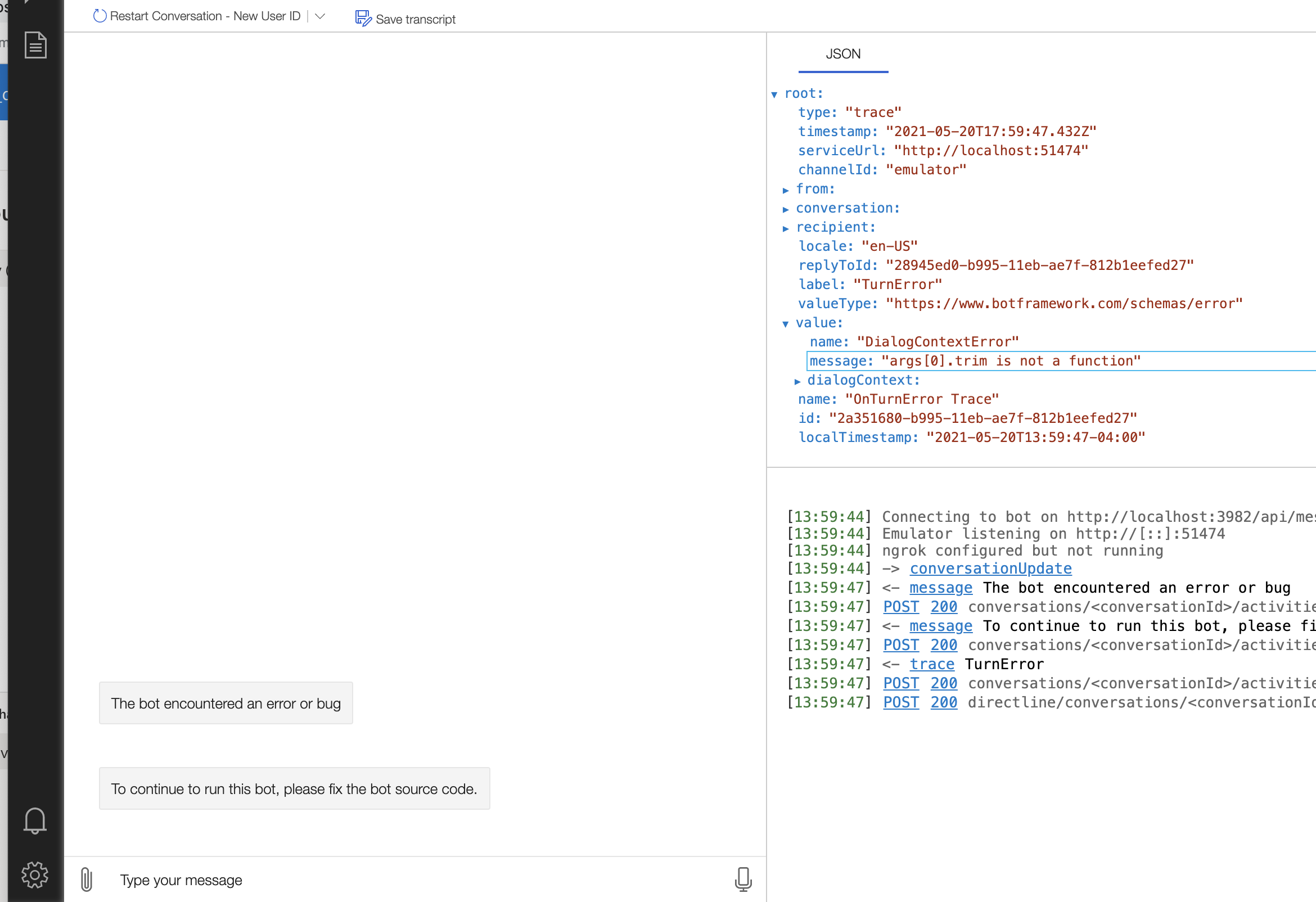
DialogContextError: args[0].trim is not a function
Version
Bot Framework Composer
Version: 1.4.1
Electron: 8.2.4
Chrome: 80.0.3987.165
NodeJS: 12.13.0
V8: 8.0.426.27-electron.0
Browser
- [x] Electron distribution
- [ ] Chrome
- [ ] Safari
- [ ] Firefox
- [ ] Edge
OS
- [ x] macOS
- [ ] Windows
- [ ] Ubuntu
To Reproduce
Steps to reproduce the behavior:
- Add JS runtime
- Make HTTP request in a dialog
Expected behavior
The HTTP request is successful and the response is saved to a variable
Screenshots


Additional context
This was working fine before adding the custom runtime.
 zachgoz
All 13 comments
It appears this is only an issue with the Node JS runtime. When I build composer from the source and run the latest version I have an option to convert to a composer 2.0 project. If I do this and use the NodeJS runtime I see these errors, if I use the C# runtime the dialog works as expected.
zachgoz
on 14 May 2021
@anusharavindrar Could you please take a look at this one?
 ninggao
on 17 May 2021
ninggao
on 17 May 2021
Is there any other info I could provide to help solve this?
zachgoz
on 18 May 2021
I am unable to repro this using the electron version. I will try the source version and see if it repros there.
 jwiley84
on 18 May 2021
jwiley84
on 18 May 2021
This seems to be an issue for any nodejs runtime, I've tried node 12.20 and 14.17 both fresh installs of composer and existing and new composer projects have the same errors. Is the node runtime not supported anymore?
zachgoz
on 20 May 2021
@jwiley84 Any updates on this one?
ninggao
on 21 May 2021
I am unable to repro this on the source version. I'm going to ask a member of the composer team to chime in.
jwiley84
on 26 May 2021
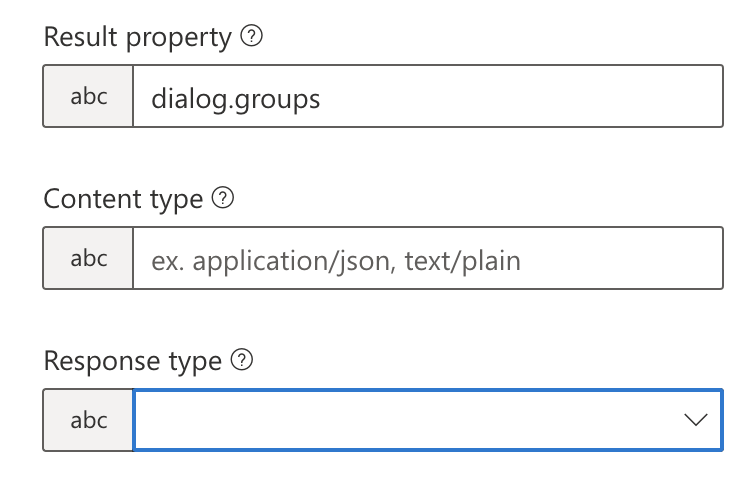
Ok I made some progress here. So the first error "a scope of json wasn't found" does not show up when I do not set json as the response type in the nodejs runtime. In C this does not seem to matter.
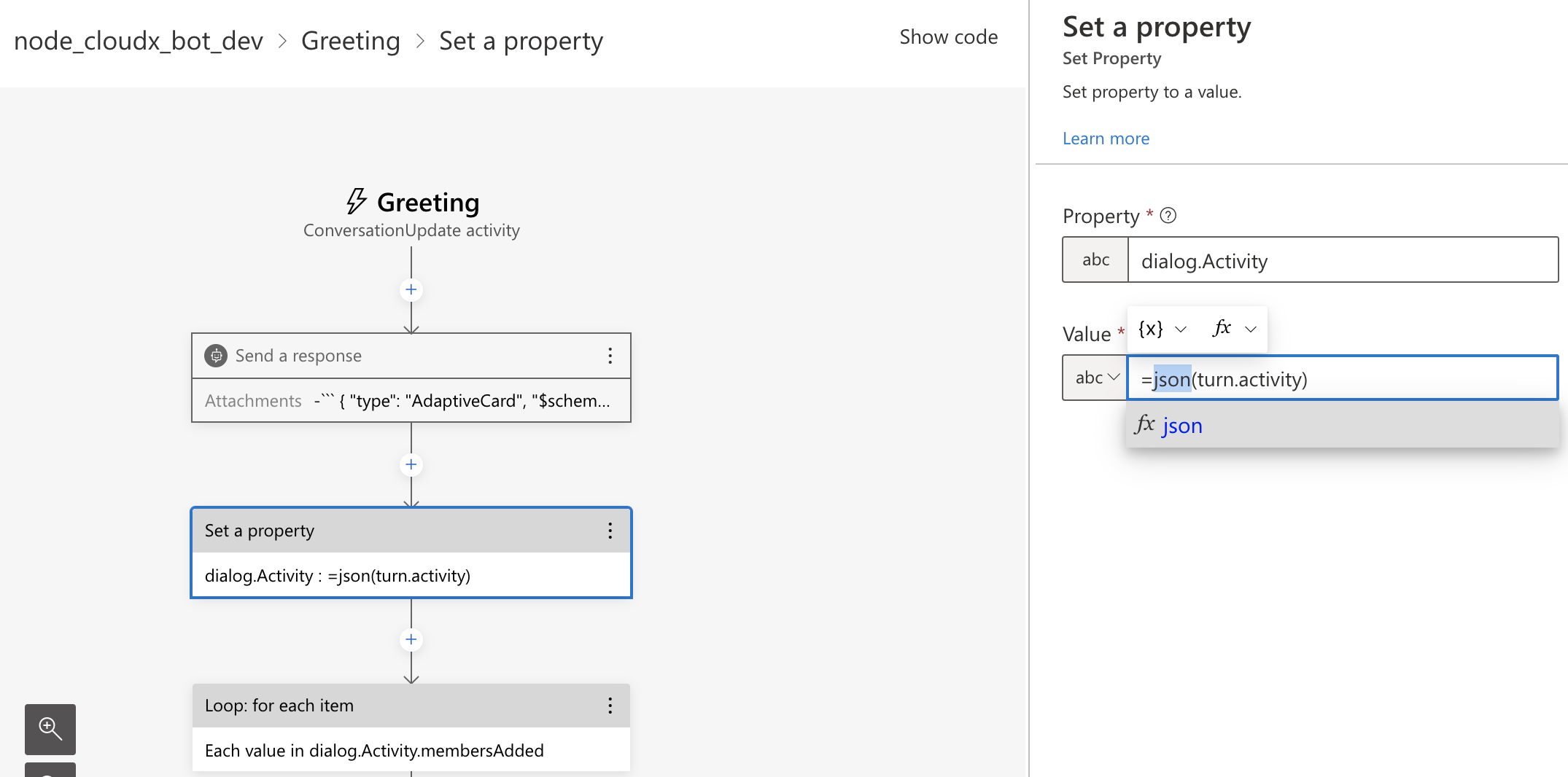
This uncovered a previous issue where certain values that should have been objects were being returned as strings so I had to use the =json() function to convert them to objects I could access. It appears this is fixed in the latest release and leaving the =json() around a non string throws the args[0].trim error because the input is not a string.
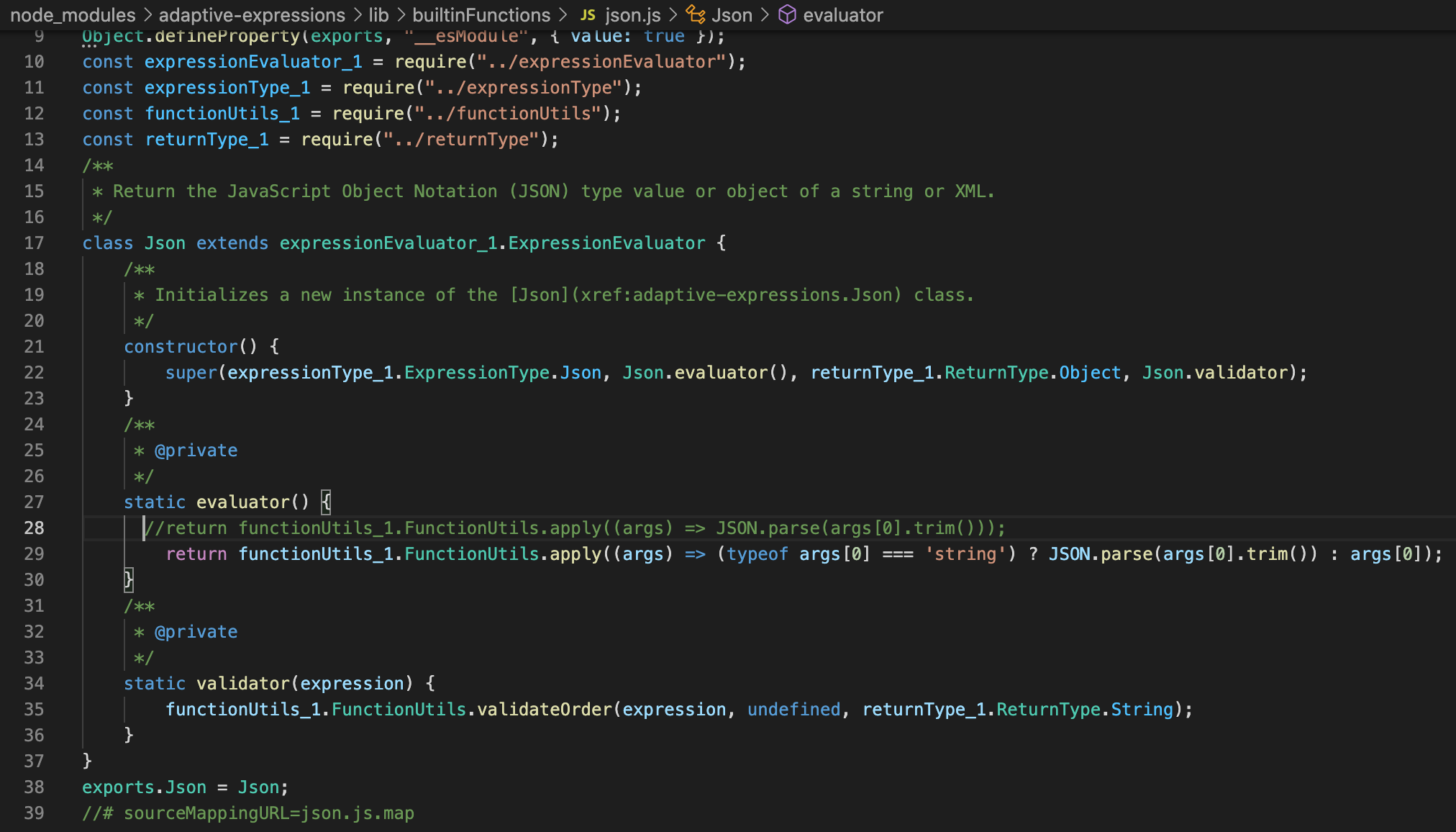
It would be helpful if the =json() function would catch an error if a non-string is passed to it. Or maybe it would be better to just process it instead:
(typeof args[0] === 'string') ? JSON.parse(args[0].trim()) : args[0]
zachgoz
on 27 May 2021
@joshgummersall can you take a look? thanks
 johnataylor
on 1 Jun 2021
johnataylor
on 1 Jun 2021
Yep - I can repro, so something wonky is going on.
EDIT: Couple of issues here.
- The
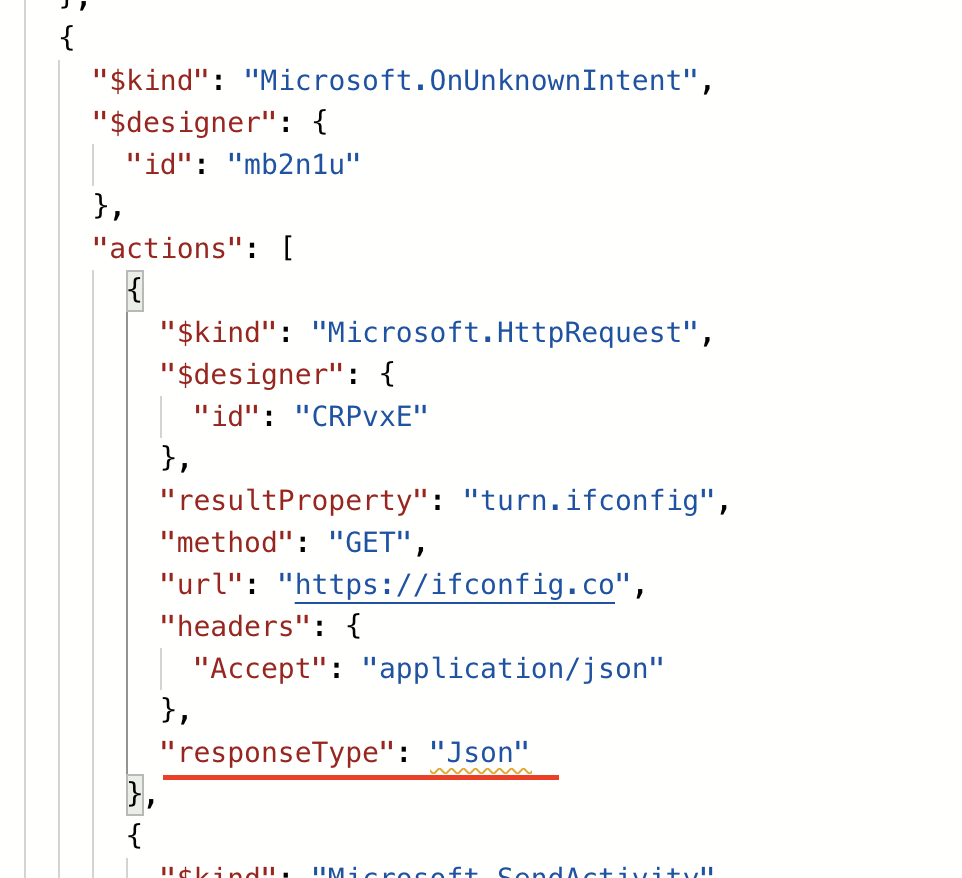
HttpRequesttype defines an enum of valid response types whereJsonis one of these - When you select "json" in Composer, it is serialized as
jsoninstead ofJson - If an enum value is not found when doing a (case sensitive) key-value lookup, the code treats it as a memory lookup expression to be resolved at runtime
- This yields the error message above
- .NET tends to do several things in a case insensitive manner which is likely why this is only affecting JS
There are two potential solutions - the first would be making the enum lookup case insensitive, while the other would be to ensure Composer serializes enums using the proper keys.
@zachgoz, for now you can edit your dialog by clicking "Show code", and then change the response type to "Json" like so:
 joshgummersall
on 2 Jun 2021
joshgummersall
on 2 Jun 2021
@zachgoz, we are still working on a resolution for this. Did the temporary fix above solve the problem for now?
joshgummersall
on 14 Jun 2021
Yes, thank you for the suggestion and update. This workaround got it working for me.
zachgoz
on 15 Jun 2021
We are fixing this at the SDK level as well, so when that updates it'll be fully resolved. Thanks for reporting the issue!
joshgummersall
on 15 Jun 2021
Related issues
 Batta32
·
3Comments
Batta32
·
3Comments
 jovanmilenkoski
·
5Comments
jovanmilenkoski
·
5Comments
 Weirwolf
·
9Comments
Weirwolf
·
9Comments
 juharris
·
3Comments
juharris
·
3Comments
 VictorGrycuk
·
3Comments
VictorGrycuk
·
3Comments
Most helpful comment
We are fixing this at the SDK level as well, so when that updates it'll be fully resolved. Thanks for reporting the issue!