Botbuilder-dotnet: ChoicePrompt not working on 4.6.X but 4.5.X works
Version
4.6.2
4.6.1
Describe the bug
When the PromptAsync is executed on the waterfall conversation i get and error, this is my code:
private async Task<DialogTurnResult> ConsultarTecnologiaAsync (WaterfallStepContext step, CancellationToken cancellationToken) {
    PromptOptions options = new PromptOptions () {
        Prompt = step.Context.Activity.CreateReply ($"¿Con cuál servicio tienes duda?"),
        Choices = new List<Choice> (),
        Style = ListStyle.HeroCard
    };
    options.Choices.Add (new Choice () { Value = "PowerApps" });
    options.Choices.Add (new Choice () { Value = "Teams" });
    options.Choices.Add (new Choice () { Value = "OneDrive" });
    options.Choices.Add (new Choice () { Value = "Flow" });
    options.Choices.Add (new Choice () { Value = "Outlook" });

    //in this line is where i get the error
    return await step.PromptAsync ("consultar", options, cancellationToken);
}
I get this error after the PromptAsync is executed:
$exception {System.NullReferenceException: Object reference not set to an instance of an object.
at Microsoft.Recognizers.Text.Culture.MapToNearestLanguage(String cultureCode)
at Microsoft.Bot.Builder.Dialogs.ChoicePrompt.OnPromptAsync(ITurnContext turnContext, IDictionary2 state, PromptOptions options, Boolean isRetry, CancellationToken cancellationToken) in D:\a\1\s\libraries\Microsoft.Bot.Builder.Dialogs\Prompts\ChoicePrompt.cs:line 126 at Microsoft.Bot.Builder.Dialogs.Prompt1.BeginDialogAsync(DialogContext dc, Object options, CancellationToken cancellationToken) in D:\a\1\s\libraries\Microsoft.Bot.Builder.Dialogs\Prompts\Prompt.cs:line 105
at Microsoft.Bot.Builder.Dialogs.DialogContext.BeginDialogAsync(String dialogId, Object options, CancellationToken cancellationToken) in D:\a\1\s\libraries\Microsoft.Bot.Builder.Dialogs\DialogContext.cs:line 170
at Microsoft.Bot.Builder.Dialogs.DialogContext.PromptAsync(String dialogId, PromptOptions options, CancellationToken cancellationToken) in D:\a\1\s\libraries\Microsoft.Bot.Builder.Dialogs\DialogContext.cs:line 198
at DoctorOffice365.Dialogs.Office365Dialog.ConsultarTecnologiaAsync(WaterfallStepContext step, CancellationToken cancellationToken) in C:\Users\bpalma\source\repos\DrOffice365\DrOffice365\Dialogs\Office365Dialog.cs:line 78} System.NullReferenceException`
Expected behavior
Show the prompt in the conversation, when the code is executed with 4.5.3 version it runs correctly
[bug]
 brunoslam
All 10 comments
I copy/pasted your code and wasn't able to reproduce this:
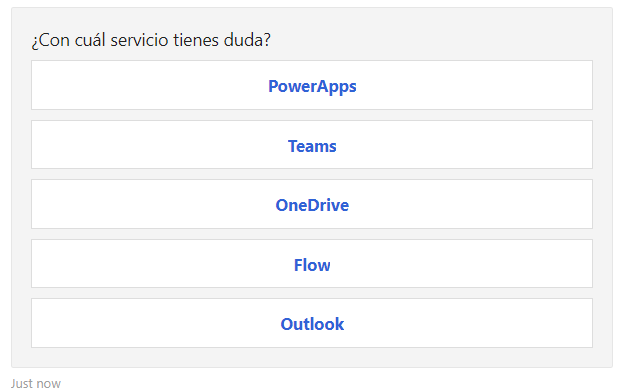
- What client are you using to speak with the bot? (WebChat, Emulator, Teams, etc)?
- Do you have a locale set in the client? In Emulator, it would be here, in Settings:
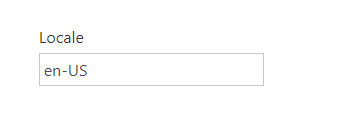
 mdrichardson
on 8 Nov 2019
mdrichardson
on 8 Nov 2019
I forget to say it works on emulator, but in teams its wrong
Looking the configuration on emulator i have null locale, but it works.
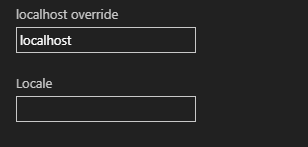
Another information that i could add, the dialog is started after OnMembersAddedAsync and the prompt is the first step.
Also im using teams on Spanish
brunoslam
on 8 Nov 2019
@brunoslam I've got it working in Teams, too:
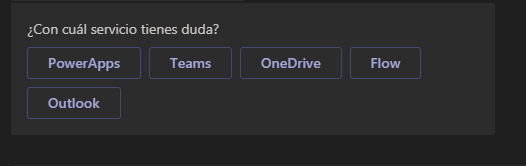
I have a feeling the issue is that Teams is setting Activity.Locale to null--in which case, I have a fix. Can you put a breakpoint in OnMessageAsync and copy/paste the activity here? I'd do it myself, but even if I set Teams to Spanish, it's working for me. Which "Espanol" do you have your Teams set to? I've tried Espanol (Mexico) and Espanol (Chile) and neither seem to reproduce this for me.
mdrichardson
on 8 Nov 2019
I have the same problem in my bot. The code runs perfectly in the emulator, but when I run it in Azure and talk with Telegram (the only service I use the bot with) to the bot, it throws a NullReferenceException after the PromptAsync is executed.
The problem first occured after I updated to 4.6.x - looking forward to the fix!
 dknittl
on 10 Nov 2019
dknittl
on 10 Nov 2019
I concur that I am getting the same issue too which was resolved by going back to 4.5.3
 BeMor81
on 11 Nov 2019
BeMor81
on 11 Nov 2019
Actually, there's also a workaround if you want to stay with 4.6.2: You just need to specify a DefaultLocale when instantiating the ChoicePrompt:
new ChoicePrompt(nameof(ChoicePrompt))
{
     Style = ListStyle.SuggestedAction,
     DefaultLocale = "de-DE",
}
Apparently that wasn't necessary before. But if you add the DefaultLocale, it works also with the current version.
dknittl
on 11 Nov 2019
@BeMor81 @dknittl Yeah. That workaround is the best we've got until the PR I linked above gets pushed for the next minor release. Thanks for calling this bug out!
mdrichardson
on 11 Nov 2019
I check the Activity.Locale it comes null on teams
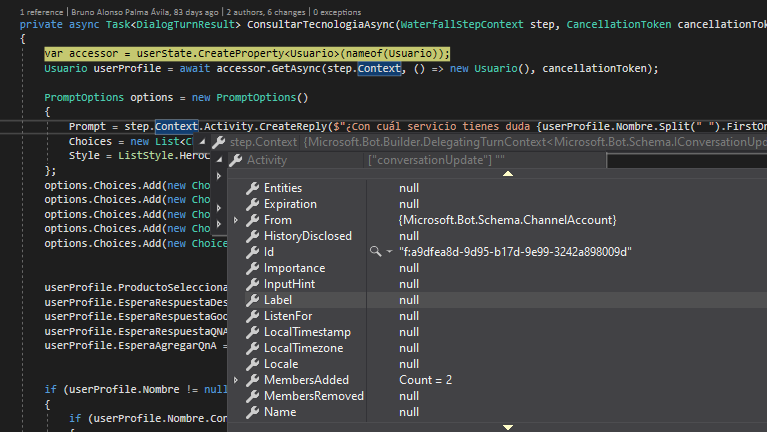
The second step without setting the locale works fine
brunoslam
on 11 Nov 2019
@brunoslam Thanks for the update! I figured that's what it was and that PR does, indeed, address this.
mdrichardson
on 11 Nov 2019
@brunoslam The fix for this has been pushed to our 4.6.3 release, which should come out by Monday. I'm going to close this, but feel free to re-open if you see the same error in 4.6.3
Edit: Actually the C# 4.6.3 package just got pushed to Nuget.
mdrichardson
on 14 Nov 2019
Related issues
 tiagodenoronha
·
6Comments
tiagodenoronha
·
6Comments
 MarekLani
·
4Comments
MarekLani
·
4Comments
 MarceloRGonc
·
6Comments
MarceloRGonc
·
6Comments
 sgellock
·
4Comments
sgellock
·
4Comments
 markbeau
·
6Comments
markbeau
·
6Comments
Most helpful comment
@brunoslam The fix for this has been pushed to our 4.6.3 release, which should come out by Monday. I'm going to close this, but feel free to re-open if you see the same error in 4.6.3
Edit: Actually the C# 4.6.3 package just got pushed to Nuget.