Botbuilder-dotnet: Bot doesn't start after NuGet update
This is moving issue from doc repo to dotnet repo. See initial issue here, but will copy main text to this issue. V4, issues running echo bot after updated NuGet
First comment
After updating all packages to the latest version the bot project does not start.
To reproduce this issue just create a empty "Echo Bot" from the template and start it in Visual Studio 2017 with the "Start" Button (debugging, IIS Express). Every thing should work as expected. Now go to "Manage Nuget Packeges" and update all packages. When you try to start the project now it fails with the message "HTTP Error 502.5 - ANCM Out-Of-Process Startup Failure". Changing the debug settings does not have any impact.
Second comment
User doesn't believe its related to any issues we linked
"To reproduce the Issue just create an empty Echo Bot and update to .net core 2.2. (everything is working..)
Now add the Microsoft.Bot.Builder.AI.QnA nuget package - here there are some issues with possible downgrading of nuget packages and the project does not start anymore."
[bug]
 ivorb
ivorb
All 6 comments
I've been trying to duplicate this, but haven't had any luck.
I'm following the steps outlined in the issue above:
- Created an Echo bot, using the 4.2.2 VSIX that was published yesterday.
- Manually updated the resulting project to Net Core 2.2
<PropertyGroup>
    <TargetFramework>netcoreapp2.2</TargetFramework>
</PropertyGroup>
- Fixed the compile error by updating Microsoft.Extensions.Logging.AzureAppServices from 2.1.1 to 2.2.0.
- Added in the QnAMaker Nuget package.
The resulting package set look like this:
  <ItemGroup>
    <PackageReference Include="Microsoft.AspNetCore.All" />
    <PackageReference Include="Microsoft.Bot.Builder" Version="4.2.2" />
    <PackageReference Include="Microsoft.Bot.Builder.AI.QnA" Version="4.2.2" />
    <PackageReference Include="Microsoft.Bot.Builder.Integration.AspNet.Core" Version="4.2.2" />
    <PackageReference Include="Microsoft.Bot.Configuration" Version="4.2.2" />
    <PackageReference Include="Microsoft.Bot.Connector" Version="4.2.2" />
    <PackageReference Include="Microsoft.Bot.Schema" Version="4.2.2" />
    <PackageReference Include="Microsoft.Extensions.Logging.AzureAppServices" Version="2.2.0" />
  </ItemGroup>
So far, all runs.
Added a line of code to the Bot, that will force-load the QnA Package:
var foo = new Microsoft.Bot.Builder.AI.QnA.Metadata();
Still, all runs.
I'm not able to see the same bug(s) here that you're seeing. The emulator works find, and the bot is happily running. One difference is the VSIX has been updated to follow the ASP.Net include using "All" and no version number, which is the .NetCore 2.1 and 2.2 best practice.
Are there more detailed repro steps you could provide?
 cleemullins
on 13 Feb 2019
cleemullins
on 13 Feb 2019
@cleemullins, do you still want Support assistance? I see you self assigned 1hr ago
 CoHealer
on 13 Feb 2019
CoHealer
on 13 Feb 2019
Can you please do a dotnet --info at the command line and paste the output here? I've seen this before when a person had a preview version of the SDK installed. Everything will work fine locally, but when you publish to the Azure servers they will not contain the preview version of the runtime so it will fail to initialize in this way.
Another thing you can try to do is open the Advanced Tools (aka Kudu portal) and then use the "Debug Console" and navigate to /LogFiles/ and then open the eventlog.xml file there which should contain much more detail about why the process is failing to start up.
 drub0y
on 14 Feb 2019
drub0y
on 14 Feb 2019
@drub0y I don't think this involves Azure. The repro steps are all local.
I am also unable to reproduce this.
Edit:
I also downloaded the customer's GitHub repo, and the bot starts without issue from Visual Studio 2017. This must be something with their local environment.
 EricDahlvang
on 14 Feb 2019
EricDahlvang
on 14 Feb 2019
Oh jeez, that's totally my bad... terrible reading on my part. I saw something that looked familiar and my brain just went with it. Apologies.
Ok, so even easier to get details to help further diagnose:
- Repro the issue again
- Go into Event Viewer
- Go to the Windows Logs / Application Log
- Look for a an Error from the
IIS Express AspNetCore Module - Copy paste any/all details here
For an even easier debugging experience, you can stop debugging it under IIS Express and change to debug the application directly. You can do this by clicking the little drop down arrow next to the debug button and changing from the IIS Express profile to the
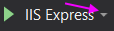
Alternatively you can right click on your project, choose Properties and then under the Debug tab choose the profile from the Profile: drop down.
Either way, this will run the executable directly in a console instance and it should dump out the start up issues right to that console.
drub0y
on 14 Feb 2019
Closing this. The customer has confirmed they are unable to reproduce with the latest VSIX template. https://github.com/MicrosoftDocs/bot-docs/issues/834#issuecomment-463504942
EricDahlvang
on 15 Feb 2019
Related issues
 lauren-mills
·
6Comments
lauren-mills
·
6Comments
 MarekLani
·
4Comments
drub0y
·
3Comments
MarekLani
·
4Comments
drub0y
·
3Comments
 sgellock
·
4Comments
sgellock
·
4Comments
 nrandell
·
6Comments
nrandell
·
6Comments
Most helpful comment
Oh jeez, that's totally my bad... terrible reading on my part. I saw something that looked familiar and my brain just went with it. Apologies.
Ok, so even easier to get details to help further diagnose:
IIS Express AspNetCore ModuleFor an even easier debugging experience, you can stop debugging it under IIS Express and change to debug the application directly. You can do this by clicking the little drop down arrow next to the debug button and changing from the IIS Express profile to the profile instead:
Alternatively you can right click on your project, choose
Propertiesand then under theDebugtab choose the profile from theProfile:drop down.Either way, this will run the executable directly in a console instance and it should dump out the start up issues right to that console.