Bootstrap: Bootstrap dropdown calls stopPropagation unconditionally
A Bootstrap dropdown element, when first clicked, attaches a click handler to the element which calls event.stopPropagation(), thus breaking any handlers that were attached to ancestor elements such as the document.
Demonstration at http://jsbin.com/lapanag/1/edit?html,output which shows the problem.
Is there a reason why this is done? It seems that it will always break anyone who has, for example, a click handler on the document body. (Many frameworks do this, Meteor among them.) I assume there are compatibility reasons for it or similar?
This is mostly a duplicate of #17008, which was closed because bootstrap development moved from v3 to v4. The design bug is (as you can see from the demo above) still present in v4, I think.
 stuartlangridge
All 8 comments
I cannot reproduce your issue on your JSBin 😟
We have a stopPropagation only when Dropdown are in forms see : https://github.com/twbs/bootstrap/blob/v4-dev/js/src/dropdown.js#L468
 Johann-S
on 20 Feb 2018
Johann-S
on 20 Feb 2018
Just to confirm, with my jsbin demo:
If you click outside the dropdown, the "clicks on the body" count is correctly incremented
If you click on the dropdown, the "clicks on the body" count is correctly incremented the first time only. Further clicks on the dropdown (expanding or collapsing it, doesn't matter) do not increment the count. (This is because on the first click on the dropdown, it propagates as normal, and as a result of that first click, Bootstrap attaches the click handler which calls stopPropagation).
Are you experiencing something different from that? That's weird. I'm using Chrome 64, but I see the same issue in Firefox as well. Does it continually increment the clicks on the body count every time you click the dropdown?
stuartlangridge
on 20 Feb 2018
Oh ok, I have the same behavior
Johann-S
on 20 Feb 2018
i've not had a chance to delve into the code, but i have a vague hunch that this was done because, from memory, when the dropdown is opened, a click handler is added to the body to close the dropdown is the user clicks anywhere outside of the dropdown, and if the user clicks on the dropdown trigger element, it may have resulted in some weird "closes, then opens again" kind of behavior.
 patrickhlauke
on 21 Feb 2018
patrickhlauke
on 21 Feb 2018
@stuartlangridge @patrickhlauke Another approach might be checking if the event target is inside a dropdown and if it is let the dropdown handler take care of it so there is no "close then open" behavior. It seems like there must be another reason for this?
 aldencolerain
on 22 Mar 2018
aldencolerain
on 22 Mar 2018
This issue has become a real pickle for me. Would love to hear alternatives and an explanation for moving forward with stopPropagation. In my knowledge usage of stopPropagation should be avoided, to prevent situation like this.
 anargh
on 11 Jul 2018
anargh
on 11 Jul 2018
I know it's not a solution, more a quick fix. But it works:
Catch the show/hide event and propagate a new custom event, the first time the counter increased twice because 'native' click event works once.
 shenron
on 24 Jul 2018
shenron
on 24 Jul 2018
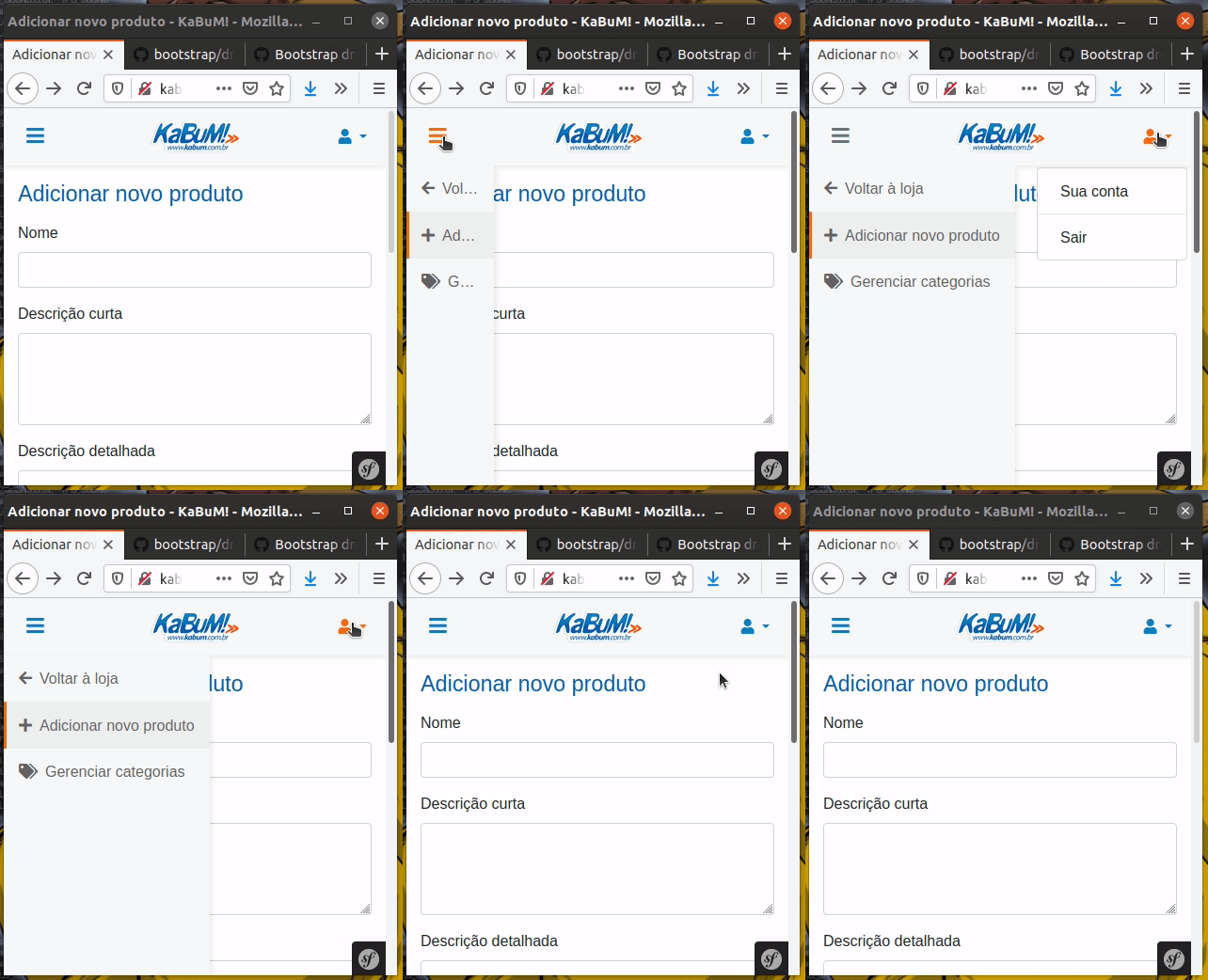
One of the consequences of this issue also comes up when you build your own menu and Bootstrap Dropdown stops propagation, which prevents the custom menu from closing.
 o-alquimista
on 10 Jan 2020
o-alquimista
on 10 Jan 2020
Related issues
 eddywashere
·
3Comments
eddywashere
·
3Comments
 ziyi2
·
3Comments
ziyi2
·
3Comments
 vinorodrigues
·
3Comments
vinorodrigues
·
3Comments
 leomao10
·
3Comments
leomao10
·
3Comments
 matsava
·
3Comments
matsava
·
3Comments
Most helpful comment
One of the consequences of this issue also comes up when you build your own menu and Bootstrap Dropdown stops propagation, which prevents the custom menu from closing.