Bootstrap: New documentation rendering issues on MS Edge 15.0
It looks that new documentation doesn't look well on MS Edge 15.15063 / Windows 10
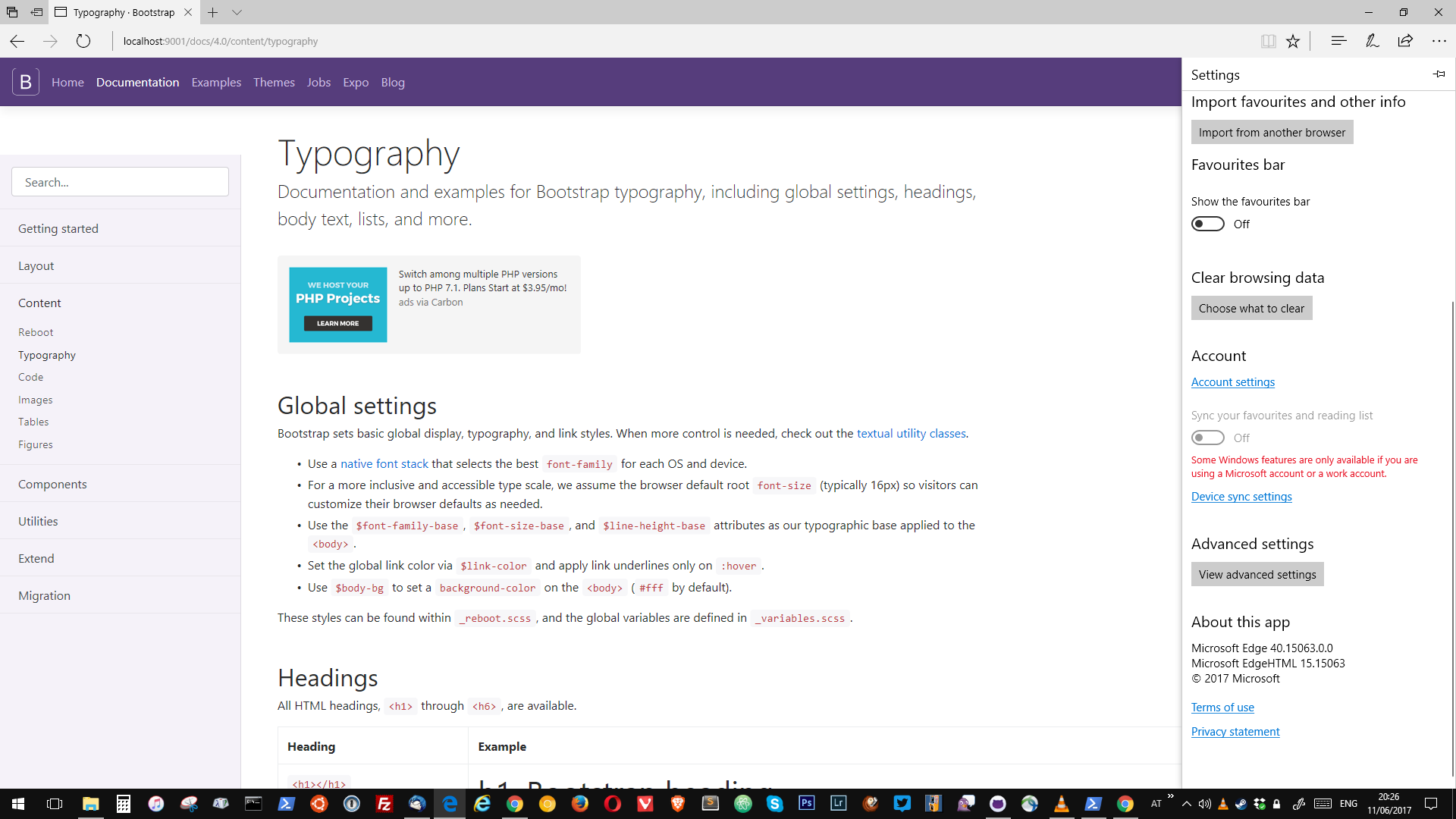
Bellow I've attached screenshots:


 rosieks
All 21 comments
I confirme Edge and Win10 too
Edit:
It seems a well known not implemented feature in Edge see : https://developer.microsoft.com/en-us/microsoft-edge/platform/status/positionsticky/
 Johann-S
on 4 Jun 2017
Johann-S
on 4 Jun 2017
Hmm, I thought I accounted for this in the docs. I'll take another look.
 mdo
on 5 Jun 2017
mdo
on 5 Jun 2017
Can you confirm you have the latest from v4-dev, and the version of Edge? I don't have Edge 15 on my VM.
mdo
on 11 Jun 2017
Yes, confirmed
 patrickhlauke
on 11 Jun 2017
patrickhlauke
on 11 Jun 2017
If this is due to position: sticky not being supported, than it is fixed as of Edge 15.16215 which does support that, so this would be fixed in september for non-preview users when Edge 16 launches.
 Studio384
on 15 Jun 2017
Studio384
on 15 Jun 2017
For Windows insider preview yes see : https://developer.microsoft.com/en-us/microsoft-edge/platform/status/positionsticky/
Johann-S
on 15 Jun 2017
I've updated my VM and still don't have that version, hmm. Will need to look into it more still.
mdo
on 15 Jun 2017
@mdo: what version do you mean? Edge 15.15063? You can force it to upgrade with the Windows Upgrade Tool.
Studio384
on 15 Jun 2017
Yeah, for Edge. I'll take a look at the force upgrade. Running Windows Update wasn't cutting it for me.
mdo
on 15 Jun 2017
I thought I had found a way to work around the bug in position: sticky with some @supports action. See https://github.com/twbs/bootstrap/blob/v4-dev/assets/scss/_sidebar.scss#L51-L68. Basically Edge and IE11 are rendering it as position: relative and thus applying the top offsets. My intent was to only apply those styles if it was fully supported. Might not be working completely.
mdo
on 15 Jun 2017
This will help you get your VM to the latest stable release so that you can test it out: https://www.microsoft.com/en-us/software-download/windows10.
Studio384
on 15 Jun 2017
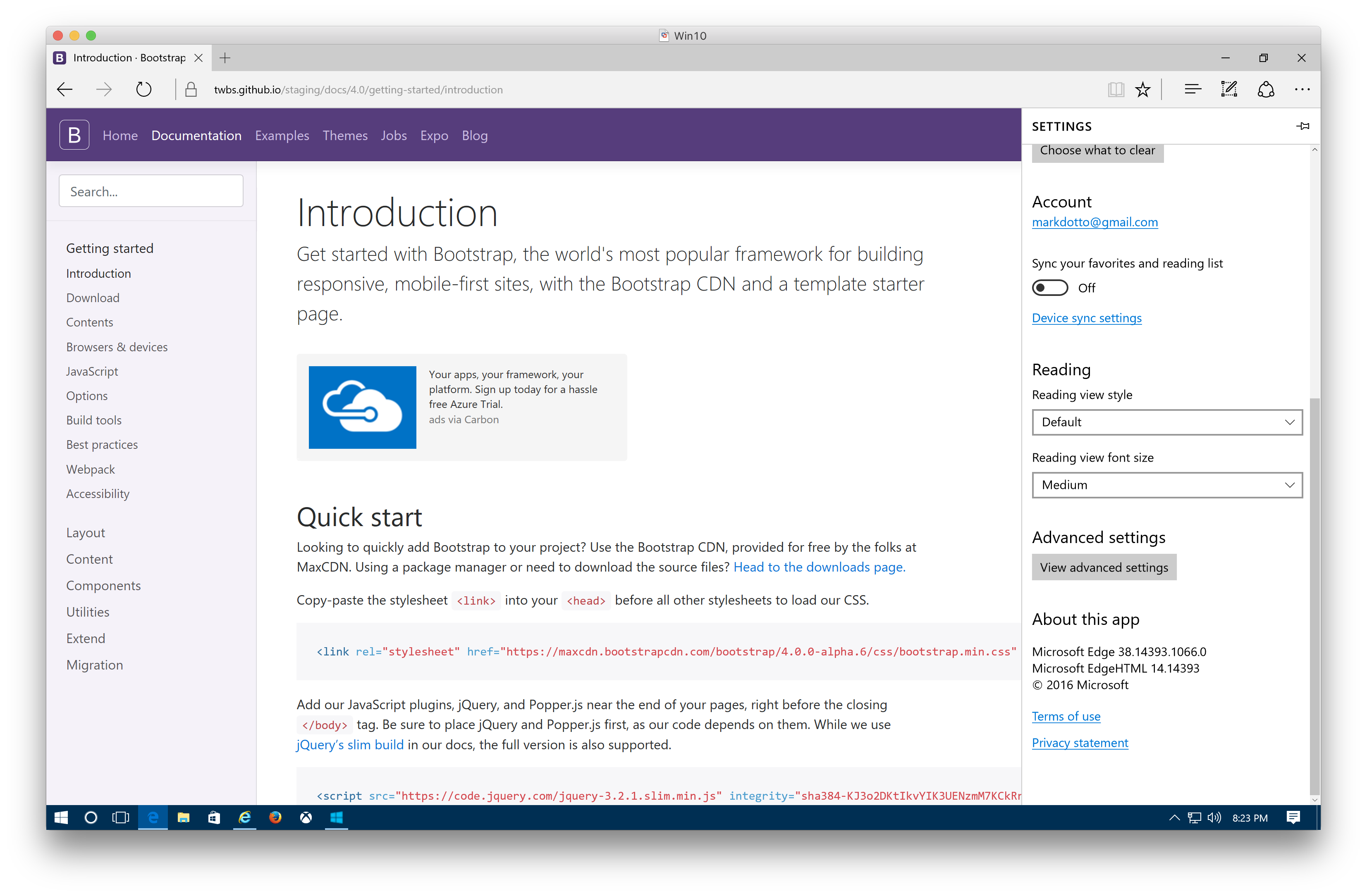
Working on the update, but here's what I see on Edge 14 for posterity.
mdo
on 16 Jun 2017
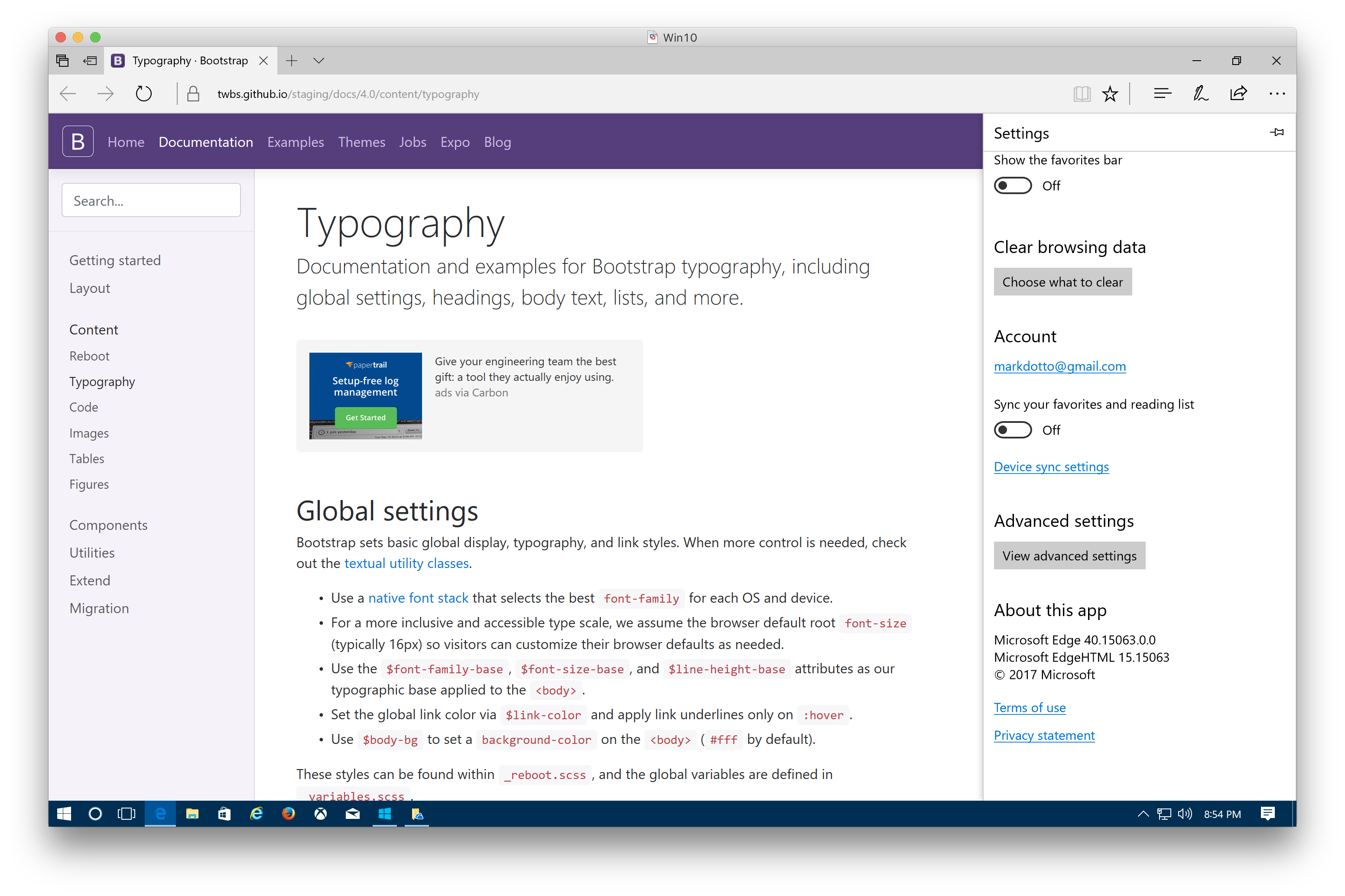
Works on my machine! lol
mdo
on 16 Jun 2017
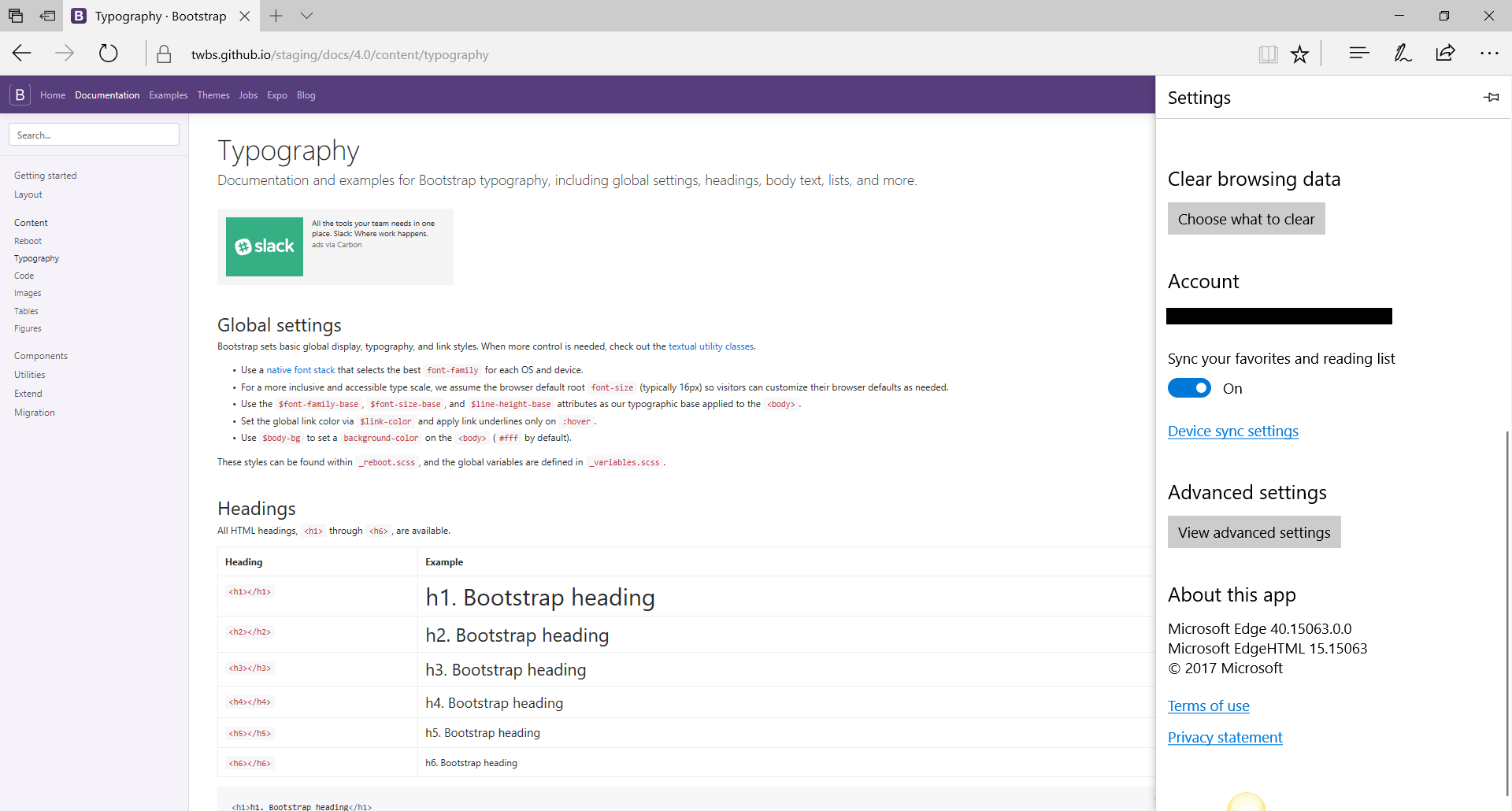
Works well for me as well on MS Edge 15.15063 / Windows 10.
 JohanSellberg
on 16 Jun 2017
JohanSellberg
on 16 Jun 2017
just to check: did you scroll down a bit, maybe follow an in-page link, then scroll back up? can't test right this second, but i seem to remember the issue became apparent only after page/scroll interactions
patrickhlauke
on 16 Jun 2017
It isn't sticky or fixed for me on scroll but other wise works ok.
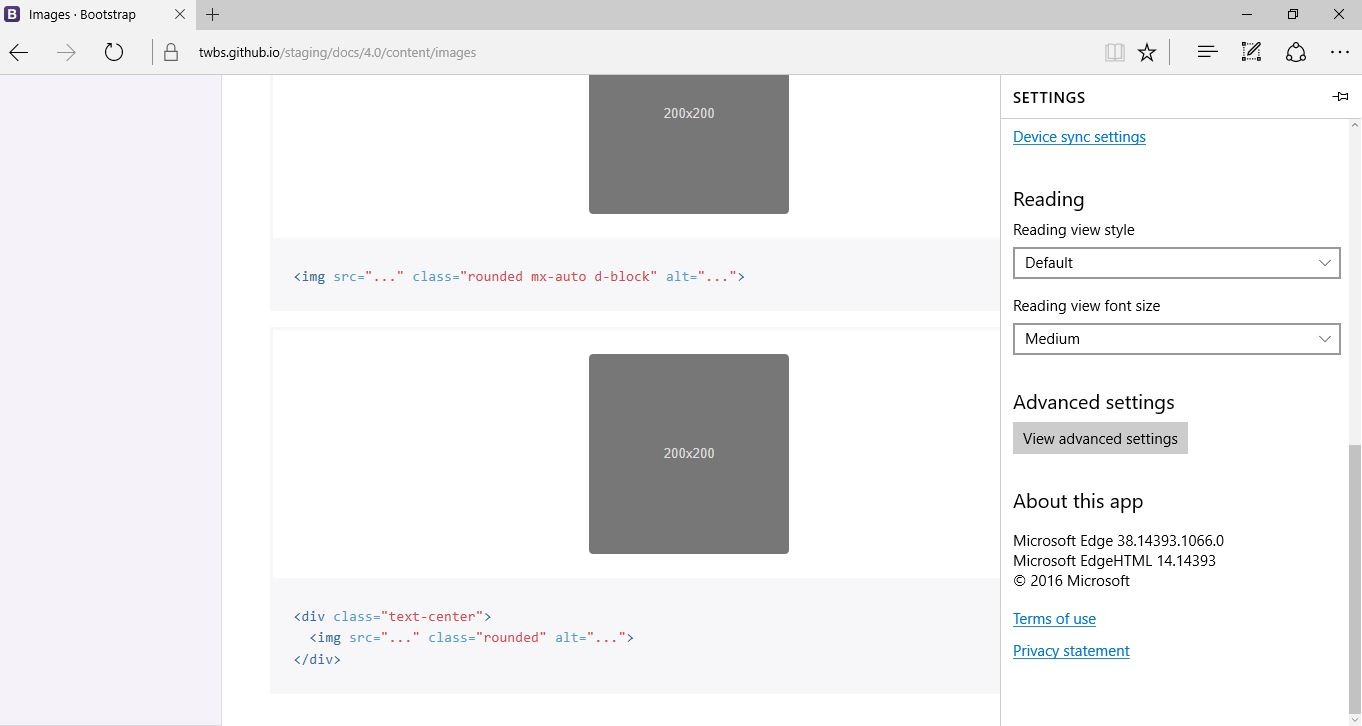
 craigpotter
on 16 Jun 2017
craigpotter
on 16 Jun 2017
@patrickhlauke I have tried that now and I am unable to reproduce the same issue that @rosieks reported. But as @craigpotter points out it is not fixed or sticky when you scroll. (also @craigpotter that is in version 14, issue should be in 15.15063 ? )
JohanSellberg
on 16 Jun 2017
@Johann-S Ah I assumed I would already have the update ... Doh! My bad. New Issue or side effect?
craigpotter
on 16 Jun 2017
@craigpotter it's the same issue 👍 sticky position isn't applied
Johann-S
on 16 Jun 2017
Confirming that the issue of the gap appearing at the top of the left-hand navigation, per the issue starter, is now not present anymore.
As for position:sticky, this is likely to come in future versions of Edge - see https://developer.microsoft.com/en-us/microsoft-edge/platform/issues/10982527/ and https://developer.microsoft.com/en-us/microsoft-edge/platform/status/positionsticky/?q=sticky
patrickhlauke
on 17 Jun 2017
When it comes to Edge, it should just work provided everything happens as intended with @supports.
mdo
on 17 Jun 2017
Related issues
 ziyi2
·
3Comments
ziyi2
·
3Comments
 eddywashere
·
3Comments
eddywashere
·
3Comments
 MrCsabaToth
·
3Comments
MrCsabaToth
·
3Comments
 alvarotrigo
·
3Comments
alvarotrigo
·
3Comments
 steve-32a
·
3Comments
steve-32a
·
3Comments
Most helpful comment
@craigpotter it's the same issue 👍
stickyposition isn't applied