Bootstrap-vue: b-btn/b-button not spacing out
Hello,
I'm experiencing a problem with b-btn/b-button element and their default spacing not being inherited in my app.
Here's what I'm experiencing:
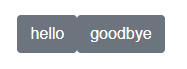
Tested on MacOS 10.13.4 and Win10 with chrome and firefox
App created with @vue/cli V3, problem replicated on default config.
Here's the desired behavior. Notice that the buttons are seperated.
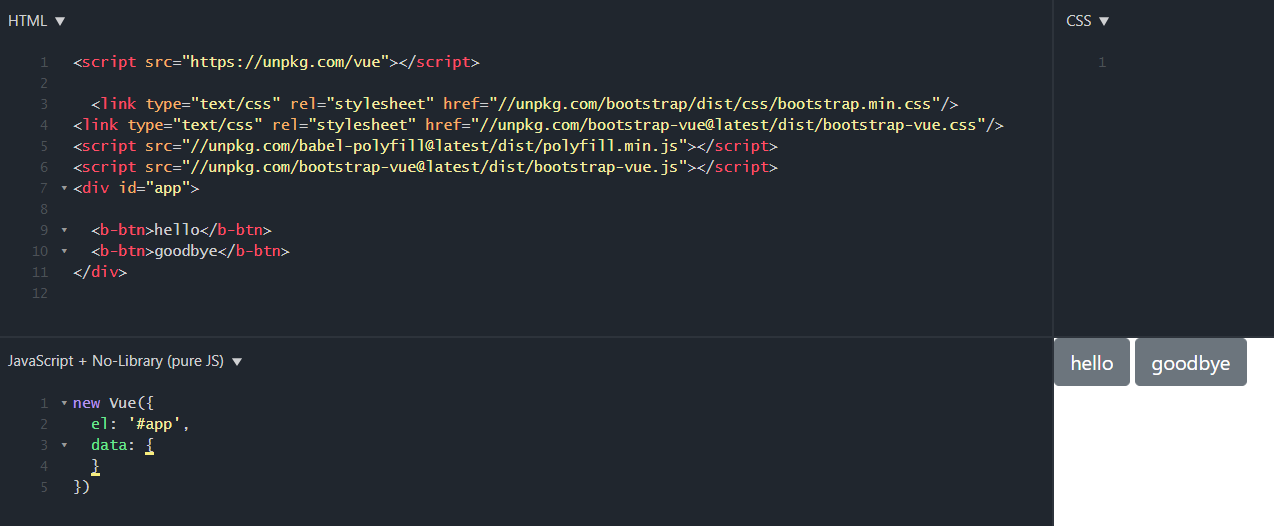
Thanks for your help.
 MikeJWms
All 3 comments
Vue removes excess whitespace from the rendered HTML.
Use the margin utility classes to add a left (or right) margin to one of your buttons. Or place an between them.
 tmorehouse
on 22 Aug 2018
tmorehouse
on 22 Aug 2018
Question: Why doesn't vue-bootstrap include this extra margin in it's css? It IS vue-bootstrap, after all.
oddity - it works without the extra space with nuxt, but not with plain vue.
 rr326
on 30 Jan 2020
rr326
on 30 Jan 2020
It depends on the settings for Vue template compiler via Vue Loader (if using a module bundler), or if using DOM or string templates. String templates preserve whitespace (the docs use string templates for the live examples)
Nuxt may have predefined vue-loader options for stripping out whitespace between element tags.
https://github.com/vuejs/vue/tree/dev/packages/vue-template-compiler#api
i.e.
<div>
  <div>Foo</div>
  <div>Bar</div>
</div>
becomes:
<div><div>Foo</div><div>Bar</div></div>
BootstrapVue uses Bootstrap v4.4 CSS, we don;t override any of hte Bootstrap CSS.
tmorehouse
on 30 Jan 2020
Related issues
 chris-canipe
·
3Comments
chris-canipe
·
3Comments
 meyt
·
3Comments
meyt
·
3Comments
 StephenPCG
·
3Comments
StephenPCG
·
3Comments
 ghost
·
3Comments
ghost
·
3Comments
 radostnomne
·
3Comments
radostnomne
·
3Comments
Most helpful comment
Vue removes excess whitespace from the rendered HTML.
Use the margin utility classes to add a left (or right) margin to one of your buttons. Or place an
between them.