Boostnote: Cannot open attachment on storage with path containing non-English letter
Current behavior
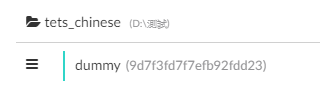
When a note with attachment saved on a storage with path containing non-English letter (e.g. test_chinese with Path D:\測試 as follows), clicking on the link of this note does not open the attachment (like what happened in https://github.com/BoostIO/Boostnote/issues/2003).
EDIT: Here is an animation illustrating it.
Currently the best solution is right click > Show in explorer, and open that manually in explorer.
Expected behavior
Attachment should be able to open on storage with path containing non-English letter.
Steps to reproduce
- Create a storage with path containing non-English letter
(I only confirmed Chinese letter without trying other language) - Create a folder in that storage and add a note
- Add an attachment into the note
- Click on the link, the attachment fails to open, without error message.
Environment
- Version : 0.13.0
- OS Version and name : Windows 10
Diagnosis
When doing right click -> copy url, it will copy something like file:///D:/%E6%B8%AC%E8%A9%A6/attachments/f1acb39f-c175-474c-9a68-fb5523d0d3dd/61b30404.pdf, this cannot be opened by windows explorer. The url should be file:///D:/測試/attachments/f1acb39f-c175-474c-9a68-fb5523d0d3dd/61b30404.pdf instead.
This should be not difficult to solve. I can try to make a PR to fix this.
 hiiwave
All 12 comments
This seems to be windows-only issue. This problem does not exist under mac.
hiiwave
on 17 Dec 2019
I will test this under Linux tomorrow.
 Flexo013
on 17 Dec 2019
Flexo013
on 17 Dec 2019
Hmm, under Linux I can't even get a file with only latin characters in the path to be linked properly. The URL does open fine in a browser, so this should work, but it doesn't:

Flexo013
on 18 Dec 2019
I don't understand this issue. Attachments are stored under the path :storage:. No non-English letter will ever be generated.
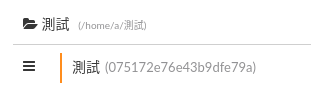
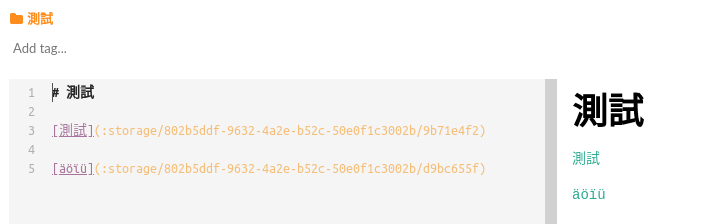
@Flexo013 the issue is about storage location path not file links. File links follow the format:
[/home/a/.bashrc](/home/a/.bashrc)

[測試/äöïü](/tmp/測試/äöïü)

[測試/測試](/tmp/測試/測試)
all of which is working on Ubuntu with Boostnote v0.11.12.
 arcturus140
on 18 Dec 2019
arcturus140
on 18 Dec 2019
@arcturus140 The issue is, clicking on the link of this note does not open the attachment (like what happened in #2003).
Isn't that clear to you?
hiiwave
on 18 Dec 2019
Steps to reproduce this issue:
- On a windoes PC, create a storage with path containing non-english letter
- Create a folder in that storage and create a note.
- Drag/drop a local file into the note by mouse. This will automatically create a link
as "file:///"(?)(will confirm the format later)
EDIT: the link looks normally as:storage\..., though clicking it does not open the file. Also, right click -> copy url gives something likefile:///D:/%E6%B8%AC%E8%A9%A6which contains encoded letters. - Click the link. The file should open. But the file does NOT open. That is the issue.
hiiwave
on 18 Dec 2019
@hiiwave Step 3 does not create a link as "file:///" for me. It creates this:
[export.pdf](:storage/d8f0fc49-4085-482e-a650-b9eead8690cf/3adc9fb3.pdf)
This is on Ubuntu 16.04, with 0.13.0, and by dragging a file from Files onto Boostnote.
Flexo013
on 18 Dec 2019
I'm not sure the link format. I will confirm it later. What I confirmed is that step 4 does not open this file, and #3398 fixed this.
I can probably make a GIF later to clarify this issue.
hiiwave
on 18 Dec 2019
This GIF should clarify the issue.
chinese_dummy is a folder on storage test_chinese with path D:\測試 which contains non-english letter.
As you can see, the file cannot be opened by clicking the link.
On the other hand, attachment on storage test_english can be opened successfully.
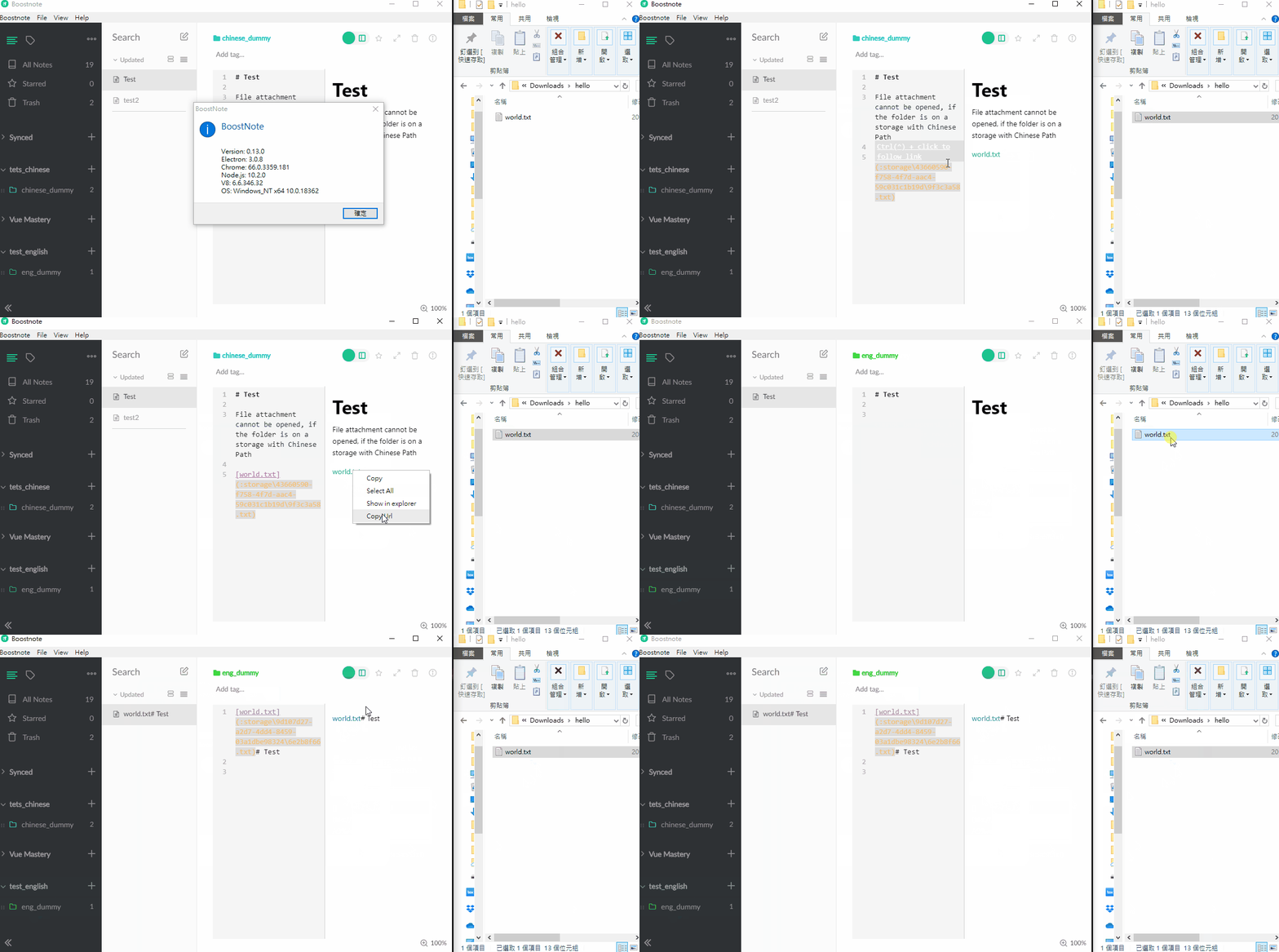
Both link can be opened after PR #3398.
@arcturus140 Please help check if it's now clear to you (I updated my comment as well). Thanks a lot.
hiiwave
on 18 Dec 2019
it happens in other cases as well. If you create a folder named %20 and use it for your storage location, any link to :storage/ of that location will fail.
To replicate, apply on Step 1:
- Create a storage location in folder
%20
then follow steps 2 - 4.
This can be replicated in Linux.
arcturus140
on 22 Dec 2019
IMHO, users should not create a folder named %20 in any case. I don't think anyone will ever do it as well.
hiiwave
on 28 Dec 2019
IMHO, users should not create a folder named
%20in any case. I don't think anyone will ever do it as well.
While I agree with you, I do thin it would be best for the code to correctly handle this case.
Flexo013
on 30 Dec 2019
Related issues
 gavvvr
·
3Comments
gavvvr
·
3Comments
 Petroochio
·
3Comments
Petroochio
·
3Comments
 NonlinearFruit
·
3Comments
NonlinearFruit
·
3Comments
 aurelkurtula
·
3Comments
aurelkurtula
·
3Comments
 dtgay
·
3Comments
dtgay
·
3Comments
Most helpful comment
This GIF should clarify the issue.
chinese_dummyis a folder on storagetest_chinesewith pathD:\測試which contains non-english letter.As you can see, the file cannot be opened by clicking the link.
On the other hand, attachment on storage
test_englishcan be opened successfully.Both link can be opened after PR #3398.
@arcturus140 Please help check if it's now clear to you (I updated my comment as well). Thanks a lot.