Boostnote: Display clearer error message when HTML exports fails
Current behavior
I can't export my markdown note to html ,it show me this label ,I dont know where I was wrong or may be a bug ?
it show me this (it is the first time I do this ,I dont know how to paste a screenshoot on it)
export error:
callback must be a function
Expected behavior
I just want to export a html for open in a browers.
Steps to reproduce
- crtl + s
- there is a signal like a !,I entered this
- click the .html for export the html but it show me the error what I say
Environment
- Version: boostnote
0.11.15 - OS Version and name:
windows 10 1809 64bit
 xytnba
All 10 comments
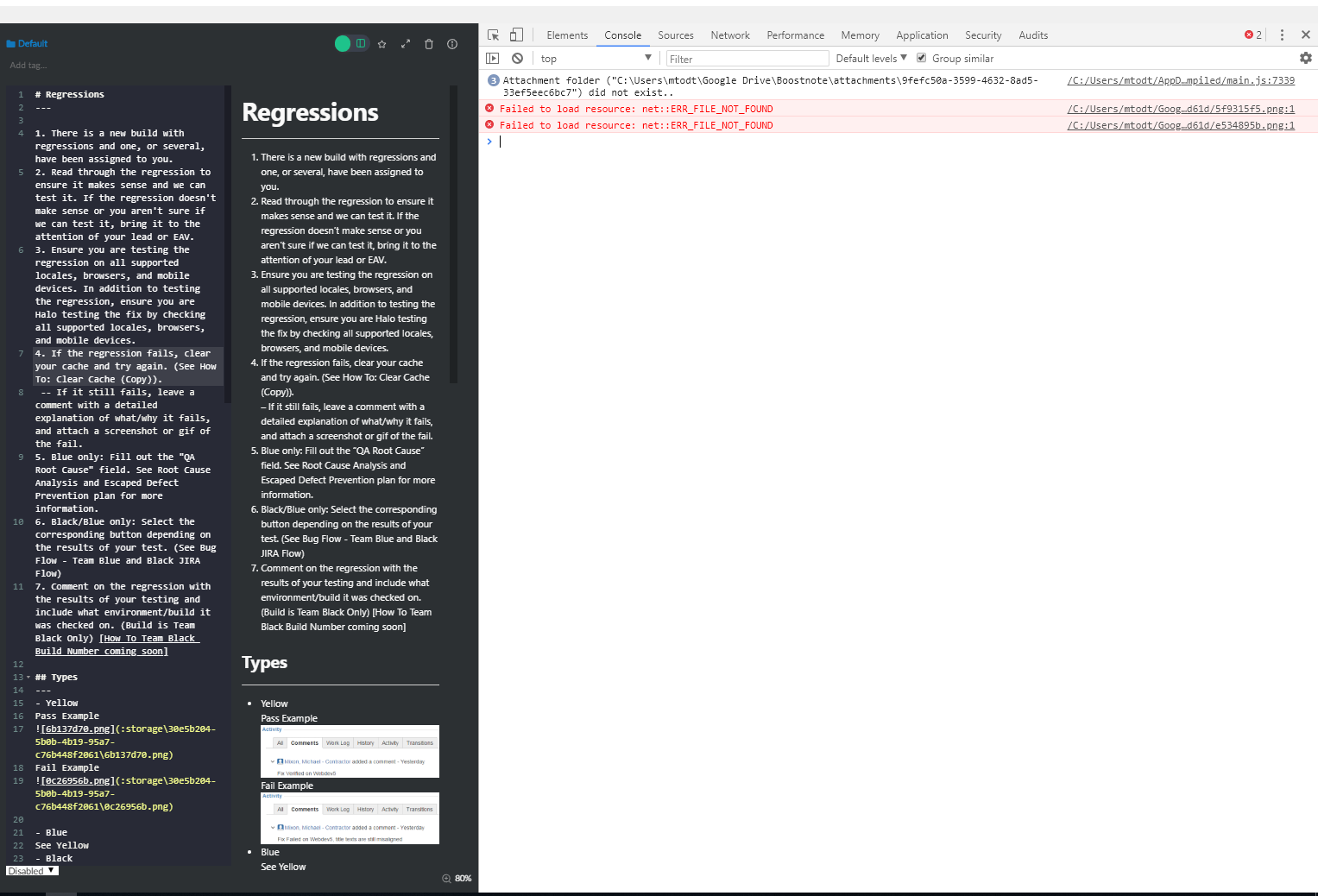
Would you mind repeating this with the Developer Tools open (View -> Toggle Developer Tools) and then taking a picture of the 'Console' tab after the error occurs?
 MiloTodt
on 8 Apr 2019
MiloTodt
on 8 Apr 2019
I have experienced this. I tried to take a screenshot with the developer tools open, but they didn't change when the error was produced, or indicate any error. (I think I'm using it wrong)
The notice is opened as an "OK" dialog box. The export produces the css and attachments directories / folders, but no actual html file.

Last time I had this error was in anger at work, and I needed to get on, so found an alternative in exporting md file, opening in another editor and exporting to html from that. The error was very repeatable. As I'm writing this up, it happened the first time, and I captured the screenshot, then I "accidentally" closed the wrong window. Once I re-opened (because I think I see how I'm using the developer tools incorrectly) and attempted the same procedure (confident it would be as repeatable as it was when I really needed this function to work) and it's working fine for me now! (😠 damn you Murphy!)
Sorry I can't provide more info at this time. I think I have a better understanding now, (need to switch to the "console" tab, before the error box, right?) and will try to get a better screenshot if / when this happens again.
 bobsobol
on 23 May 2019
bobsobol
on 23 May 2019
I had the same problem. I can't export my notes as HTML or PDF files. Is there any information I can provide?
 MicahEng
on 23 May 2019
MicahEng
on 23 May 2019
I have the same problem too. Can't export to HTML and PDF.
Boostnote version: 0.11.16
OS: Windows 7
 ytee
on 24 May 2019
ytee
on 24 May 2019
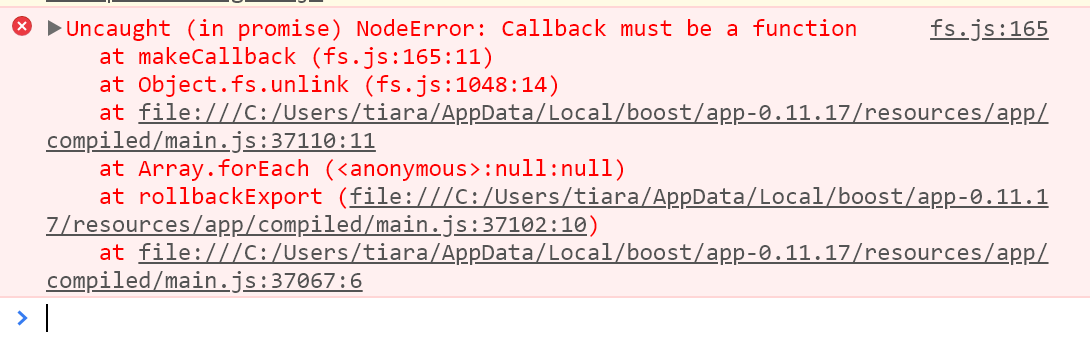
Hi, I had the same problem, here's the screenshot of the console tab:
 tiaradwiputri
on 27 May 2019
tiaradwiputri
on 27 May 2019
Hello,
I am having the same problem on 0.11.17, Windows 7.
 incredibleweirdo
on 30 May 2019
incredibleweirdo
on 30 May 2019
So I've found that if I make the edit to main.js a noted in the discussion for #3018 that export then works. Leading me to believe they both have the same cause.
incredibleweirdo
on 30 May 2019
Hi everyone,
I'm having the same issue on 0.11.17, Windows 7 Pro 64-bit.
Thanks,
 ghost
on 17 Jul 2019
ghost
on 17 Jul 2019
Like @incredibleweirdo mentioned this issue will most likely be fixed by the fix for #3018, which is merged and set to be part of the 0.12.0 release.
 Flexo013
on 17 Jul 2019
Flexo013
on 17 Jul 2019
During my work on PR #3192 I've had the problem and first thought it's caused by my modifications but it's also occurring on master.
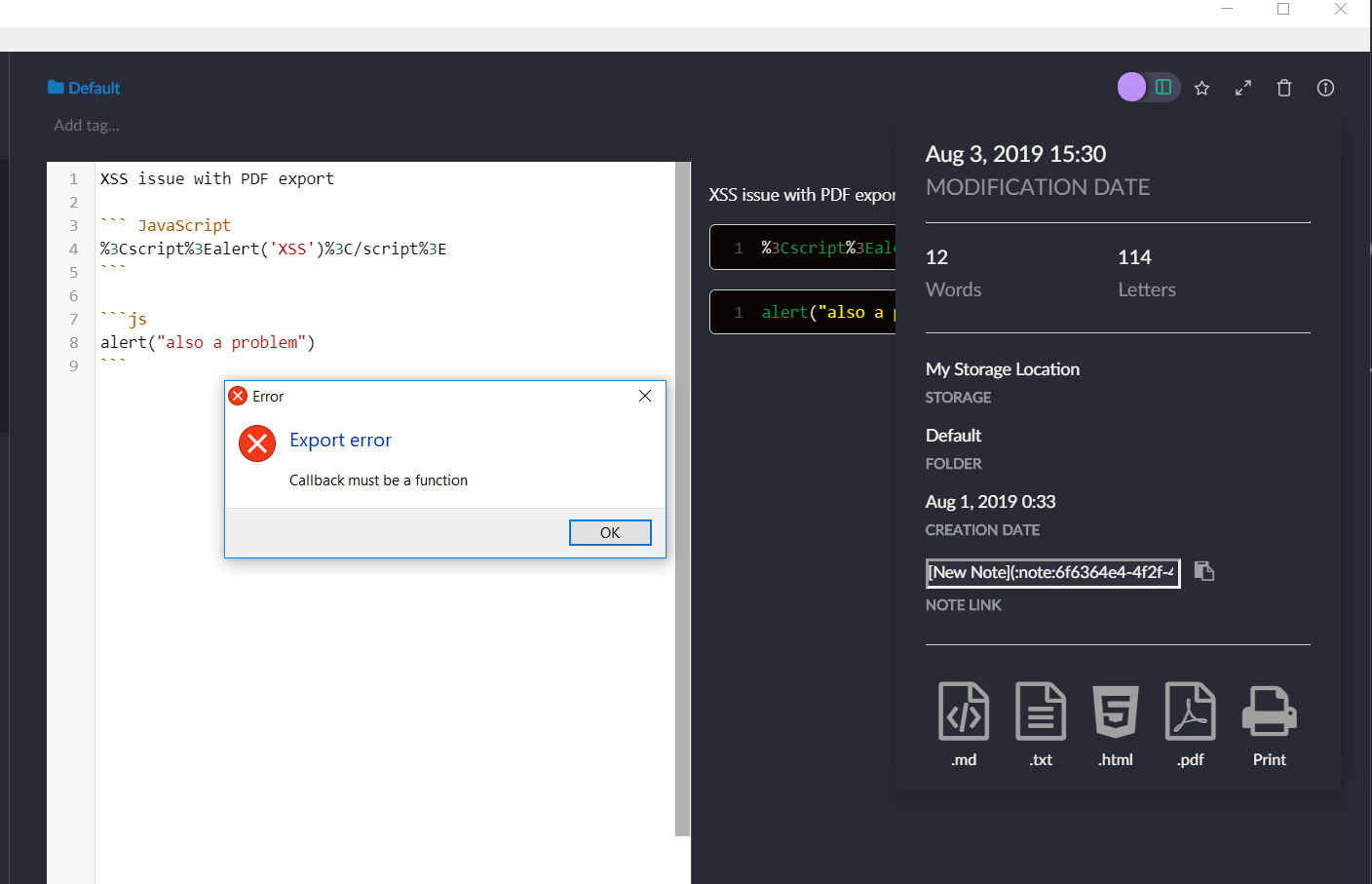
If you're exporting a pdf file (probably other export types are also affected) that will overwrite an existing file which is locked by another application you'll get the error message Export error - Callback must be a function (also see screenshot below). e.g. open the exported file in a web browser and keep it open duing the next export to the same file.
So for me exporting is working (Win 10) but the blocked file error is confusing as it's unclear what it means.
A better error message e.g. Export error - File not writeable. File could be locked by another application. would be great but I couldn't find the location where I could add the check if the file is locked.
 AWolf81
on 3 Aug 2019
AWolf81
on 3 Aug 2019
Related issues
 gavvvr
·
3Comments
gavvvr
·
3Comments
 shunchuan
·
3Comments
shunchuan
·
3Comments
 Rokt33r
·
3Comments
Rokt33r
·
3Comments
 NonlinearFruit
·
3Comments
NonlinearFruit
·
3Comments
 cyber-arsenull
·
3Comments
cyber-arsenull
·
3Comments