Boostnote: M - button on MacOS Switch Mode without CMD
Toggle mode switch without Cmd+M when you in edit mode
Just Press M and that's all.
 makdiuk
All 18 comments
As workaroud
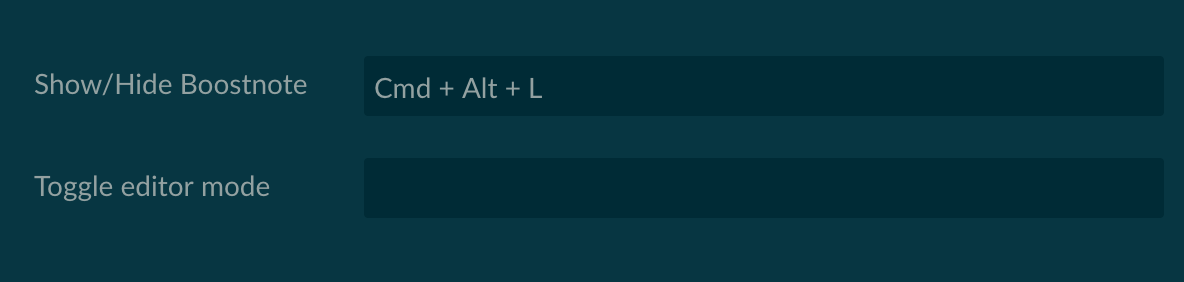
Delete Keys - Combination
makdiuk
on 14 Jun 2018
I confirm this issue. Also, I changed toggle hotkey to Cmd + ] and it happens every time I write ] now, so it's a generic problem.
 katafrakt
on 14 Jun 2018
katafrakt
on 14 Jun 2018
I am experiencing this issue on macOS High Sierra 10.13.5.
In my case, pressing m followed by e toggles the editor mode without any modifier keys being held – such as when typing the words "met" or "requirements".
I used the same workaround @makdiuk mentions.
 dtgay
on 14 Jun 2018
dtgay
on 14 Jun 2018
Same issue. I downgraded to the past version.
OS X 10.12.6 Sierra
 xelldran1
on 14 Jun 2018
xelldran1
on 14 Jun 2018
Same issue, started happening after I updated this morning.
OS X 10.12.6 Sierra
 dabrady
on 14 Jun 2018
dabrady
on 14 Jun 2018
Same issue, started right after I updated this morning
macOS High Sierra 10.13.5
I changed the hotkey to 'Ctrl + M' and it works just fine.
 theBenForce
on 14 Jun 2018
theBenForce
on 14 Jun 2018
Same here...impossible to type words with 'm', although it was a fun challenge for the morning coffee! =O
 MPC-Creative
on 14 Jun 2018
MPC-Creative
on 14 Jun 2018
Same issue after updating today. To resolve I deleted the hotkey
macOS High Sierra 10.13.5
 polo-jo
on 14 Jun 2018
polo-jo
on 14 Jun 2018
Glad to see I'm not the only one. I thought I was going nuts.
 frankfaustino
on 15 Jun 2018
frankfaustino
on 15 Jun 2018
Issue is the cmd hotkey doesn't seem to count. Changed to 'alt + m' and that works fine.
 zacharyrs
on 15 Jun 2018
zacharyrs
on 15 Jun 2018
same issue, macOS High Sierra 10.13.5
 chimin17
on 15 Jun 2018
chimin17
on 15 Jun 2018
You can use 'Command' instead of 'Cmd', Suggest use 'Command + T' for toggle mode, 'Command + M' default used by osx system 'Minimize window' function.
 zhouxiaoxiaoxujian
on 16 Jun 2018
zhouxiaoxiaoxujian
on 16 Jun 2018
same here. Im experiencing it on Seirra. some of the hot keys contain bugs.
 yehia123
on 19 Jun 2018
yehia123
on 19 Jun 2018
@boostio funded this issue with $80. Visit this issue on Issuehunt
 IssueHuntBot
on 20 Jun 2018
IssueHuntBot
on 20 Jun 2018
@zacharyrs has started working. Visit this issue on Issuehunt
IssueHuntBot
on 21 Jun 2018
@zacharyrs has stopped working. Visit this issue on Issuehunt
IssueHuntBot
on 21 Jun 2018
Woops, didn't mean to trigger that.
zacharyrs
on 21 Jun 2018
@boostio cancelled funding, $80, of this issue. Visit this issue on Issuehunt
IssueHuntBot
on 4 Sep 2018
Related issues
 Petroochio
·
3Comments
Petroochio
·
3Comments
 npeeples
·
3Comments
npeeples
·
3Comments
 shunchuan
·
3Comments
dtgay
·
3Comments
shunchuan
·
3Comments
dtgay
·
3Comments
 NonlinearFruit
·
3Comments
NonlinearFruit
·
3Comments
Most helpful comment
As workaroud

Delete Keys - Combination